


Smart locks from WELOCK are installed instead of a standard cylinder insert, so you don’t drill anything into the door and you keep the original handle. But choosing one isn’t easy, because the brand sells several similar models that differ in details—and those are easy to overlook on the product page. That’s why for this comparison we picked the three best-selling models: WELOCK U81 vs Touch41 vs ToucA51. We’ve had the U81 model on our apartment door since winter and we took it apart in detail in our review. We also tested the cheaper Touch41 ourselves, and for the ToucA51 we relied on overseas tests.
All three locks have just dropped in price in the WELOCK 11.11 sale, they ship from a European warehouse and come with a two-year warranty. Below you’ll find what’s different and for whom each one is best.
WELOCK U81 vs Touch41 vs ToucA51 comparison
| WELOCK U81 | WELOCK Touch41 | WELOCK ToucA51 | |
|---|---|---|---|
| Fingerprint | yes / 100 fingerprints | yes / 100 fingerprints | yes |
| Keypad and PIN | yes / 200 codes | no | yes / 200 codes |
| RFID cards | yes / 199 cards | yes / 20 cards | yes |
| Mechanical key | yes / 2 units in the box | no | no |
| Display | yes | yes / OLED | no / only an LED ring |
| Batteries | 4× AAA | 3× AAA | 3× AAA |
| Battery life according to the manufacturer | 10 to 12 months | 8 to 10 months | approx. 10 months |
| Emergency power | no | microUSB | USB-C |
| Door thickness according to the manufacturer | 60 to 115 mm (from 50 mm with the mounting plate) | 50 to 100 mm | up to 95 mm (manufacturer specs differ) |
| Durability | not specified | IP65 (only under a roof) | not specified |
| Operating temperature | -25 to 60 °C | -25 to 60 °C | -25 to 60 °C |
| App | WELOCK via Bluetooth | WELOCK via Bluetooth | WELOCK via Bluetooth |
| Remote control and Alexa | with WIFIBOX3 | with WIFIBOX3 | with WIFIBOX3 |
| Regular price | 249 € | 189 € | 169 € |
| Price in our box | 179 € | 119 € | 109 € |
Design and mounting on the door
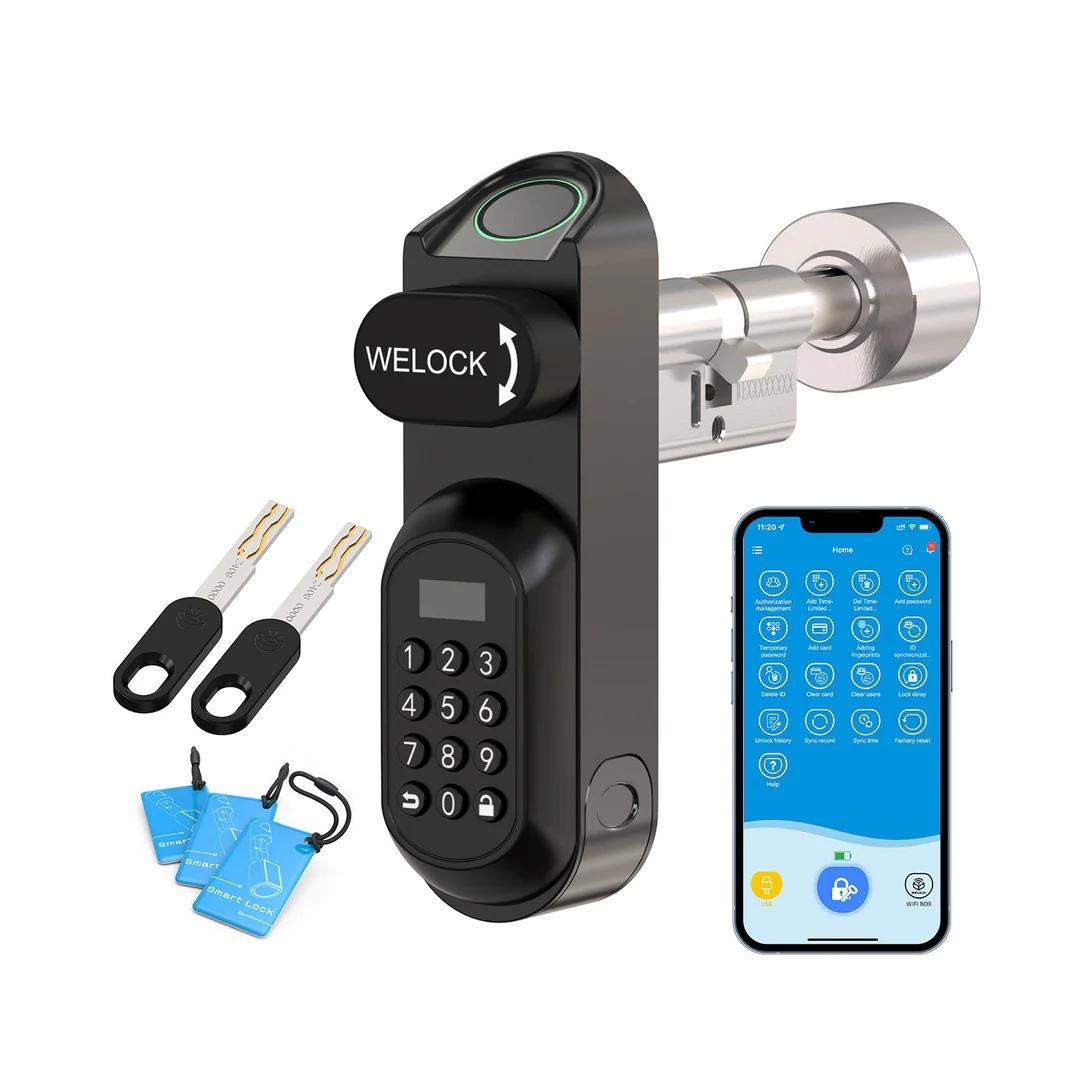
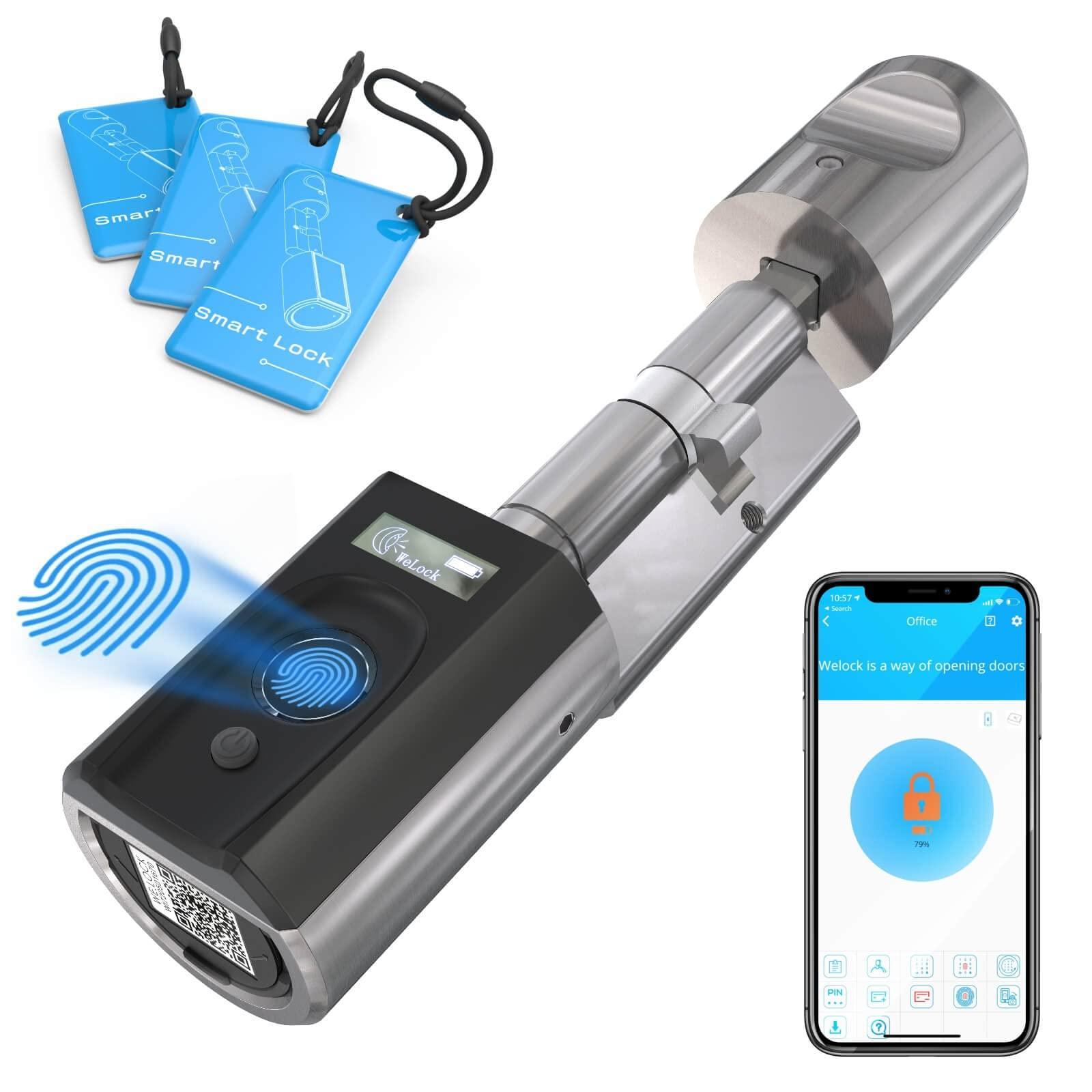
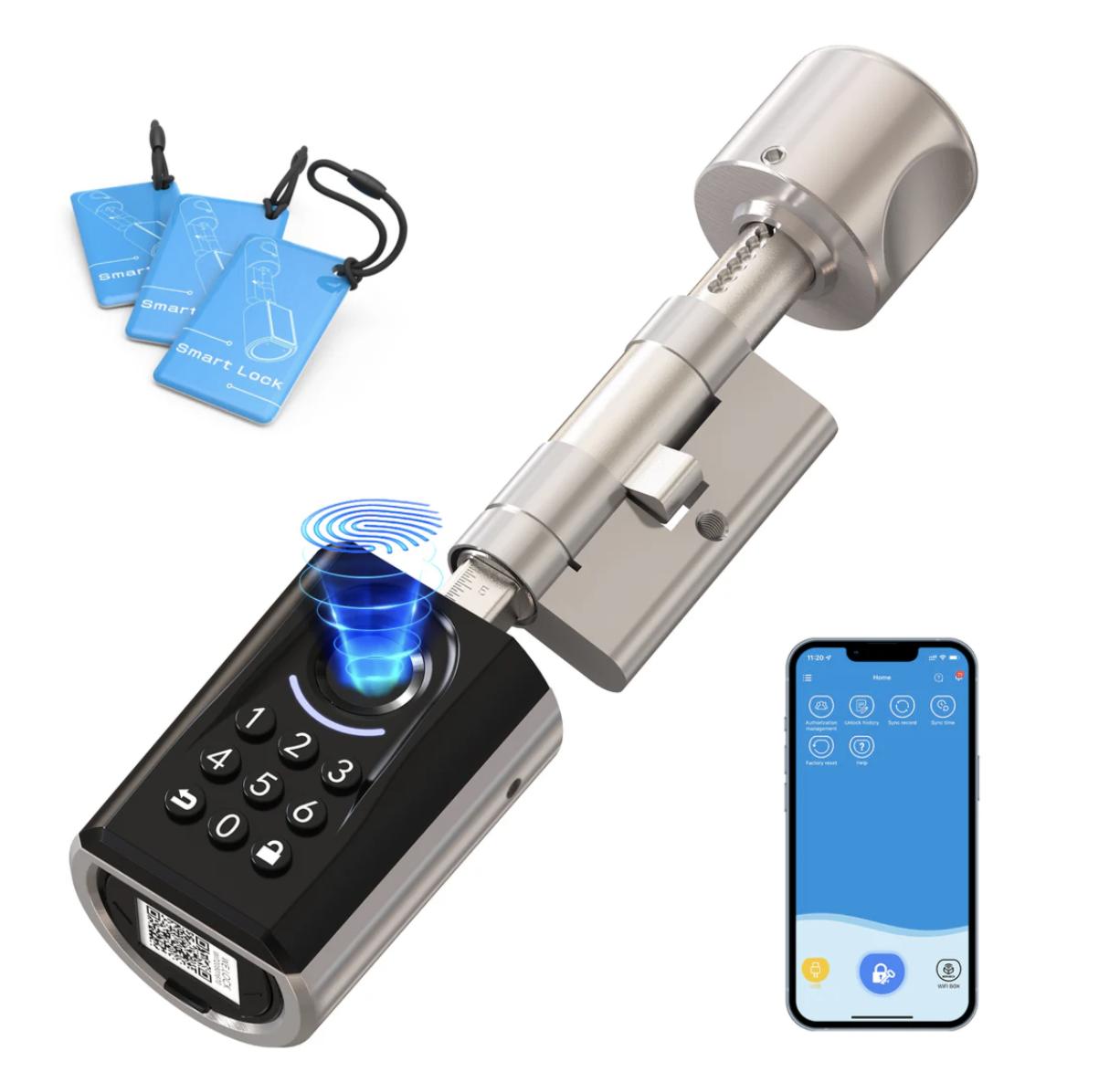
At a glance, the locks differ mainly in the outer part. U81 has a narrow vertical panel with the fingerprint sensor at the top, a knob in the middle, and a keypad with a display at the bottom—so it looks more like a classic electronic lock. Touch41 and ToucA51 have everything in a larger button that protrudes from the door, with Touch41 featuring a small OLED display on it, and ToucA51 featuring a keypad with a glowing ring around the sensor instead.


But the biggest difference turned out to show up during use. Our Touch41 had a noticeable play in the door, and the external knob moved when you rotated it, while the U81 sits firmly and the panel doesn’t shift even when you slam the door. The tester Notebookcheck also described the play on the Touch41, and SmartHomeScene noticed it between the knob and the insert as well. In contrast, the German Smartzone had a piece that held more tightly than Nuki, so this could be a difference between individual units. For the ToucA51, none of the tests mention any play, and thanks to the shorter insert, Smartzone says it’s easier to install than the Touch41.
Unlocking: Fingerprint, PIN and card
All three locks can be unlocked with a fingerprint, and all of them also remember RFID cards—but only U81 and ToucA51 have a PIN keypad. So Touch41 is mainly a fit where everyone in the household unlocks with a fingerprint or a card. If you want to give a code to your grandma, the cleaner, or guests, go for one of the two models with a keypad. Both let you add random digits before the correct PIN or after it, so nobody can peek it, and you can set temporary codes for a specific time in the app.


Foreign tests agree on how quickly the sensor reads a finger, too. Touch41 sometimes needs a second attempt according to several reviews—especially with a wet, cold, or dirty finger—and Blakadder had problems with it even more often. The newer ToucA51, per Smartzone, reliably reads a finger even in the cold and when wet, and the fingerprints learn over time, so after a few dozen uses it’s even faster. Here at home, the U81 opens on the first try in almost every case, so that’s the one we unlock with the most often.
Batteries, emergency power, and backup key
All three locks run on AAA micro-battery cells. U81 needs four, and the manufacturer promises 10 up to 12 months—Touch41 and ToucA51 get by with three and should last roughly 8 up to 10 months. So far, no independent test has properly measured battery life, and Smartzone estimates it for U81 at more like 6 up to 9 months. A weak battery will be noticed by all of them, but U81 is the most obvious one—every unlock it blinks red, beeps, and shows “Battery Low” on the display.
The difference is what happens if the batteries do run out after all. Touch41 and ToucA51 don’t have a mechanical key, so you can only “revive” them from the outside with a power bank connected to the button’s port. Touch41 also has an older microUSB, while ToucA51 has the modern USB-C—so for it, even a phone cable is enough. U81 doesn’t have a power-bank port, but as the only one of the three it includes two mechanical keys and a hole hidden under the silicone sleeve of the button. Smartzone does warn that the key sometimes catches only on the second attempt, but as a final backup it’s enough—and the other two locks don’t even have that.
App and remote control
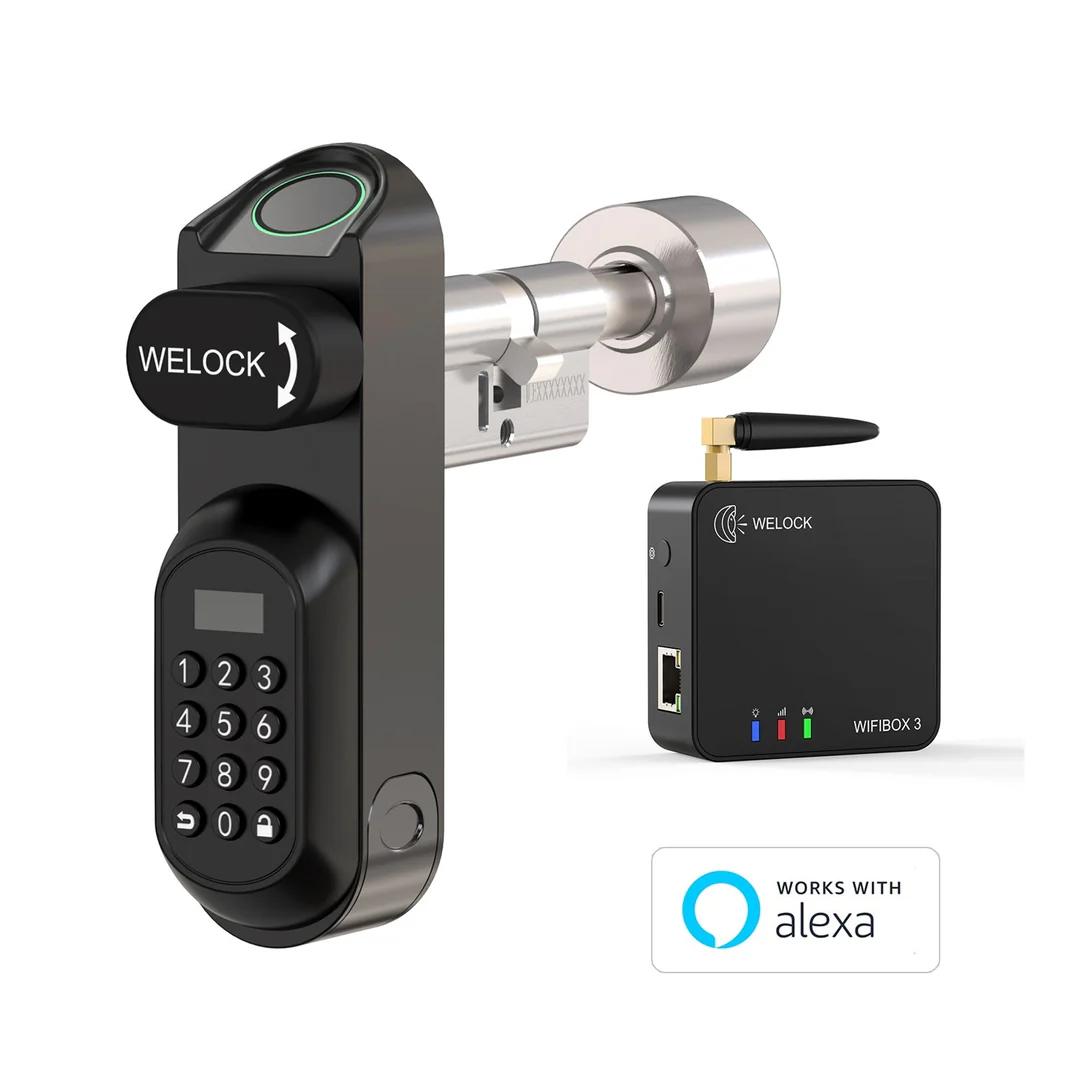
All three locks use the same WELOCK app, and without an additional gateway they communicate with your phone only via Bluetooth. So you can unlock with your mobile only when you’re standing by the door, and the unlock history in the app is downloaded only after you connect. If you want to open the door remotely, receive notifications, or control the lock via voice through Alexa, you need a WIFIBOX3 gateway with any model.
The app is the weakest point across all three. It doesn’t have Slovak or Czech, feels outdated, and foreign reviews complain about both the translations and unreliable Bluetooth connection. It does work, though, and for normal use you don’t even need it—because fingerprints and cards can be added directly on the lock. None of the models has a motor, so after unlocking you turn the knob yourself, and the lock doesn’t automatically lock.
Before you order: Measure your door and insert
The most common problem when buying a smart insert is that it doesn’t fit the door. Before ordering, measure the door thickness including the hardware and compare it with the range in the table. U81 handles the thickest doors, Touch41 is suitable for doors from 50 to 100 mm, and for ToucA51 WELOCK lists different ranges in different places—so double-check the insert dimensions with it especially carefully. Also check whether your door has safety hardware with a cover for the insert, because the large outer knob may not be able to reach through it. Notebookcheck therefore didn’t install Touch41 on one of the three test doors.
For older locks, it’s also worth checking the insert tooth profile that rotates the latch inside the lock. AndroidPCTV found that the ToucA51 didn’t fit the old TESA lock with the shorter latch. If you’re not sure, pull out the old insert before ordering and measure its length from the center screw to both sides. Even if the lock still doesn’t fit, WELOCK offers 30 days for returns.
A new lock without a locksmith, delivered from a European warehouse
All three models are available to buy directly from the official WELOCK store, which ships them from a European warehouse. The courier delivers in about a week; you pay nothing extra upon delivery, and you get a two-year warranty plus 30 days to return the lock. If you want to control the lock remotely too, with U81 you can simply choose the variant with the WIFIBOX3 gateway.
WELOCK U81, 2-year warranty

TIPExpress delivery from a European warehouse without customs duty and VAT.
This product will be delivered to you express from a local warehouse in Europe. Delivery from EU warehouses usually takes 2–10 days and is handled by a courier. When delivered, you don’t pay any extra fees—no customs duty or VAT.
TIPExpress delivery from a European warehouse without customs duty and VAT.
This product will be delivered to you express from a local warehouse in Europe. Delivery from EU warehouses usually takes 2–10 days and is handled by a courier. When delivered, you don’t pay any extra fees—no customs duty or VAT.
WELOCK Smart Lock Touch41, 2-year warranty
 EU warehouse
TIPExpress delivery from a European warehouse without customs duty and VAT.
This product will be delivered to you express from a local warehouse in Europe. Delivery from EU warehouses usually takes 2–10 days and is handled by a courier. When delivered, you don’t pay any extra fees—no customs duty or VAT.
WELOCK ToucA51
 EU warehouse
TIPExpress delivery from a European warehouse without customs duty and VAT.
This product will be delivered to you express from a local warehouse in Europe. Delivery from EU warehouses usually takes 2–10 days and is handled by a courier. When delivered, you don’t pay any extra fees—no customs duty or VAT.
Final verdict: Which WELOCK smart lock to choose
WELOCK U81 is the best choice for main entrance doors. As the only one, it has a mechanical key—it holds firmly in the door, has a keypad with a display, and can handle even thick doors. It’s the most expensive, but the difference buys you peace of mind that it won’t fail you, even if you neglect to replace the batteries.
WELOCK ToucA51 offers the best value for money and features. For the lowest price, you get a fingerprint, PIN, and cards—and according to tests, even a more reliable sensor than with Touch41. It’s great for apartment doors, for a chat/room door, or a garage door, as long as you don’t mind that when the batteries run low, you’ll need a power bank with USB-C.
WELOCK Touch41 only makes sense if you’re fine with a fingerprint + card, and you want a display showing battery status. The cheaper ToucA51 gives you more: a keyboard and more modern USB-C as well—and since we’ve also tried the lock in real doors, today we’d reach for one of the other two remaining models instead.
Which one would you choose?
We’re curious which smart lock would win at your place. Vote in the poll and see the results right away.
Which WELOCK smart lock would you put on your door?
Follow the China Planet website, subscribe to our monthly newsletter, and be sure to check out our Facebook page, the China Planet group, and join our Telegram, where we add the best offers and coupons from China every single day.
Don’t miss the best coupons 📩
Subscribe and we’ll email you new coupons before they expire. We only send it once a month — no spam.


