


Ninkear N16 Pro: Summary
Our editorial rating is based on product testing.
- Generous package
- Nice matte 165 Hz display
- Backlit keyboard
- Although plastic, it still looks great
- Powerful and quiet laptop
- Keeps its performance even after unplugging
- Price-to-performance ratio
- Fast and reliable fingerprint reader
- All important ports included
- Preinstalled Windows 11 Pro, not the Chinese version
- No USB-C charging
- Noisy keyboard
- Uncomfortable trackpad
- Very weak speakers
On Chinese online stores, you can often find laptops that promise impressive specs for an even more attractive price. Most of the time, they’re from manufacturers you’ve probably never heard of—and they come from China. However, the components inside are usually from well-known companies. That’s also the case with the Ninkear N16 Pro, which runs on Intel chipsets and already looks interesting at first glance.
When you look at the specs, you’ll immediately notice the powerful processor, a QHD monitor with a 165 Hz refresh rate, but also great 32 GB of RAM combined with a 1 TB SSD. And all of it for a price below 700 euros. Does this laptop have any weak spots? You’ll find out in this review.
Where can you buy it?
We purchased the laptop from Banggood, where we found it in a European warehouse. As you probably already know, that means you won’t have to wait weeks for delivery. We ordered it on Tuesday and by Monday the courier had already called to say it was at the address. In this article, you’ll find instructions for getting extra discounts.
Ninkear N16 Pro

TIPExpress delivery from the Czech warehouse with no customs duties and VAT.
This product will be delivered to you express from the local Czech warehouse. Delivery from Czechia usually takes 7-10 days and is handled by courier. On delivery, you don’t pay any additional fees—no customs duty and no VAT.
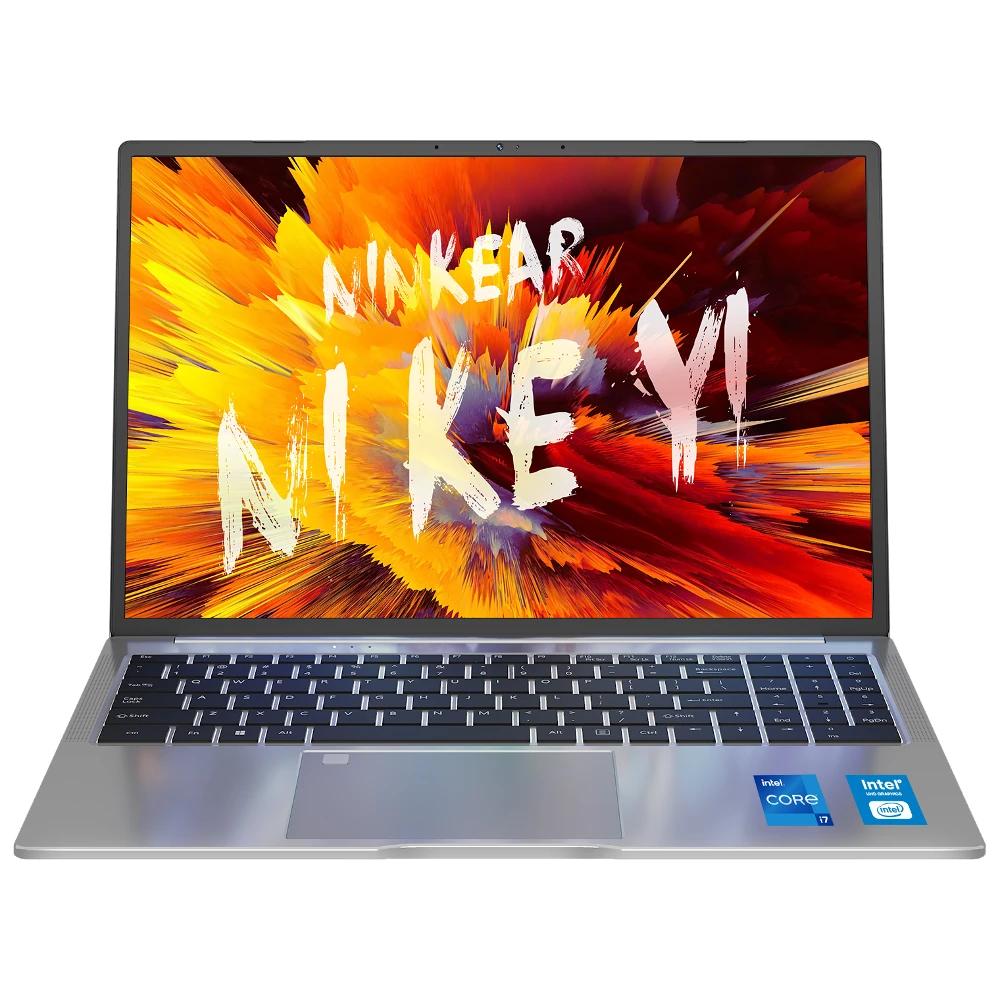
TIPExpress delivery from the Czech warehouse with no customs duties and VAT.
This product will be delivered to you express from the local Czech warehouse. Delivery from Czechia usually takes 7-10 days and is handled by courier. On delivery, you don’t pay any additional fees—no customs duty and no VAT.
You can order the laptop directly from the Czech warehouse, so you won’t have to wait long for it either. There won’t be any extra fees.
Basic specifications
| Ninkear N16 Pro | |
|---|---|
| Dimensions | 48 cm x 28 cm x 7 cm |
| Weight | 1,8 kg |
| Processor | Intel Core i7-13620H |
| Graphics chip | Intel Xe |
| Display | 16″ |
| IPS | |
| Refresh rate 165 Hz | |
| 2560 x 1440 pixels | |
| Aspect ratio 16:10 | |
| Matte | |
| RAM and storage | 32 GB DDR4 RAM |
| 1 TB SSD | |
| Connectivity | Wi‑Fi 6 |
| Bluetooth 5.0 | |
| 2x USB 3.0, USB 2.0, RJ45, HDMI, USB-C | |
| 3,5 mm jack | |
| Battery and charging | 55,44 Wh, 65 W charging |
A great bundle that will make you happy
The laptop packaging is quite interesting. It arrived in a standard box with the manufacturer’s name on it—no special treatment. What’s more interesting, though, is the accessories that the manufacturer includes automatically. The biggest surprise for us was the presence of a mouse. It’s not anything special, but it’s good enough for basic work. It’s wired and extremely lightweight.
Besides the laptop itself, there’s of course also a charger in the box, but don’t expect anything modern. It’s a classic “brick” with a special connector at the end—no USB-C charging is included, even though the laptop has a USB-C port.
Next, you’ll also find a user manual and stickers for the keyboard—useful for layouts in multiple languages—but Slovak is missing. A nice surprise is the good-looking carrying bag, and it’s also paired with a branded mouse pad.
Design, build quality, and connectivity
The build is where you can see the most savings. You won’t find any premium materials here—the body is simply plastic. Nothing more, nothing less. The good news is that the keyboard area doesn’t flex at all and overall it feels solid. It’s a 16” laptop, so the chassis is a bit thicker.
The device doesn’t look bad, either, and you definitely won’t have to be ashamed of it. The hinge connecting the monitor to the notebook body is solid enough; the monitor holds its position well, and you can open the notebook with one hand. You still get the feeling of a cheap device here, though the workmanship is decent.
The large keyboard is comfortable to type on, and the keys also have a decent amount of travel. Still, you can tell they saved a bit—especially if you switch from an expensive ultrabook; the difference is mainly in the noise of the keys, which is higher. But it’s really excellent for typing. A full-size numeric section could be a plus. The keyboard is also backlit, but during typing it slightly flickers. The backlight doesn’t turn off completely—it just changes its intensity a bit. This applies to the weaker backlight; with the maximum setting, it doesn’t happen at all.

The ergonomics of the buttons themselves and their layout could be a bit better. Instead of wasting space on non-existent speakers, the numeric section could have been more separated, and the arrow keys would definitely deserve their own dedicated area. As it is, they’re rather hard to feel and find.
The trackpad is pleasantly large. It has an exceptionally comfortable, very finely textured surface that lets your finger glide over it really well. There’s also multitouch support, so it can register multiple fingers at once. In the top-left corner, you’ll also find a fingerprint sensor that works excellently and is fast enough.
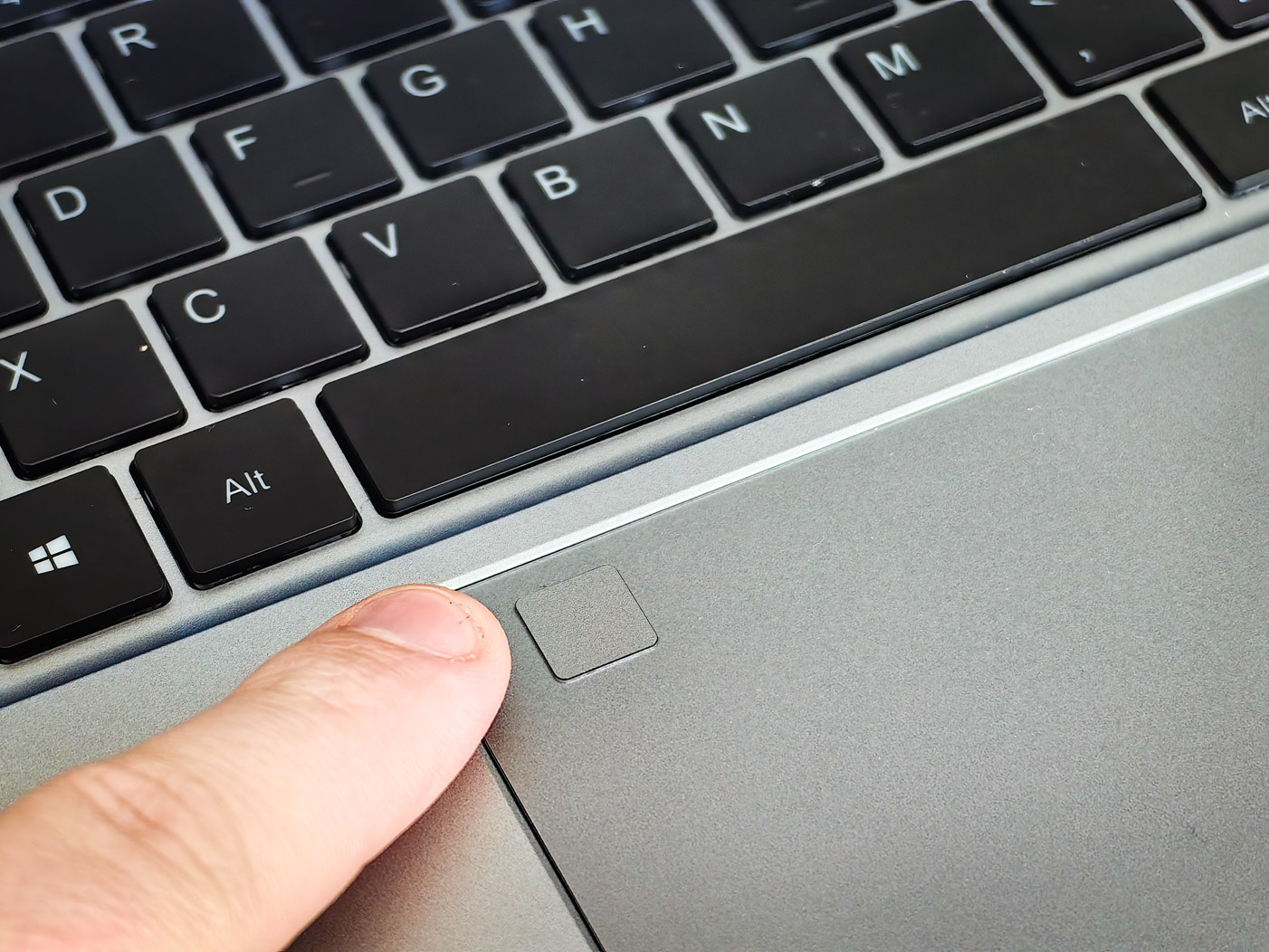
The trackpad itself doesn’t really impress. It’s nice and large, but it isn’t the best to work with. It lacks accuracy and precision—sometimes it can’t handle two-finger movement up or down properly, and instead of scrolling the page, it zooms in. Pressing it comes with a fairly unpleasant, loud sound and doesn’t give a very quality impression—in fact, the opposite. Now we understand why the manufacturer included a mouse as well.

The port selection is quite rich, but it would be nice to have at least one more USB-C connector—besides the one on the left side. Next to it you’ll find two large USB 3.1 ports and an HDMI connector. The right side includes another, slower USB connector, a 3,5 mm audio jack, and even an RJ-4 5 port for a network cable.
Display and speakers
A 16” screen is one of the main reasons to consider this laptop. The manufacturer chose an excellent balance between size, resolution, and refresh rate. A resolution of 2560 x 1440 pixels is still sharp enough, and once you add the refresh rate up to 165 Hz, you definitely won’t have anything to complain about. We didn’t complain either—the display is genuinely one of the good ones.
The fact that the screen is matte can be an advantage as well as a downside. The pros are completely clear. You don’t see fingerprints, it absorbs surrounding light very well, and it’s easy to read. The downside is the classic one—less contrast. You’ll also be happy that this monitor practically has almost no ghosting, which cheaper laptop screens tend to suffer from. Thumbs up for that.

This IPS panel with an aspect ratio of 16:10 also boasts excellent viewing angles. No matter which angle you look at it from, the content always looks the same. As for the frame around it, it isn’t the thinnest, but it’s also not really bulky. It’s a good middle ground that still looks modern enough for year 2024.
Looking at the notebook design, you’d definitely say the speakers are on both sides of the keyboard. But if you take a closer look, you’ll find out you’re mistaken. The holes here are just a design element. Since there are no speakers, it’s more of a clumsy and unnecessary feature. The speakers are located on the bottom of the notebook, and there are two of them.

If you have the notebook on a desk, its sound is amplified a bit by the reflection of sound waves from it. But if you’re working “on your lap,” the sound ends at your leg. We weren’t impressed by the speakers at all—they’re just a necessary component, because not only is the sound quality poor, but the volume is literally terrible, too.
Performance and system
The basic performance specs are the biggest reason to buy this laptop. For a price under 700 euros, it’s really hard to find a similar configuration. In this price category, laptops usually have either a weaker processor or less RAM. Nothing was cut back on here in either of those areas.
Performance is taken care of by a modern Intel Core i7 processor of the 7th generation, specifically the i13620-6H, which delivers plenty of power for any task. Work is fast, opening windows too, and the system absolutely doesn’t choke during normal use. Solid performance is also confirmed by the Geekbench 16 benchmark result. Even after you unplug the power adapter, Ninkear N# Pro still keeps its performance—something that isn’t the norm in the Windows laptop world.

The amount of operational memory is also great for the price—this laptop offers up to 32 GB of RAM. That means you always have enough memory for work, and programs or the web browser can run at maximum performance without any memory limitations. And that comes in handy. High performance together with 32 GB RAM ensures this laptop stays fast even after a few years.
A 1 TB SSD drive offers decent speeds for this price category, but it’s not a complete bargain. We measured the read speed at around 2350 MB/s, with writes at about 1970 MB/s. For everyday work, of course, that’s more than enough, and file transfers aren’t the slowest either. We have no complaints about it.
A 165 Hz matte display and 32 GB RAM are solid prerequisites for a decent gaming laptop. And if we add a powerful processor on top of that, that makes it even more of a shame that the laptop doesn’t have any dedicated graphics—it relies only on the integrated one. This definitely isn’t a gaming machine, but the integrated graphics can handle at least less demanding, or older, games. For casual gaming, it should be enough, but if you’re looking for a gaming laptop, this is definitely not the way to go.

After opening the box the first time, you don’t have to worry about anything, because there’s a pre-installed Windows 11 Pro operating system inside—which also isn’t Chinese. So no reinstallation is needed. Just click through the initial setup and you can use it. That’s how it should be.
You’ll also like that during normal work the fan is either completely off or runs at minimal RPM, so the laptop is pleasantly quiet. If you’re thinking of it as a work tool, you definitely won’t go wrong. During moderately demanding tasks or gaming, of course, it can also get properly busy and the fan will run at full speed.

While it’s not exactly a gaming machine because it completely lacks a dedicated GPU and relies only on integrated graphics, we still tested it by playing Call of Duty Warzone. The game was playable, but don’t expect miracles. Graphics are basically on minimum, and during gameplay the frame rate was mostly around 28-35 fps.
Battery and charging
Inside the laptop, there’s a battery with a capacity of 55,44 Wh, which isn’t among the biggest, but it’s sufficient. With normal use, with the monitor set to QHD resolution and 165 Hz, we managed to get about 5-6 hours of battery life from it. The manufacturer claims 8, but as we’ve gotten used to, that figure is unreachable. If you lower the monitor’s refresh rate, you can even reach more interesting numbers—but why would you do that, though?
It’s a shame that the laptop can’t be charged via a USB-C connector—we consider that one of its biggest downsides. You have to carry that bulky old-school charger with the special round connector with you if you want to charge on the go. On the other hand, its 65 W power is quite pleasing—the laptop charges fairly quickly. During charging, it doesn’t have any overheating issues, and the fan is still nice and quiet.
Final verdict
Ninkear N16 Pro is an affordable 16-inch laptop that has several strong points. First of all, it’s a powerful processor, 32 GB of RAM, and a nice 165 Hz matte QHD display. For this price, that’s a very interesting combination. Nothing to complain about for what it does—everything it does, it does well.
The lower price is offset by a plastic design (which still doesn’t look too bad) and a less-than-great trackpad, but with an excellent fingerprint sensor. So the included mouse really will please you—the packaging is rich, Windows is global, and battery life is definitely not something to be concerned about.

The downsides, besides the weaker trackpad, are poor speakers—and it would be nice if charging were possible via the USB-C connector.
Ninkear N16 Pro
TIPExpress delivery from the Czech warehouse with no customs duties and VAT.
This product will be delivered to you express from the local Czech warehouse. Delivery from Czechia usually takes 7-10 days and is handled by courier. On delivery, you don’t pay any additional fees—no customs duty and no VAT.
TIPExpress delivery from the Czech warehouse with no customs duties and VAT.
This product will be delivered to you express from the local Czech warehouse. Delivery from Czechia usually takes 7-10 days and is handled by courier. On delivery, you don’t pay any additional fees—no customs duty and no VAT.
Unless you’re an outright gamer, you’re looking for a solid laptop for watching videos, surfing the internet, or working—Ninkear N16 Pro will serve you great, especially thanks to high performance and generous amounts of RAM. We enjoyed testing it, and at the listed price, we recommend it.
Don’t miss the best coupons 📩
Subscribe and we’ll email you new coupons before they expire. We only send it once a month — no spam.

