


Verdict: Dreame Bot L10 Pro
Our editorial rating is based on product testing.
- premium design
- vacuum movement with almost no bumps into obstacles
- suction power 4000 Pa
- higher noise on the strongest mode
- still weak mopping
- magnet for fingerprints and dust
We’ve already tested several robot vacuums, including for example Viomi SE or Dreame D9. This time, however, we had the chance to test a premium model from the Dreame brand, which is part of the flagship lineup of robot vacuums. The Dreame Bot L10 Pro offers suction power up to 4000 Pa and a range of advanced technologies that improve the vacuum’s performance.
Does the high suction power and use of 3D scanning also translate into better cleaning efficiency? Read our detailed review, where you’ll learn all the important information.
🔥 Follow the latest updates from China Planet on Facebook and on Instagram.
Where to buy the Dreame Bot L10 Pro
The Dreame Bot L10 Pro robot vacuum is currently available from the official seller on AliExpresse in European warehouses. You can also get it from our international partner Banggood, though they only have it in a Chinese warehouse, but they offer better customer support.
Technical specifications
The first, very interesting piece of data is the suction power represented by the value of 4000 Pa. If we compare the robot vacuums currently available on the market, most of them have suction power around 2000 Pa. Viomi SE has 2200 Pa, Dreame D9 – 3000 Pa, Roborock S5 Max – 2000 Pa, and the new Roborock S7 model has 2500 Pa suction power.
Dreame Bot L10 Pro sets the bar even higher, reaching almost 4000 Pa, which is nearly double the suction power of standard robotic vacuum cleaners.
The mentioned performance is also ensured by a high-quality Nidec brushless motor, which guarantees a long service life. The advanced Lidar system takes care of navigation of the Dreame Bot L10 Pro robot vacuum around the space. Thanks to additional 3D scanning, the vacuum should recognize obstacles and effectively avoid them without impact. Two lasers in the front can detect any obstacle and immediately respond by changing direction. It also uses the SLAM algorithm to plan optimal routes through the space.

Dreame Bot L10 Pro can also mop, which is what the 270 ml water tank is for. The dirt bin has a volume of 570 ml. The battery with a capacity of 5 200 mAh should last for about 2.5 h of operation. In that time, it can vacuum about 250 m2.
In the box, design and build quality
Inside, the packaging is traditional—just like we’re used to with robot vacuums. On top there’s a flat box that holds the user manual, a three-armed brush, and the water tank for mopping.

Under that is the vacuum itself, placed in protective film. Next to it, in separate compartments, you’ll find additional accessories. There’s a charging station and the cable. So the package includes only the basic items, without any extra spare parts.
Below it is the vacuum itself already placed in protective film, with additional accessories stored next to it in separate compartments. There is also a charging dock and a cable. The package therefore contains only the basic items, without any extra spare parts.

At first glance, it’s clearly a premium, high-quality product. Its dimensions are 353 x 350 x 96.8 mm. It’s available in only black, which gives it an elegant look. On the other hand, the glossy black surface on the top part is a magnet for fingerprints and dust. The surrounding sides are already matte.
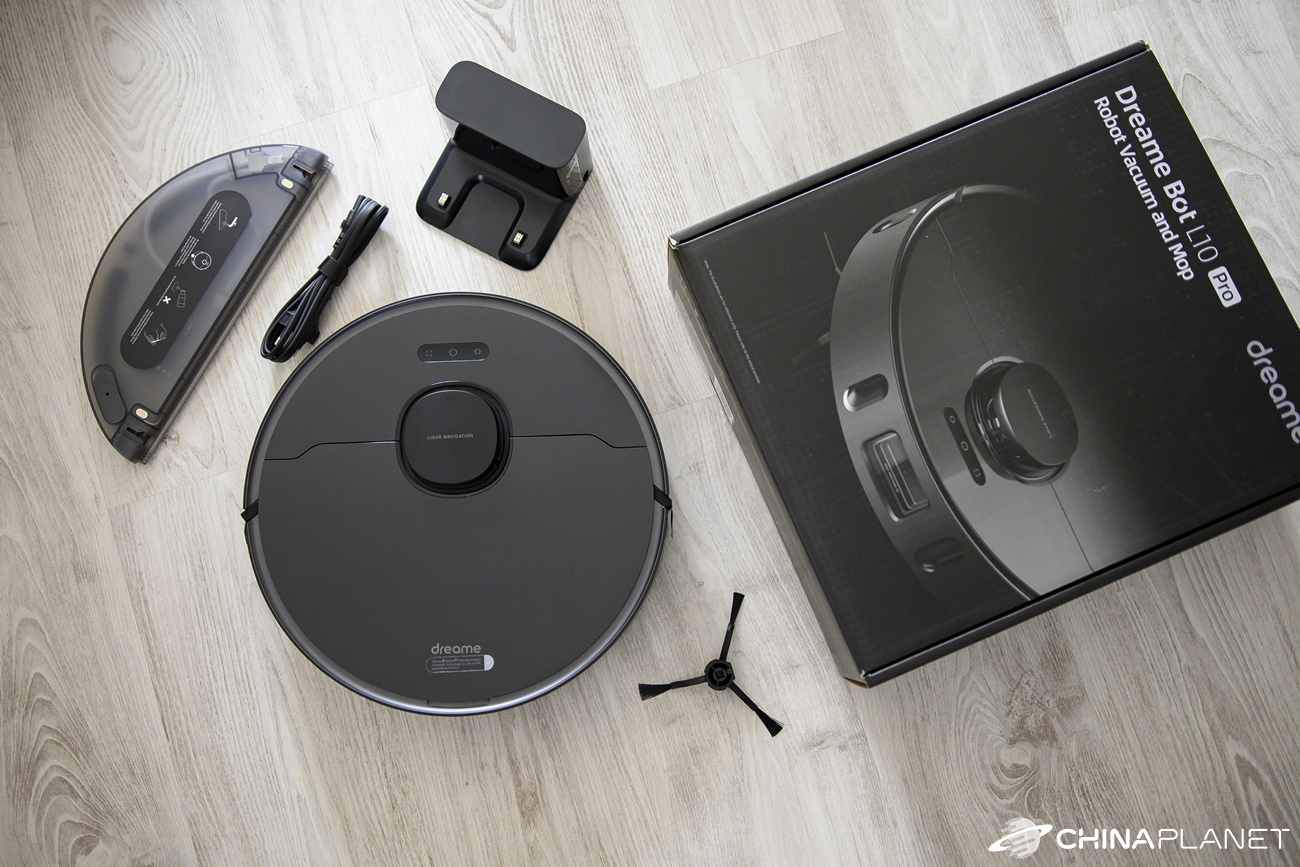

The design is classic – the top features a LiDAR navigation system, and under the top hatch there’s a dust container with a small brush for cleaning the filter. Large wheels with a deep tread dominate the underside, allowing the vacuum to cross obstacles up to a maximum height of 2 cm. Between these wheels, there’s an orange rotating brush that’s slightly spring-loaded, so when cleaning carpets it can better adapt to the surface.

There’s also a three-armed swivel brush that sweeps dirt from underneath the vacuum. You’ll also find several sensors designed to prevent it from falling down stairs, along with a small front wheel for turning.
The standout feature is the laser system at the front, which ensures a 3D space scanning. Thanks to this system, the vacuum shouldn’t bump into obstacles, but instead avoid them efficiently. It should also respond to sudden obstacles that unexpectedly appear in its path, immediately choosing another route. Of course, we’ll test how well this system works.

Pairing with the app
Since Dreame is Xiaomi’s sub-brand, the Dreame Bot L10 Pro works with the Xiaomi Home (Mi Home) app. With Bluetooth enabled, the app instantly finds the robot vacuum nearby. You can also add it manually by searching in the list. Since it’s a new model, you’ll need an up-to-date app so it can recognize this vacuum.

In the first step, the app asked us to reset the vacuum by long-pressing the two outer buttons. For the first pairing, this step shouldn’t be necessary, so we skipped it.
The vacuum’s voice assistant informed us in a pleasant, clear voice that it was waiting to connect to the network. All you need to do is select your home WiFi network and wait for the vacuum to connect. The whole process is fast and simple.
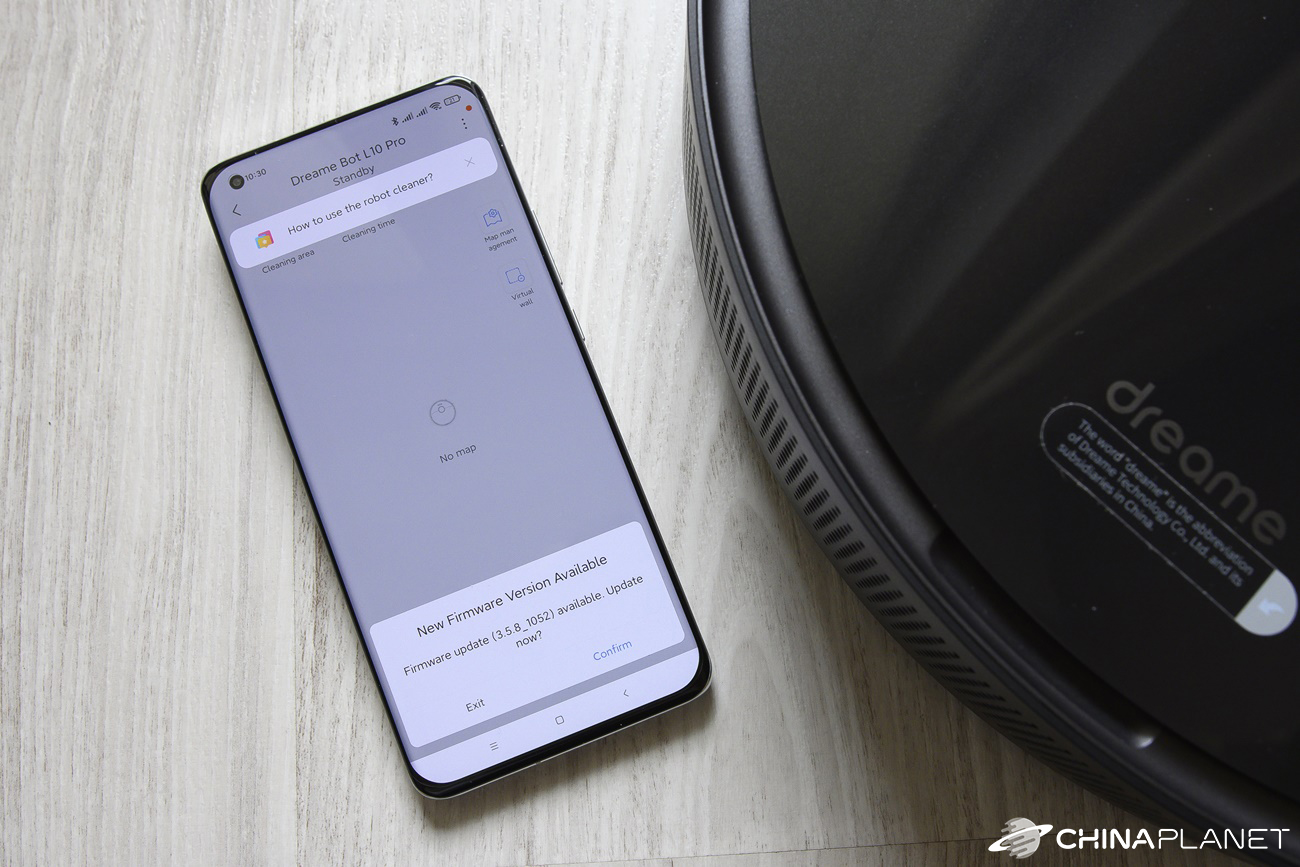
Once connected successfully, the app shows basic usage instructions, including how to place the vacuum properly with the charging station.
Right away, the app also offered a firmware update (to version 3.5.8_1052). The update itself took place very quickly, within two minutes. After that step, the vacuum was ready to use.
First cleaning and vacuum navigation in the room
The Dreame Bot L10 Pro arrived with roughly half the battery capacity, so we could test it right after adding it to the app. The first cleaning is all about discovering the home’s layout.

First, the vacuum went along the middle of our apartment by following the perimeter. Then it cleaned that area with typical side-to-side movements. Only after successfully cleaning the initial area did it gradually move on to other rooms.

We tested it in a 3-room apartment with an area of about 69 m2. However, there’s a threshold higher than 2 cm leading to the bathroom and toilet, so the vacuum couldn’t reach those areas. We also didn’t let it go into the wardrobe or under the dining table. Based on the app’s information, the total area it covered was 33 m2. Cleaning the entire apartment takes it about 45 minutes.
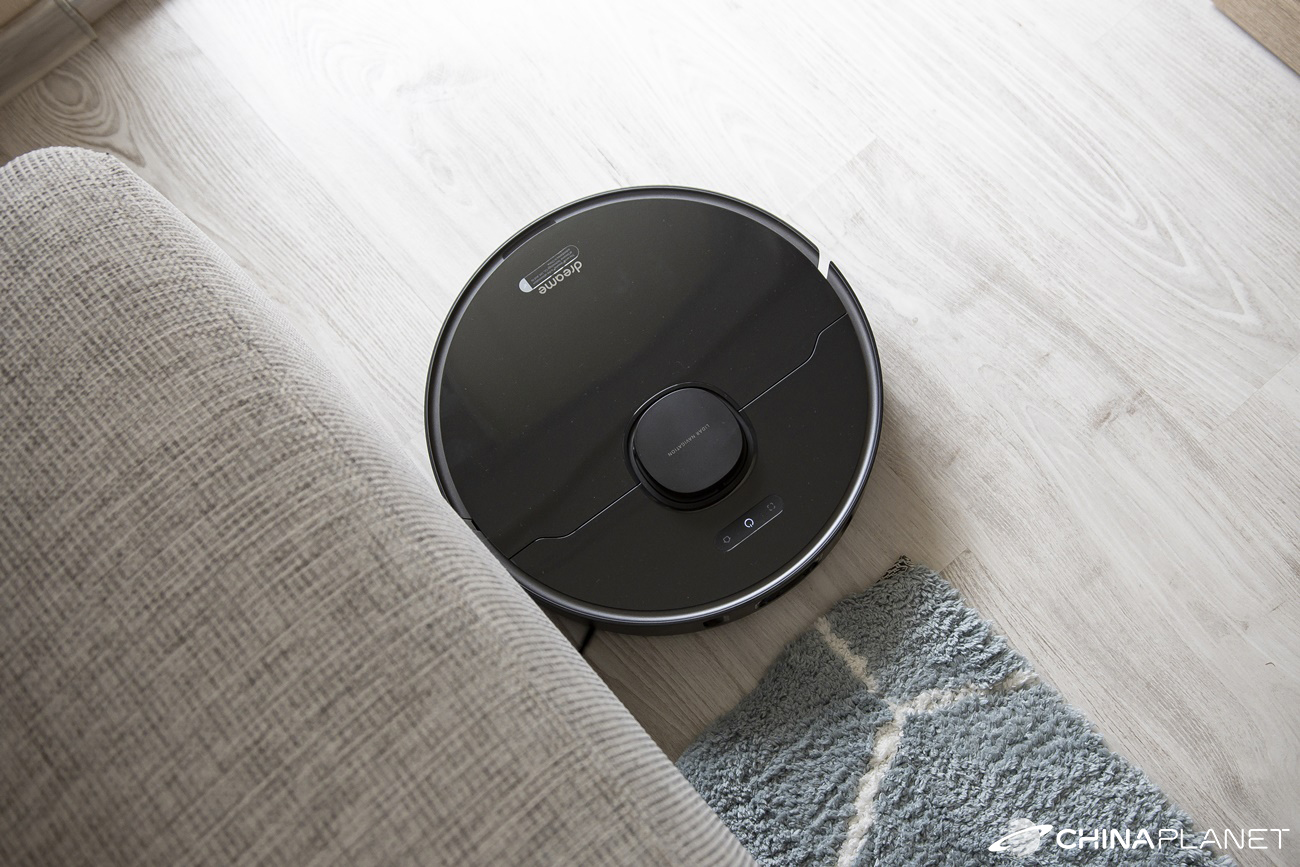
The 3D laser scanning works very well, and the vacuum really doesn’t bump into almost any obstacles. So we didn’t have to worry about anything being knocked onto the floor. In the video below, you can see how effectively it avoids even an unexpected obstacle.
You can start cleaning from the app or by pressing the button on the top of the vacuum. You can choose full-room cleaning, cleaning specific rooms, or just a specific area that you mark on the map.
Cleaning quality and its modes
The suction power of the Dreame Bot L10 Pro is up to 4000 Pa—double that of typical, cheaper robotic vacuum cleaners. It handles everyday messes like dust, hair, or crumbs really well.

There are 4 cleaning levels – silent, standard, strong, and turbo. We measured the noise level in each mode, and the results are as follows:
- Silent mode – 55 dB
- Standard mode – 62 dB
- Strong mode – 64 dB
- Turbo mode – 70 dB

We also tested the suction performance on kitchen tiles, where we scattered breadcrumbs mixed with coffee and red lentils for better visibility of the dirt. After the very first vacuuming in turbo mode, the floor was cleaned almost perfectly. Only a few smaller bits remained on the tiles, and they disappeared after the second pass. If you read our review of the Dreame D9, you can clearly see an improvement in cleaning performance in comparison.
We’re also sharing a photo showing what it looked like before the vacuum test:

Here you can take a look at the photo after vacuuming.

Dirt like, for example, small stones from shoes on a doormat is a much tougher challenge. The vacuum cleaner didn’t fully pick them up from the mat even in turbo mode. Even after a second, repeated vacuuming of the same area, the doormat wasn’t completely cleaned. However, stick vacuums also have trouble with stones, even though they typically have much higher suction power (e.g., Dreame T20 or Jimmy H8 Pro with 25 000 Pa).


For normal everyday vacuuming, though, the suction power is more than sufficient. The vacuum can also handle carpets with longer pile without any issues. Compared to the Dreame D9, which would get stuck on the carpet, we didn’t experience this problem with the Dreame Bot L10 Pro even once. Overall, the vacuum didn’t get stuck anywhere.
How it handles mopping
A new feature from Dreame is an intelligent mop that can dispense water based on the current need. The water tank has a capacity of 270 ml, and during mopping the robot also vacuums.


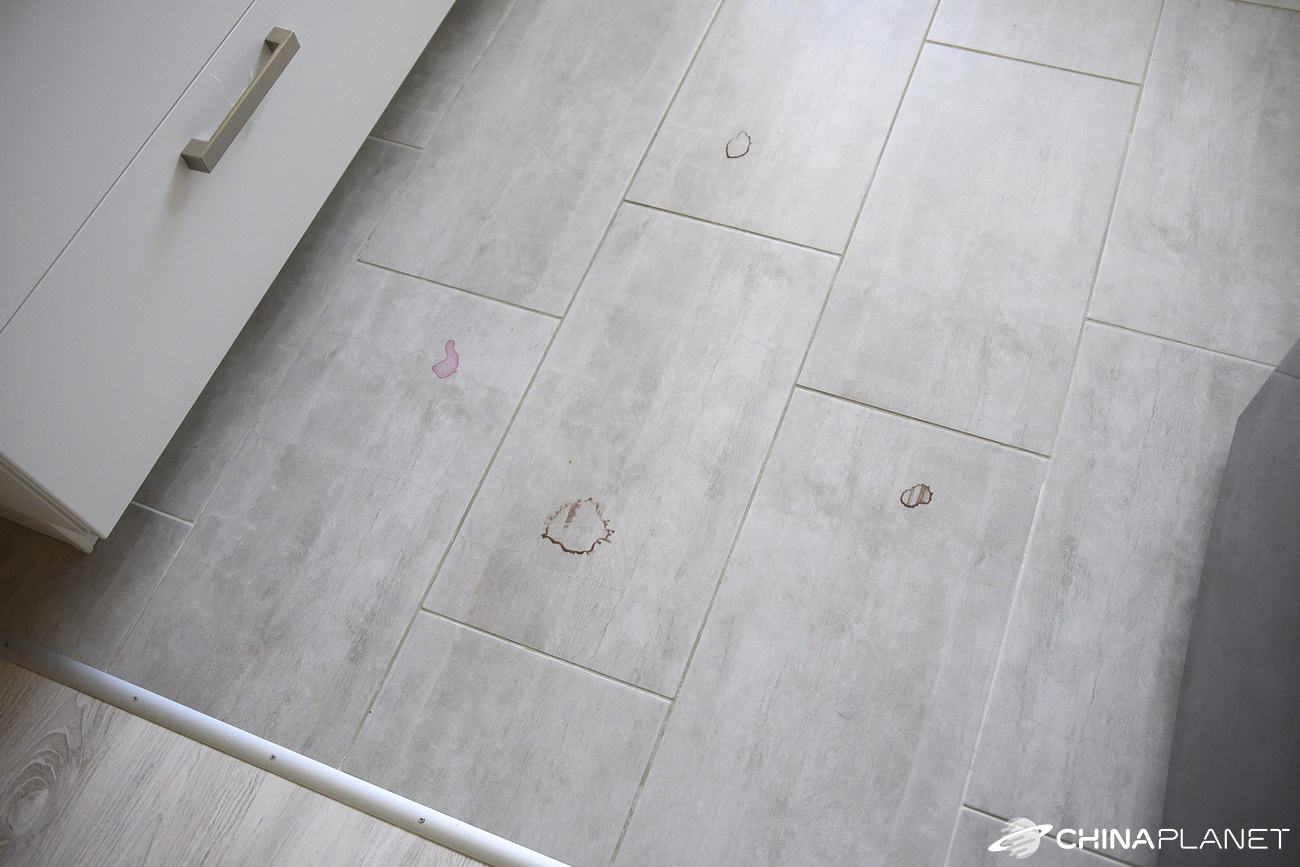
We tested the mopping performance again on kitchen tiles, where we spilled water mixed with cocoa and pink food coloring. Once the stains dried, we sent the vacuum there at the highest mopping level. This is how it looked before mopping:
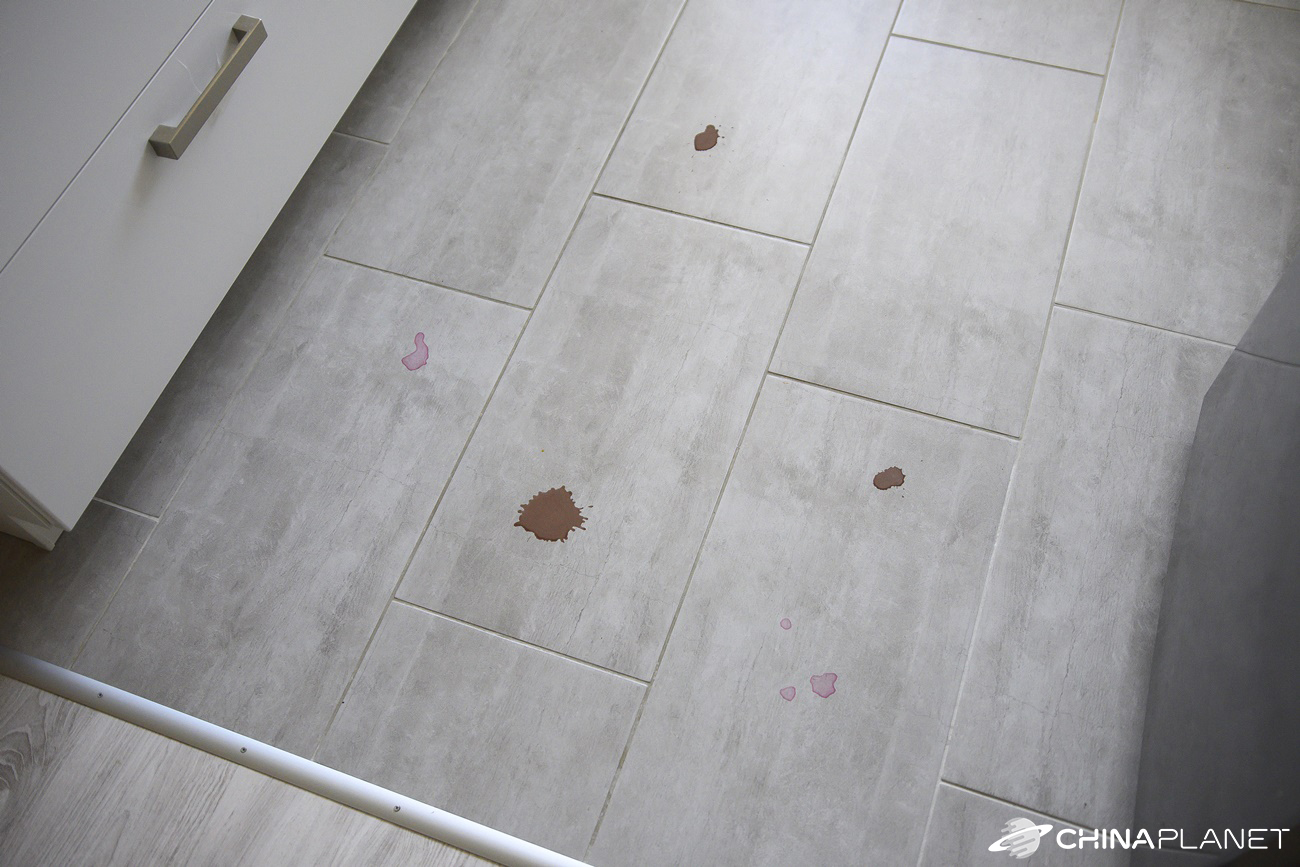
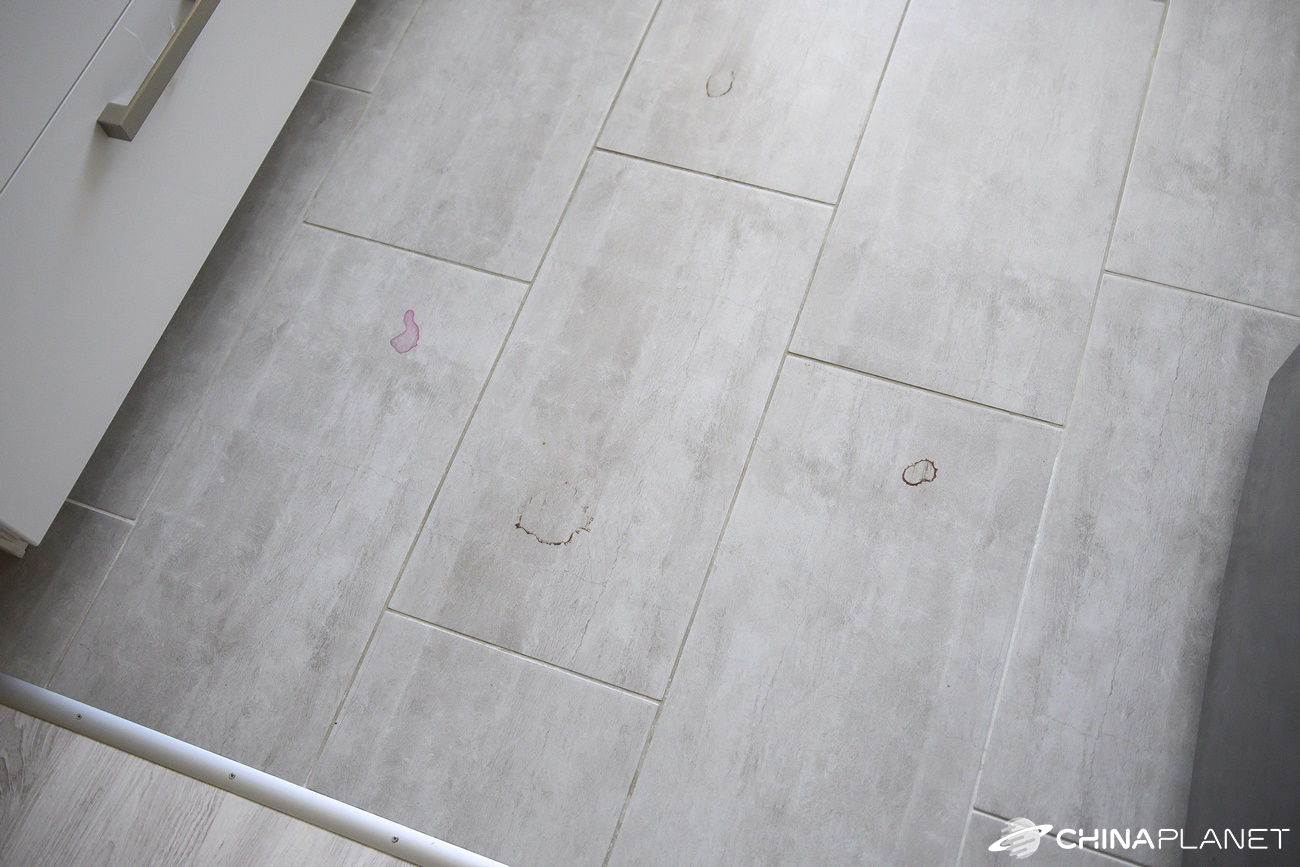
Just like the Dreame D9, the Dreame Bot L10 Pro also couldn’t remove larger, dried-on messes, even after repeated mopping. Below you can see photos after the first, second, and third mopping of the same area at full power.

Map customization in the app
The home screen shows your home map along with the main control elements. Let’s take a closer look at the map view and the options it offers. After opening the map settings, you can choose whether you want to save maps for multiple floors. The Dreame Bot L10 Pro can remember 3 maps.


Each map can be edited separately. You can choose to rotate the map by 90°, merge and split rooms, or rename them. All options work exactly as you’d expect, but renaming only offers room names in English, which are then labeled with the corresponding logo. You can’t name a room with your own custom label.
From the home screen, you also get virtual wall creation, mopping no-go zones, and cleaning for a designated area. The last option is useful if you manage to spill something on the floor and want to vacuum only a specific part of the room.

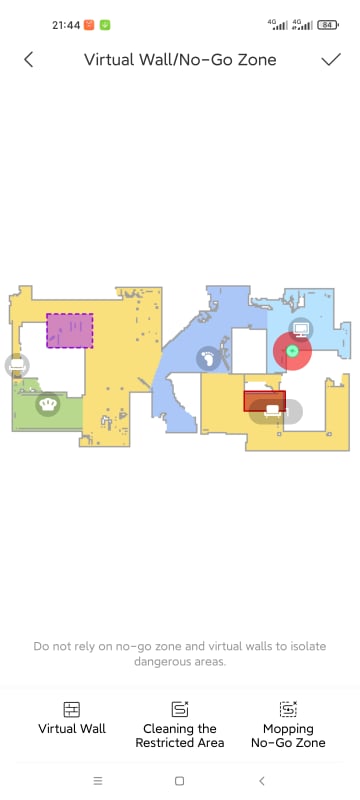
Besides the rooms and the robot’s current position, the map also shows the location of the charging station. We placed it in the living room first, but after the first vacuuming we moved it to another room and were curious to see how the vacuum would react. During the next cleaning, it first tried to return to the original charging station location, but after a moment it took the correct route to the new placement.
App settings
In the settings, you have a fairly wide range of options. The main device settings include turning various functions on/off, such as 3D obstacle avoidance, automatically increasing power when a carpet is detected, continuing cleaning after it recharges if the battery runs out during cleaning, or sound and volume settings. The vacuum can talk to you in 9 different languages, but Slovak and Czech aren’t included. Interestingly, most of the listed smart features were set to be turned off by default.


In the settings, you’ll also find a choice of vacuuming and mopping mode. After each cleaning session, these settings automatically switch to the standard vacuuming mode and the medium mopping level. You can also schedule cleaning for a specific time, with repeats on the selected days.
There’s also a history that shows all vacuum cleaner start-ups and statistics on how many square meters the Dreame vacuum has already cleaned, how long it’s been running, and how many times it’s been turned on.


You can also see details like part wear, remote control, locating the vacuum, changing its name, sharing the device, or adding an automated scene for a smart home.
Runtime and charging
The manufacturer states a battery life per charge of 2.5h, but it doesn’t specify which mode. We used the vacuum most often in strong or turbo mode. In the strongest, turbo mode, battery life per charge was around 1 hours and 30 minutes, which was enough for a little more than 2 complete cleanings of our apartment.

Charging takes about 4 hours, but the app doesn’t show the battery percentage.
Dreame Bot L10 Pro: Final review
Dreame Bot L10 Pro is an excellent robot vacuum for a reasonable price. It offers high suction power, an elegant design, a sufficiently large dust and water tank, and the latest technologies. Thanks to 3D scanning, it can effectively avoid unexpected obstacles without bumping into them. The vacuum’s orientation is very good, so you don’t have to worry about it knocking anything over or damaging it.

One minor downside is that you can see dust very clearly on the vacuum itself, which is caused by the glossy black surface.

Overall, we can recommend this model to anyone looking for a more advanced robot vacuum that doesn’t rely on bumping into obstacles, but instead uses advanced 3D laser scanning of the room. For perfect cleaning, though, you’ll still need to take out a traditional vacuum, since even with the high suction power of Dreame Bot L10 Pro it doesn’t remove all dirt completely.
It will arrive from the European warehouse in a few days.
If our review convinced you to buy this model, you can take advantage of a great offer on AliExpress.
Don’t miss the best coupons 📩
Subscribe and we’ll email you new coupons before they expire. We only send it once a month — no spam.


