


Verdict: KOORUI 34E6UC
Our editorial rating is based on product testing.
- Nice curved display
- Fast response time and 165 Hz refresh rate
- Joystick menu button and settings
- Limited VESA compatibility
- Ghosting and a black trail
- Cutouts on the top of the monitor
- Insufficient ergonomic adjustability
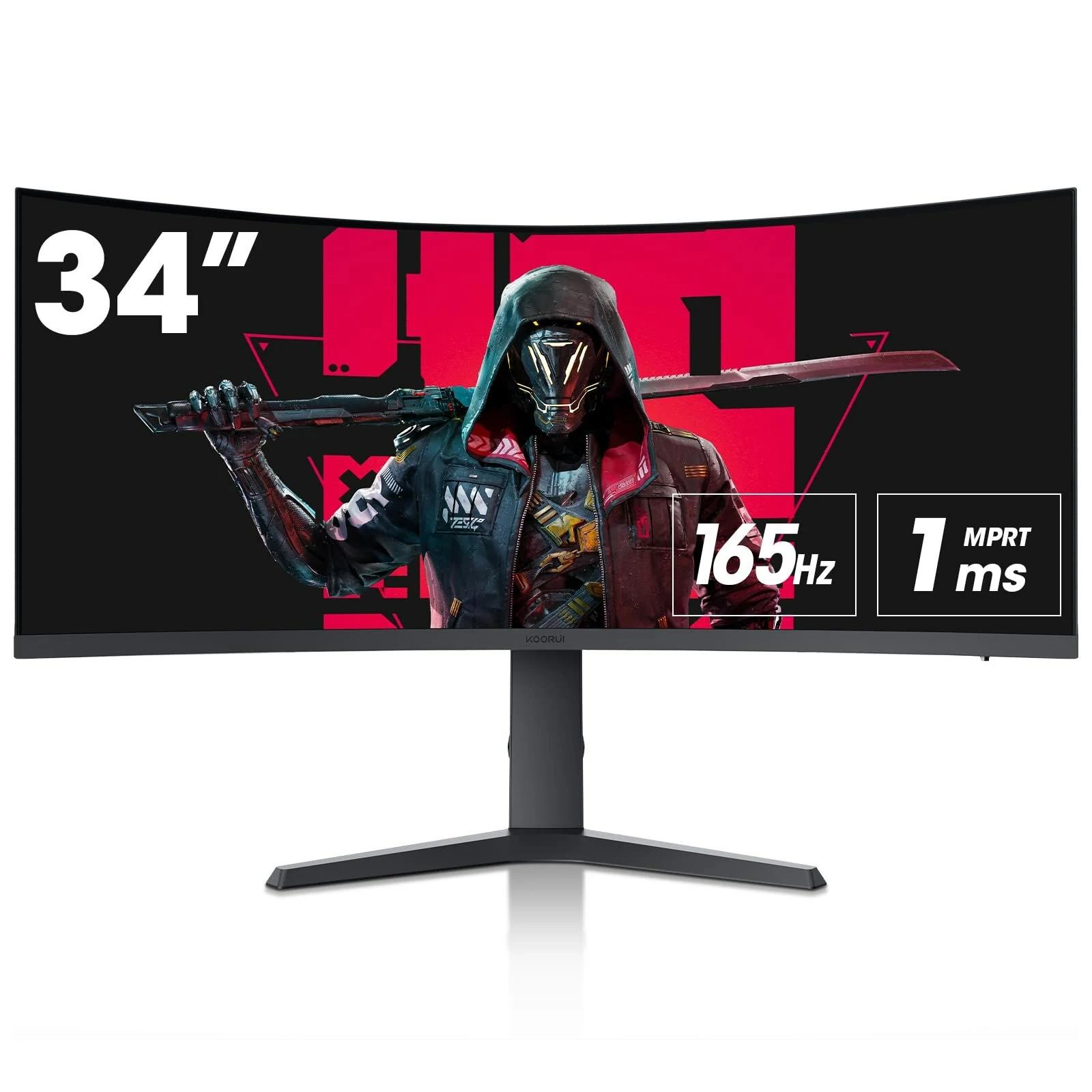
In today’s review, we’ll focus on the KOORUI 34E6UC monitor, which caught our attention on Banggood. At first glance, its specs are very close to the well-known Samsung G5 monitor—specifically its 34-inch ultrawide version. Although the monitor comes from a lesser-known Chinese brand called KOORUI, in many ways it outperforms the Samsung G5.
Where to buy the KOORUI 34E6UC?
The KOORUI 34E6UC monitor is available in the Czech warehouse of our international partner Banggood. Free shipping takes about 5 business days from dispatch, and thanks to the EU warehouse, you don’t have to worry about any customs duties. The parcel will be delivered by courier right to your home.
KOORUI 34E6UC
 CZ warehouse
TIPExpress delivery from the Czech warehouse with no customs duties and VAT.
This product will be delivered to you express from the local Czech warehouse. Delivery from Czechia usually takes 7-10 days and is handled by courier. On delivery, you don’t pay any additional fees—no customs duty and no VAT.
Technical specifications
| Specifications | KOORUI 34E6UC |
|---|---|
| Model | KOORUI 34E6UC |
| Panel | VA (LED LCD) |
| Aspect ratio | 21:9 |
| Resolution | 3440 x 1440 |
| Viewing angles | 178° horizontal, 178° vertical |
| Brightness | 400 nitov |
| Contrast ratio | 3000:1 |
| Response time | 1 ms (MPRT) |
| Compatibility with FreeSync and G-Sync | Yes (Adaptive Sync support) |
| Connectivity | 1 x DisplayPort 1.4, 2 x HDMI 2.0 |
| HDR | VESA HDR 400 |
| Customization | Height adjustment, tilt, swivel |
| VESA | 75 x 75 mm |
KOORUI brand in brief
KOORUI is a newer brand on the market that is part of the larger HKC group, which has a long history in the technology industry. It was founded on 4 May 2021 and specializes in the development, design, and sale of electronic products, especially in the displays and monitors segment.
The brand sells its products globally, mainly through online platforms like Banggood, Amazon, TikTok, and in the US also via Walmart.
Packaging contents & quality
The curved monitor was delivered by a courier in a fairly large brown box. As is customary, it was packed in two layers—an outer protective box and an inner box that provided extra protection during shipping. Inside, the monitor was securely placed between two polystyrene inserts that precisely matched its curved shape, ensuring extra protection.


Although we always worry a bit about monitor safety during shipping, this one arrived with absolutely no signs of damage. In one part of the polystyrene was the monitor itself; in the other, the stand (split into two parts), the power cable with the adapter, the standard HDMI cable, and a manual with assembly instructions.


Monitor assembly is very intuitive
Even though the box includes a simple picture-based manual, you can still assemble the monitor without using it. First, let’s focus on the stand, which consists of two parts. You simply connect these two pieces and screw them in by hand using the screw on the bottom—it's designed so you don’t need a screwdriver to tighten it.


Then the stand clicks firmly into the back of the monitor. We recommend placing the monitor face down on a flat surface to keep the whole process safe and easy. Full assembly takes only a few minutes and doesn’t require any special tools. The stand has a handy “loop” for cable management, and above the stand you’ll also find a nice red detail.


Ultra-wide curved display
First, let’s break down the basic technical specs of the KOORUI 34E6UC monitor so you know what you’re getting. It’s a 34-inch 1440p UltraWide VA panel with a refresh rate of 165 Hz and a 1-millisecond response time.

Since it’s an ultrawide monitor, it has an aspect ratio of 21:9, and one of the most interesting features is the 1000R curvature, which became popular thanks to models like the Samsung Odyssey. This monitor covers 90% of the DCI-P3 color gamut, 100% sRGB color gamut and has a contrast ratio of 3000:1. The maximum brightness is 400 nits and the monitor is certified for VESA HDR 400, but without local dimming zones.
Connectivity and tilt
As for the ports, the monitor has one DisplayPort 1.4, two HDMI 2.0, and an audio jack that’s suitable for connecting external speakers or headphones, since the manufacturer hasn’t integrated built-in speakers into the 34E6UC model. In terms of physical adjustments, it can be raised and lowered by 110 millimeters, rotated left and right by 15 degrees, and tilted forward by 5 degrees and backward by 20 degrees.


Monitor settings
Next, let’s look at the panel settings. The monitor has one button on the right side that works like a joystick—which we see as an advantage, because it’s more practical than using multiple buttons. When you open the menu, you’ll first get quick access, followed by the main settings.

In the settings section, you’ll find the FreeSync Premium option and a feature for highlighting dark areas of the image, which is meant to improve shadow visibility. There’s also response time adjustment with three levels: normal, fast, and fastest.

If you have an issue with so-called “screen tearing”, we recommend turning on Adaptive Sync (FreeSync or G-Sync) in the monitor settings. This technology synchronizes the monitor’s refresh rate with your graphics card output, minimizing—or completely eliminating—this exact problem.
KOORUI 34E6UC: Pros
Let’s start with the positives. The KOORUI curved ultrawide monitor delivers an immersive experience at a very competitive price, with a wider field of view that enhances gaming and multimedia consumption. Color reproduction is fairly accurate, and the viewing angles are sufficient, so the image stays vivid and consistent no matter which angle you’re looking from.

When it comes to gaming performance, the monitor delivers satisfying results. A fast refresh rate and low response time aim to reduce motion blur and ghosting, making it a good choice for casual gaming. While it may not meet the needs of professional gamers, it still provides a solid gaming experience for most enthusiasts.
KOORUI 34E6UC: Cons
Ghosting and black smearing issues
One of the main problems with this monitor, in our opinion, is ghosting, which happens regardless of the settings. Even though the fastest response setting helps reduce ghosting, the difference isn’t very noticeable. Without a special motion-tracking camera, it’s clear that ghosting is still present and the image looks blurred, which can be an issue for gamers who require a fast response.
The KOORUI monitor also suffers from what’s known as “black smearing” (from English “black smearing”) – a shadowy effect behind fast-moving objects, although this behavior wasn’t as noticeable during our testing as ghosting. After turning off FreeSync, you can enable Motion Picture Response Time, which allows for a higher response time and reduces image blur. Even though it helps improve the clarity of individual frames, ghosting still doesn’t completely disappear.
VESA support 75 x 75 mm
Although the KOORUI monitor delivers good performance and image quality, its limitations when mounting to a VESA bracket are a bit disappointing. The monitor is fully compatible with a 75 x 75 mm VESA bracket, which does not allow mounting to the standard 100 x 100 mm bracket found on most mounting solutions. So if you plan to hang the monitor, don’t forget about this.
Limited tilt adjustment options
Another negative is the lack of ergonomic adjustment options for the stand. While the monitor offers some tilt, it lacks the ability to adjust height, pivot (rotate to portrait), and provide more flexible left/right rotation, which limits how well it can be tailored for people who like to position their monitor to their preferences.

Limited connectivity options
As for connectivity, the monitor offers two HDMI ports and one DisplayPort, which should suit most users. However, if you plan to connect multiple devices at once, it can be limiting if you want to use the monitor for both work and gaming and need to switch quickly between different devices.
Nice design, but less practical cutouts
As a small downside, we see the small notches on the top side of the monitor frame, which likely serve passive cooling. They look stylish and modern at first glance, but from a practical point of view, it’s not really a win. Dust will collect in these grooves, and it won’t be easy to clean out from there.

Final verdict: KOORUI 34E6UC
The KOORUI 34E6UC monitor brings several positive points that will especially please gamers. Its wide-angle curved display is designed to improve immersion in the game—peripheral vision combined with the curvature creates an effect as if you were right in the middle of the action. Especially in fast-paced games, where objects often move from side to side, this effect enhances the overall experience.
On the other hand, when working with vertical objects or lines, the curvature can feel a bit strange and may not suit everyone. Similarly, the 3440 x 1440 resolution isn’t quite ideal for working with text—small fonts may look less sharp, which can be an issue for long-term text or graphics work. For gaming, however, this resolution is more than sufficient.

As for brightness, although the monitor reaches 400 nits, it could be a little higher to make the image even more dynamic—especially in high-contrast scenes or in brighter rooms. The HDR 400 certification only provides a basic HDR level, so the lack of local dimming is another limiting factor.
Limited VESA compatibility at 75 x 75 mm and insufficient ergonomic adjustments—offering only basic height and tilt settings—can be a downside for users who require greater flexibility when mounting and adjusting the monitor.
Overall, the KOORUI 34E6UC is a great choice for gamers looking for an affordable monitor with an immersive curved display and solid performance. For those planning to use the monitor mainly for work, some aspects—like the curvature and resolution—may be a bit of a disadvantage.

Follow the China Planet website, subscribe to push notifications, and make sure to check out our Facebook page, the Everything from EU warehouses group, and subscribe to our Telegram, where we add the best deals and coupons from China day after day.
Don’t miss the best coupons 📩
Subscribe and we’ll email you new coupons before they expire. We only send it once a month — no spam.

