


Verdict: Magcubic HY320
Our editorial rating is based on product testing.
- 5 GHz WiFi connection
- 1080P resolution
- Android 11 and Play Store with apps
- weaker speakers
- shorter power cable
- only selected stand angles
Buying a powerful Full HD projector with smart apps like Netflix, YouTube Premium, or HBO Max doesn’t have to be a burden on your wallet. The proof is also the Magcubic HY320 model, which we tested for you in our editorial office.
At the end of the review, we also compare it with projectors from local sellers, whose prices are almost double—yet their projectors offer lower brightness. So the Magcubic HY320 is a great pick in terms of performance / quality.
Where to buy the Magcubic HY320 projector?
You can find the Magcubic HY320 projector in the lineup of an international retailer on the well-known online marketplace AliExpress.com. We also have discount coupons for the European version for you, plus fast shipping in just 13 days. What’s more, it’s an exceptionally good deal compared to competing projectors as well as other sellers, such as Amazon, where it costs up to 80 dollars!
Magcubic HY320

TIP15-day delivery via Aliexpress Standard Shipping
For this product, Aliexpress Standard Shipping is available with guaranteed delivery within 15 days. It’s the most reliable delivery method and, in most cases, it’s handled by a courier company. The 15-day delivery is something we actually tested.
When you order from a Chinese warehouse, AliExpress adds a customs duty charge of approximately 3,70 € per order to your cart. When you receive the shipment, you won’t have to pay anything extra.
TIPExpress delivery from a European warehouse without customs duty and VAT.
This product will be delivered to you express from a local warehouse in Europe. Delivery from EU warehouses usually takes 2–10 days and is handled by a courier. When delivered, you don’t pay any extra fees—no customs duty or VAT.
TIP15-day delivery via Aliexpress Standard Shipping
For this product, Aliexpress Standard Shipping is available with guaranteed delivery within 15 days. It’s the most reliable delivery method and, in most cases, it’s handled by a courier company. The 15-day delivery is something we actually tested.
When you order from a Chinese warehouse, AliExpress adds a customs duty charge of approximately 3,70 € per order to your cart. When you receive the shipment, you won’t have to pay anything extra.
Here are the technical specs:
Dimensions Weight Projection technology Light source Maximum brightness Resolution Image size Distance from the wall (screen) Aspect ratio Correction keystone distortion Focus Memory System WiFi connection Bluetooth Speakers ConnectivityModel Magcubic HY320 10.16 x 10.16 x 21.84 cm 1.21 kg LCD LED 390 ANSI lumens Full HD (1920 x 1080 pixels) 40" – 200" 1.2 – 4 m 16:9 or 4:3 yes – automatic + manual manual – using a dial 1 GB RAM + 16 GB ROM Android 11 dual WiFi 6 (2.4 GHz / 5 GHz) 5.0 yes 1 * USB-A; 1* HDMI; 1* 3.5 mm jack; DC connector
In the box: Minimum accessories and remote control
The box in which your projector arrives is very well protected. Under a pair of bubble wrap sheets, you’ll find a cardboard packaging with the basic specifications. Inside is the projector itself with a built-in stand that has four positions. There’s a protective film on the lens.

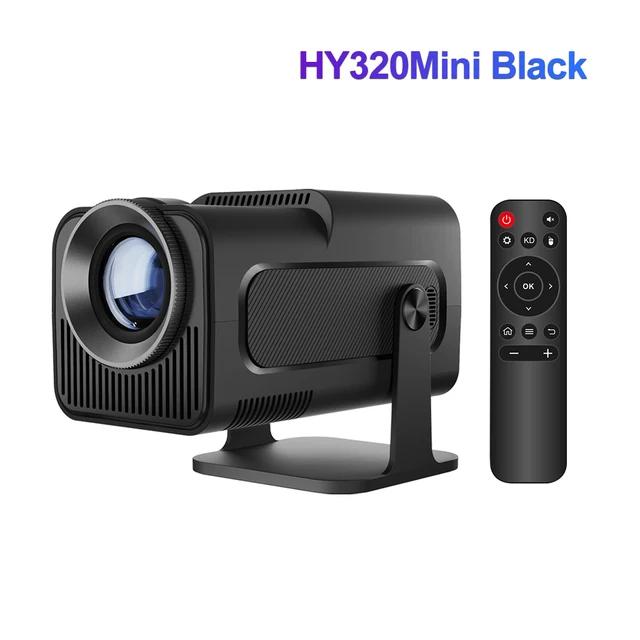
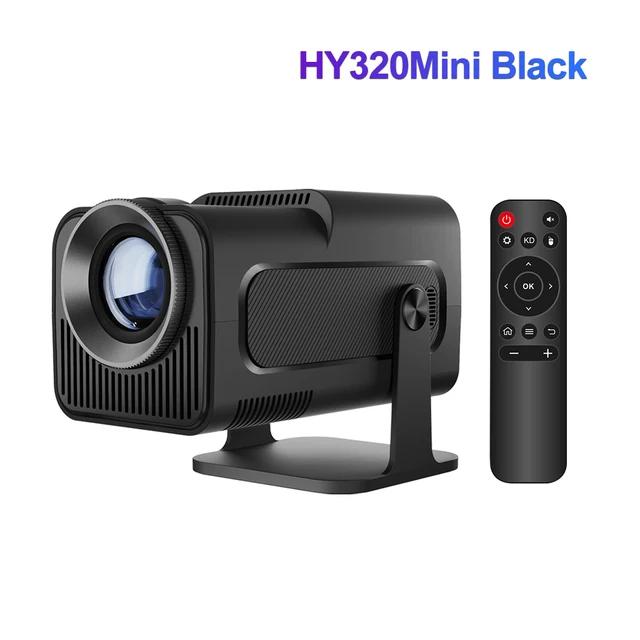
The entire interior is covered with soft material and includes only minimal accessories. Specifically, it’s a fairly short 1.2-metre power cable with a local European plug (EU Plug, 220 – 240 V / 50 – 60 Hz), the user manual, and a remote control (AAA batteries are not included).


The package, however, is missing at least a cable for basic connectivity—like HDMI or “cinch”—which are usually included with more expensive models.
Design and build quality: Exemplary part alignment
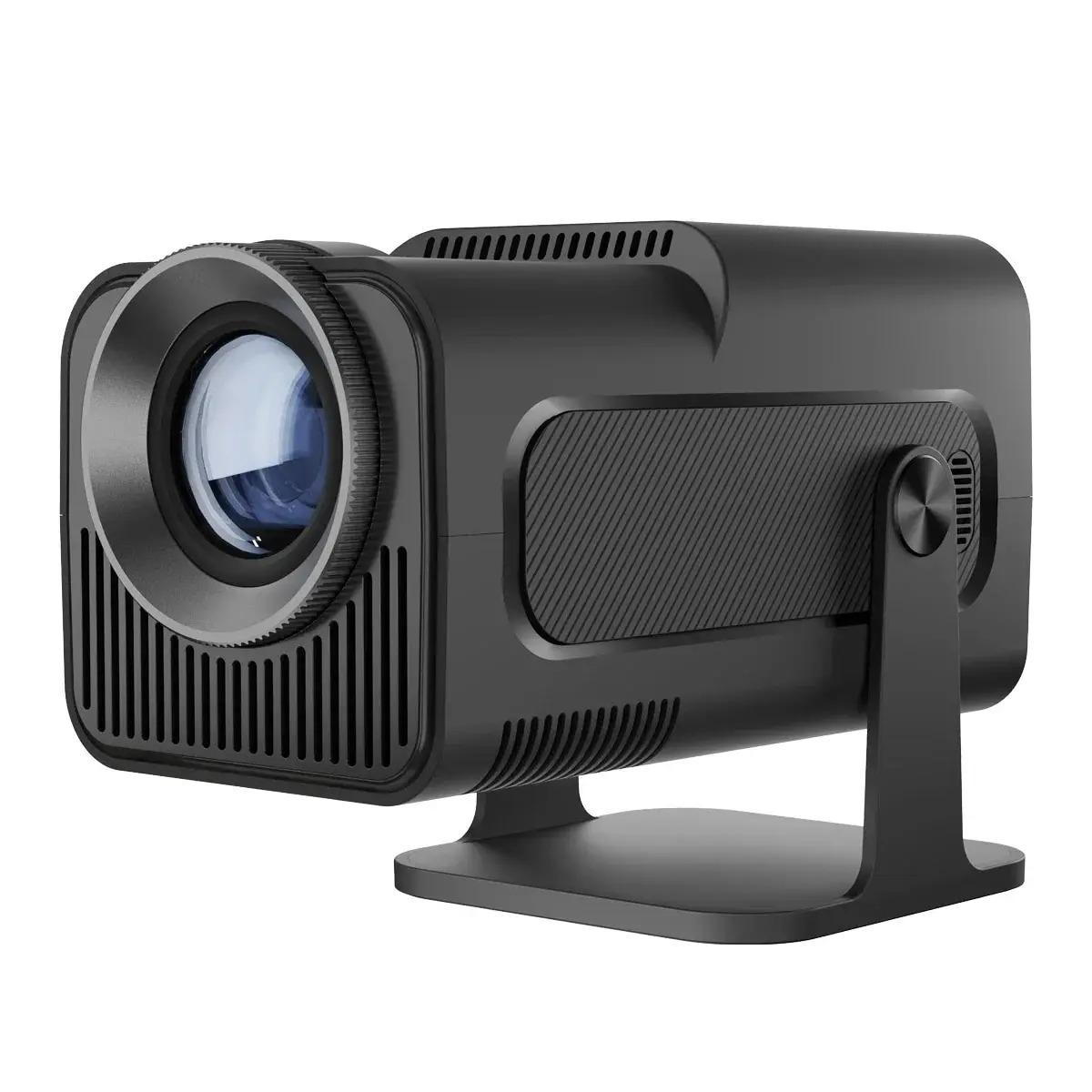
If we look at the projector’s construction itself, it’s made of plastic—just like the stand and its joints. However, it uses matte, thick ABS plastic, which feels quite robust, and I’m not worried about wear and tear.

The construction measures only 10.16 x 10.16 x 21.84 cm and weighs 1.21 kilograms, so taking it on trips won’t be a problem either. In addition, all parts fit together nicely, and from a workmanship standpoint I have no complaints.

Design is of course subjective, but personally I like the simple black cube—the matte finish is practical and doesn’t leave fingerprints when you carry it. It’s also a practical design thanks to the stand mentioned above, which even saves space on the go.
The projector itself has only one physical button on the back for turning the device on or off. The rest of the space is taken up by cooling vents and connectors for connecting accessories. You’ll need to control any additional features using the remote control. One interesting detail is the rotating control element for manual focus, located at the front, right around the lens.

Other openings on the projector are used not only for ventilation, but also for sound distribution. The construction includes a 5W speaker, but it only provides a basic audio experience. For better sound, we recommend choosing an external speaker or a Bluetooth speaker.
Image, its size, and quality: Full HD resolution and up to 200″ screen
We tested the projector under several lighting conditions. Most of the viewing took place in the late afternoon, in the shadier part of the room. These conditions are ideal for a projector with brightness up to 390 ANSI lumens. Of course, you’ll get the brightest image in complete darkness.


On the other hand, in daylight—with the blinds drawn—the text was harder to read, for example the YouTube video description. We tested the projector on a standard white plaster wall as well as on a screen. In both cases, the results were very high quality: the image was sharp and the colors were vivid. So if you’ve already invested in a screen, it’s an extra benefit—but standard projection onto a colored surface won’t be a problem either.


The native resolution of this projector model is Full HD (1920 x 1080 pixels). It also supports decoding of 4K content, with a useful contrast of 10 000:1, plus native support for aspect ratios 16:9 and 4:3.


Naturally, we got the sharpest image at a smaller screen diagonal of around 50″. On the other hand, at the maximum distance of about 2.8 meters, we achieved an image size of about 105″.
The projector, however, supports up to 200″ at a distance of 4 meters. It also includes a software zoom or image rotation.
First power-on and system setup: No software support is missing.
After the first power-on and connecting to the internet, the projector announced a software update. However, it isn’t available in the Play Store, as is common on Android smartphones. The projector showed us a dialog window offering to download a package in a zipped format.

This may scare less experienced users, but it’s nothing unusual with operating systems based on a Linux kernel. Downloading the package, unzipping it, and installing it took about 10 – 15 minutes. After that, the software will ask you to restart the device, but you can also postpone it for later.
In addition, in the settings you’ll also find options for image zooming, various image rotation depending on how the projector is mounted, as well as automatic and manual correction of keystone distortion. It’s a very useful and straightforward setup that helps you get the right viewing angle.
Operating system and connectivity: Android 11 with a cursor
On the connectivity side, it offers dual Wi‑Fi (2,4 GHz / 5 GHz) and also Bluetooth 5.0 for connecting accessories. You can also use the hotspot function, and there’s no shortage of wireless support for connecting Android or iOS devices with image mirroring. If you don’t use accessories, on the remote you can select a cursor and use it, for example, to move around in the browser. There’s also a software keyboard—typical for the Android system.

The projector’s physical ports are located on the back. They include an HDMI connector for video input, a USB‑A port, a microSD card slot, a 3,5 mm audio connector for wired connection of an audio source, as well as a dual DC port for power. If this equipment isn’t enough, you can also use wireless content mirroring over Wi‑Fi—for example from your smartphone. However, it’s not a Chromecast standard.
The projector runs on Android 11, which is complemented by certain settings directly from the manufacturer. There’s a Play Store with apps where you’ll find various streaming services like Netflix, Disney+, and HBO Max, but you can also watch YouTube. What’s interesting is also a file browser, an internet browser (Google Chrome), and even a calculator.

The system itself is quite stable and responds quickly to controls using the buttons on the remote control, as well as in cursor mode. With Bluetooth accessories, you can also use standard control with a keyboard and mouse. However, it’s a standard version built on a Linux kernel, with a graphical interface on top. It isn’t the Android TV system you know from smart TVs.
Power supply and remote control: You need to buy batteries separately
As we mentioned earlier, the package includes a fairly short 1.2-meter power cable with a DC connector and a European, meaning local, mains plug (230 – 240 V / 50 – 60 Hz). Since the projector doesn’t have a built-in battery, this is its only way to get power, so you’ll need to place it close to a power source.


On the flip side, what we have to highlight is the remote control. It works really reliably—even at a distance of about five meters. Another plus is its relatively low noise level during use, which averaged around 52 – 58 dB based on our measurements.


It has integrated buttons for navigating the system, as well as a power on/off button, back button, image casting, cursor mode, and volume control. The remote uses two standard AAA batteries (2 x AAA battery not included in the package—you need to buy it separately).
These are the experiences of our fan, Dusan:
Fan tip from Dušan: This is a “great value for money” projector. Magcubic hy320, 390 ANSI lumens … And I also tried the basic model, which is sold for under €50.
Considering it also has Android apps, great picture. The only downside is the speaker—it’s very weak, which you could expect, and it’s better to use an external one. Also, you can hear the fan. But outdoors in summer and occasional movie viewing—at that price, it’s a luxury!


Final rating: Magcubic HY320
You can find the Magcubic brand projector on AliExpress in different versions for HD and Full HD projection. Our Full HD version with 390 ANSI lumens and an Android 11 system is available in the European version, and with a discount coupon you can get it from 59 euros.

For this price, it’s truly an irresistible offer, especially compared with projectors on the Slovak market that come with similar specs even at double the selling price.
As an example, we’re presenting a VANKYO brand projector too—also with a Full HD picture, but with lower brightness, or even a bulkier body and fewer positioning options. From a verified Slovak seller, you can find it for an amount starting at 146 euros.
Follow the China Planet website, sign up for push notifications, and definitely check our Facebook page, the Everything from EU warehouses group, and subscribe to our Telegram, where we add the best deals and coupons from China day after day.
Don’t miss the best coupons 📩
Subscribe and we’ll email you new coupons before they expire. We only send it once a month — no spam.

