A planet full of gadgets from China · a database of the best coupons
Product comparisons

TOP 6 cheap gadgets from China #257

14. December 2025 4 min read 0 comments

With another weekend, we’ve got another episode of the TOP 6 cheap gadgets from China, that you liked so much—and this is already the two hundred and fifty-seventh continuation! We picked another six interesting items from international sellers at great prices.

To make sure you never miss the latest episode of TOP 6 cheap gadgets from China, give us a like on Facebook, join our FB groups or follow Telegram. Here we always keep you updated about our articles.

Join our Messenger channel

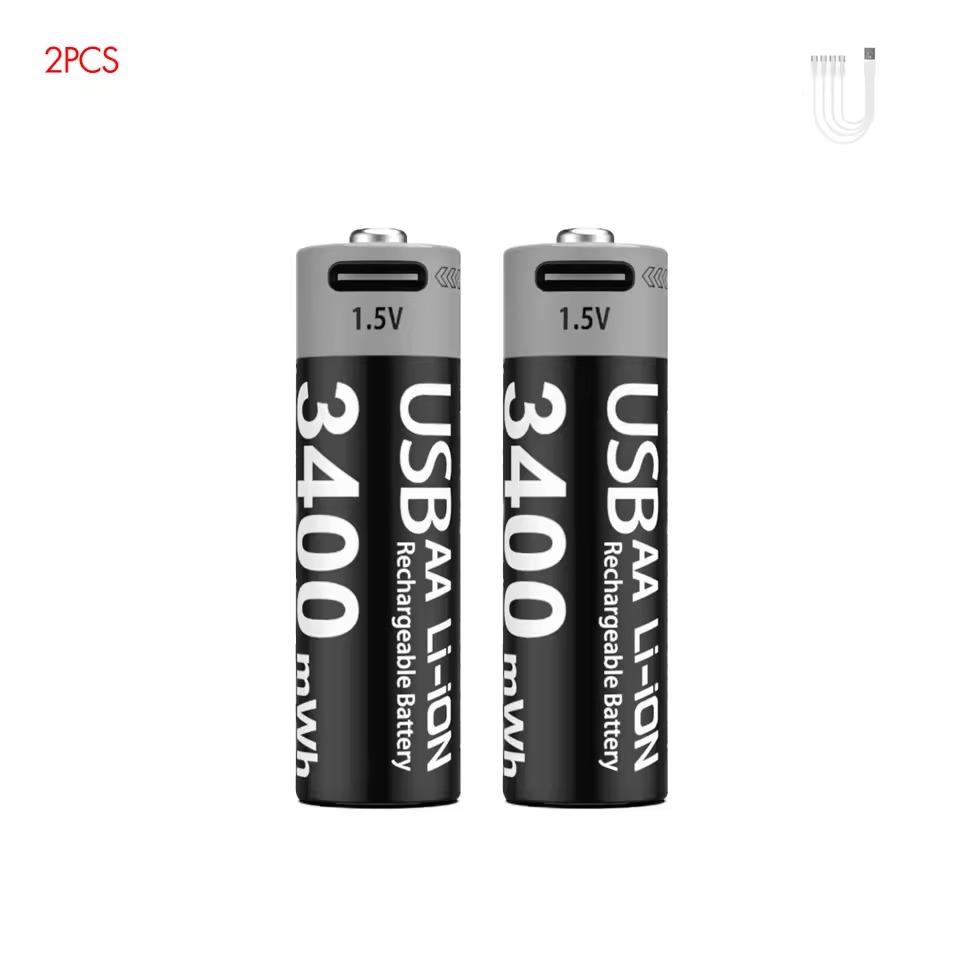
1. Kuugro rechargeable Li-ion AAA/AA batteries for USB-C
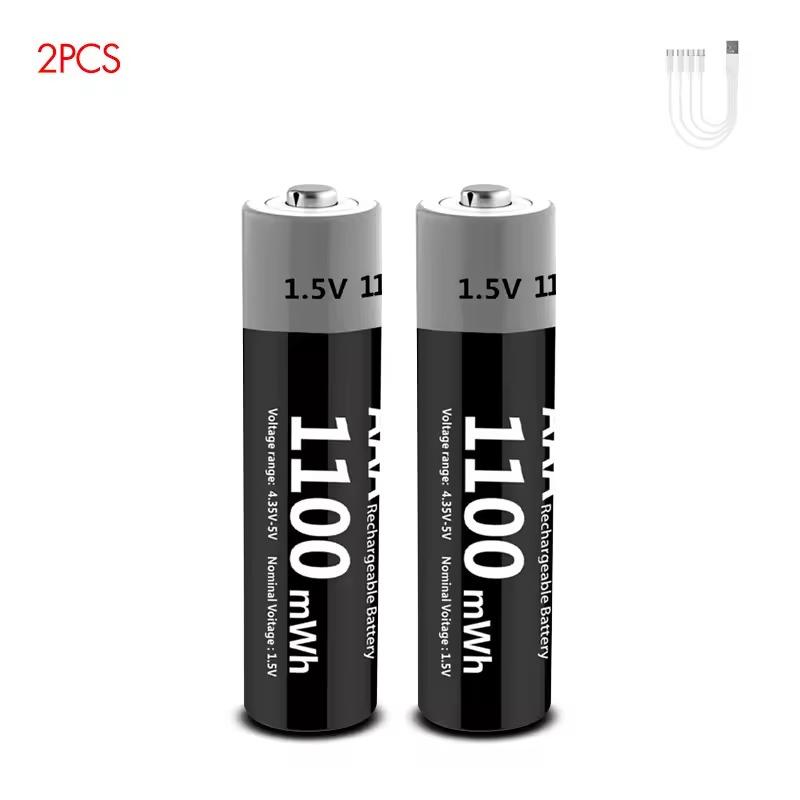
They deliver a stable 1.5 V voltage with a capacity of 3400 mWh (AA) and 1100 mWh (AAA), making them ideal for controllers, keyboards, mice, clocks, or toys. A big advantage is direct USB-C charging without a separate charger, with a fast recharge time of about 2 hours and an integrated LED indicator for the charging status.

The batteries use Li-ion cells with low self-discharge, constant output until fully drained, and PCB protection—handling up to 1000+ charging cycles, which saves money and is better for nature too.

ChinaPlanet deal

Kuugro rechargeable Li-ion AAA/AA batteries for USB-C

Kuugro dobíjateľné Li-ion AAA/AA batérie na USB-C
12,93 €
No coupon
Are you shopping on AliExpress for the first time? See the guide!
Updated 2. 11. 2026 at 10:12
TIPShipping is completely free.

Free shipping is available for this product. However, this is the slowest delivery method, and the item may take 20 days to 1 month(s) to arrive.

When you order from a Chinese warehouse, AliExpress adds a customs duty charge of approximately 3,70 € per order to your cart. When you receive the shipment, you won’t have to pay anything extra.
Track this product’s price

As soon as we post a new coupon, we’ll send you an email. You can unsubscribe from tracking anytime.

Are you shopping on AliExpress for the first time?

The process is via the AliExpress mobile app, where most people shop. There are two key things: don’t use Buy now and enter the coupon only in the order summary, in the field Promo code. After you click Pay now, you won’t be able to add it.

  1. Copy the code and click Use discountIn our article, copy the coupon and click the button GET DISCOUNT. The link will take you directly to the product in the AliExpress app.
  2. Use Add to cart instead of Buy nowOn the product card, scroll down and tap Add to cart. Don’t use the Buy now button—you’ll skip the cart, and later you won’t have anywhere to enter the coupon. Before that, double-check the variant: the color, the version, and whether it ships from an EU warehouse.
  3. Through the cart, go to CheckoutA pop-up will appear: Added to cart! — tap Check it out in it. If it disappeared, open the cart with the icon at the bottom right. In the cart, check the product and quantity, then click the red Checkout. Only the items marked with the red ring will be applied.
  4. Enter your address and card, then look for Promo codeIn the order summary, first fill in the delivery address and payment card at the top. Below them there’s a line Promo code — expand it with the arrow on the right.
    Promo code line in the order summary in the AliExpress app
    Look for this line under the address and payment method.
  5. Paste the code and confirm ApplyIn the field Promo code paste the copied code and click the black Apply. The code is case-sensitive and must not contain spaces.
    Promo code box with the code and the Apply button in the AliExpress app
    Paste the code into the field and confirm with the Apply button.
  6. Check the savings and payIn the Summary expand the line Saved — you’ll see the applied coupon there as AliExpress coupons/codes. Only when Total is really lower, click Pay now.
    Saved line with an applied coupon and reduced Total in the AliExpress app
    The applied coupon will appear in the Saved line and will reduce the Total.
Apply the discount already at the order summary. After you click Pay now, you can no longer add a coupon. If Apply shows an error, the code has either expired, doesn’t apply to your items, or the order doesn’t meet the minimum amount.
The Store Coupon also goes in the same field. — a coupon from the seller itself, which isn’t always available and changes from day to day. AliExpress coupons can’t be combined, so try both and go with the one that gives you more. Coins are added automatically.

2. realme Buds Clip

realme Buds Clip (global version) are lightweight OWS earbuds with a clip design that sit firmly in your ear and weigh just 5.3 g per piece. They feature 11 mm drivers with the NextBass algorithm, Bluetooth 5.4, low latency of 45 ms, and up to 36 hours of battery life with the charging case. They also include IP55 water/dust resistance, fast switching between two devices, and USB-C charging (cable not included).

ChinaPlanet deal

realme Buds Clip

EU warehouse
realme Buds Clip
ES warehouse
50,28 €You save 4,00 €
46,28 €
Are you shopping on AliExpress for the first time? See the guide!
Updated 14. 12. 2025 at 07:40
TIPExpress delivery from a Spanish warehouse without customs duties or VAT.

This product will be delivered express from the local Spanish warehouse. Shipping from Spain usually takes 7-10 days and is handled by a courier. On delivery, you don’t pay any extra fees—no customs duty or VAT.

Track this product’s price

As soon as we post a new coupon, we’ll send you an email. You can unsubscribe from tracking anytime.

Are you shopping on AliExpress for the first time?

The process is via the AliExpress mobile app, where most people shop. There are two key things: don’t use Buy now and enter the coupon only in the order summary, in the field Promo code. After you click Pay now, you won’t be able to add it.

  1. Copy the code and click Use discountIn our article, copy the coupon and click the button GET DISCOUNT. The link will take you directly to the product in the AliExpress app.
  2. Use Add to cart instead of Buy nowOn the product card, scroll down and tap Add to cart. Don’t use the Buy now button—you’ll skip the cart, and later you won’t have anywhere to enter the coupon. Before that, double-check the variant: the color, the version, and whether it ships from an EU warehouse.
  3. Through the cart, go to CheckoutA pop-up will appear: Added to cart! — tap Check it out in it. If it disappeared, open the cart with the icon at the bottom right. In the cart, check the product and quantity, then click the red Checkout. Only the items marked with the red ring will be applied.
  4. Enter your address and card, then look for Promo codeIn the order summary, first fill in the delivery address and payment card at the top. Below them there’s a line Promo code — expand it with the arrow on the right.
    Promo code line in the order summary in the AliExpress app
    Look for this line under the address and payment method.
  5. Paste the code and confirm ApplyIn the field Promo code paste the copied code and click the black Apply. The code is case-sensitive and must not contain spaces.
    Promo code box with the code and the Apply button in the AliExpress app
    Paste the code into the field and confirm with the Apply button.
  6. Check the savings and payIn the Summary expand the line Saved — you’ll see the applied coupon there as AliExpress coupons/codes. Only when Total is really lower, click Pay now.
    Saved line with an applied coupon and reduced Total in the AliExpress app
    The applied coupon will appear in the Saved line and will reduce the Total.
Apply the discount already at the order summary. After you click Pay now, you can no longer add a coupon. If Apply shows an error, the code has either expired, doesn’t apply to your items, or the order doesn’t meet the minimum amount.
The Store Coupon also goes in the same field. — a coupon from the seller itself, which isn’t always available and changes from day to day. AliExpress coupons can’t be combined, so try both and go with the one that gives you more. Coins are added automatically.

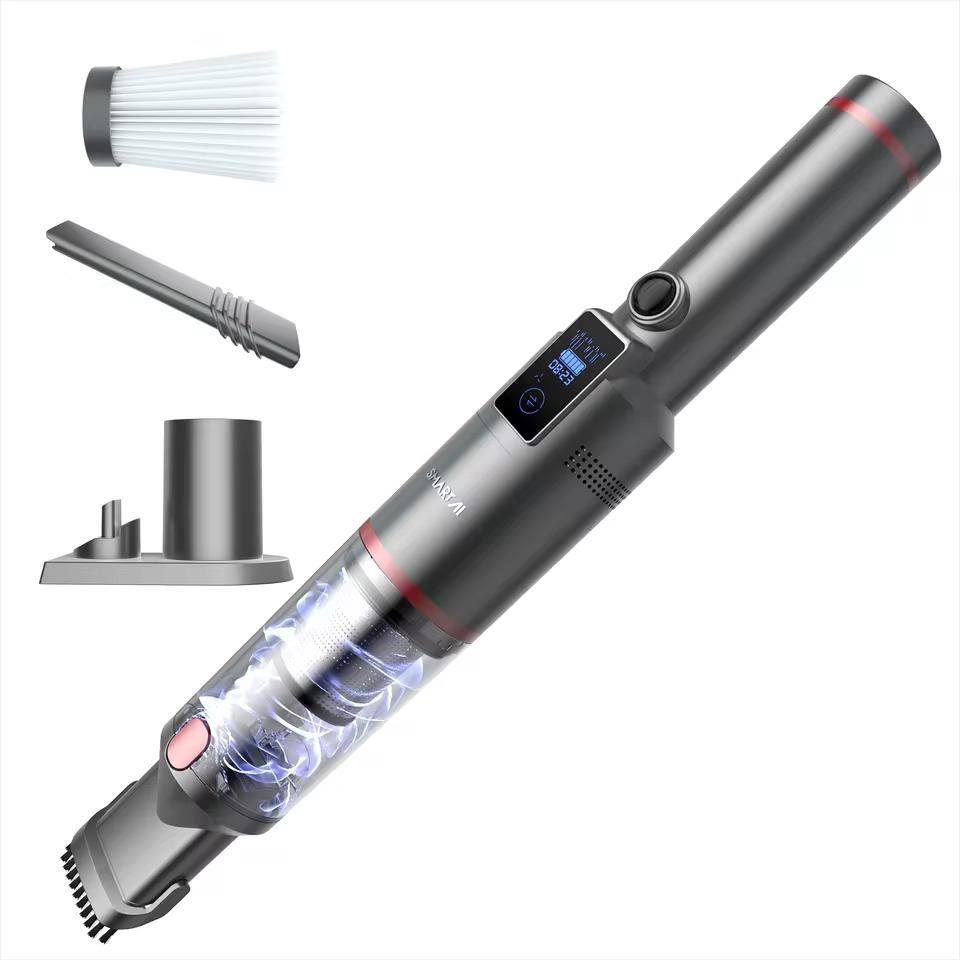
3. SmartAI 18000 PA handheld vacuum cleaner

The SmartAI cordless handheld vacuum cleaner offers powerful suction up to 18,000 Pa thanks to a 150 W brushless motor and is suitable for cleaning the car, the home, and pet hair.

It has a 7500 mAh battery with up to 30 minutes of runtime, a clear LED display, a washable HEPA filter, and a large 200 ml dust container. Thanks to its low weight of 0.54 kg, quiet operation at up to 65 dB, and USB-C charging, it’s ideal for quick and convenient cleaning anywhere.

ChinaPlanet deal

SmartAI 18000 PA handheld vacuum cleaner

EU warehouse
SmartAI 18000 PA ručný vysávač
DE warehouse
40,00 €You save 3,02 €
36,98 €

Price history

2,98 €more expensive than the average price
Cheapest 29,15 €Most expensive 36,98 €
Are you shopping on AliExpress for the first time? See the guide!
Updated 1. 5. 2026 at 05:40
TIPExpress delivery from a German warehouse without customs duty and VAT.

This product will be delivered express from the local German warehouse. Shipping from Germany usually takes 7-10 days, and the delivery is handled by a courier. When it arrives, you won’t pay any additional fees—no customs duty or VAT.

Track this product’s price

As soon as we post a new coupon, we’ll send you an email. You can unsubscribe from tracking anytime.

Are you shopping on AliExpress for the first time?

The process is via the AliExpress mobile app, where most people shop. There are two key things: don’t use Buy now and enter the coupon only in the order summary, in the field Promo code. After you click Pay now, you won’t be able to add it.

  1. Copy the code and click Use discountIn our article, copy the coupon and click the button GET DISCOUNT. The link will take you directly to the product in the AliExpress app.
  2. Use Add to cart instead of Buy nowOn the product card, scroll down and tap Add to cart. Don’t use the Buy now button—you’ll skip the cart, and later you won’t have anywhere to enter the coupon. Before that, double-check the variant: the color, the version, and whether it ships from an EU warehouse.
  3. Through the cart, go to CheckoutA pop-up will appear: Added to cart! — tap Check it out in it. If it disappeared, open the cart with the icon at the bottom right. In the cart, check the product and quantity, then click the red Checkout. Only the items marked with the red ring will be applied.
  4. Enter your address and card, then look for Promo codeIn the order summary, first fill in the delivery address and payment card at the top. Below them there’s a line Promo code — expand it with the arrow on the right.
    Promo code line in the order summary in the AliExpress app
    Look for this line under the address and payment method.
  5. Paste the code and confirm ApplyIn the field Promo code paste the copied code and click the black Apply. The code is case-sensitive and must not contain spaces.
    Promo code box with the code and the Apply button in the AliExpress app
    Paste the code into the field and confirm with the Apply button.
  6. Check the savings and payIn the Summary expand the line Saved — you’ll see the applied coupon there as AliExpress coupons/codes. Only when Total is really lower, click Pay now.
    Saved line with an applied coupon and reduced Total in the AliExpress app
    The applied coupon will appear in the Saved line and will reduce the Total.
Apply the discount already at the order summary. After you click Pay now, you can no longer add a coupon. If Apply shows an error, the code has either expired, doesn’t apply to your items, or the order doesn’t meet the minimum amount.
The Store Coupon also goes in the same field. — a coupon from the seller itself, which isn’t always available and changes from day to day. AliExpress coupons can’t be combined, so try both and go with the one that gives you more. Coins are added automatically.

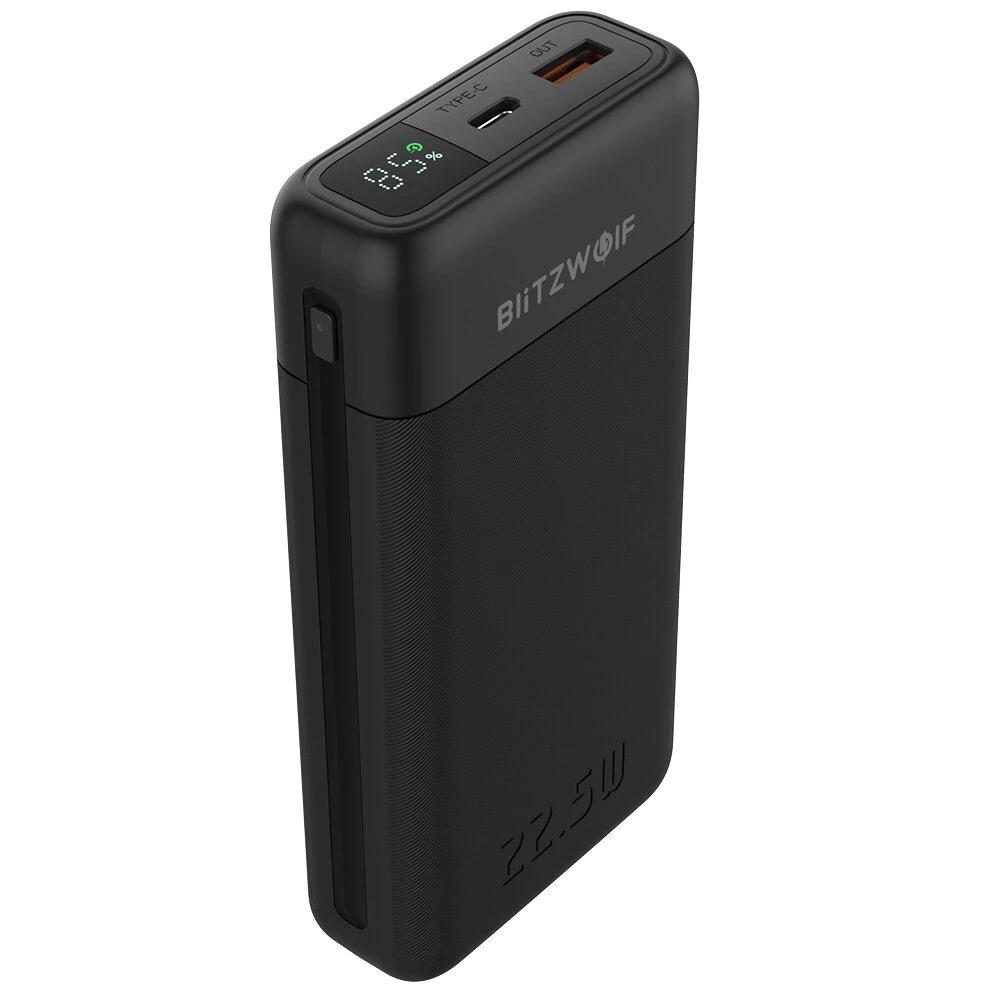
4. Blitzwolf BW-P22

BlitzWolf BW-P22 is a compact power bank with a 20,000 mAh capacity and fast charging of up to 22.5 W. It supports PD2.0, QC3.0, and FCP, with USB-C and USB-A outputs, so you can charge two devices at the same time. There’s also a LED digital display showing the battery percentage, quick top-ups in about 3 hours, compact dimensions, and full compatibility with iPhone, Xiaomi, Samsung, and Huawei.

Important: Orders from Banggood come with our VIP support, which you get after downloading our extension for the Chrome browser on desktop only.
ChinaPlanet deal

Blitzwolf BW-P22

EU warehouse
Blitzwolf BW-P22
EU warehouse
20,66 €You save 3,07 €
17,59 €
CouponBGP22BW3

Price history

0,25 €cheaper than the average price
Cheapest 17,59 €Most expensive 18,08 €
Buying on Banggood for the first time? See the guide!
Updated 4. 7. 2026 at 04:54
TIPExpress delivery from a European warehouse without customs duty and VAT.

This product will be delivered to you express from a local warehouse in Europe. Delivery from EU warehouses usually takes 2–10 days and is handled by a courier. When delivered, you don’t pay any extra fees—no customs duty or VAT.

Track this product’s price

As soon as we post a new coupon, we’ll send you an email. You can unsubscribe from tracking anytime.

Buying on Banggood for the first time?

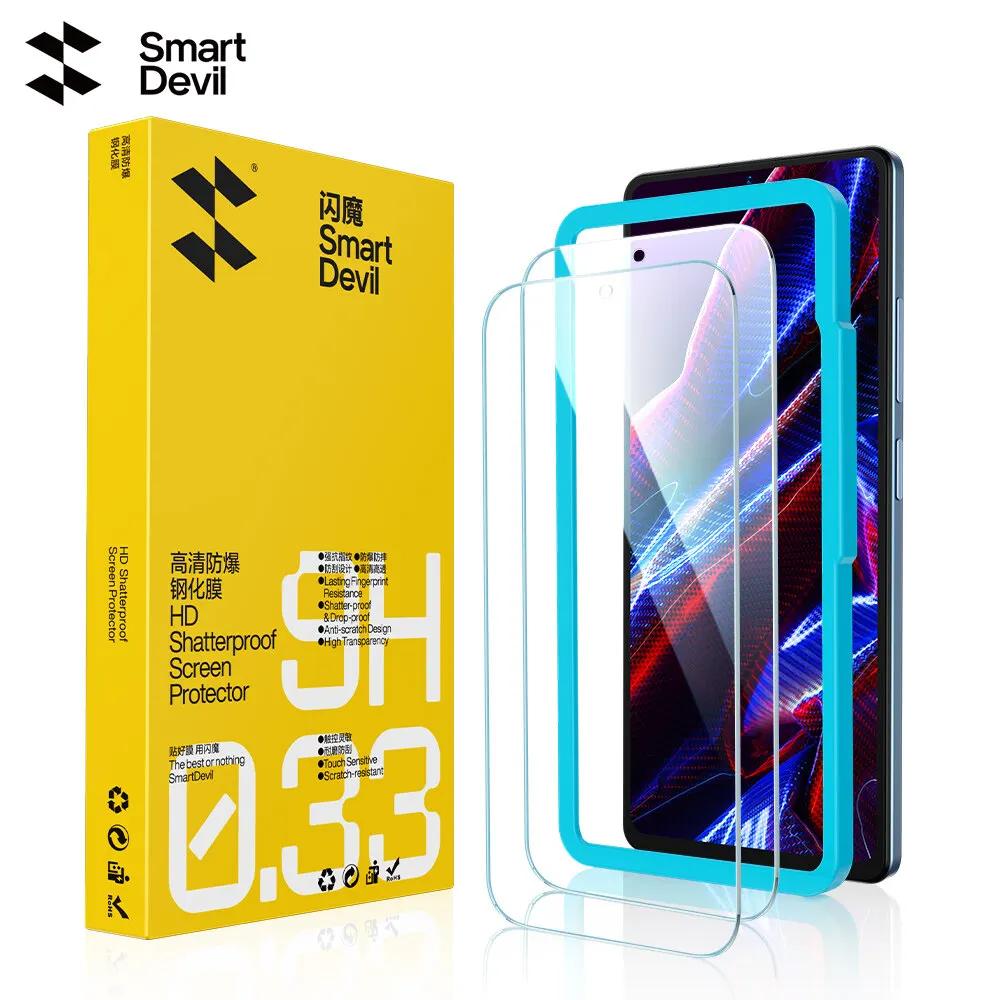
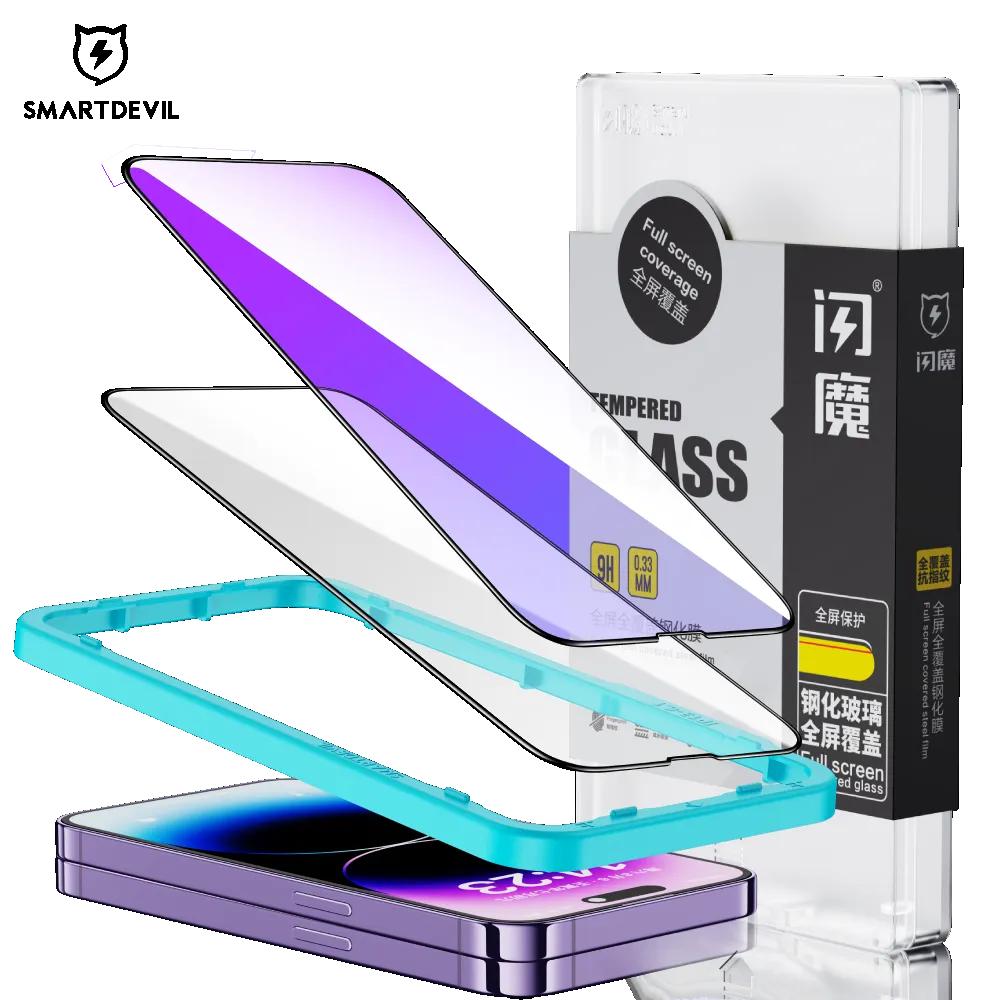
5. SmartDevil protective glass

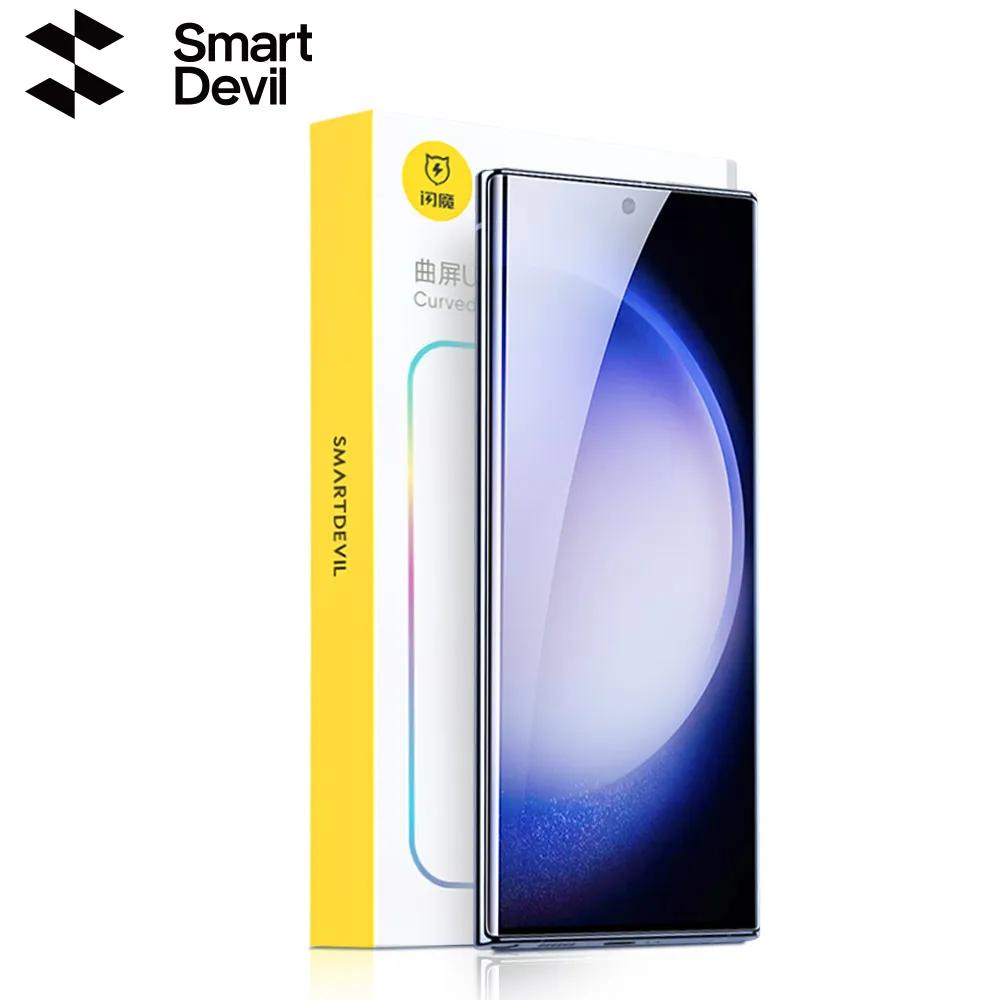
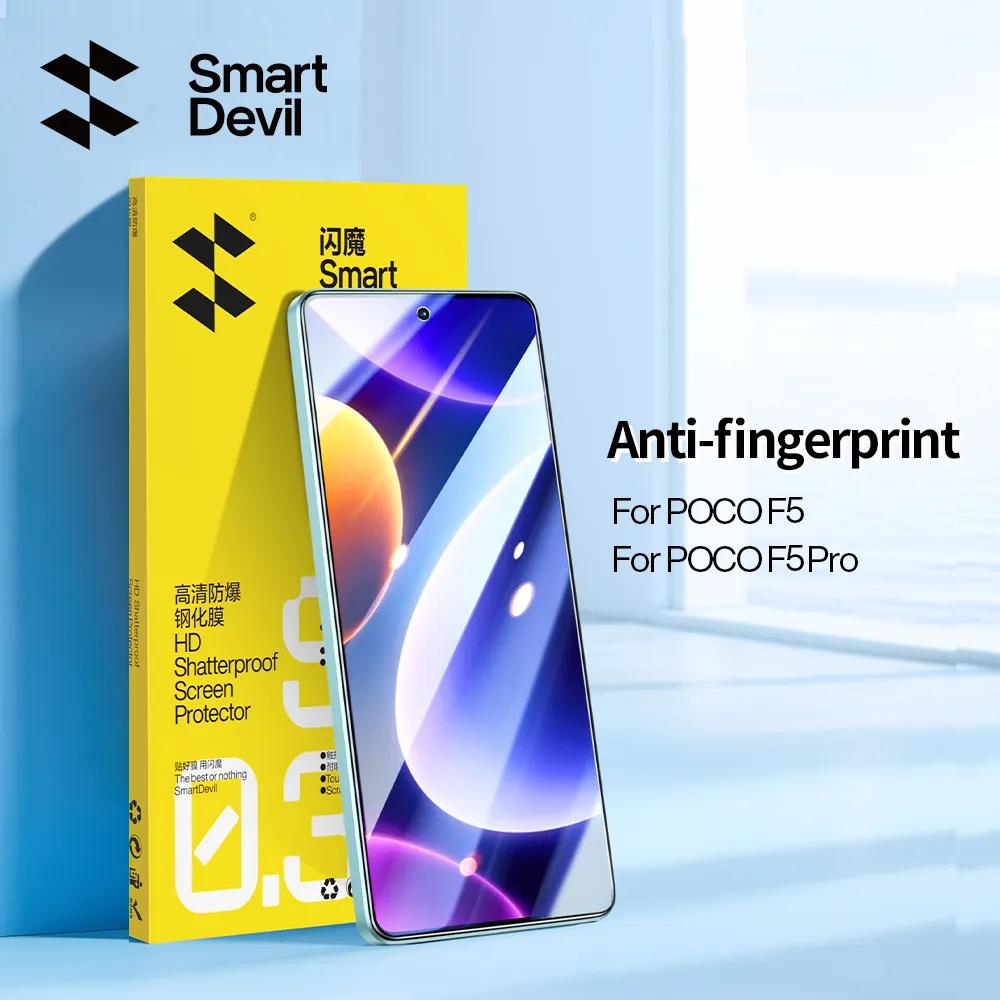
If you’re looking for a quality screen protector at a reasonable price, SmartDevil is absolutely among the best on AliExpress for both iPhones and Android phones. The glass has full-surface adhesive, 9H hardness , and the box also includes a handy frame to help you apply it precisely without bubbles—even on the first try.

You’ll also find cleaning cloths and a plastic spatula, so the packaging is fully ready to use. The glass holds well even on curved displays, has an oleophobic and hydrophobic layer to resist fingerprints, and low reflectivity.

ChinaPlanet deal

SmartDevil screen protectors

SmartDevil ochranné sklá
11,99 €You save 5,07 €
6,92 €
No coupon

Price history

1,71 €cheaper than the average price
Cheapest 6,67 €Most expensive 10,25 €
Are you shopping on AliExpress for the first time? See the guide!
Updated 2. 11. 2026 at 10:12
TIPShipping via Aliexpress Standard Shipping

For this product, Aliexpress Standard Shipping is available. This is the most reliable delivery method and, in most cases, it’s handled by a courier company. Delivery time is usually 10-20 days.

When you order from a Chinese warehouse, AliExpress adds a customs duty charge of approximately 3,70 € per order to your cart. When you receive the shipment, you won’t have to pay anything extra.

Track this product’s price

As soon as we post a new coupon, we’ll send you an email. You can unsubscribe from tracking anytime.

Are you shopping on AliExpress for the first time?

The process is via the AliExpress mobile app, where most people shop. There are two key things: don’t use Buy now and enter the coupon only in the order summary, in the field Promo code. After you click Pay now, you won’t be able to add it.

  1. Copy the code and click Use discountIn our article, copy the coupon and click the button GET DISCOUNT. The link will take you directly to the product in the AliExpress app.
  2. Use Add to cart instead of Buy nowOn the product card, scroll down and tap Add to cart. Don’t use the Buy now button—you’ll skip the cart, and later you won’t have anywhere to enter the coupon. Before that, double-check the variant: the color, the version, and whether it ships from an EU warehouse.
  3. Through the cart, go to CheckoutA pop-up will appear: Added to cart! — tap Check it out in it. If it disappeared, open the cart with the icon at the bottom right. In the cart, check the product and quantity, then click the red Checkout. Only the items marked with the red ring will be applied.
  4. Enter your address and card, then look for Promo codeIn the order summary, first fill in the delivery address and payment card at the top. Below them there’s a line Promo code — expand it with the arrow on the right.
    Promo code line in the order summary in the AliExpress app
    Look for this line under the address and payment method.
  5. Paste the code and confirm ApplyIn the field Promo code paste the copied code and click the black Apply. The code is case-sensitive and must not contain spaces.
    Promo code box with the code and the Apply button in the AliExpress app
    Paste the code into the field and confirm with the Apply button.
  6. Check the savings and payIn the Summary expand the line Saved — you’ll see the applied coupon there as AliExpress coupons/codes. Only when Total is really lower, click Pay now.
    Saved line with an applied coupon and reduced Total in the AliExpress app
    The applied coupon will appear in the Saved line and will reduce the Total.
Apply the discount already at the order summary. After you click Pay now, you can no longer add a coupon. If Apply shows an error, the code has either expired, doesn’t apply to your items, or the order doesn’t meet the minimum amount.
The Store Coupon also goes in the same field. — a coupon from the seller itself, which isn’t always available and changes from day to day. AliExpress coupons can’t be combined, so try both and go with the one that gives you more. Coins are added automatically.

Ad

6. Portable coffee maker 3 in 1

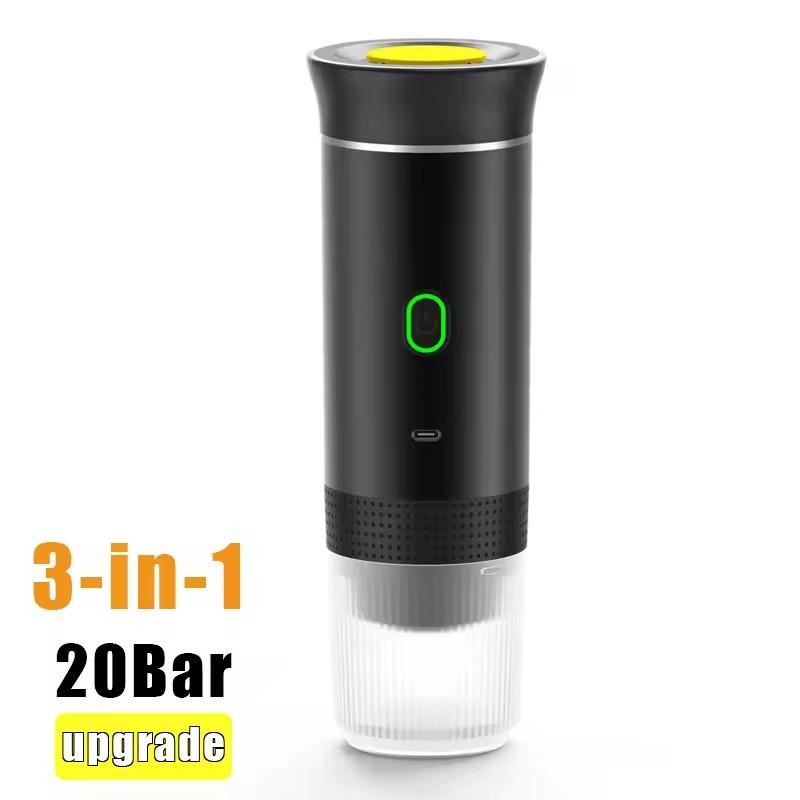
Coffee anywhere—at home, in your car, and on the go. It supports capsules as well as ground coffee, has automatic heating, 20 bar pressure, and one-button control. It charges via USB-C, can brew dozens of coffees on one charge, and is easy to clean. Perfect for anyone who wants great espresso without compromises. ☕️

ChinaPlanet deal

Portable coffee maker 3 in 1

Customs-duty-free shipping
Prenosný kávovar 3 v 1
Free Shipping
39,88 €You save 5,00 €
34,88 €

Price history

0,50 €cheaper than the average price
Cheapest 34,88 €Most expensive 35,88 €
Are you shopping on AliExpress for the first time? See the guide!
Updated 2. 11. 2026 at 10:12
TIPShipping is completely free.

Free shipping is available for this product. However, this is the slowest delivery method, and the item may take 20 days to 1 month(s) to arrive.

When you order from a Chinese warehouse, AliExpress adds a customs duty charge of approximately 3,70 € per order to your cart. When you receive the shipment, you won’t have to pay anything extra.

Track this product’s price

As soon as we post a new coupon, we’ll send you an email. You can unsubscribe from tracking anytime.

Are you shopping on AliExpress for the first time?

The process is via the AliExpress mobile app, where most people shop. There are two key things: don’t use Buy now and enter the coupon only in the order summary, in the field Promo code. After you click Pay now, you won’t be able to add it.

  1. Copy the code and click Use discountIn our article, copy the coupon and click the button GET DISCOUNT. The link will take you directly to the product in the AliExpress app.
  2. Use Add to cart instead of Buy nowOn the product card, scroll down and tap Add to cart. Don’t use the Buy now button—you’ll skip the cart, and later you won’t have anywhere to enter the coupon. Before that, double-check the variant: the color, the version, and whether it ships from an EU warehouse.
  3. Through the cart, go to CheckoutA pop-up will appear: Added to cart! — tap Check it out in it. If it disappeared, open the cart with the icon at the bottom right. In the cart, check the product and quantity, then click the red Checkout. Only the items marked with the red ring will be applied.
  4. Enter your address and card, then look for Promo codeIn the order summary, first fill in the delivery address and payment card at the top. Below them there’s a line Promo code — expand it with the arrow on the right.
    Promo code line in the order summary in the AliExpress app
    Look for this line under the address and payment method.
  5. Paste the code and confirm ApplyIn the field Promo code paste the copied code and click the black Apply. The code is case-sensitive and must not contain spaces.
    Promo code box with the code and the Apply button in the AliExpress app
    Paste the code into the field and confirm with the Apply button.
  6. Check the savings and payIn the Summary expand the line Saved — you’ll see the applied coupon there as AliExpress coupons/codes. Only when Total is really lower, click Pay now.
    Saved line with an applied coupon and reduced Total in the AliExpress app
    The applied coupon will appear in the Saved line and will reduce the Total.
Apply the discount already at the order summary. After you click Pay now, you can no longer add a coupon. If Apply shows an error, the code has either expired, doesn’t apply to your items, or the order doesn’t meet the minimum amount.
The Store Coupon also goes in the same field. — a coupon from the seller itself, which isn’t always available and changes from day to day. AliExpress coupons can’t be combined, so try both and go with the one that gives you more. Coins are added automatically.

Follow the China Planet website, subscribe to our monthly newsletter, and be sure to check out our Facebook page, the China Planet group, and join our Telegram, where we add the best offers and coupons from China every single day.

Add us as your preferred source on Google

Don’t miss the best coupons 📩

Subscribe and we’ll email you new coupons before they expire. We only send it once a month — no spam.

Ad Engerio