


Verdict: IMILAB W12
Our editorial rating is based on product testing.
- elegant design
- high-quality build, high durability
- sharp display and easy controls
- notifications work properly
- weaker battery life with full usage
- no GPS
- lots of dust sticks to the silicone strap
You probably know the IMILAB brand mainly as a manufacturer of security cameras. However, their lineup also includes smartwatches. One of them, the KW66 model, we’ve already tested as well. Now a new smartwatch model, IMILAB W12, is coming to market.
In the review, you’ll find out everything about the watch’s individual features. We’ll also look at its durability, and we tested both battery life and the charging time.
Where to buy the IMILAB W12 watch?
You can get the IMILAB W12 smart watch from the official IMILAB brand seller on the popular online marketplace AliExpress. You’ll be happy with stock availability in Poland, so you won’t pay any extra fees and delivery will be fast.
IMILAB W12 smart watch
 PL warehouse
TIPExpress delivery from the Polish warehouse with no customs duty and VAT.
This product will be delivered to you express from a local Polish warehouse. Shipping from Poland usually takes 7-10 days and is handled by a courier. When it arrives, you don’t pay any extra fees—no customs duty or VAT.
You need to choose the variant with an extra strap for free. Only this one can be ordered from the Polish warehouse, and as a bonus you’ll also get the mentioned strap.
Technical specifications
Dimensions Display Resolution Bluetooth Certification Battery Runtime on a single charge Features GPS NFCIMILAB W12 11 x 46 x 260 mm 1.32" TFT 360 x 360 px yes, 5.0 version IP68 330 mAh 30 days in standby mode heart rate measurement; SpO2; sleep monitoring and sports activity no no
Packaging contents & quality
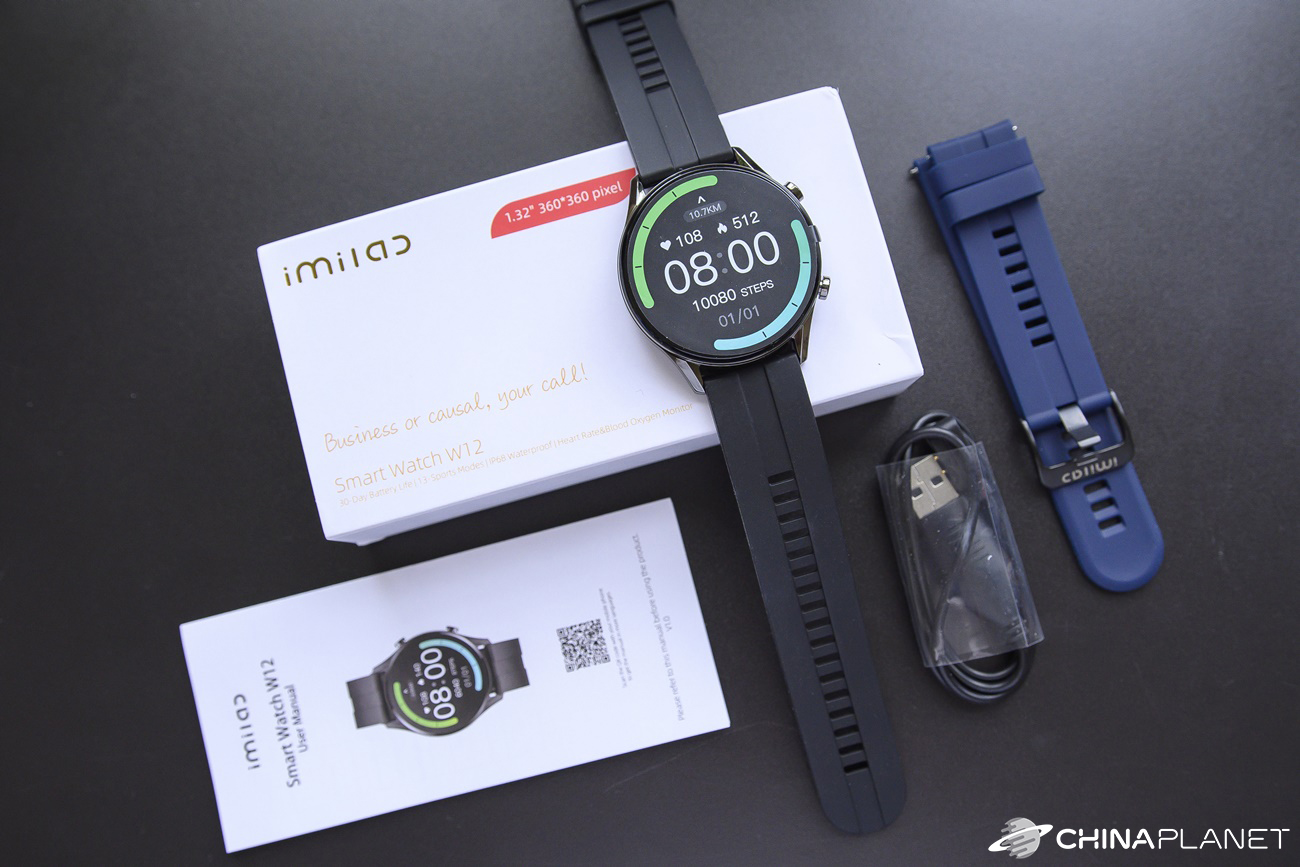
The IMILAB W12 smart watch comes in a small sliding box measuring 14.3 x 7.2 x 3 cm. Inside, you’ll find the watch itself with a black strap in a soft insert. The watch isn’t very well protected on the top side, but it arrived with no signs of damage whatsoever.

The packaging is minimal and includes only the watch with the strap, a charging cable, and a brief user manual. In a separate box, we received the mentioned seller bonus: an additional strap for the watch. It’s in blue.
Build quality and design
IMILAB W12 watches have a really nice design. Compared to the brand’s older model, IMILAB KW66, they’re noticeably thinner and feel more premium. The construction is made of metal and crafted from a single cast piece. The surface went through ten CNC polishing steps.

The watches are truly elegant, lightweight, and durable. Several times we accidentally bumped into door frames and railings with the watch on—yet not even a scratch remained, which pleasantly surprised us.

As for the placement of the control elements, you’ll only find a pair of buttons on the right side. The underside houses the sensor for measuring heart rate and SpO2. The strap is standard, silicone, and removable, so you can swap it for any other strap with the same width.
First power-on and pairing with the app
The IMILAB W12 smart watch works with the Glory Fit app. It has a pretty good rating in the Google Play store. At the time of writing the review, it was 4.4 out of 5. After installation, the app asked us to sign in and enter basic information about you—such as gender, height, weight, age, and your daily step goal. A nice bonus is the app’s instructions for proper operation, including enabling auto-start and also setting a high performance mode.


The app was able to instantly recognize the watches near a smartphone. Pairing itself is extremely fast and doesn’t require any confirmation on the watch or any QR code scanning. The watches pair with the app automatically without any extra steps.
Watch display, menu, and functions
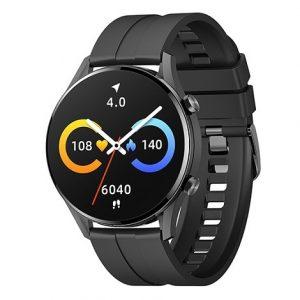
Even though we’re dealing with a TFT display here, its resolution is pleasantly fine. Visually, it looks great, and in certain moments we wouldn’t even guess that it’s not AMOLED. There are 6 main watch face designs available. The default one shows all the essential information. Besides the current time, you’ll also find the date, heart rate, SpO2, and steps taken, including the distance.

The main watch menu is accessible by swiping to the right on the watch display. It uses a standard scrolling design, and you’ll find the following items: training, status, heart rate, SpO2, weather, sleep, music, messages, more, and settings.

There are also quick-access screens you get by swiping to the other sides from the main one. This includes, for example, the control center, where you can adjust brightness, use the function to find the connected phone, enable silent mode, and change settings. You can also see the battery percentage here. Brightness can be adjusted in four levels. The maximum brightness level is more than enough, and the display remains clearly visible outdoors.
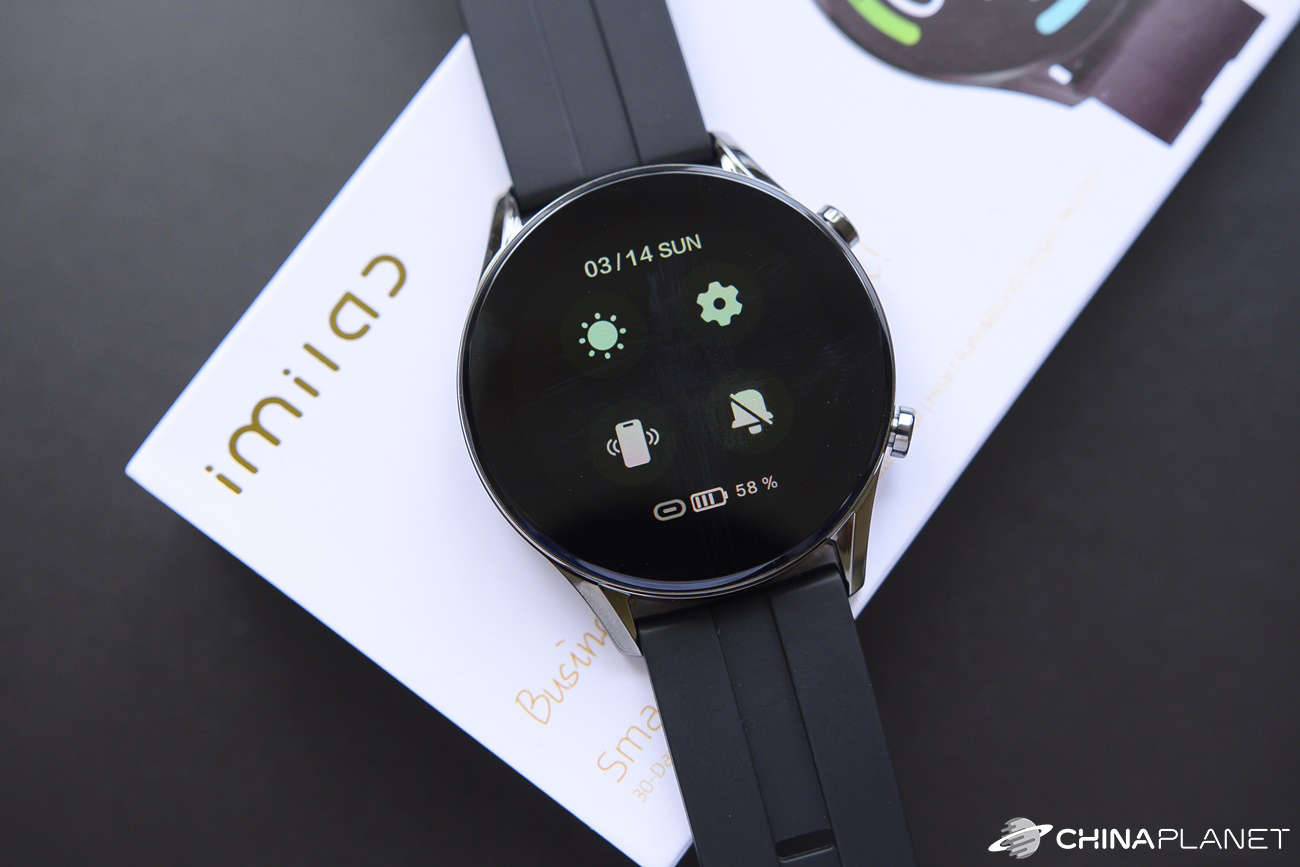
Other quick-access screens from the main one include the status showing step count, distance traveled, and calories burned, as well as notifications. In the following sections, we’ll take a closer look at the individual functions.
Sleep tracking
Monitoring the quality and duration of your snoring is a common feature on most smartwatches and fitness trackers. With the watch on our wrist, we slept for more than a week, so we monitored our sleep several times.
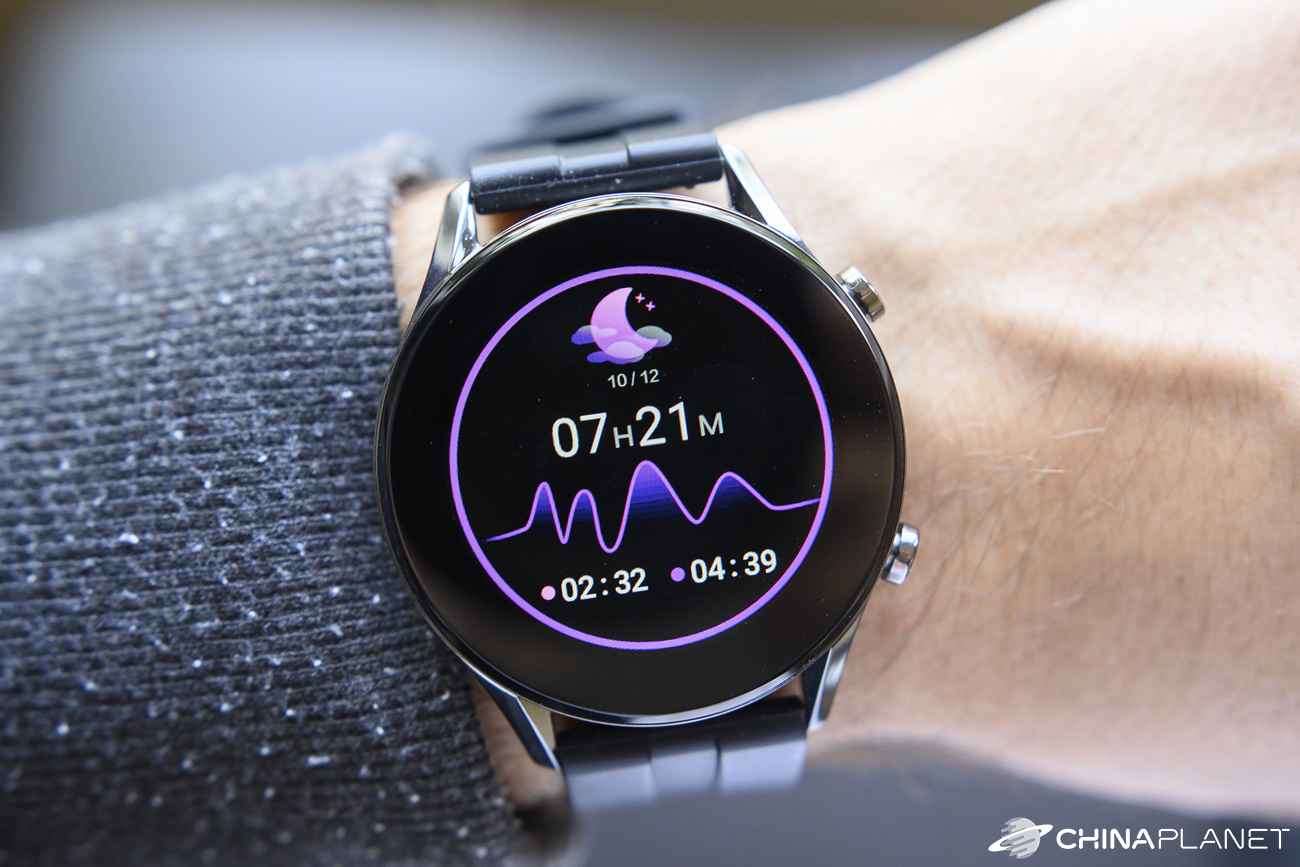
The accuracy of this monitoring isn’t very high—it’s more of an informational feature, similar to other watches. IMILAB W12 can’t really tell whether you’re actually sleeping or just lying still without moving. That’s why it often happens that the watch records a slightly longer sleep period, and generally it’s more like the time you spent in bed. If you wake up earlier but still lie without moving, the watch will still treat it as sleep.


On the watch display, you’ll then find the total sleep duration, which is split into deep and light sleep. The app provides a bit more information. In addition to deep and light sleep, you’ll also see how long you were awake during sleep, and you also get weekly and monthly summaries. Here you’ll find data such as your average sleep duration and similar statistics.
13 sports activities
The IMILAB W12 smartwatches come with a sports activity tracking feature. You can choose from 13 sports. Specifically: running, walking, cycling, hiking, stationary bike, yoga, jumping rope, gymnastics, badminton, ping-pong, rowing, the so-called abs, and free activity.

We tested walking during a short walk. During the activity, the watch display shows data including time, heart rate, calories burned, distance covered, pace, and it also shows the number of steps. We also like the display of the current time in the top area, which many watches don’t have—so while tracking activity, you can’t immediately see what time it is.


The activity log can then be found in the GloryFit app under each sport type. It shows several pieces of information, including a heart-rate graph.
Heart-rate measurement and SpO2
The watches also include the popular feature for measuring heart rate and blood oxygenation. The heart-rate measurement can be taken by the watch in about 6 – 7 seconds, while the blood oxygenation information appears almost instantly.
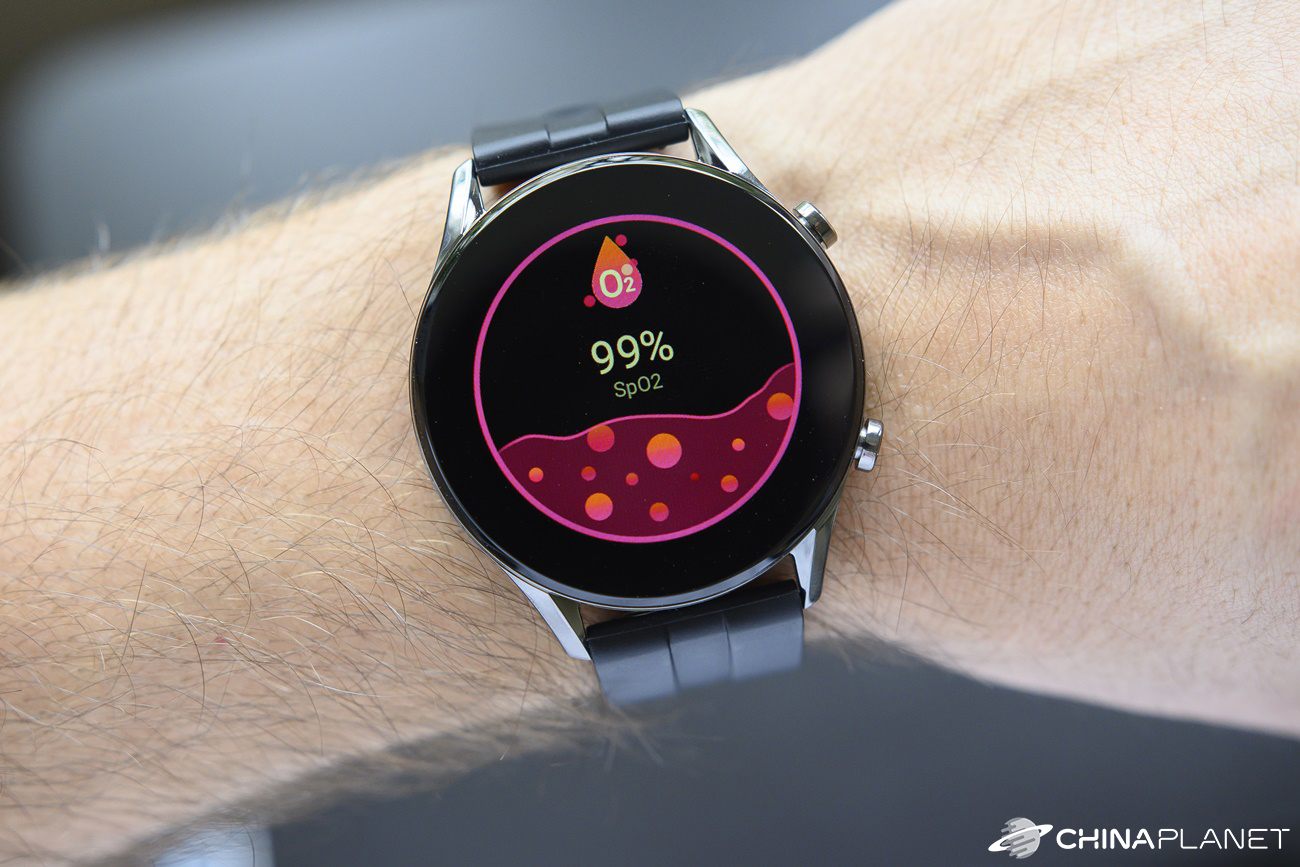
As for the accuracy of these measurements, we unfortunately don’t have oxygenation results to compare against, but we compared the heart-rate measurement with a standard Omron blood pressure monitor. The difference between the monitor and the watch during measurements at rest was mostly within a maximum of 4 – 5 bpm. After exercise, when our heart rate went up, the differences were a bit larger—but not for all measurements. Overall, the watch tends to measure slightly higher values, but with watches this affordable, that’s completely normal.

Experience with the app and notifications
The GloryFit app doesn’t have the prettiest design, but in terms of functionality it’s very good. The home screen includes all the information you need for the current day – step count, distance, calories, as well as a record of heart rate, SpO2 readings, and sleep.

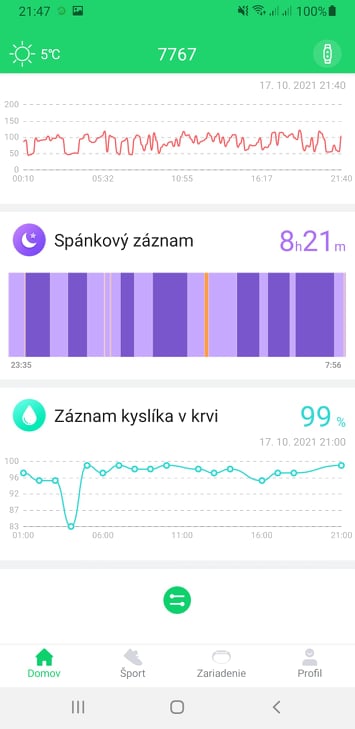
But what most people are probably interested in is the notification functionality. The app lets you choose notifications for calls, SMS messages, and app alerts. Here you’ll find a list of the most commonly used apps, even though it’s a bit illogical that you can also find apps you don’t have installed on your smartphone. If one of the apps is missing from the list, just click the “Add more apps” button and select the app you want.

For an incoming call, you only have the option to reject the call. You can’t lift the call or mute the sound using the watch. It’s also not possible to reply to messages. However, notifications work very reliably, almost exactly as we imagined. We tested notifications from standard apps like Facebook, Instagram, Messenger, Viber, and Gmail. The only minor downside we noticed is with longer messages, which we can’t read in full on the watch.
Customization options
The app offers quite a wide range of settings, which we also covered in our review of the watches Imilab KW66. The app and watch interface is almost identical to those watches. There are several languages available, although Slovak isn’t included, you will find Czech here. The app itself will be set to the language of your smartphone’s environment.


As for watch faces, the app offers several dozen, so you have plenty to choose from. There’s also an option to create your own design, but the customization options are quite limited. You can only select an image and the font color.


Naturally, there’s also setting up 24-hour heart rate and SpO2 monitoring, alerts for long sitting, an alarm clock, screen illumination when you rotate your wrist, display-on time scheduling, time mode, and units.
Runtime and charging
The manufacturer states a battery life of up to 30 days on a single charge. However, that applies only to standby mode, when you hardly use the watch. In normal operation, you should still get at least 15 days. The truth is that battery life depends a lot on how you use it.


We used the watch to the fullest. We kept it constantly connected to a smartphone with notifications enabled from multiple apps, and with 24-hour heart rate and SpO2 measurements turned on. We had the brightness set to half. With this kind of usage, the watch lasted only 6 days. Charging takes about 2 hours.
IMILAB W12: Final evaluation
The IMILAB W12 smart watch’s functions feel more like a fitness tracker, but overall we were very satisfied with it. Even though it has a cheaper TFT display, its resolution is sufficiently crisp, making the display look really nice at first glance with vivid colors.
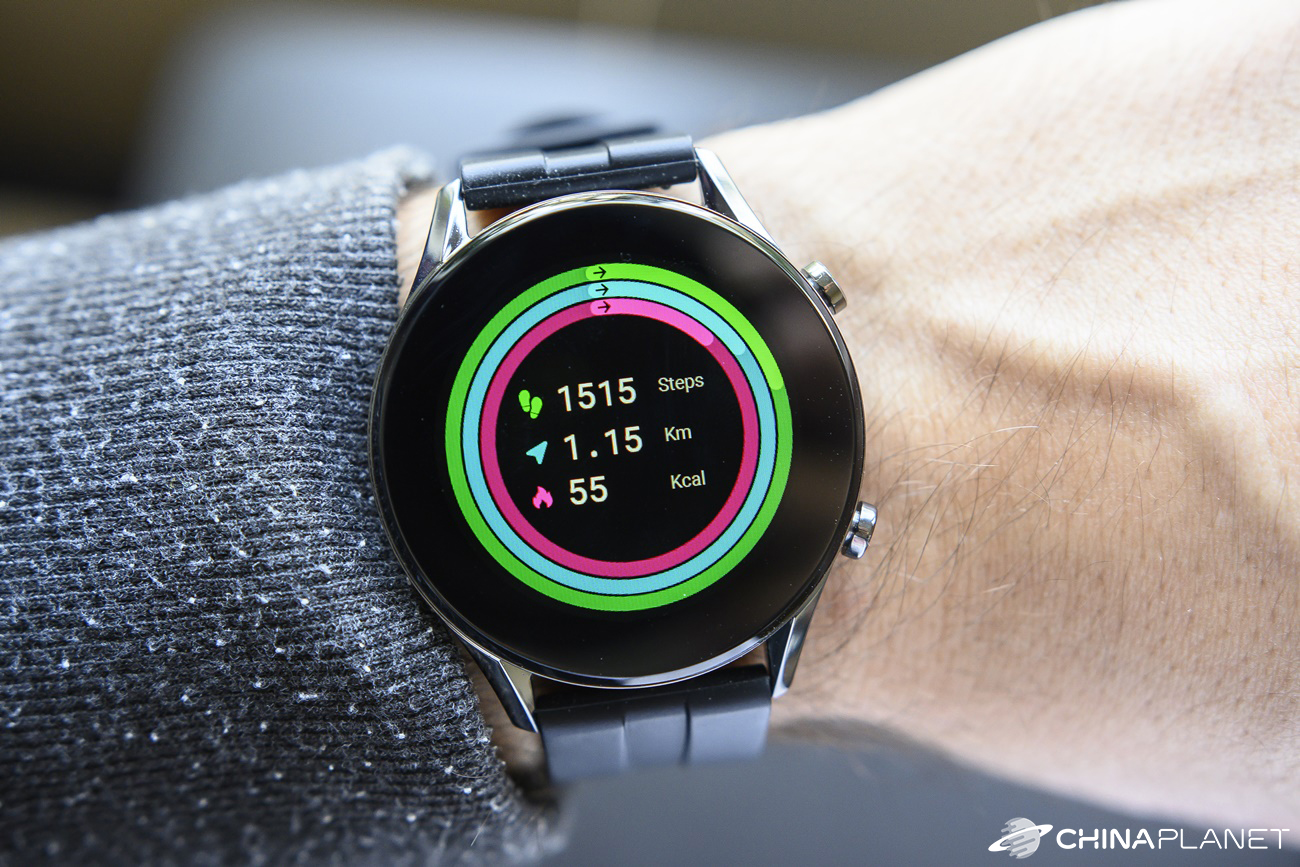
The watch offers standard features such as sleep and sports activity tracking, as well as measuring heart rate and SpO2. All functions worked great and we didn’t have any issues with notifications either. Plus, the watch is very elegant and durable.
IMILAB W12 smart watch
PL warehouseTIPExpress delivery from the Polish warehouse with no customs duty and VAT.
This product will be delivered to you express from a local Polish warehouse. Shipping from Poland usually takes 7-10 days and is handled by a courier. When it arrives, you don’t pay any extra fees—no customs duty or VAT.
However, there are also some drawbacks, the biggest one being the limited number of words the watch can display in a notification. If you receive a longer message, unfortunately you won’t be able to read the entire thing on the watch. Battery life on a single charge also isn’t among the best, but it depends on how you use it.
Don’t miss the best coupons 📩
Subscribe and we’ll email you new coupons before they expire. We only send it once a month — no spam.


