


Verdict: Realme TechLife Robot Vacuum
Our editorial rating is based on product testing.
- elegant design in black
- easy-to-use app
- good vacuuming performance
- struggles with long-pile carpets
- occasional strong bumps into obstacles
Many of you certainly know the Realme brand as a smartphone maker. If you follow our site regularly, we believe you didn’t miss the news about the first robot vacuum from this brand. It’s called Realme TechLife Robot Vacuum.
We’ve already tested several robot vacuums from different brands like Dreame or Viomi. These are brands that already have a number of proven models in their lineup. How does this brand-new newcomer perform in the world of robot vacuums? Read our review and find out whether Realme’s first model lived up to expectations.
Where to buy the Realme TechLife Robot Vacuum?
The Rovot vacuum cleaner Realme TechLife Robot Vacuum is currently available at the best price on the international online marketplace Aliexpress. You’ll also get express delivery from a European warehouse with a courier right to your home.
Basic parameters at a glance
The Realme TechLife Robot Vacuum comes with the popular, time-tested LiDAR system that handles room detection and orientation within it. It works on a simple principle: light beams reflect back, allowing the vacuum to determine how far a wall or another obstacle is.

An intelligent algorithm then takes care of calculating the ideal route for the fastest and most efficient cleaning. The Realme vacuum cleaner features up to 38 different sensors, but it still navigates in the space using impacts against obstacles.

Its maximum suction power is represented by 3000 Pa, at which it reaches a noise level of 68 dB. The vacuum can intelligently adjust its suction power based on the surface being cleaned. The dust bin has a capacity of up to 600 ml, and the 5200 mAh battery should provide 300 minutes of operation on a single charge.
What’s included in the standard package
The Realme TechLife Robot Vacuum is sold in two versions. The first is the standard version, without a mop, and the second also includes a mop and a water tank. We received the first, standard version without a mop for our editorial office.


In this version, you’ll get the vacuum cleaner in a compact box measuring approximately 42 x 49 x 14 cm. We appreciate the double-box packaging: one standard product box and another protective one. Inside, there’s a cardboard insert that slides out of the box. The vacuum cleaner itself sits in protective film. Besides it, you’ll also find a charging dock station and an adapter for connecting to the mains.

Along with the standard small brush for cleaning, the accessory set also includes a spare filter, which is a nice bonus. The package also contains a clear user manual with straightforward instructions for connecting and getting the vacuum up and running.
Build quality, design, and placement of components
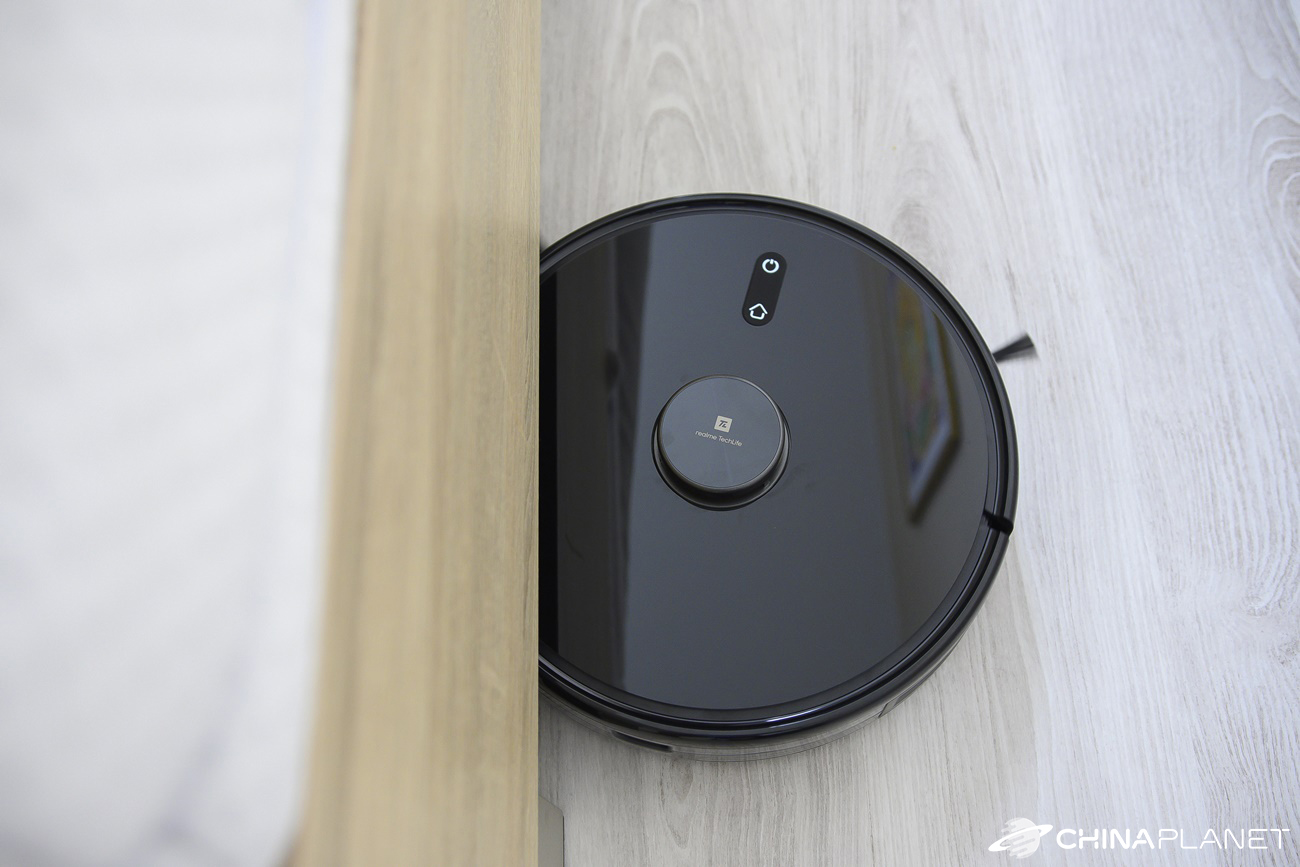
From the design perspective, in our opinion it’s a very successful product. The entire vacuum is elegant: black with a glossy finish. That’s complemented by the yellow LiDAR navigation system color in the middle of the top surface, where you’ll also find the brand logo. This color combination looks great, but because of the glossy surface, maintenance is harder and visible fingerprints are to be expected.

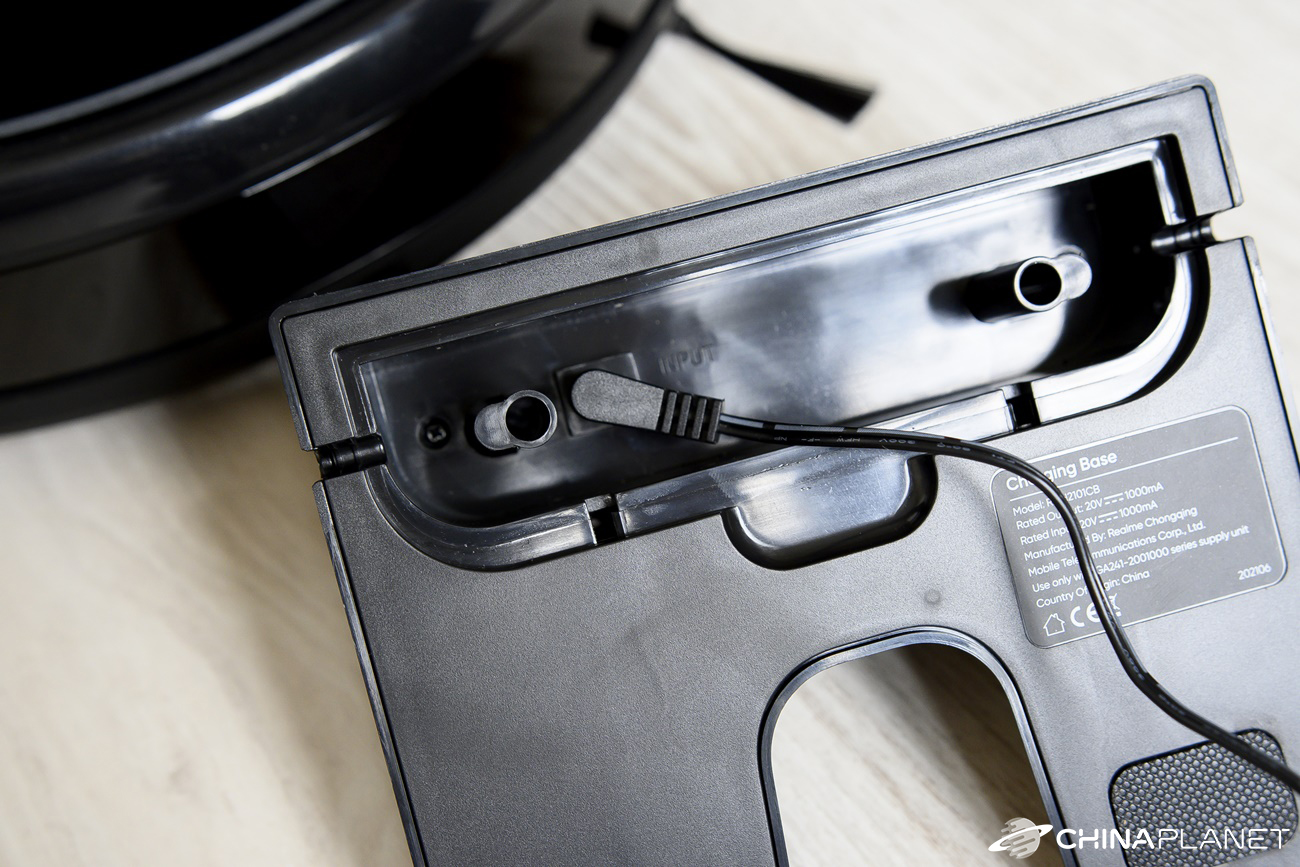
The entire vacuum cleaner is made of plastic that doesn’t give any premium impression. It’s average plastic, which makes it feel more like a cheap product. The docking station is also black and includes only one indicator LED as well as the charging connectors.
As for the placement of the components, as we mentioned above, on the top side you’ll only find the LiDAR navigation system, complemented by a pair of rather large, rubberized buttons for turning the device on/off and returning it to the docking station.

There’s no opening hatch under which the dust container would be. That’s because it’s located at the back, where it’s simply slid in. It has a capacity of up to 600 ml. In our view, this is a better solution that gives the vacuum cleaner’s construction greater sturdiness.

Along the perimeter, there’s the usual bumper that helps the vacuum detect obstacles. The underside is where you’ll find the main rotating brush, sensors, the front wheel, and a pair of large wheels with deep tread. The main brush is simply removable, so cleaning it is hassle-free.

Compared to most robot vacuum cleaners, we found one difference here. The Realme TechLife Robot Vacuum has two side brushes that sweep dirt from under the rotating brush. Most vacuums have only one such brush.
First power-on and pairing with the app
The first time you turn on the vacuum, a pleasant voice assistant greets you in English. The vacuum then waits to be paired with the smartphone app. The Realme TechLife Robot Vacuum uses the realme Link app, which is used for all smart devices from this brand.

After installing the app, registering, and then logging in, you can add new devices. After a short moment, the app automatically found the vacuum cleaner near the smartphone and informed us that it needs to be connected to a 2.4 GHz Wi‑Fi network. The 5 GHz band is not supported. Adding it works the same as with other brands. Just select your home Wi‑Fi network, enter the connection password, and the rest happens automatically.


After successful pairing, we were prompted to enter the device name, and the app guided us through a short tutorial that provided basic information about the robot vacuum, how it works, and also the app’s options.

The whole process took only a few minutes and was really very simple. The first cleaning session was all about discovering individual rooms and cleaning them for the first time. Our apartment has 3 rooms with a total floor area of 69 m2.
The vacuum didn’t get into the bathroom or the toilet, where we have thresholds higher than 2 cm, and we also didn’t let it into the closet/wardrobe, so the total area it could cover was significantly smaller—about 35 m2. The whole process took 49 minutes. Subsequent cleanings were faster and lasted 32 to 36 minutes.
App environment
The app offers a map of the entire space on the home screen, which is automatically split into several rooms. In our case, the app divided the apartment into as many as 8 rooms, using only 3 different colors – blue, yellow, and green.

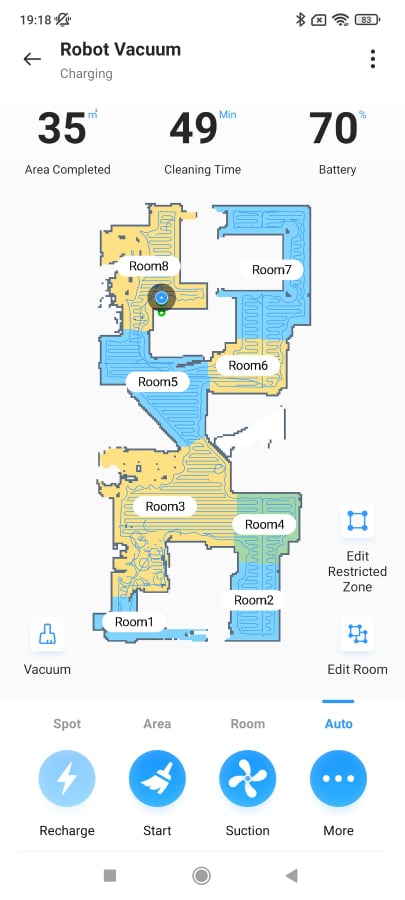
Besides the map, you’ll also find information about the last cleaning session and the battery percentage. However, it often happened that the battery status wasn’t updated, and the app displayed an old value even though charging had already been completed based on the LED indicators on the vacuum.
In the top-left corner, right next to the map, you can switch between the different modes: vacuuming, mopping, or vacuuming with mopping. On the right side, you’ll find buttons for editing restricted zones and customizing the map.


The bottom bar consists of two elements. The first one is for switching between cleaning the entire area, selected rooms, an area, or a specific spot on the map. The second part of the bottom bar includes four large icons. Specifically, it shows the current operating status (charging, vacuuming, etc.), starts the cleaning, changes suction power, and it also includes a button to display additional options we’ll cover later.
Cleaning levels and our observations
There are 4 cleaning levels, stepped based on the suction power. Specifically, these are the following modes:
- quiet – 500 Pa
- standard – 1200 Pa
- turbo – 2500 Pa
- max – 3000 Pa

For mopping, which we can’t offer because there’s no mop included in the box, you can also choose from four modes that define the amount of water used – dry mode, minimum, normal, and maximum.


Vacuuming runs in the standard way along so-called S-shaped routes, which gradually cover all rooms. The vacuuming quality is good, and the vacuum handles everyday dirt without any issues. The problem, however, is the soft long-pile rug, where the vacuum kept getting stuck after a short while. The app reported a brush blockage. After lifting the vacuum and running the brush to break free, it could continue further, but after a few seconds it got stuck on the rug again. Regular rugs weren’t an issue for it.

Automatic suction power switching works well, and the change in suction power when it hits a different surface is immediately noticeable. The small downside is that it sometimes makes a harder impact against certain items. If you leave, for example, children’s toys on the floor, the vacuum will push them around the entire room. One time, it even closed the doors, which then prevented it from getting into one of the rooms. Sensors that could prevent collisions would help.
Vacuuming quality under tougher conditions
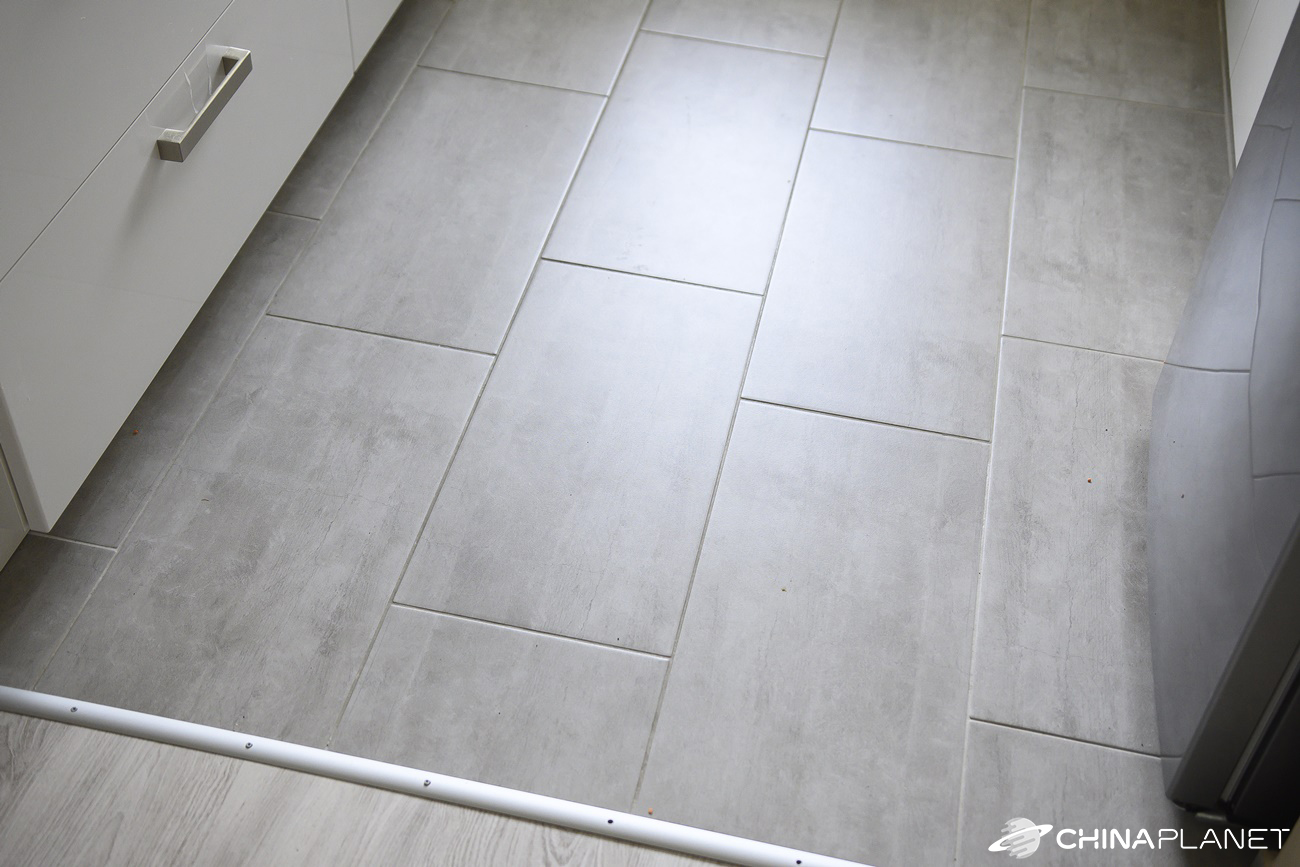
We also retested vacuuming performance under tougher conditions that we artificially created. On the kitchen tile, we scattered coffee, red lentils, and breadcrumbs in larger amounts, and we were curious how the Realme TechLife Robot Vacuum would handle it. Since it has two side brushes, we were worried about dirt being blasted excessively into the surrounding area. This is what it looked like before vacuuming:

Our concerns were only partially confirmed, and during cleaning the vacuum repeatedly blasted the dirt from the pair of brushes into the area it had already vacuumed. After the first cleaning, it looked like this:

The vacuum couldn’t remove all the dirt in the first attempt, though no robot vacuum we’ve tested this way has managed that so far. After the second cleaning it was significantly better, and after the third, the floor was almost completely spotless.

Customization options
There are quite a few options you can customize, so we’ll only look at the more interesting ones. The app lets you save up to five maps, which you can then customize. In addition to the usual options for connecting or splitting rooms, you can set the suction and mopping level separately for each room.


You can also set the order in which the vacuum will go through rooms during cleaning. We also like the option to rename rooms with your own custom names. There’s also the ability to mark no-go zones for vacuuming or mopping, or to create virtual walls.
Among the other settings, you’ll find scheduling for automatic cleaning at a chosen time, which can repeat on selected days. You’ll also find a remote control, and a mopping style selection similar to Viomi vacuums (in the shape of the letter S or Y).


The settings also include a dedicated custom mode, where the vacuum will move through rooms according to your settings – in the selected order and suction/mopping level. You’ll also find the so-called auto boost, which allows the vacuum to intelligently adjust suction power based on the surface being cleaned.
There’s also a history of the vacuum’s actions, voice command settings, or the display of the current wear level of individual components (filter, main brush, and side brushes). You can also share the vacuum with other users, ideally with household members.
Runtime and charging
The vacuum cleaner’s built-in battery has 5200 mAh, and the manufacturer promises a runtime of 300 minutes when cleaning hard floors in silent mode. In our apartment, we set a restricted zone where the problematic carpet is located. Besides that, we only have one small, standard rug.

Since the suction power is weak in quiet mode, we tested runtime at maximum suction power. The vacuum ran out of battery after 122 minutes of operation and managed to vacuum a total of 120 m2. After charging, it automatically continued with the last incomplete cleaning.
In turbo mode, after a single cleaning session, almost 20 % was deducted from the battery capacity; in standard mode it was 12 %, and in silent mode only 11 %. The 300 minutes of runtime in silent mode stated by the manufacturer therefore isn’t overly optimistic. Each cleaning session took about 32 minutes.
Final verdict
Realme TechLife Robot Vacuum is a robot vacuum cleaner with good suction power of 3000 Pa. It offers a sufficiently large dust container with a capacity of 600 ml, a LiDAR navigation system, and a simple yet elegant design.
We like the amount of available settings, including the option to choose the order of cleaning rooms, as well as setting the suction level for each room separately. The vacuum cleaner can store up to 5 different maps, so it’s also suitable for a multi-story home.

Among the drawbacks is bump-and-run navigation, which is relatively forceful in places. Vacuuming soft long-pile carpets is also problematic, as the vacuum gets stuck on them. Given that this is the brand’s first robot vacuum, it’s a successful product that can compete with well-known brands like Dreame, Viomi, or Xiaomi.
Don’t miss the best coupons 📩
Subscribe and we’ll email you new coupons before they expire. We only send it once a month — no spam.


