A planet full of gadgets from China · a database of the best coupons
Product comparisons

TOP 6 cheap gadgets from China #158

13. August 2023 3 min read 0 comments

With another weekend, we have another installment of the TOP 6 cheap gadgets from China that you’ve enjoyed so much, and today it’s already the one hundred and fifty-eighth continuation. We picked another set of six interesting items from international sellers at great prices.

To catch the latest installment of TOP 6 cheap gadgets from China, give us a like on Facebook, subscribe to our newsletter, or turn on notifications. Here we always keep you posted about our articles.

1. Stylish raincoat from AliExpress

The first product in our selection today is this stylish and practical raincoat from AliExpress. It has the shape of a lightweight spring jacket and comes in four colors – blue, pink, gray and black. As for sizes, the seller has raincoats in stock from S up to 4XL (you’ll find the size chart directly on the seller’s website). Fast delivery within 15 days is free, and that’s with purchases over 10,00 €.

ChinaPlanet deal

Stylish raincoat from AliExpress

Stylish raincoat from AliExpress
Štýlový pršiplášť z AliExpressu
15-day delivery
17,85 €You save 9,10 €
8,75 €
No coupon
Are you shopping on AliExpress for the first time? See the guide!
Updated 13. 8. 2023 at 15:37
TIP15-day delivery via Aliexpress Standard Shipping

For this product, Aliexpress Standard Shipping is available with guaranteed delivery within 15 days. It’s the most reliable delivery method and, in most cases, it’s handled by a courier company. The 15-day delivery is something we actually tested.

When you order from a Chinese warehouse, AliExpress adds a customs duty charge of approximately 3,70 € per order to your cart. When you receive the shipment, you won’t have to pay anything extra.

Track this product’s price

As soon as we post a new coupon, we’ll send you an email. You can unsubscribe from tracking anytime.

Are you shopping on AliExpress for the first time?

The process is via the AliExpress mobile app, where most people shop. There are two key things: don’t use Buy now and enter the coupon only in the order summary, in the field Promo code. After you click Pay now, you won’t be able to add it.

  1. Copy the code and click Use discountIn our article, copy the coupon and click the button GET DISCOUNT. The link will take you directly to the product in the AliExpress app.
  2. Use Add to cart instead of Buy nowOn the product card, scroll down and tap Add to cart. Don’t use the Buy now button—you’ll skip the cart, and later you won’t have anywhere to enter the coupon. Before that, double-check the variant: the color, the version, and whether it ships from an EU warehouse.
  3. Through the cart, go to CheckoutA pop-up will appear: Added to cart! — tap Check it out in it. If it disappeared, open the cart with the icon at the bottom right. In the cart, check the product and quantity, then click the red Checkout. Only the items marked with the red ring will be applied.
  4. Enter your address and card, then look for Promo codeIn the order summary, first fill in the delivery address and payment card at the top. Below them there’s a line Promo code — expand it with the arrow on the right.
    Riadok Promo code v zhrnutí objednávky v aplikácii AliExpress
    Look for this line under the address and payment method.
  5. Paste the code and confirm ApplyIn the field Promo code paste the copied code and click the black Apply. The code is case-sensitive and must not contain spaces.
    Políčko Promo code s kódom a tlačidlom Apply v aplikácii AliExpress
    Paste the code into the field and confirm with the Apply button.
  6. Check the savings and payIn the Summary expand the line Saved — you’ll see the applied coupon there as AliExpress coupons/codes. Only when Total is really lower, click Pay now.
    Riadok Saved s uplatneným kupónom a znížený Total v aplikácii AliExpress
    The applied coupon will appear in the Saved line and will reduce the Total.
Apply the discount already at the order summary. After you click Pay now, you can no longer add a coupon. If Apply shows an error, the code has either expired, doesn’t apply to your items, or the order doesn’t meet the minimum amount.
The Store Coupon also goes in the same field. — a coupon from the seller itself, which isn’t always available and changes from day to day. AliExpress coupons can’t be combined, so try both and go with the one that gives you more. Coins are added automatically.

2. Nandme NX7000 (PL warehouse)

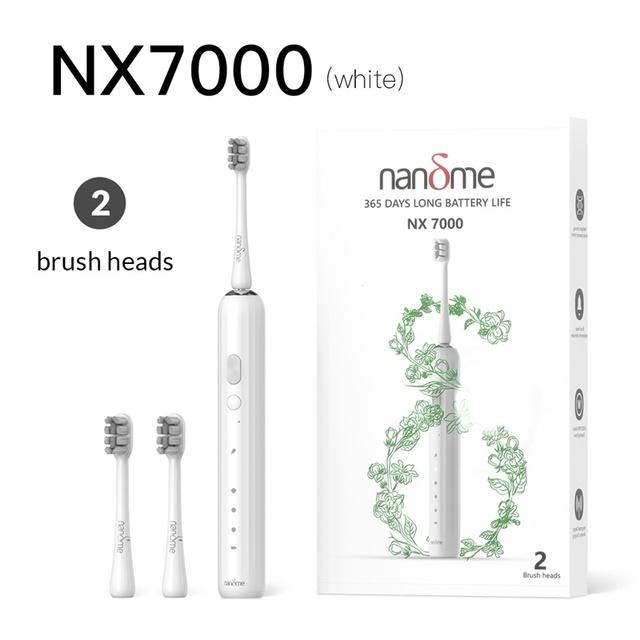
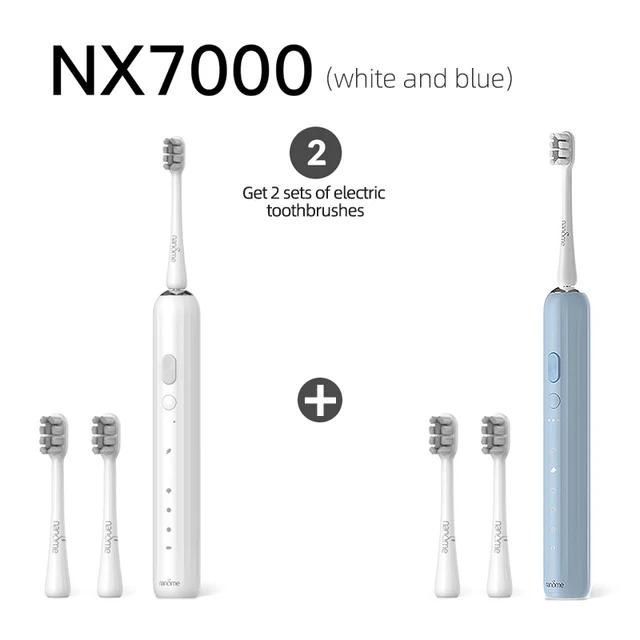
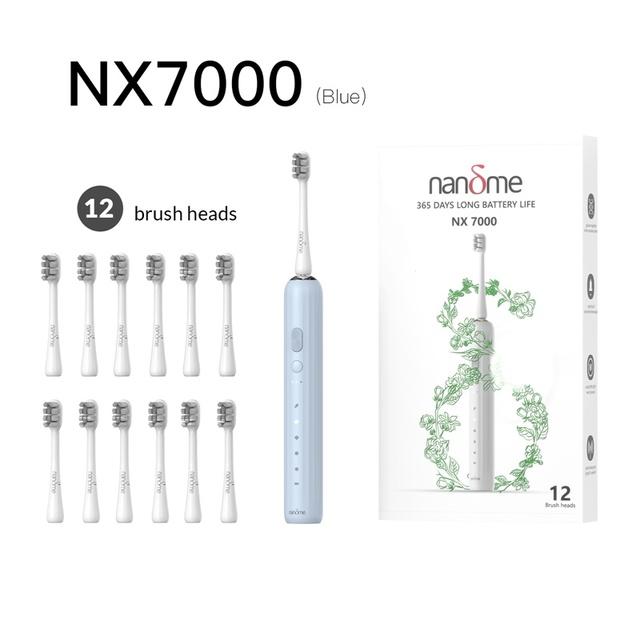
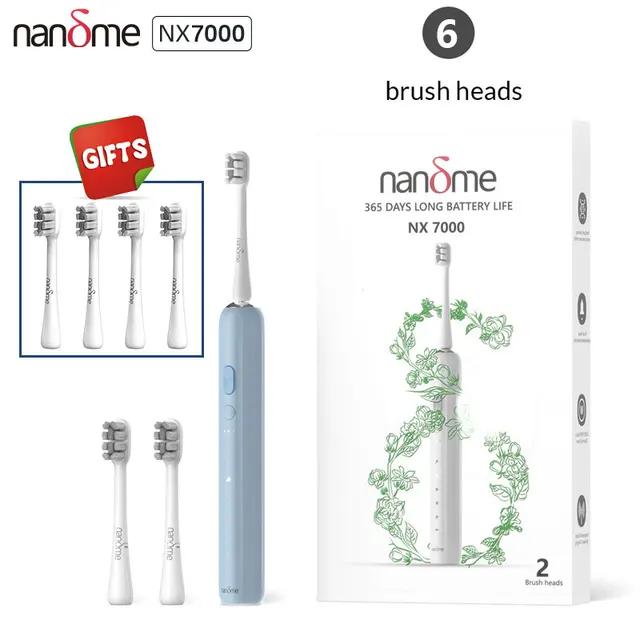
Sonic toothbrushes are very popular, and the Chinese brand Nandme knows it. It offers an affordable model Nandme NX7000, with up to 41,000 vibrations per minute, as well as IP X7 certification and a battery life of 365 days (in a low-sensitivity mode for sensitive teeth and gums). Another advantage is availability in a nearby Polish warehouse, with delivery in as little as 5 days.

ChinaPlanet deal

Nandme NX7000

Nandme NX7000
19,00 €You save 9,27 €
9,73 €
CouponNANDME0405
% Cart discount1,90 €?This discount is applied automatically in the cart before checkout — no coupon code needed.
Code not working? Show more coupons

Price history

1,51 €more expensive than the average price
Cheapest 9,00 €Most expensive 19,00 €
Are you shopping on AliExpress for the first time? See the guide!
More coupons
19,00 €12,51 €
NANDME0405
Use
Updated 3. 4. 2024 at 15:27
TIPExpress delivery from the Polish warehouse with no customs duty and VAT.

This product will be delivered to you express from a local Polish warehouse. Shipping from Poland usually takes 7-10 days and is handled by a courier. When it arrives, you don’t pay any extra fees—no customs duty or VAT.

Track this product’s price

As soon as we post a new coupon, we’ll send you an email. You can unsubscribe from tracking anytime.

Are you shopping on AliExpress for the first time?

The process is via the AliExpress mobile app, where most people shop. There are two key things: don’t use Buy now and enter the coupon only in the order summary, in the field Promo code. After you click Pay now, you won’t be able to add it.

  1. Copy the code and click Use discountIn our article, copy the coupon and click the button GET DISCOUNT. The link will take you directly to the product in the AliExpress app.
  2. Use Add to cart instead of Buy nowOn the product card, scroll down and tap Add to cart. Don’t use the Buy now button—you’ll skip the cart, and later you won’t have anywhere to enter the coupon. Before that, double-check the variant: the color, the version, and whether it ships from an EU warehouse.
  3. Through the cart, go to CheckoutA pop-up will appear: Added to cart! — tap Check it out in it. If it disappeared, open the cart with the icon at the bottom right. In the cart, check the product and quantity, then click the red Checkout. Only the items marked with the red ring will be applied.
  4. Enter your address and card, then look for Promo codeIn the order summary, first fill in the delivery address and payment card at the top. Below them there’s a line Promo code — expand it with the arrow on the right.
    Riadok Promo code v zhrnutí objednávky v aplikácii AliExpress
    Look for this line under the address and payment method.
  5. Paste the code and confirm ApplyIn the field Promo code paste the copied code and click the black Apply. The code is case-sensitive and must not contain spaces.
    Políčko Promo code s kódom a tlačidlom Apply v aplikácii AliExpress
    Paste the code into the field and confirm with the Apply button.
  6. Check the savings and payIn the Summary expand the line Saved — you’ll see the applied coupon there as AliExpress coupons/codes. Only when Total is really lower, click Pay now.
    Riadok Saved s uplatneným kupónom a znížený Total v aplikácii AliExpress
    The applied coupon will appear in the Saved line and will reduce the Total.
Apply the discount already at the order summary. After you click Pay now, you can no longer add a coupon. If Apply shows an error, the code has either expired, doesn’t apply to your items, or the order doesn’t meet the minimum amount.
The Store Coupon also goes in the same field. — a coupon from the seller itself, which isn’t always available and changes from day to day. AliExpress coupons can’t be combined, so try both and go with the one that gives you more. Coins are added automatically.

3. Tactical gloves

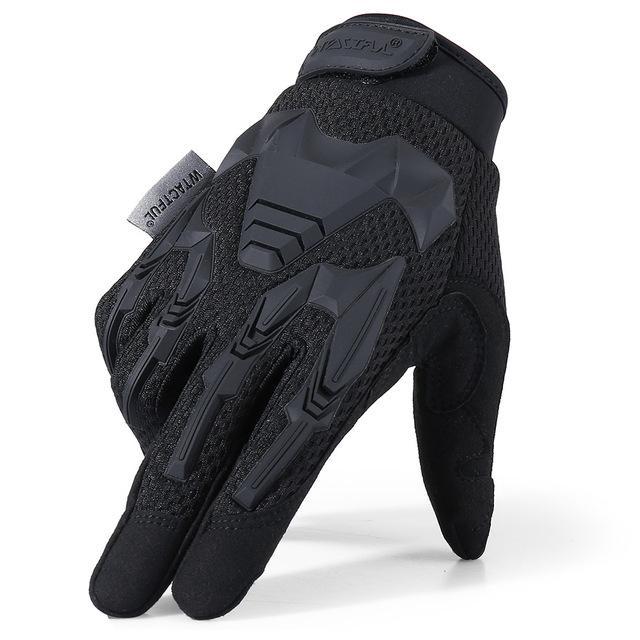
Another cheap gadget is these high-quality tactical gloves designed for sports, cycling, climbing, or paintball. In the sale, you’ll find three color variations made from breathable material, including the “Camo” pattern, and sizes from S to XL (you’ll find the size chart directly on the seller’s website). You’ll also appreciate the fast delivery from China, just in 15 days.

ChinaPlanet deal

Tactical gloves

Tactical gloves
Taktické rukavice
15-day delivery
31,10 €You save 17,10 €
14,00 €
No coupon
Are you shopping on AliExpress for the first time? See the guide!
Updated 13. 8. 2023 at 15:38
TIP15-day delivery via Aliexpress Standard Shipping

For this product, Aliexpress Standard Shipping is available with guaranteed delivery within 15 days. It’s the most reliable delivery method and, in most cases, it’s handled by a courier company. The 15-day delivery is something we actually tested.

When you order from a Chinese warehouse, AliExpress adds a customs duty charge of approximately 3,70 € per order to your cart. When you receive the shipment, you won’t have to pay anything extra.

Track this product’s price

As soon as we post a new coupon, we’ll send you an email. You can unsubscribe from tracking anytime.

Are you shopping on AliExpress for the first time?

The process is via the AliExpress mobile app, where most people shop. There are two key things: don’t use Buy now and enter the coupon only in the order summary, in the field Promo code. After you click Pay now, you won’t be able to add it.

  1. Copy the code and click Use discountIn our article, copy the coupon and click the button GET DISCOUNT. The link will take you directly to the product in the AliExpress app.
  2. Use Add to cart instead of Buy nowOn the product card, scroll down and tap Add to cart. Don’t use the Buy now button—you’ll skip the cart, and later you won’t have anywhere to enter the coupon. Before that, double-check the variant: the color, the version, and whether it ships from an EU warehouse.
  3. Through the cart, go to CheckoutA pop-up will appear: Added to cart! — tap Check it out in it. If it disappeared, open the cart with the icon at the bottom right. In the cart, check the product and quantity, then click the red Checkout. Only the items marked with the red ring will be applied.
  4. Enter your address and card, then look for Promo codeIn the order summary, first fill in the delivery address and payment card at the top. Below them there’s a line Promo code — expand it with the arrow on the right.
    Riadok Promo code v zhrnutí objednávky v aplikácii AliExpress
    Look for this line under the address and payment method.
  5. Paste the code and confirm ApplyIn the field Promo code paste the copied code and click the black Apply. The code is case-sensitive and must not contain spaces.
    Políčko Promo code s kódom a tlačidlom Apply v aplikácii AliExpress
    Paste the code into the field and confirm with the Apply button.
  6. Check the savings and payIn the Summary expand the line Saved — you’ll see the applied coupon there as AliExpress coupons/codes. Only when Total is really lower, click Pay now.
    Riadok Saved s uplatneným kupónom a znížený Total v aplikácii AliExpress
    The applied coupon will appear in the Saved line and will reduce the Total.
Apply the discount already at the order summary. After you click Pay now, you can no longer add a coupon. If Apply shows an error, the code has either expired, doesn’t apply to your items, or the order doesn’t meet the minimum amount.
The Store Coupon also goes in the same field. — a coupon from the seller itself, which isn’t always available and changes from day to day. AliExpress coupons can’t be combined, so try both and go with the one that gives you more. Coins are added automatically.
Ad

4. 8BitDo gaming controller for Xbox and Windows

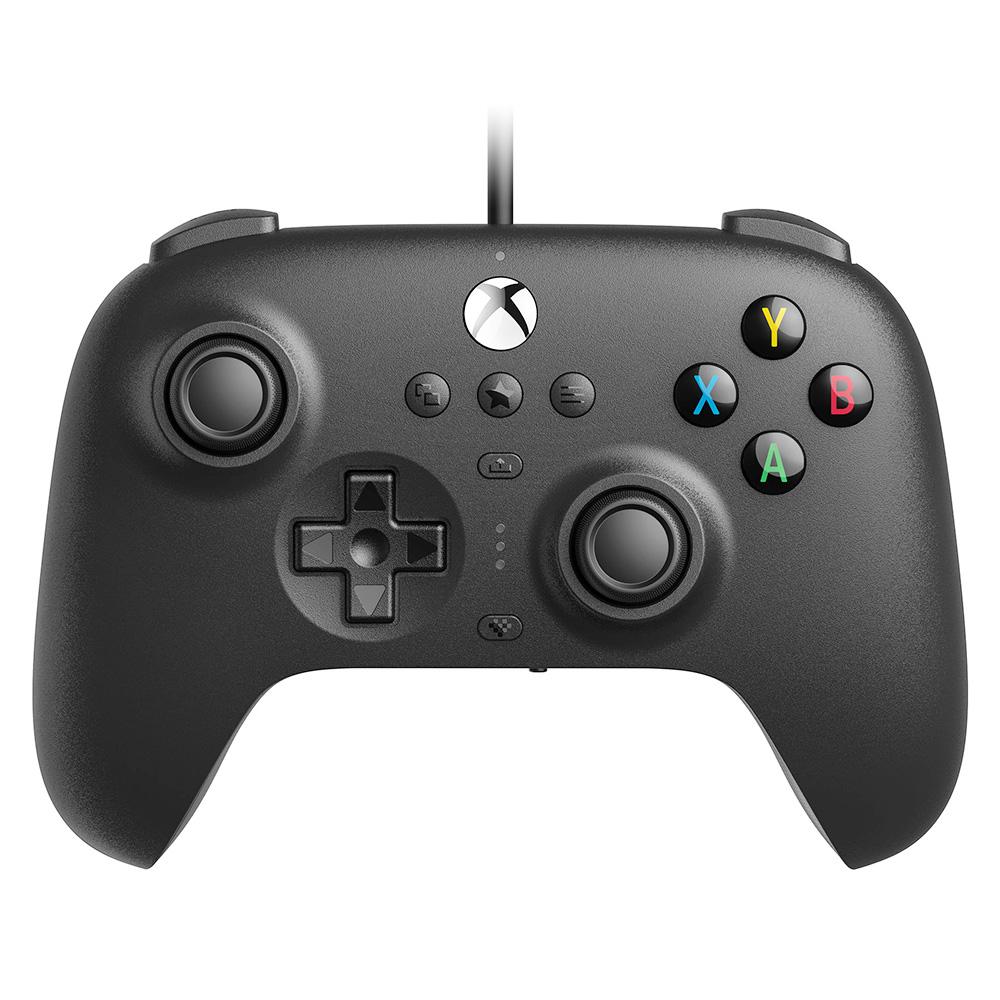
If you’re looking for a cheap alternative gaming controller, definitely try this model from Chinese manufacturer 8BitDo. The controller is designed for the Xbox as well as Windows platform (it also supports the latest Windows 11). It also has a built-in 3.5 mm audio jack, button mapping support, and wired power via USB-A. The length of the power cable is 3 meters. Delivery from China will take 10 – 20 business days.

Important: Orders from Geekbuying come with our VIP support, which you get after downloading our extension for the Chrome browser on desktop only (for this store, never shop through the app). Right after payment, send us your order number so we can check that VIP support is valid!
ChinaPlanet deal

8BitDo gaming controller for Xbox and Windows

8BitDo gaming controller for Xbox and Windows
8BitDo herný ovládač pre Xbox aj Windows
Free Shipping
52,54 €You save 25,37 €
27,17 €
No coupon
Is it your first time shopping on Geekbuying? See the guide!
Updated 13. 8. 2023 at 15:38
TIPShipping is completely free.

Free shipping is available for this product. However, this is the slowest delivery method, and the item may take 20 days to 1 month(s) to arrive.

When you order from a Chinese warehouse, AliExpress adds a customs duty charge of approximately 3,70 € per order to your cart. When you receive the shipment, you won’t have to pay anything extra.

Track this product’s price

As soon as we post a new coupon, we’ll send you an email. You can unsubscribe from tracking anytime.

Is it your first time shopping on Geekbuying?

5. BlitzWill BW-LB2 WiFi LED strip (PL warehouse)

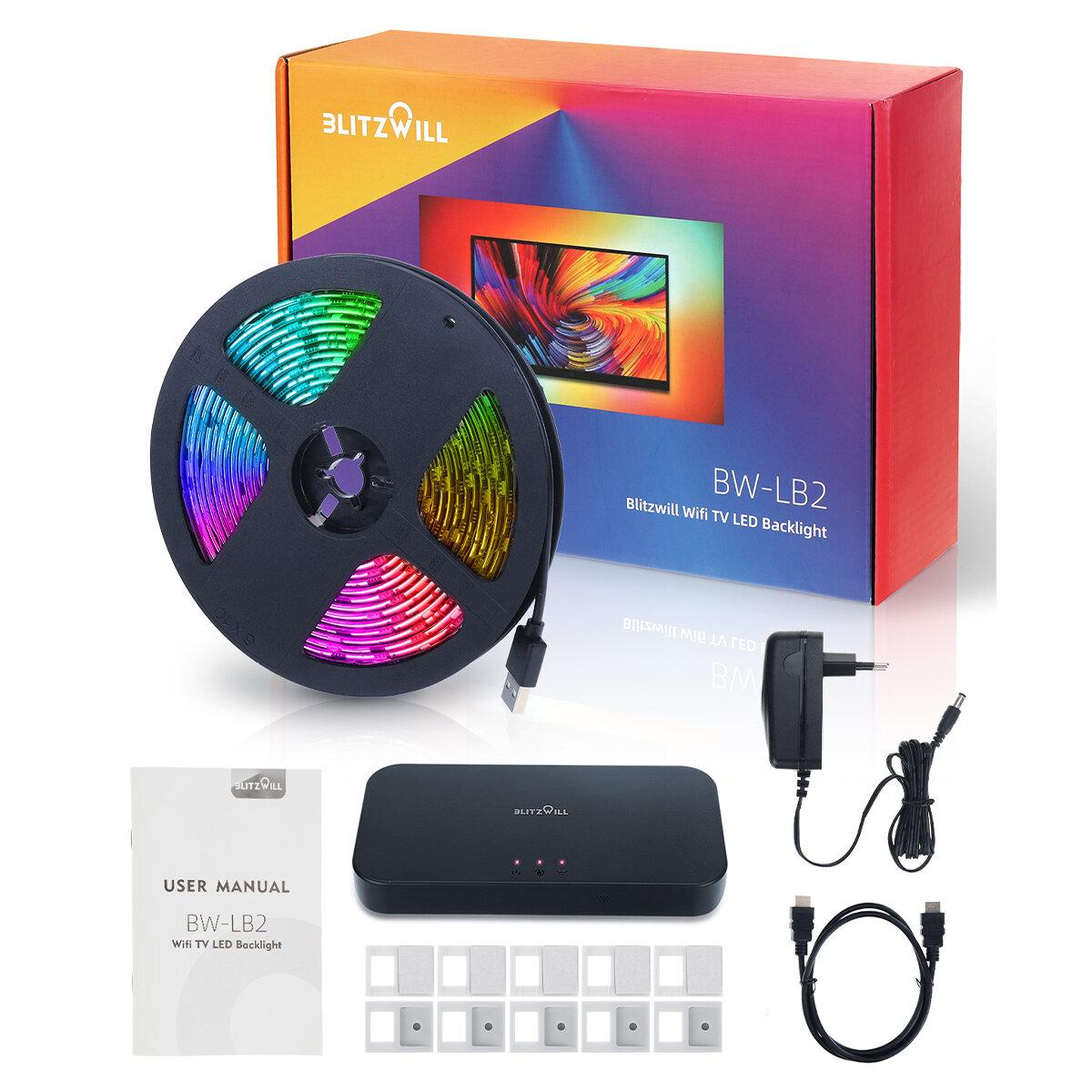
The BlitzWill brand falls under the popular Chinese e-shop Banggood.com, and right now it brings an affordable LED strip with Wi‑Fi connectivity. It’s labeled BlitzWill BW-LB2, up to 5 meters in length, connects via HDMI to your TV for a screen expansion effect or you can control it through a mobile app. You’ll also like the discount coupon, and your parcel will arrive from the nearby Polish warehouse in just 7 days. 

Important: Orders from Banggood come with our VIP support, which you get after downloading our extension for the Chrome browser on desktop only.
ChinaPlanet deal

BlitzWill BW-LB2

BlitzWill BW-LB2
BlitzWill BW-LB2
PL warehouse
100,33 €You save 66,59 €
33,74 €
CouponBG2226a6
Buying on Banggood for the first time? See the guide!
Updated 11. 8. 2023 at 19:43
TIPExpress delivery from the Polish warehouse with no customs duty and VAT.

This product will be delivered to you express from a local Polish warehouse. Shipping from Poland usually takes 7-10 days and is handled by a courier. When it arrives, you don’t pay any extra fees—no customs duty or VAT.

Track this product’s price

As soon as we post a new coupon, we’ll send you an email. You can unsubscribe from tracking anytime.

Buying on Banggood for the first time?

Ad

6. Yeezy Slide replicas

And last but not least, we also have prepared replicas of the well-known Yeezy Slide model: Yeezy Slide. In the offer from an international seller, you’ll find beige and black color options, as well as sizes from 36/37 up to 44/45. Another advantage is the fast 15-day delivery from the Chinese warehouse.

ChinaPlanet deal

Yeezy Slide replicas

Yeezy Slide replicas
Napodobneniny Yeezy Slide
15-day delivery
17,30 €You save 10,21 €
7,09 €
No coupon
Are you shopping on AliExpress for the first time? See the guide!
Updated 11. 8. 2023 at 19:45
TIP15-day delivery via Aliexpress Standard Shipping

For this product, Aliexpress Standard Shipping is available with guaranteed delivery within 15 days. It’s the most reliable delivery method and, in most cases, it’s handled by a courier company. The 15-day delivery is something we actually tested.

When you order from a Chinese warehouse, AliExpress adds a customs duty charge of approximately 3,70 € per order to your cart. When you receive the shipment, you won’t have to pay anything extra.

Track this product’s price

As soon as we post a new coupon, we’ll send you an email. You can unsubscribe from tracking anytime.

Are you shopping on AliExpress for the first time?

The process is via the AliExpress mobile app, where most people shop. There are two key things: don’t use Buy now and enter the coupon only in the order summary, in the field Promo code. After you click Pay now, you won’t be able to add it.

  1. Copy the code and click Use discountIn our article, copy the coupon and click the button GET DISCOUNT. The link will take you directly to the product in the AliExpress app.
  2. Use Add to cart instead of Buy nowOn the product card, scroll down and tap Add to cart. Don’t use the Buy now button—you’ll skip the cart, and later you won’t have anywhere to enter the coupon. Before that, double-check the variant: the color, the version, and whether it ships from an EU warehouse.
  3. Through the cart, go to CheckoutA pop-up will appear: Added to cart! — tap Check it out in it. If it disappeared, open the cart with the icon at the bottom right. In the cart, check the product and quantity, then click the red Checkout. Only the items marked with the red ring will be applied.
  4. Enter your address and card, then look for Promo codeIn the order summary, first fill in the delivery address and payment card at the top. Below them there’s a line Promo code — expand it with the arrow on the right.
    Riadok Promo code v zhrnutí objednávky v aplikácii AliExpress
    Look for this line under the address and payment method.
  5. Paste the code and confirm ApplyIn the field Promo code paste the copied code and click the black Apply. The code is case-sensitive and must not contain spaces.
    Políčko Promo code s kódom a tlačidlom Apply v aplikácii AliExpress
    Paste the code into the field and confirm with the Apply button.
  6. Check the savings and payIn the Summary expand the line Saved — you’ll see the applied coupon there as AliExpress coupons/codes. Only when Total is really lower, click Pay now.
    Riadok Saved s uplatneným kupónom a znížený Total v aplikácii AliExpress
    The applied coupon will appear in the Saved line and will reduce the Total.
Apply the discount already at the order summary. After you click Pay now, you can no longer add a coupon. If Apply shows an error, the code has either expired, doesn’t apply to your items, or the order doesn’t meet the minimum amount.
The Store Coupon also goes in the same field. — a coupon from the seller itself, which isn’t always available and changes from day to day. AliExpress coupons can’t be combined, so try both and go with the one that gives you more. Coins are added automatically.
Add us as your preferred source on Google

Don’t miss the best coupons 📩

Subscribe and we’ll email you new coupons before they expire. We only send it once a month — no spam.

Ad Engerio