A planet full of gadgets from China · a database of the best coupons
Product comparisons

TOP 6 cheap gadgets from China #259

10. January 2026 4 min read 0 comments

With the next weekend, we’ve got another episode of the TOP 6 cheap gadgets from China, which you’ve all loved so much, and at the same time it’s already the two hundred and fifty-ninth installment! We’ve picked another set of six interesting little things from international sellers at great prices.

To make sure you never miss the latest episode of TOP 6 cheap gadgets from China, give us a like on Facebook, join our FB groups or follow Telegram. Here we always keep you updated about our articles.

Join our Messenger channel

1. Construction Defender off-road car

The technical building set of the off-road car Defender consists of 2,573 pieces. It’s made for off-road car fans and adult builders who appreciate a realistic design. The blocks made from quality non-toxic ABS plastic deliver good strength and precise fit, and the box includes all parts as well as a clear assembly manual.

An ideal gift for teenagers and adults who want to enjoy long assembly and display the finished model.

ChinaPlanet deal

Defender off-road building set

Free duty delivery
Stavbenica Defender terénne auto
15-day delivery
32,20 €You save 2,66 €
29,54 €
Are you shopping on AliExpress for the first time? See the guide!
Updated 10. 1. 2026 at 17:20
TIP15-day delivery via Aliexpress Standard Shipping

For this product, Aliexpress Standard Shipping is available with guaranteed delivery in 15 days. This is the most reliable way to ship and, in most cases, it’s delivered by a courier company. 15-day delivery we’ve tested it for real.

When you order from a Chinese warehouse, AliExpress adds a customs duty charge of approximately 3,70 € per order to your cart. When you receive the shipment, you won’t have to pay anything extra.

Track this product’s price

As soon as we post a new coupon, we’ll send you an email. You can unsubscribe from tracking anytime.

Are you shopping on AliExpress for the first time?

The process is via the AliExpress mobile app, where most people shop. There are two key things: don’t use Buy now and enter the coupon only in the order summary, in the field Promo code. After you click Pay now, you won’t be able to add it.

  1. Copy the code and click Use discountIn our article, copy the coupon and click the button GET DISCOUNT. The link will take you directly to the product in the AliExpress app.
  2. Use Add to cart instead of Buy nowOn the product card, scroll down and tap Add to cart. Don’t use the Buy now button—you’ll skip the cart, and later you won’t have anywhere to enter the coupon. Before that, double-check the variant: the color, the version, and whether it ships from an EU warehouse.
  3. Through the cart, go to CheckoutA pop-up will appear: Added to cart! — tap Check it out in it. If it disappeared, open the cart with the icon at the bottom right. In the cart, check the product and quantity, then click the red Checkout. Only the items marked with the red ring will be applied.
  4. Enter your address and card, then look for Promo codeIn the order summary, first fill in the delivery address and payment card at the top. Below them there’s a line Promo code — expand it with the arrow on the right.
    Riadok Promo code v zhrnutí objednávky v aplikácii AliExpress
    Look for this line under the address and payment method.
  5. Paste the code and confirm ApplyIn the field Promo code paste the copied code and click the black Apply. The code is case-sensitive and must not contain spaces.
    Políčko Promo code s kódom a tlačidlom Apply v aplikácii AliExpress
    Paste the code into the field and confirm with the Apply button.
  6. Check the savings and payIn the Summary expand the line Saved — you’ll see the applied coupon there as AliExpress coupons/codes. Only when Total is really lower, click Pay now.
    Riadok Saved s uplatneným kupónom a znížený Total v aplikácii AliExpress
    The applied coupon will appear in the Saved line and will reduce the Total.
Apply the discount already at the order summary. After you click Pay now, you can no longer add a coupon. If Apply shows an error, the code has either expired, doesn’t apply to your items, or the order doesn’t meet the minimum amount.
The Store Coupon also goes in the same field. — a coupon from the seller itself, which isn’t always available and changes from day to day. AliExpress coupons can’t be combined, so try both and go with the one that gives you more. Coins are added automatically.

2. Turbo Jet Blower 130000RPM

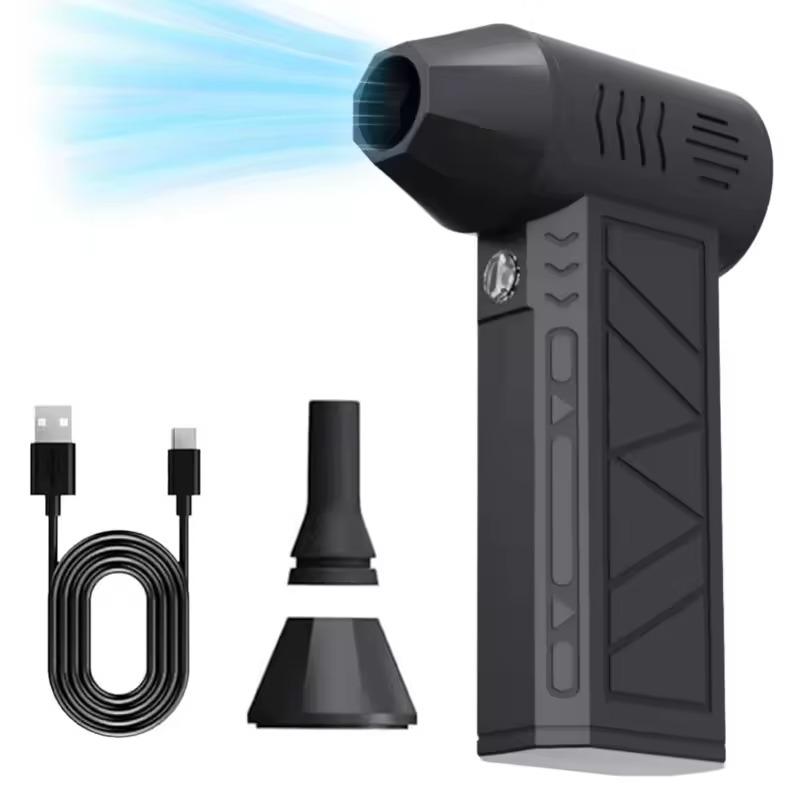
A compact Turbo Jet air blower with a brushless motor offering up to 130,000 RPM delivers an extremely strong air stream for cleaning keyboards, PCs, cars, workshops, or even car snow. It has 3 speed levels, a built-in LED battery, and a battery life of up to 69 minutes depending on the mode—so it’s practical even outdoors.

Small size, low weight, and high performance make it a versatile tool that can easily replace compressed air.

ChinaPlanet deal

Turbo Jet Blower 130000RPM

Free duty delivery
Turbo Jet Fukár 130000RPM
15-day delivery
14,24 €
No coupon
Are you shopping on AliExpress for the first time? See the guide!
Updated 27. 10. 2026 at 12:31
TIP15-day delivery via Aliexpress Standard Shipping

For this product, Aliexpress Standard Shipping is available with guaranteed delivery in 15 days. This is the most reliable way to ship and, in most cases, it’s delivered by a courier company. 15-day delivery we’ve tested it for real.

When you order from a Chinese warehouse, AliExpress adds a customs duty charge of approximately 3,70 € per order to your cart. When you receive the shipment, you won’t have to pay anything extra.

Track this product’s price

As soon as we post a new coupon, we’ll send you an email. You can unsubscribe from tracking anytime.

Are you shopping on AliExpress for the first time?

The process is via the AliExpress mobile app, where most people shop. There are two key things: don’t use Buy now and enter the coupon only in the order summary, in the field Promo code. After you click Pay now, you won’t be able to add it.

  1. Copy the code and click Use discountIn our article, copy the coupon and click the button GET DISCOUNT. The link will take you directly to the product in the AliExpress app.
  2. Use Add to cart instead of Buy nowOn the product card, scroll down and tap Add to cart. Don’t use the Buy now button—you’ll skip the cart, and later you won’t have anywhere to enter the coupon. Before that, double-check the variant: the color, the version, and whether it ships from an EU warehouse.
  3. Through the cart, go to CheckoutA pop-up will appear: Added to cart! — tap Check it out in it. If it disappeared, open the cart with the icon at the bottom right. In the cart, check the product and quantity, then click the red Checkout. Only the items marked with the red ring will be applied.
  4. Enter your address and card, then look for Promo codeIn the order summary, first fill in the delivery address and payment card at the top. Below them there’s a line Promo code — expand it with the arrow on the right.
    Riadok Promo code v zhrnutí objednávky v aplikácii AliExpress
    Look for this line under the address and payment method.
  5. Paste the code and confirm ApplyIn the field Promo code paste the copied code and click the black Apply. The code is case-sensitive and must not contain spaces.
    Políčko Promo code s kódom a tlačidlom Apply v aplikácii AliExpress
    Paste the code into the field and confirm with the Apply button.
  6. Check the savings and payIn the Summary expand the line Saved — you’ll see the applied coupon there as AliExpress coupons/codes. Only when Total is really lower, click Pay now.
    Riadok Saved s uplatneným kupónom a znížený Total v aplikácii AliExpress
    The applied coupon will appear in the Saved line and will reduce the Total.
Apply the discount already at the order summary. After you click Pay now, you can no longer add a coupon. If Apply shows an error, the code has either expired, doesn’t apply to your items, or the order doesn’t meet the minimum amount.
The Store Coupon also goes in the same field. — a coupon from the seller itself, which isn’t always available and changes from day to day. AliExpress coupons can’t be combined, so try both and go with the one that gives you more. Coins are added automatically.

3. OnePlus SUPERVOOC chargers

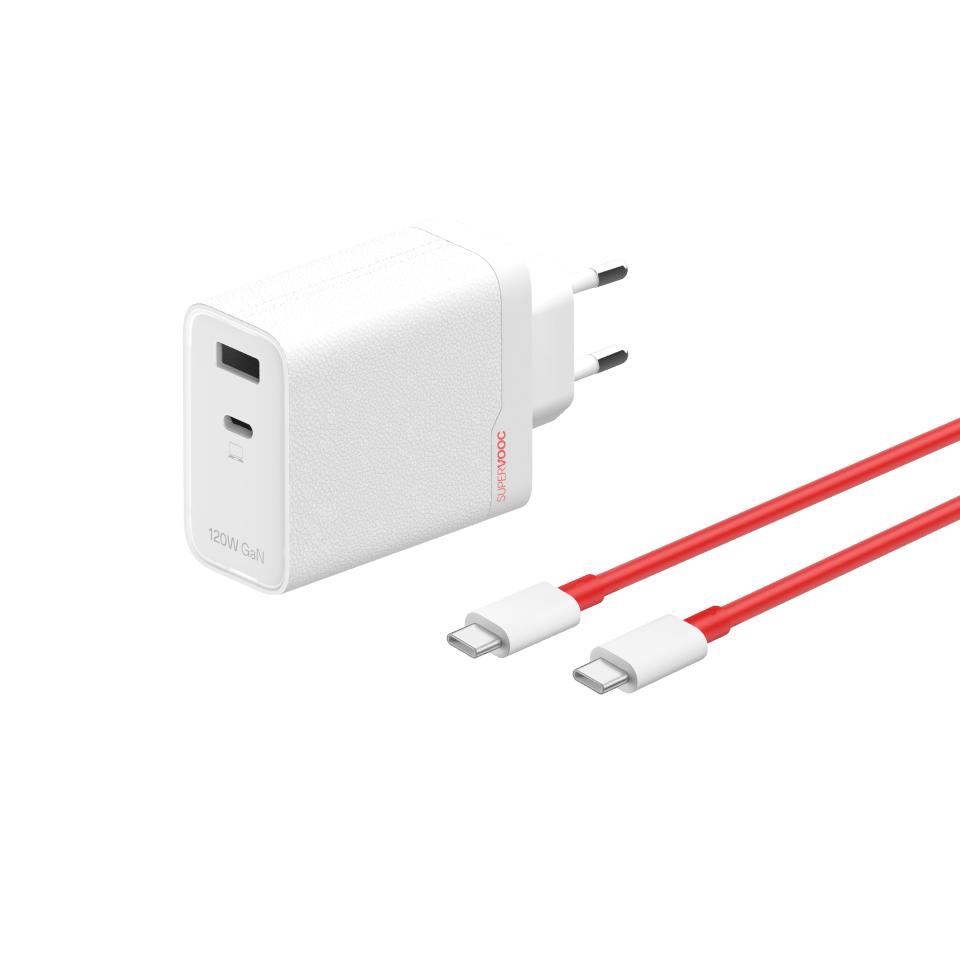
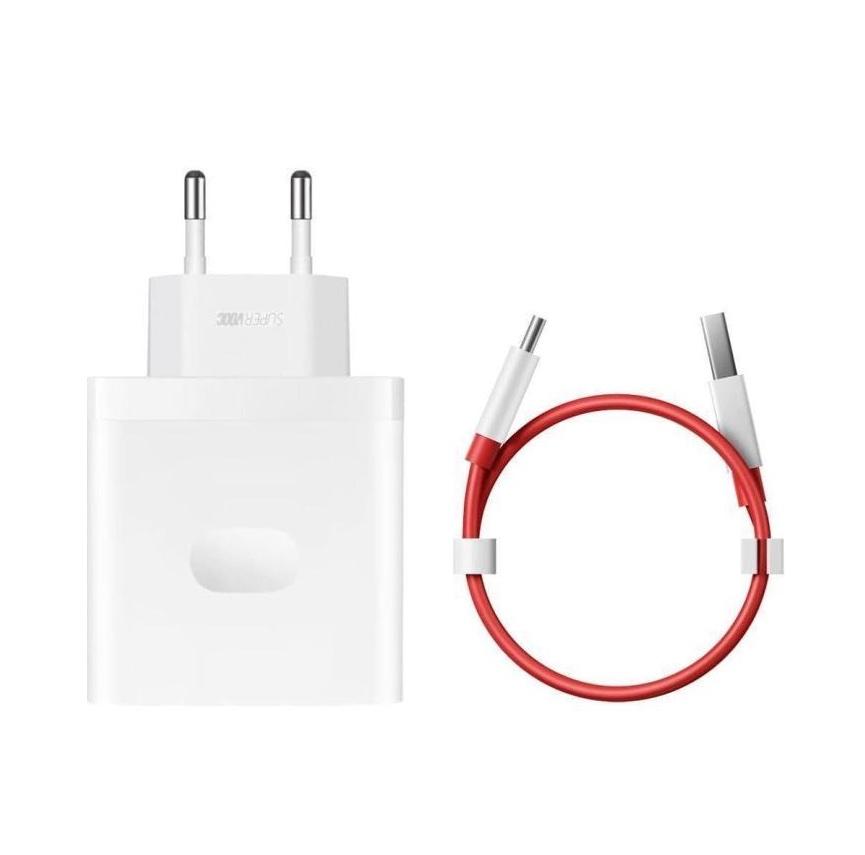
Original OnePlus SUPERVOOC chargers in the EU version provide extremely fast and safe charging—up to 120 W GaN adapter with two ports, so you can charge two devices at once, while the package also includes the original USB-C cable.

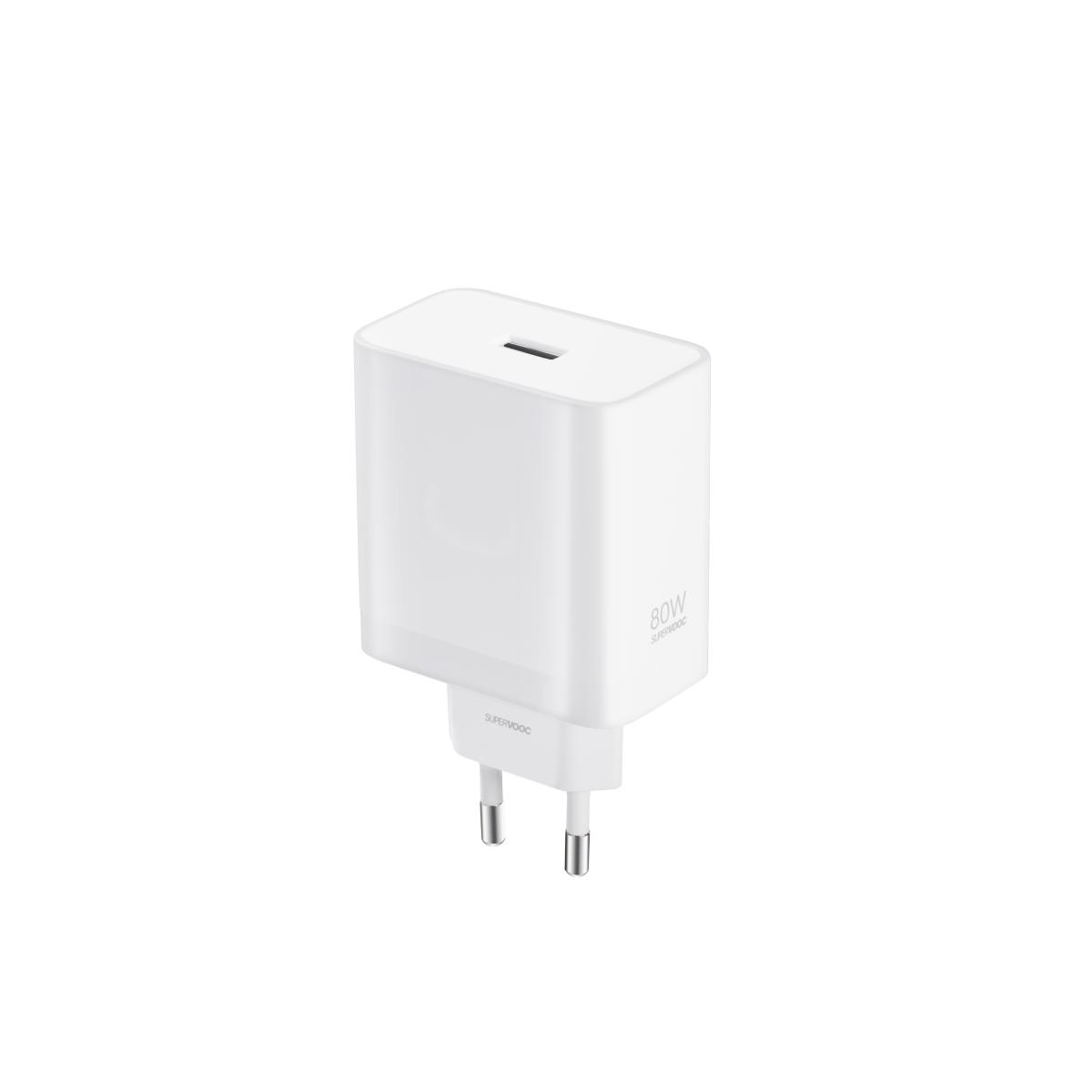
For everyday use, there’s also the more compact 80 W version, ideal for daily use, with PD support, low heat generation, and up to 11 safety protections. Both are original OnePlus—and at this price, it’s a very strong deal.

China Planet shopping TIP: GShopper has now launched direct bank transfer payments, so you can save another 4.5 % off the product price! Compared to card / Google Pay payment, you can get this product much cheaper. We described the full bank transfer payment process in our article.
ChinaPlanet deal

OnePlus SUPERVOOC charger kits

OnePlus SUPERVOOC nabíjačky
51,04 €You save 11,04 €
40,00 €Card price 41,80 € (+4,5 %)
CouponGPXMYP10

Price history

1,23 €cheaper than the average price
Cheapest 40,00 €Most expensive 42,46 €
Are you shopping on Gshopper for the first time? See the guide!
Updated 31. 7. 2026 at 07:33
TIPShipping is completely free.

Free shipping is available for this product. However, this is the slowest delivery method, and the item may take 20 days to 1 month(s) to arrive.

When you order from a Chinese warehouse, AliExpress adds a customs duty charge of approximately 3,70 € per order to your cart. When you receive the shipment, you won’t have to pay anything extra.

Track this product’s price

As soon as we post a new coupon, we’ll send you an email. You can unsubscribe from tracking anytime.

Are you shopping on Gshopper for the first time?

Gshopper is an international online shop that, besides Chinese warehouses, also has warehouses directly in the EU. You can place an order in just a few minutes. Write the address without diacritics, choose bank transfer as the payment method—it’s cheaper than a card—and enter the discount coupon before you send the order.

  1. Sign up or log inOn Gshopper, create an account, or log in via Google or Facebook. You can also buy without registration, but with an account you’ll see the status of your order and handle any potential complaint more easily.
  2. Reach the product via our buttonIn our article, click the USE THE DISCOUNT button—it will open exactly the product and the version the coupon applies to. Then, on the product page, click Buy Now or Add to Cart.
  3. Fill in the address WITHOUT diacriticsWrite the name, street, and city without accents — so Zilina, not Žilina. Foreign carriers’ systems can’t handle diacritics, and the shipment may get stuck. Double-check your ZIP code and phone number, including the country code.
  4. Choose shipping and check the warehouseMost products come with free shipping—if Free Shipping is available, select it. Goods from an EU warehouse arrive in 2 to 7 business days and do not go through customs clearance; shipping from China or Hong Kong takes 7 to 45 days depending on the selected shipping method. Continue with the Next button.
  5. When choosing bank transfer, you saveIn checkout, you select from the available options Bank Transfer, Credit Card and PayPal. Choose a bank transfer—Gshopper provides an additional discount, which, depending on the product, makes it 3 to 4,5 % compared to paying by card. In short, you’ll see it as a separate line in your order summary.Gshopper will then show you the bank account number and the amount on the line Amount to Transfer and a reference that you need to include in the recipient’s note. You make the transfer in your bank; the account is held in EUR within the EU, so it’s a standard SEPA transfer.
    Súhrn objednávky na Gshopperi so zľavou za bankový prevod
    The bank transfer discount will appear as a separate line in your order summary.
  6. Enter a coupon and submit your orderEnter the coupon into the box Discount Code and confirm with the button Apply. Only one coupon can be applied at a time. The price in the summary must recalculate right away — if it hasn’t changed, the coupon didn’t go through. You’ll then submit the order using the button Place Order.After payment, you’ll receive a confirmation email and you can also find your order in your account under My Orders.
    Políčko Discount Code v pokladni Gshopper s tlačidlom Apply
    You can find the coupon box at checkout under the payment method selection.
Enter the coupon before you click Place Order. No discount is automatically added to an already completed order. If you forget the coupon, you’ll have to write to [email protected] — they may not be able to help.
You can change or cancel your order within 12 hours by email to [email protected]. The warranty varies by category: Xiaomi, Redmi, and POCO phones have 24 months, tablets and e-scooters have 12 months, and headphones, smartwatches, and other Xiaomi products have 6 months.
Our extra service with VIP support — we’ll handle the order on Gshopper for you and ship it straight to your address.

If you’re not experienced with shopping on Gshopper, your payment won’t go through, or the coupon just isn’t working, we offer our readers and customers a service where we place the order directly to your address. You send us the money by bank transfer, and we’ll order the product straight to you. That way, you don’t have to worry about failed payments or coupon issues, and you can be sure the whole order will go 100 % smoothly. Plus, you automatically get our VIP support — we handle any shipment issues for you and help with claims too. The fee for this service is €15 on top of the product price. You can contact us by email at info(@)chinaplanet.sk or on Messenger, where we’re active all the time.

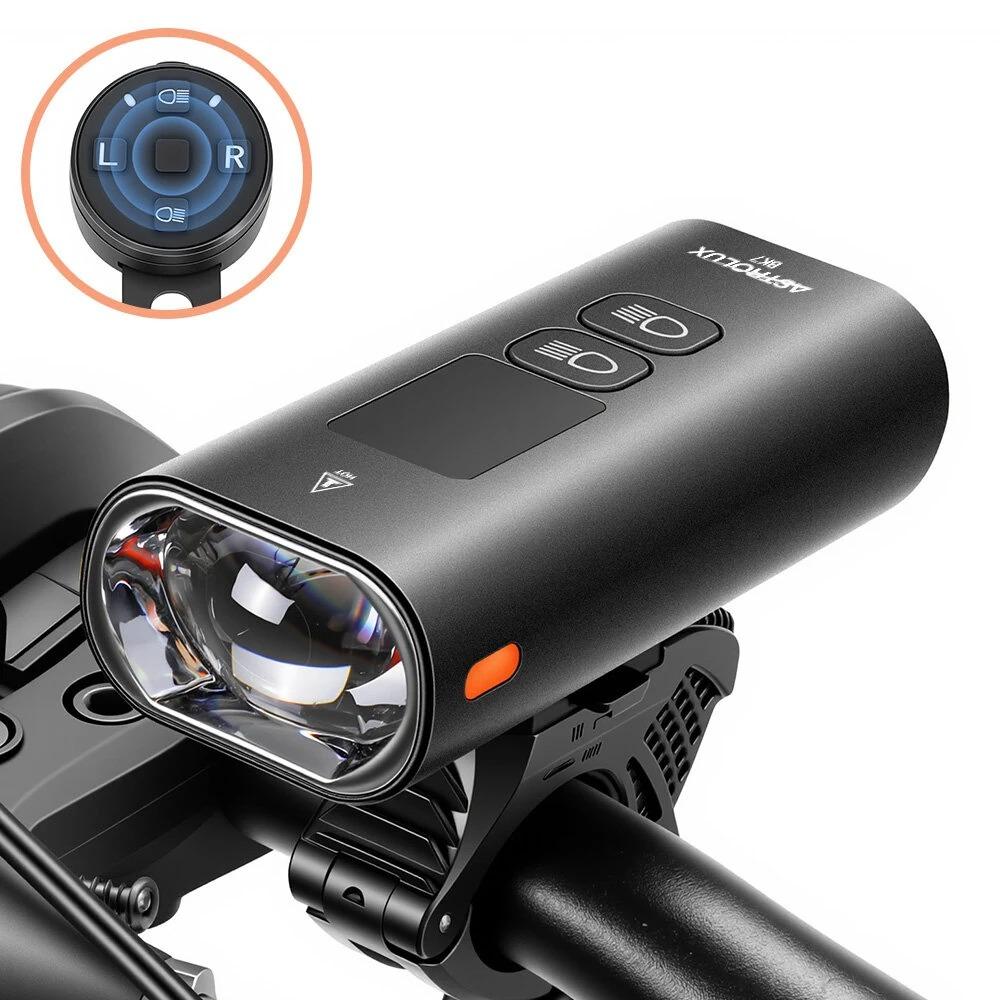
4. Astrolux BK7

Astrolux BK7 is a powerful smart cycle light with brightness of up to 1600 lm, a wide dual-beam cone, and anti-glare optics that won’t blind oncoming traffic. Thanks to a 5200 mAh battery, IPX5 water resistance, a wireless handlebar remote, and a clear display, it’s perfect for long night rides and poor weather.

Bonus: USB-C charging with power bank function, so it can also top up your phone on the go.

Important: Orders from Banggood come with our VIP support, which you get after downloading our extension for the Chrome browser on desktop only.
ChinaPlanet deal

Astrolux BK7

Free duty delivery
Astrolux BK7
Banggood Priority Shipping
24,20 €You save 2,56 €
21,64 €
CouponBGEUBK7
Buying on Banggood for the first time? See the guide!
Updated 10. 1. 2026 at 07:48
TIPWith Banggood Priority Shipping, you don’t pay any extra fees.

We recommend choosing Banggood Priority Shipping, where you won’t have to pay anything extra. Customs duties and any VAT are handled for you directly by the seller. Shipping can be selected in the cart, after you enter your delivery address. Delivery with Banggood Priority Shipping usually takes about 15–20 days, but it may also take longer.

Track this product’s price

As soon as we post a new coupon, we’ll send you an email. You can unsubscribe from tracking anytime.

Buying on Banggood for the first time?

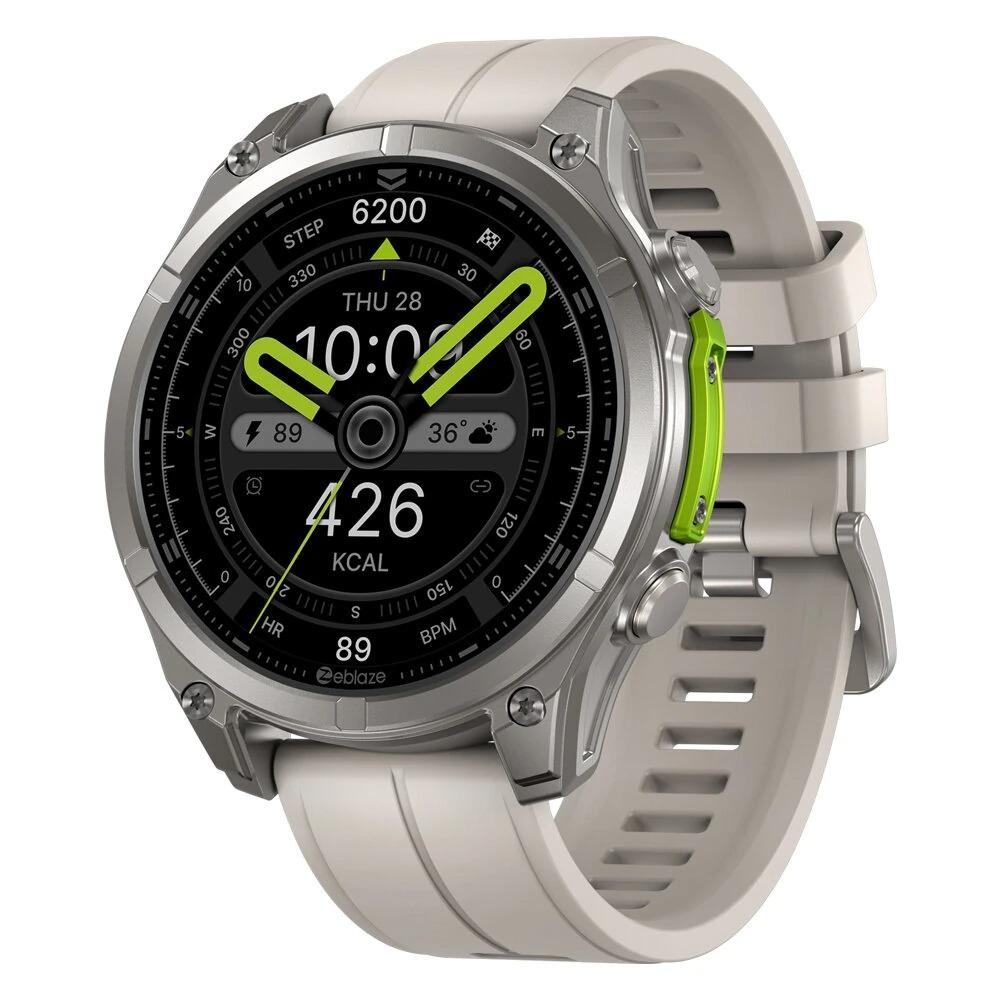
5. Zeblaze Vibe 8

The Zeblaze Vibe 8 are extremely rugged smartwatches with a 1.43" AMOLED display, sapphire glass, and a 316L stainless steel body that meets the military standard MIL-STD-810H and protection ratings of 5 ATM / IP69K. They offer battery life of up to 60 days, a built-in LED flashlight, Bluetooth calls, and advanced health and sports tracking including heart rate, SpO₂, and sleep.

A great choice for anyone who wants tough outdoor watches without compromising on design and features.

ChinaPlanet deal

Zeblaze Vibe 8

Free duty delivery
Zeblaze Vibe 8
Banggood Priority Shipping
32,94 €You save 4,27 €
28,67 €
CouponBGZEV8FR
Buying on Banggood for the first time? See the guide!
Updated 10. 1. 2026 at 07:49
TIPWith Banggood Priority Shipping, you don’t pay any extra fees.

We recommend choosing Banggood Priority Shipping, where you won’t have to pay anything extra. Customs duties and any VAT are handled for you directly by the seller. Shipping can be selected in the cart, after you enter your delivery address. Delivery with Banggood Priority Shipping usually takes about 15–20 days, but it may also take longer.

Track this product’s price

As soon as we post a new coupon, we’ll send you an email. You can unsubscribe from tracking anytime.

Buying on Banggood for the first time?

Ad

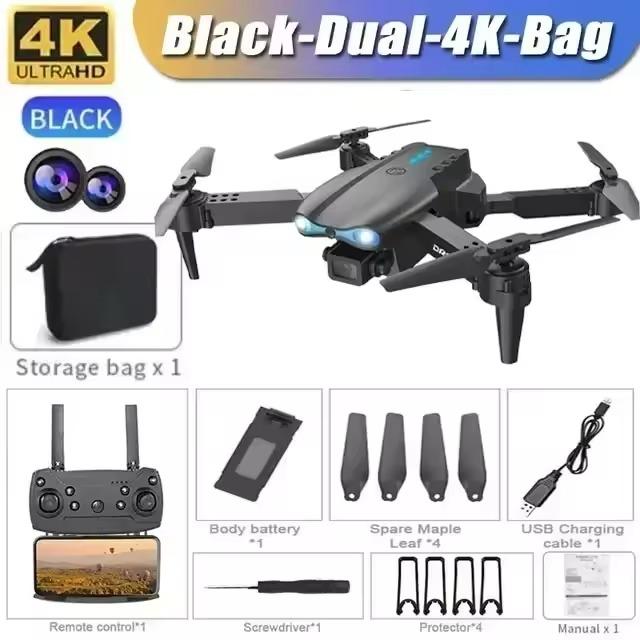
6. Folding drone with dual cameras

E99 Pro 4K RC drone is a foldable drone with dual 4K cameras, FPV transmission via 5G Wi-Fi, and a height-hold function—making control stable and easy even for beginners.

It offers headless mode, gesture control, 360° flips, and LED lighting for night flying—while its compact size makes it an ideal travel companion. Great value for money for hobby flights and basic aerial shots.

ChinaPlanet deal

E99 Pro 4K RC dron

Free duty delivery
E99 Pro 4K RC dron
15-day delivery
15,27 €
No coupon
Are you shopping on AliExpress for the first time? See the guide!
Updated 10. 1. 2026 at 11:13
TIP15-day delivery via Aliexpress Standard Shipping

For this product, Aliexpress Standard Shipping is available with guaranteed delivery in 15 days. This is the most reliable way to ship and, in most cases, it’s delivered by a courier company. 15-day delivery we’ve tested it for real.

When you order from a Chinese warehouse, AliExpress adds a customs duty charge of approximately 3,70 € per order to your cart. When you receive the shipment, you won’t have to pay anything extra.

Track this product’s price

As soon as we post a new coupon, we’ll send you an email. You can unsubscribe from tracking anytime.

Are you shopping on AliExpress for the first time?

The process is via the AliExpress mobile app, where most people shop. There are two key things: don’t use Buy now and enter the coupon only in the order summary, in the field Promo code. After you click Pay now, you won’t be able to add it.

  1. Copy the code and click Use discountIn our article, copy the coupon and click the button GET DISCOUNT. The link will take you directly to the product in the AliExpress app.
  2. Use Add to cart instead of Buy nowOn the product card, scroll down and tap Add to cart. Don’t use the Buy now button—you’ll skip the cart, and later you won’t have anywhere to enter the coupon. Before that, double-check the variant: the color, the version, and whether it ships from an EU warehouse.
  3. Through the cart, go to CheckoutA pop-up will appear: Added to cart! — tap Check it out in it. If it disappeared, open the cart with the icon at the bottom right. In the cart, check the product and quantity, then click the red Checkout. Only the items marked with the red ring will be applied.
  4. Enter your address and card, then look for Promo codeIn the order summary, first fill in the delivery address and payment card at the top. Below them there’s a line Promo code — expand it with the arrow on the right.
    Riadok Promo code v zhrnutí objednávky v aplikácii AliExpress
    Look for this line under the address and payment method.
  5. Paste the code and confirm ApplyIn the field Promo code paste the copied code and click the black Apply. The code is case-sensitive and must not contain spaces.
    Políčko Promo code s kódom a tlačidlom Apply v aplikácii AliExpress
    Paste the code into the field and confirm with the Apply button.
  6. Check the savings and payIn the Summary expand the line Saved — you’ll see the applied coupon there as AliExpress coupons/codes. Only when Total is really lower, click Pay now.
    Riadok Saved s uplatneným kupónom a znížený Total v aplikácii AliExpress
    The applied coupon will appear in the Saved line and will reduce the Total.
Apply the discount already at the order summary. After you click Pay now, you can no longer add a coupon. If Apply shows an error, the code has either expired, doesn’t apply to your items, or the order doesn’t meet the minimum amount.
The Store Coupon also goes in the same field. — a coupon from the seller itself, which isn’t always available and changes from day to day. AliExpress coupons can’t be combined, so try both and go with the one that gives you more. Coins are added automatically.

Follow the China Planet website, subscribe to our monthly newsletter, and be sure to check out our Facebook page, the China Planet group, and join our Telegram, where we add the best offers and coupons from China every single day.

Add us as your preferred source on Google

Don’t miss the best coupons 📩

Subscribe and we’ll email you new coupons before they expire. We only send it once a month — no spam.

Ad Engerio