A planet full of gadgets from China · a database of the best coupons
Product comparisons

TOP 6 Cheap Gadgets from China #209

19. October 2024 3 min read 0 comments

With another weekend, we’ve got another episode of the TOP 6 cheap gadgets from China that you liked so much—and today it’s already the two hundred and ninth continuation! We picked another set of six interesting items from international sellers at great prices.

To make sure you never miss the latest episode of TOP 6 cheap gadgets from China, give us a like on Facebook, join our FB groups or follow Telegram. Here we always keep you updated about our articles.

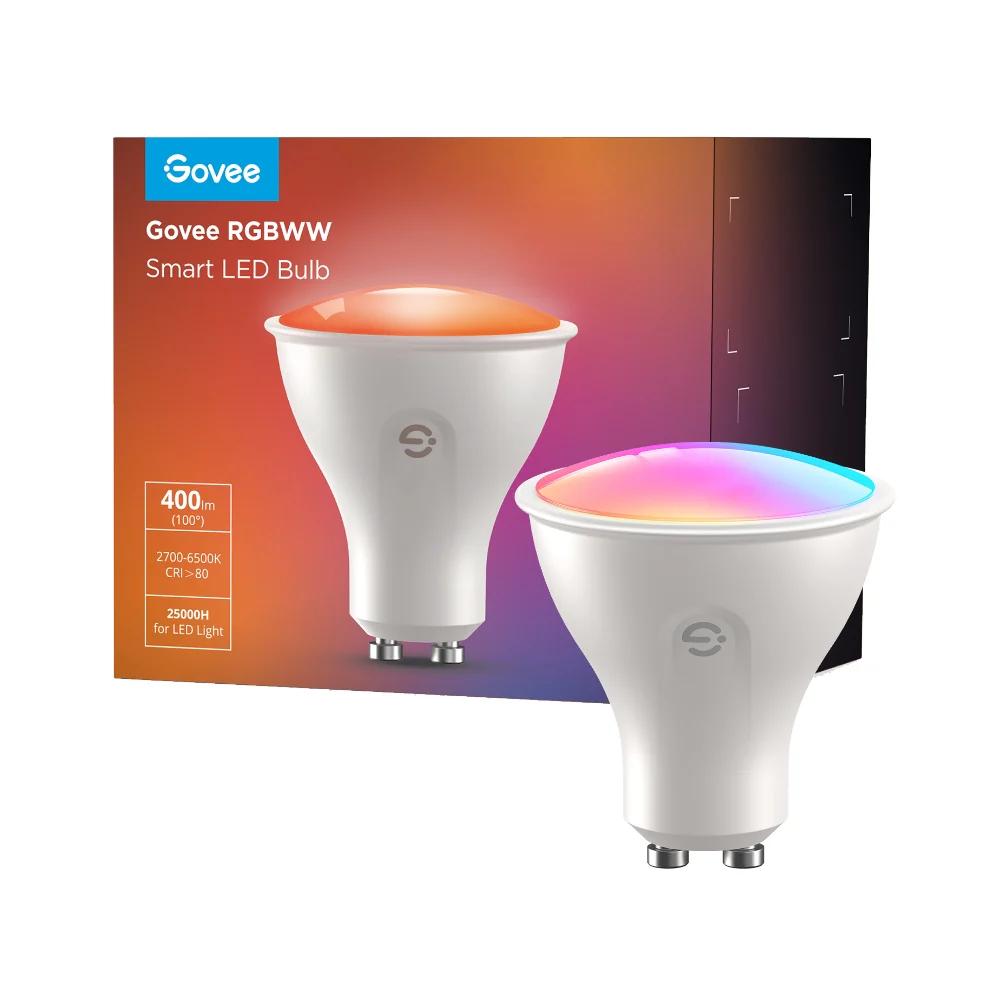
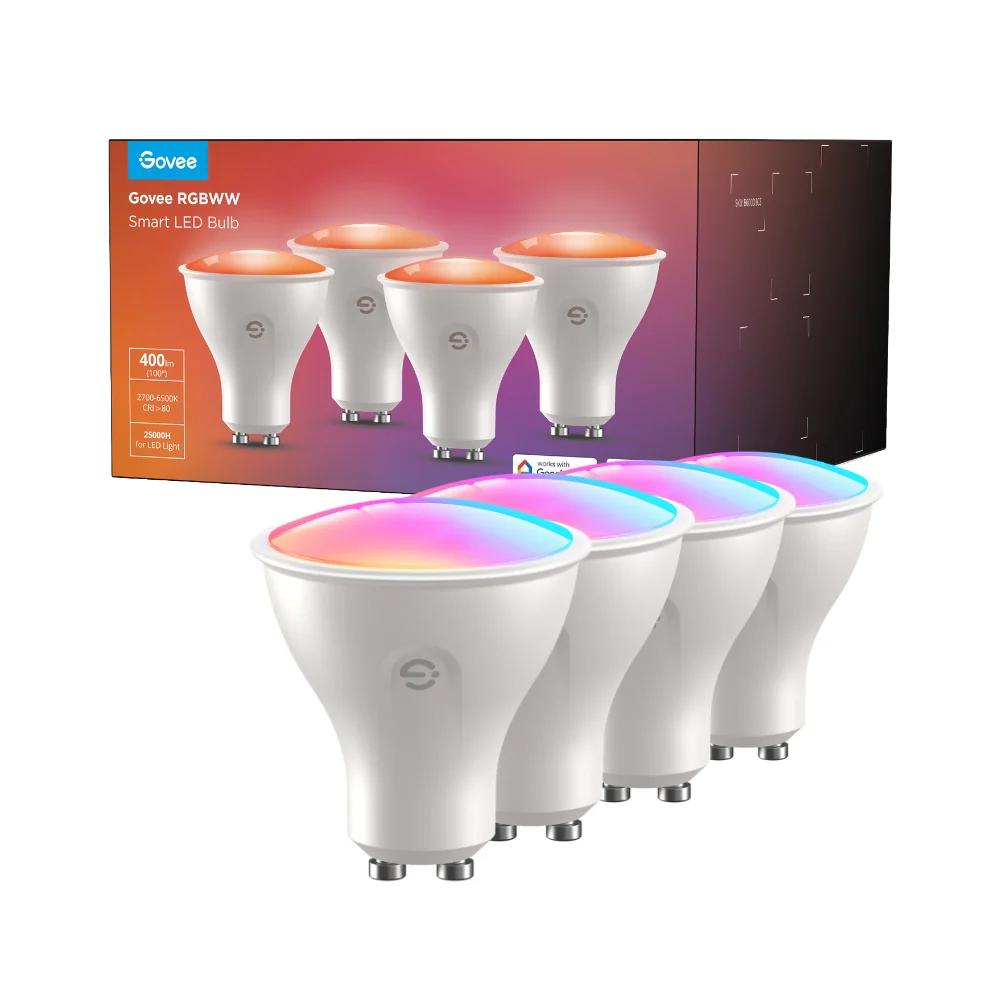
1. Govee RGBWW Smart Light Bulb (EU warehouse)

The first product in our selection today is this affordable smart light bulb labeled Govee RGBWW. You can also buy great value bundles of two or four pieces, and there’s a discount coupon plus fast shipping from the European warehouse—up to 5 days.

ChinaPlanet deal

Govee RGBWW Smart Light Bulb

Govee RGBWW Smart Light Bulb
15,99 €You save 6,00 €
9,99 €
No coupon

Price history

2,21 €cheaper than the average price
Cheapest 9,99 €Most expensive 14,40 €
Buying on Govee for the first time? See the guide!
Updated 7. 10. 2026 at 09:16
TIPExpress delivery from a European warehouse without customs duty and VAT.

This product will be delivered to you express from a local warehouse in Europe. Delivery from EU warehouses usually takes 2–10 days and is handled by a courier. When delivered, you don’t pay any extra fees—no customs duty or VAT.

Track this product’s price

As soon as we post a new coupon, we’ll send you an email. You can unsubscribe from tracking anytime.

Buying on Govee for the first time?

  1. Open an Incognito tab in Google Chrome (important)
  2. Go to our page www.chinaplanet.sk and look up the article
  3. Make sure to click through from our red "Claim discount" (important) button
  4. Create an account or sign in
  5. Add the product to your cart via the "Add to cart" or "Buy now" button
  6. In the address entry step, there’s a field to enter a discount promo code (if available)

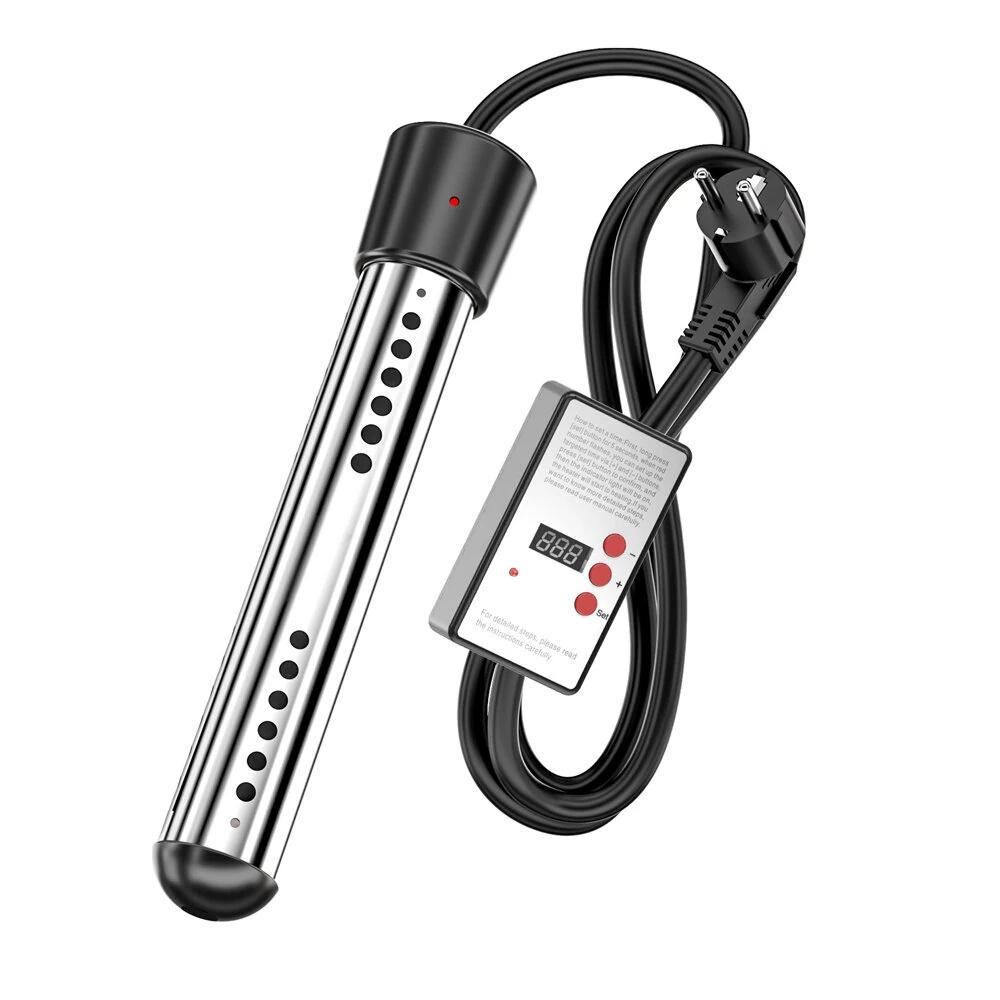
2. 3000 W electric water heater (CZ warehouse)

You can get the Electric Water Heater at an affordable price with a high output of up to 3000 W. It supports direct power to the local mains (EU Plug, 220 – 240 / 50 – 60 Hz), plus LED diodes to display the heating status. You’ll also like the discount coupon and fast shipping from the Czech warehouse—up to 5 days.

Important: Orders from Banggood come with our VIP support, which you get after downloading our extension for the Chrome browser on desktop only.
ChinaPlanet deal

Electric Water Heater

3000 W, CZ warehouse
Elektrický ohrievač vody
CZ warehouse
27,49 €You save 1,83 €
25,66 €
CouponBGa427f9
Buying on Banggood for the first time? See the guide!
Updated 19. 10. 2024 at 09:20
TIPExpress delivery from the Czech warehouse with no customs duties and VAT.

This product will be delivered to you express from the local Czech warehouse. Delivery from Czechia usually takes 7-10 days and is handled by courier. On delivery, you don’t pay any additional fees—no customs duty and no VAT.

Track this product’s price

As soon as we post a new coupon, we’ll send you an email. You can unsubscribe from tracking anytime.

Buying on Banggood for the first time?

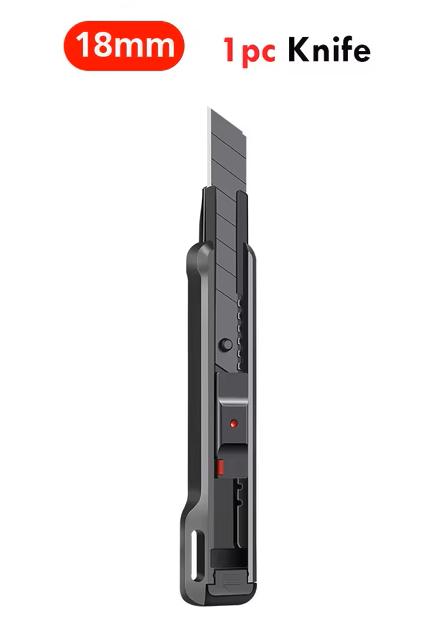
3. Premium trimmer

No less important, you’ll also find useful tools you can use at home. This quality trimmer, is available in multiple sizes (9 mm / 18 mm), and you’ll also find great bundles with replacement blades. Shipping is free when you spend over 10,00 €, and delivery from China takes about 2 – 3 weeks.

ChinaPlanet deal

A quality trimmer

A quality trimmer
Kvalitný orezávač
Free Shipping
7,98 €
No coupon
Are you shopping on AliExpress for the first time? See the guide!
Updated 19. 10. 2024 at 09:25
TIPShipping is completely free.

Free shipping is available for this product. However, this is the slowest delivery method, and the item may take 20 days to 1 month(s) to arrive.

When you order from a Chinese warehouse, AliExpress adds a customs duty charge of approximately 3,70 € per order to your cart. When you receive the shipment, you won’t have to pay anything extra.

Track this product’s price

As soon as we post a new coupon, we’ll send you an email. You can unsubscribe from tracking anytime.

Are you shopping on AliExpress for the first time?

The process is via the AliExpress mobile app, where most people shop. There are two key things: don’t use Buy now and enter the coupon only in the order summary, in the field Promo code. After you click Pay now, you won’t be able to add it.

  1. Copy the code and click Use discountIn our article, copy the coupon and click the button GET DISCOUNT. The link will take you directly to the product in the AliExpress app.
  2. Use Add to cart instead of Buy nowOn the product card, scroll down and tap Add to cart. Don’t use the Buy now button—you’ll skip the cart, and later you won’t have anywhere to enter the coupon. Before that, double-check the variant: the color, the version, and whether it ships from an EU warehouse.
  3. Through the cart, go to CheckoutA pop-up will appear: Added to cart! — tap Check it out in it. If it disappeared, open the cart with the icon at the bottom right. In the cart, check the product and quantity, then click the red Checkout. Only the items marked with the red ring will be applied.
  4. Enter your address and card, then look for Promo codeIn the order summary, first fill in the delivery address and payment card at the top. Below them there’s a line Promo code — expand it with the arrow on the right.
    Riadok Promo code v zhrnutí objednávky v aplikácii AliExpress
    Look for this line under the address and payment method.
  5. Paste the code and confirm ApplyIn the field Promo code paste the copied code and click the black Apply. The code is case-sensitive and must not contain spaces.
    Políčko Promo code s kódom a tlačidlom Apply v aplikácii AliExpress
    Paste the code into the field and confirm with the Apply button.
  6. Check the savings and payIn the Summary expand the line Saved — you’ll see the applied coupon there as AliExpress coupons/codes. Only when Total is really lower, click Pay now.
    Riadok Saved s uplatneným kupónom a znížený Total v aplikácii AliExpress
    The applied coupon will appear in the Saved line and will reduce the Total.
Apply the discount already at the order summary. After you click Pay now, you can no longer add a coupon. If Apply shows an error, the code has either expired, doesn’t apply to your items, or the order doesn’t meet the minimum amount.
The Store Coupon also goes in the same field. — a coupon from the seller itself, which isn’t always available and changes from day to day. AliExpress coupons can’t be combined, so try both and go with the one that gives you more. Coins are added automatically.
Ad

4. Onevan Brushless 2000 W turbo blower (EU warehouse)

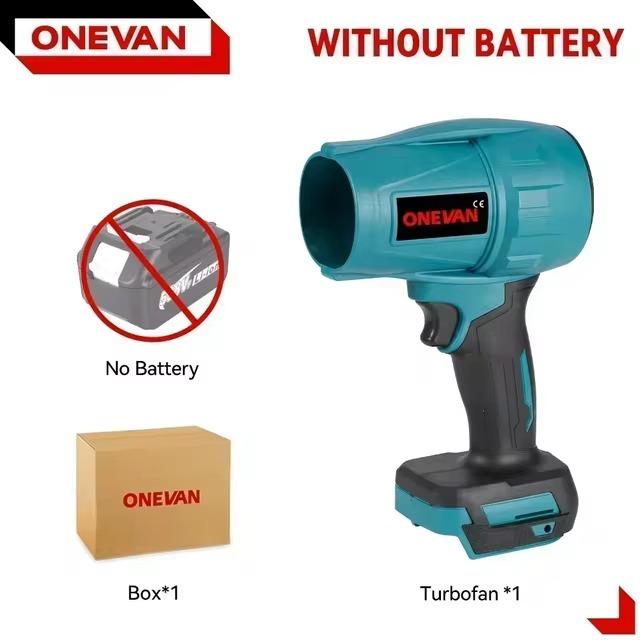
Another product in our selection today is this turbo blower labeled Onevan Brushless. It has a maximum power of up to 2000 W, as well as compatibility with an 18 V removable Makita battery. You’ll also appreciate its quick availability in a nearby European warehouse, with shipping within 10 days.

ChinaPlanet deal

Onevan Brushless 2000 W

Without battery, DE warehouse
Onevan Brushless 2000 W
DE warehouse
39,99 €You save 8,47 €
31,52 €
No coupon

Price history

2,09 €cheaper than the average price
Cheapest 29,05 €Most expensive 35,18 €
Are you shopping on AliExpress for the first time? See the guide!
Updated 30. 10. 2026 at 08:11
TIPExpress delivery from a German warehouse without customs duty and VAT.

This product will be delivered express from the local German warehouse. Shipping from Germany usually takes 7-10 days, and the delivery is handled by a courier. When it arrives, you won’t pay any additional fees—no customs duty or VAT.

Track this product’s price

As soon as we post a new coupon, we’ll send you an email. You can unsubscribe from tracking anytime.

Are you shopping on AliExpress for the first time?

The process is via the AliExpress mobile app, where most people shop. There are two key things: don’t use Buy now and enter the coupon only in the order summary, in the field Promo code. After you click Pay now, you won’t be able to add it.

  1. Copy the code and click Use discountIn our article, copy the coupon and click the button GET DISCOUNT. The link will take you directly to the product in the AliExpress app.
  2. Use Add to cart instead of Buy nowOn the product card, scroll down and tap Add to cart. Don’t use the Buy now button—you’ll skip the cart, and later you won’t have anywhere to enter the coupon. Before that, double-check the variant: the color, the version, and whether it ships from an EU warehouse.
  3. Through the cart, go to CheckoutA pop-up will appear: Added to cart! — tap Check it out in it. If it disappeared, open the cart with the icon at the bottom right. In the cart, check the product and quantity, then click the red Checkout. Only the items marked with the red ring will be applied.
  4. Enter your address and card, then look for Promo codeIn the order summary, first fill in the delivery address and payment card at the top. Below them there’s a line Promo code — expand it with the arrow on the right.
    Riadok Promo code v zhrnutí objednávky v aplikácii AliExpress
    Look for this line under the address and payment method.
  5. Paste the code and confirm ApplyIn the field Promo code paste the copied code and click the black Apply. The code is case-sensitive and must not contain spaces.
    Políčko Promo code s kódom a tlačidlom Apply v aplikácii AliExpress
    Paste the code into the field and confirm with the Apply button.
  6. Check the savings and payIn the Summary expand the line Saved — you’ll see the applied coupon there as AliExpress coupons/codes. Only when Total is really lower, click Pay now.
    Riadok Saved s uplatneným kupónom a znížený Total v aplikácii AliExpress
    The applied coupon will appear in the Saved line and will reduce the Total.
Apply the discount already at the order summary. After you click Pay now, you can no longer add a coupon. If Apply shows an error, the code has either expired, doesn’t apply to your items, or the order doesn’t meet the minimum amount.
The Store Coupon also goes in the same field. — a coupon from the seller itself, which isn’t always available and changes from day to day. AliExpress coupons can’t be combined, so try both and go with the one that gives you more. Coins are added automatically.

5. Shoe organizer for your closet

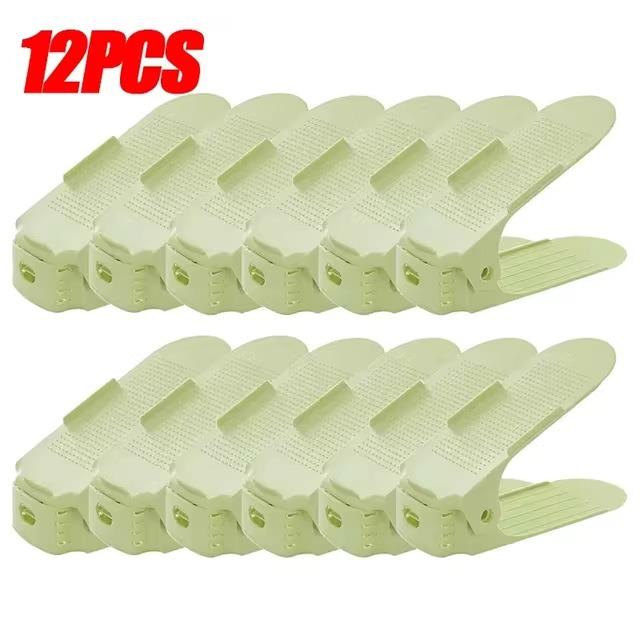
Another very practical home item is also this shoe organizer for a closet. It offers three different color options, and you can also purchase value bundles in multiple quantities. Delivery from China takes about 2 – 3 weeks.

ChinaPlanet deal

Shoe organizer for a closet

Organizér topánok do skrine
5,59 €
No coupon
Are you shopping on AliExpress for the first time? See the guide!
Updated 19. 10. 2024 at 09:37
TIPShipping is completely free.

Free shipping is available for this product. However, this is the slowest delivery method, and the item may take 20 days to 1 month(s) to arrive.

When you order from a Chinese warehouse, AliExpress adds a customs duty charge of approximately 3,70 € per order to your cart. When you receive the shipment, you won’t have to pay anything extra.

Track this product’s price

As soon as we post a new coupon, we’ll send you an email. You can unsubscribe from tracking anytime.

Are you shopping on AliExpress for the first time?

The process is via the AliExpress mobile app, where most people shop. There are two key things: don’t use Buy now and enter the coupon only in the order summary, in the field Promo code. After you click Pay now, you won’t be able to add it.

  1. Copy the code and click Use discountIn our article, copy the coupon and click the button GET DISCOUNT. The link will take you directly to the product in the AliExpress app.
  2. Use Add to cart instead of Buy nowOn the product card, scroll down and tap Add to cart. Don’t use the Buy now button—you’ll skip the cart, and later you won’t have anywhere to enter the coupon. Before that, double-check the variant: the color, the version, and whether it ships from an EU warehouse.
  3. Through the cart, go to CheckoutA pop-up will appear: Added to cart! — tap Check it out in it. If it disappeared, open the cart with the icon at the bottom right. In the cart, check the product and quantity, then click the red Checkout. Only the items marked with the red ring will be applied.
  4. Enter your address and card, then look for Promo codeIn the order summary, first fill in the delivery address and payment card at the top. Below them there’s a line Promo code — expand it with the arrow on the right.
    Riadok Promo code v zhrnutí objednávky v aplikácii AliExpress
    Look for this line under the address and payment method.
  5. Paste the code and confirm ApplyIn the field Promo code paste the copied code and click the black Apply. The code is case-sensitive and must not contain spaces.
    Políčko Promo code s kódom a tlačidlom Apply v aplikácii AliExpress
    Paste the code into the field and confirm with the Apply button.
  6. Check the savings and payIn the Summary expand the line Saved — you’ll see the applied coupon there as AliExpress coupons/codes. Only when Total is really lower, click Pay now.
    Riadok Saved s uplatneným kupónom a znížený Total v aplikácii AliExpress
    The applied coupon will appear in the Saved line and will reduce the Total.
Apply the discount already at the order summary. After you click Pay now, you can no longer add a coupon. If Apply shows an error, the code has either expired, doesn’t apply to your items, or the order doesn’t meet the minimum amount.
The Store Coupon also goes in the same field. — a coupon from the seller itself, which isn’t always available and changes from day to day. AliExpress coupons can’t be combined, so try both and go with the one that gives you more. Coins are added automatically.

6. The cheapest tag for Apple Find My

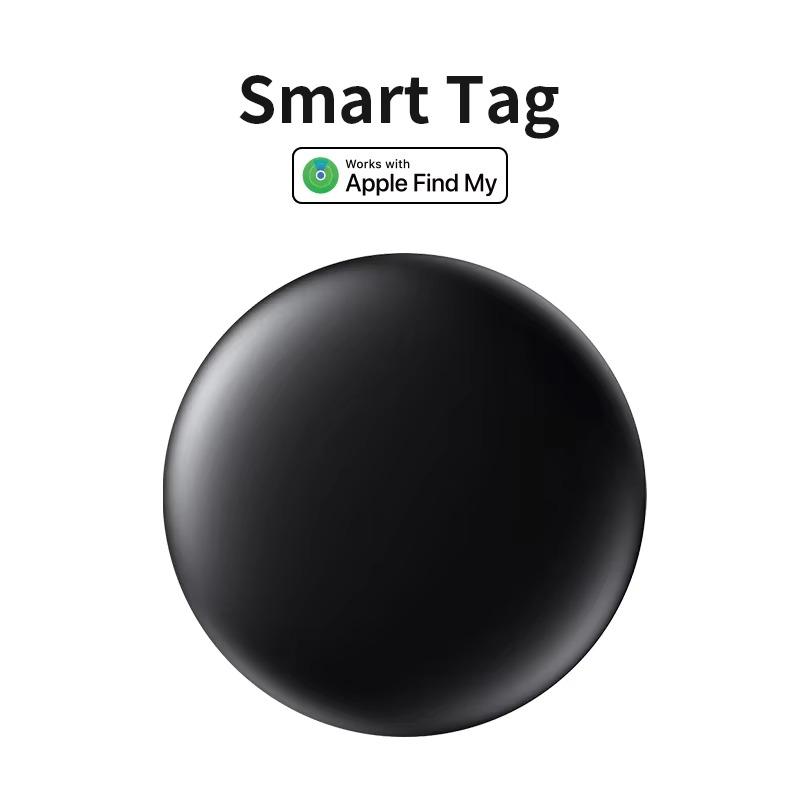
Let’s wrap up today’s selection of cheap gadgets with the most affordable tracker with support for the Apple Find My service. There are two colors available – black and white, plus power via a replaceable CR2032 battery. Shipping is free for orders over 10,00 €, and delivery from China will take about 2 – 3 weeks.

ChinaPlanet deal

The cheapest Tag for Apple Find My

1 pcs
Najlacnejší Tag pre Apple Find My
Free Shipping
7,86 €
No coupon
Are you shopping on AliExpress for the first time? See the guide!
Updated 19. 10. 2024 at 09:47
TIPShipping is completely free.

Free shipping is available for this product. However, this is the slowest delivery method, and the item may take 20 days to 1 month(s) to arrive.

When you order from a Chinese warehouse, AliExpress adds a customs duty charge of approximately 3,70 € per order to your cart. When you receive the shipment, you won’t have to pay anything extra.

Track this product’s price

As soon as we post a new coupon, we’ll send you an email. You can unsubscribe from tracking anytime.

Are you shopping on AliExpress for the first time?

The process is via the AliExpress mobile app, where most people shop. There are two key things: don’t use Buy now and enter the coupon only in the order summary, in the field Promo code. After you click Pay now, you won’t be able to add it.

  1. Copy the code and click Use discountIn our article, copy the coupon and click the button GET DISCOUNT. The link will take you directly to the product in the AliExpress app.
  2. Use Add to cart instead of Buy nowOn the product card, scroll down and tap Add to cart. Don’t use the Buy now button—you’ll skip the cart, and later you won’t have anywhere to enter the coupon. Before that, double-check the variant: the color, the version, and whether it ships from an EU warehouse.
  3. Through the cart, go to CheckoutA pop-up will appear: Added to cart! — tap Check it out in it. If it disappeared, open the cart with the icon at the bottom right. In the cart, check the product and quantity, then click the red Checkout. Only the items marked with the red ring will be applied.
  4. Enter your address and card, then look for Promo codeIn the order summary, first fill in the delivery address and payment card at the top. Below them there’s a line Promo code — expand it with the arrow on the right.
    Riadok Promo code v zhrnutí objednávky v aplikácii AliExpress
    Look for this line under the address and payment method.
  5. Paste the code and confirm ApplyIn the field Promo code paste the copied code and click the black Apply. The code is case-sensitive and must not contain spaces.
    Políčko Promo code s kódom a tlačidlom Apply v aplikácii AliExpress
    Paste the code into the field and confirm with the Apply button.
  6. Check the savings and payIn the Summary expand the line Saved — you’ll see the applied coupon there as AliExpress coupons/codes. Only when Total is really lower, click Pay now.
    Riadok Saved s uplatneným kupónom a znížený Total v aplikácii AliExpress
    The applied coupon will appear in the Saved line and will reduce the Total.
Apply the discount already at the order summary. After you click Pay now, you can no longer add a coupon. If Apply shows an error, the code has either expired, doesn’t apply to your items, or the order doesn’t meet the minimum amount.
The Store Coupon also goes in the same field. — a coupon from the seller itself, which isn’t always available and changes from day to day. AliExpress coupons can’t be combined, so try both and go with the one that gives you more. Coins are added automatically.
Add us as your preferred source on Google

Don’t miss the best coupons 📩

Subscribe and we’ll email you new coupons before they expire. We only send it once a month — no spam.

Ad Engerio