


Verdict: Narwal Freo Z10 Ultra
Our editorial rating is based on product testing.
- high suction power up to 18 000 Pa
- extendable rotating mops with intelligent features ensure exceptionally high-quality mopping
- front cameras with video calling support and robot control with live video streaming
- smart docking station with a dust bag, water tanks, mop drying, and bag disinfection
- obstacle detection with their photos in the app
- higher price
- weaker carpet vacuuming on high-pile carpets
Robot vacuum cleaners from the Narwal brand are packed with the most modern technologies using artificial intelligence. Right now, we tested the flagship model with extendable rotating mops, Narwal Freo Z10 Ultra.
Since we also tested the Freo Z Ultra model, our expectations are high. We’ll look at cleaning quality, smart features, and last but not least we’ll also focus on mopping quality, which should be even better thanks to the extendable mops.
Where to buy the Narwal Freo Z10 Ultra?
Narwal Freo Z10 Ultra is available from our partner Geekbuying.com, with even a 2-year warranty! In your cart, don’t forget to use our handy discount coupon too—it will reduce the final price even more. Another big advantage is fast availability from a nearby Polish warehouse.
Narwal Freo Z10 Ultra, 2-year warranty

TIPExpress delivery from the Polish warehouse with no customs duty and VAT.
This product will be delivered to you express from a local Polish warehouse. Shipping from Poland usually takes 7-10 days and is handled by a courier. When it arrives, you don’t pay any extra fees—no customs duty or VAT.
TIP20-day delivery via Aliexpress Standard Shipping
For this product, Aliexpress Standard Shipping is available with guaranteed delivery within 20 days. This is the most reliable shipping method and, in most cases, it’s handled by a courier company. The 20-day delivery we truly tested.
When you order from a Chinese warehouse, AliExpress adds a customs duty charge of approximately 3,70 € per order to your cart. When you receive the shipment, you won’t have to pay anything extra.

TIPExpress delivery from the Polish warehouse with no customs duty and VAT.
This product will be delivered to you express from a local Polish warehouse. Shipping from Poland usually takes 7-10 days and is handled by a courier. When it arrives, you don’t pay any extra fees—no customs duty or VAT.
TIPExpress delivery from the Polish warehouse with no customs duty and VAT.
This product will be delivered to you express from a local Polish warehouse. Shipping from Poland usually takes 7-10 days and is handled by a courier. When it arrives, you don’t pay any extra fees—no customs duty or VAT.
Technical specifications
| Model | Narwal Freo Z10 Ultra |
|---|---|
Color | Grey/white |
Suction power | 18000 Pa |
Extendable mop | yes |
Navigation | Lidar (gyroscope / compass) |
Noise level (robot) | Mop ≤56 dB / Quiet mode ≤59 dB |
Battery | 6400 mAh Li-ion |
Dust bag capacity (station) | 2.5 L |
Dust bin capacity (robot) | 800 ml |
Water tank capacity (station) | 4.5 L (clean) / 4.05 L (dirty) |
Obstacle threshold height crossed | ≤20 mm |
Mop pressure | 8 N |
Mop lift height | 10 mm |
Automatic detergent dispensing | Yes |
Mop washing with hot water | AI temperature control 45~75 ℃ |
Mop drying with hot air | Yes |
Weight packages | 21.2 kg |
Robot dimensions | 355 × 350 × 109.6 mm |
Base dimensions | 430.8 × 462 × 388 mm |
Package dimensions | 490 × 446 × 645 mm |
Packaging contents & quality
Narwal ships the Z10 Ultra in a double package: a sturdy, solid outer cardboard box and an inner product box. Both have a convenient handle that makes handling easier despite the higher weight.


Inside you’ll find the robot vacuum cleaner, a large docking station with two containers, extra mop cloths, a cleaning solution, a replacement filter, and a short but clear manual. All components are securely fixed in place, so there’s no risk of damage during shipping.


The packaging feels premium, and everything is thoughtfully arranged and well protected.
Design and build quality
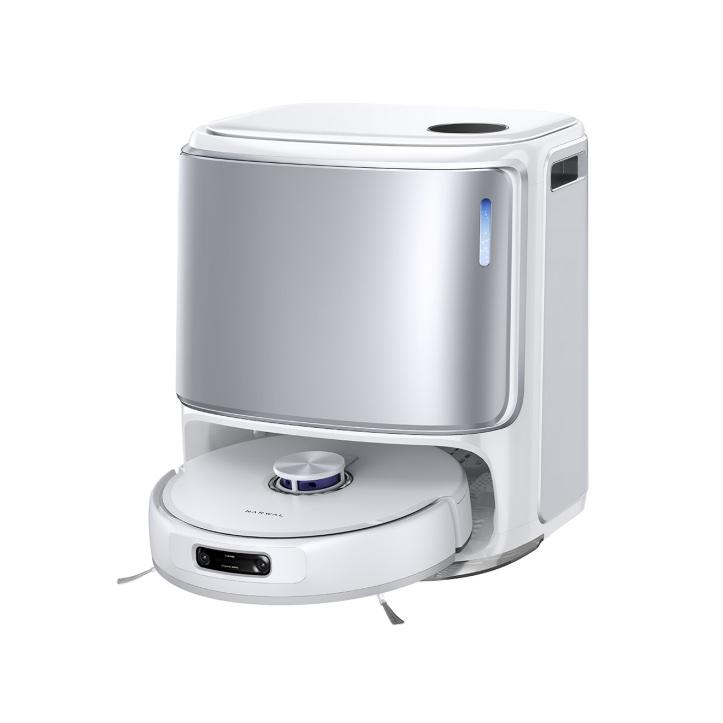
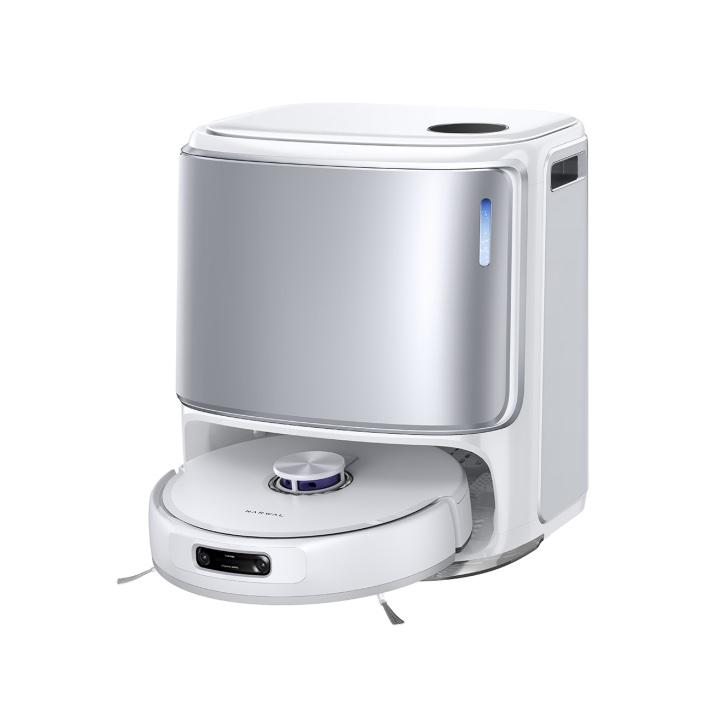
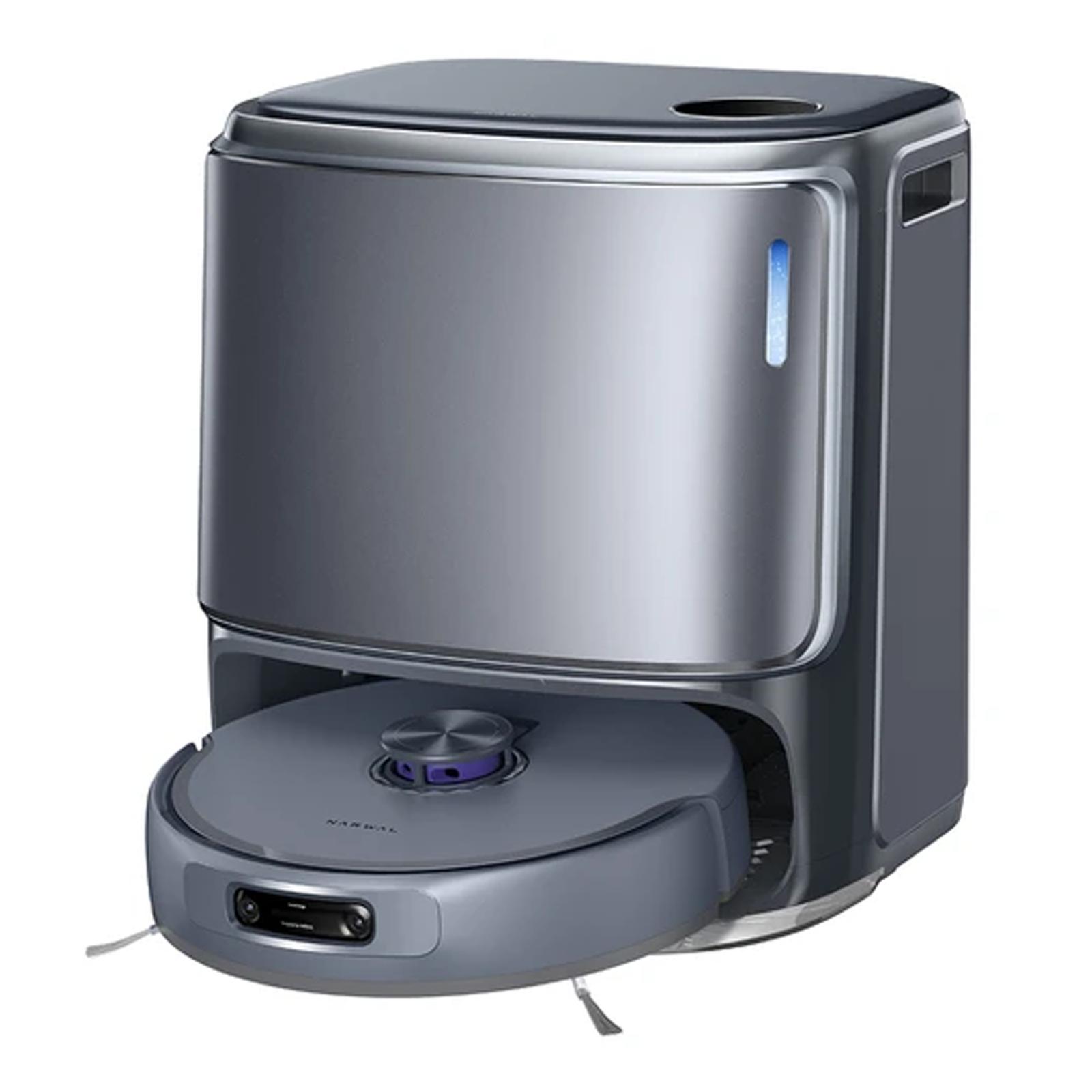
The Narwal Freo Z10 Ultra stands out with its clean, minimalist design—its white surface with subtle curves looks elegant, almost downright premium. Everything fits together nicely; individual parts line up perfectly, so we can rate both build quality and design very highly.


The docking station looks massive and measures up to 430.8 × 462 × 388 mm, but thanks to its appearance matched to the robot, it creates an aesthetically cohesive set.
The robot itself still keeps a standard design: on the top part there’s a LiDar system and a removable cover underneath which you’ll find the dirt container. Around its perimeter, besides the bumpers, there are also two cameras with an AI chip.


At the bottom, we have a new addition in the form of dual-brushes for picking up dirt, this time with flexible arms. The rotating brush has bristles and silicone parts, and the wheels now feature a new tread pattern.
App & pairing
Narwal Freo – under this name, you’ll find the app that your vacuum cleaner works with. It offers advanced features: multi-floor maps, zoned cleaning, scheduling, accessory management, and performance and mopping-wetness settings.


Pairing via Wi‑Fi is fast and hassle-free. The first step is a quick mapping of the rooms, during which the vacuum doesn’t actually clean yet—it just moves through the rooms at speed. Here we ran into a small issue: after the first room mapping, the vacuum couldn’t get back into its docking station. It hasn’t happened to us since—only during the very first mapping.

Performance, navigation, and features
The navigation system uses LiDAR and cameras, scanning its surroundings with high accuracy and also recognizing items and obstacles. After the first room mapping, the app nicely divided our apartment by rooms and even rendered the beds and the sofa.

Thanks to that, the app was able to identify individual rooms as the living room and the bedroom. It also labeled the kitchen correctly, but the other rooms—like the kids’ room or the hallway—only got general names like Room1 and Room2.


The dual HD camera with AI (NarMind™ Pro) can identify up to 200 objects such as toys, shoes, or cables, and respond accordingly—so it can avoid them. This significantly reduces impacts and getting stuck.

If it encounters an obstacle, it takes a photo of it, which you can find in the app directly on the map, marked at the spot where it found it. The photo quality isn’t the best, and sometimes they’re a bit blurred, but they still do the job.


There’s also DirtSense, a feature that can detect dirt too—so in areas where there’s more of it, it cleans more thoroughly.
Another nice feature is the “fluffy side brush” — soft side brushes with flexible arms. With these, the robot picks up dirt along the edges of rooms, near floor skirting boards.

When it comes to performance, in maximum mode it offers suction power up to 18 000 Pa, which is a very solid value.
Vacuuming and mopping modes
The mode selection is extensive, and you’ll find the following:
- Vacuum only
- Vacuuming and mopping
- First vacuuming, then mopping
- Mopping only
In each mode that includes vacuuming, you can set the suction power in four levels (Quiet, Normal, Strong, Super Powerful), the number of cycles (1,2,3), and precision (standard routes or denser routes).


When mopping, you can also set the moisture level in three levels: Low, Normal, Wet mopping.

We can, however, leave everything to the robot too — just turn on the Freo Mind smart mode, where the vacuum handles the above settings on its own. Personally, we mostly used this option and had no issues with vacuuming or mopping quality.
Large docking station
The docking station takes care of washing, heating the water, and then drying the mops again with warm air – effectively preventing odors and mold .

Of course, the station is larger, with dimensions of 430.8 × 462 × 388 mm, but it hides a lot of equipment inside. At the top there’s an opening lid with a display, beneath which you’ll find a pair of tanks – for clean and dirty water. The clean-water tank has a capacity of 4.5 L and the dirty-water tank 4.05 L.

The front cover is also removable and held in place by magnets. Once you take it off, you get to the dust bag with a capacity of 2.5 L. In the box you’ll also find one replacement bag. Another component here is a tank with cleaning solution that dispenses automatically.

On the right side of the front cover, you can see a small “window” through which you can watch the station prepare electrolyzed water before mopping. This process lowers the water’s pH and gives it disinfecting properties.
Mode duration and battery consumption
Many of you will surely be interested in the vacuuming or mopping speed and battery consumption in individual modes. The Narwal Freo Z10 Ultra comes with a 6400 mAh battery, which should be enough for 120 m2 when vacuuming and mopping at the same time, or for 200 m2 of mopping.

We also measured battery consumption and duration in some modes while cleaning an apartment where the available floor area for the vacuum was approximately 35 m2.
In the Freo Mind smart mode, vacuuming took 46 minutes and the battery dropped by 23 %. With manual vacuuming settings set to normal power and mopping with standard moisture, the robot needed 28 % battery and 45 minutes.


Separate vacuuming with normal power and standard routes consumed only 13 % of the battery and took 30 minutes. For comparison, with denser routes we needed 11 more minutes and the battery capacity dropped by 17 %.
Mopping in normal mode with standard moisture takes a bit longer—56 minutes—and uses 27 % of the battery.

Vacuuming together with mopping at the maximum settings took 42 minutes and required 33 % battery.
If the battery drops during operation to 10 %, the vacuum returns to the docking station to recharge. In our case, it continued once the battery had charged to 28 %.
Vacuuming performance
Performance-wise, it’s one of the strongest models on the market, with suction power of up to 18 000 Pa. On hard floors, it reaches up to 98% vacuuming efficiency. We also put this vacuum through our test, where we scattered various debris on the kitchen floor. In this case, it was oat flakes and yellow peas.
You can see what it looked like before vacuuming in the photo below:

In the app, we set maximum vacuuming power with denser paths. Thanks to its AI features, the vacuum recognized that it was a heavily soiled area and adjusted its cleaning style accordingly.
Unlike other vacuum cleaners that often blast dirt around using side brushes onto already cleaned areas, the Narwal Freo Z10 Ultra’s side brushes stopped and slowly picked up almost all the debris. Only about 3-4 pieces of dirt remained on the floor, which is really a great result given the amount of contamination.

High expectations for mopping
Narwal Freo Z10 Ultra has thefamiliar triangular shape of the mopping units, which ensures better edge cleaning than the round mops used by the competition. It lifts the mops when crossing carpets and, while mopping, can even extend them out to clean better, especially along room edges. It also features a mop pressure of 8 N.
To test the mopping quality, we poured water with cocoa and green coloring onto the kitchen floor in the evening. By morning, it had almost dried out and left stains behind.

We sent the vacuum to clean the kitchen with the highest moisture level and were curious how it would handle it. First, it prepared the water and, to our surprise, it avoided and cleaned all the stains. At first, we got worried because the smart functions detected the stains as an obstacle, but after a moment we noticed the water-drop icons in the app.
After opening them, we learned that the spot cleaner skipped those areas so it wouldn’t smear them across the floor. By clicking the “Clean all” button, it cleaned them absolutely perfectly.

It did take quite a while (almost 30 minutes), since after every few minutes it returned to the docking station to clean the mops, but the result was surprisingly perfect.
Map settings and customization
We praised the Narwal Freo app already in previous reviews of this brand’s robot vacuums, and this time won’t be any different. It’s clear, intuitive, and offers a wide range of settings.


Let’s start with map customization. The first option is switching between 2D and 3D display modes. In 3D mode, however, only the furniture that the robot recognized during the space mapping is shown. Still, we can easily add additional furniture manually.
It also includes manual room splitting or combining, choosing flooring type, and customizing carpets. With carpets, you can decide whether the vacuum should normally vacuum while passing over them, increase performance, pass without vacuuming, or completely avoid the carpet. The default option is to pass without vacuuming.


You’ll also find so-called No-Go zones, which can apply to vacuuming and mopping—or specifically only to vacuuming or only to mopping.
In the settings, you’ll also find the so-called Edge mode, in which the vacuum cleans more thoroughly along edges and corners, the ability to customize the cleaning order of rooms, and multiple modes such as “do not disturb”, child lock, automatic shutdown after longer inactivity, or a mode for stairs in the home—or without it.
You can also set how often the robot should return to the docking station to wash the mops, and what mode it should use for suctioning dust from the dustbin in the vacuum.


In the docking station settings, you can enable automatic dispensing of cleaning solution, disinfecting the dust bag after vacuuming, heating the water for mopping, or setting the drying intensity of the mops.
Final verdict
Narwal Freo Z10 Ultra is a premium robotic vacuum cleaner for demanding users who appreciate high-quality mopping, smart features, and comprehensive care for different floor types. It’s an excellent choice for households with hard floors, kids, or pets.

You’ll like the high suction power up to 18 000 Pa, rotating pressure-activated mops, a camera with video-call capability, and an intelligent docking station. It includes water containers, a dust bag, and a cleaning solution tank. It’s designed for comprehensive vacuum care, as it prepares electrolyzed water, washes and dries the mops, and disinfects the dust bag.
Personally, the vacuum impressed us especially with its exceptionally high-quality mopping—and of course with the great mobile app that offers options to set everything exactly to your preferences. It’s fast, looks modern, and delivers stable performance.
If we convinced you to buy a robot vacuum Narwal Freo Z10 Ultra, you can find it in our partner’s offer at Geekbuying.com with a 2-year warranty! This seller has the best standard warranty and customer care from China.
Narwal Freo Z10 Ultra, 2-year warranty
TIPExpress delivery from the Polish warehouse with no customs duty and VAT.
This product will be delivered to you express from a local Polish warehouse. Shipping from Poland usually takes 7-10 days and is handled by a courier. When it arrives, you don’t pay any extra fees—no customs duty or VAT.
TIP20-day delivery via Aliexpress Standard Shipping
For this product, Aliexpress Standard Shipping is available with guaranteed delivery within 20 days. This is the most reliable shipping method and, in most cases, it’s handled by a courier company. The 20-day delivery we truly tested.
When you order from a Chinese warehouse, AliExpress adds a customs duty charge of approximately 3,70 € per order to your cart. When you receive the shipment, you won’t have to pay anything extra.
TIPExpress delivery from the Polish warehouse with no customs duty and VAT.
This product will be delivered to you express from a local Polish warehouse. Shipping from Poland usually takes 7-10 days and is handled by a courier. When it arrives, you don’t pay any extra fees—no customs duty or VAT.
TIPExpress delivery from the Polish warehouse with no customs duty and VAT.
This product will be delivered to you express from a local Polish warehouse. Shipping from Poland usually takes 7-10 days and is handled by a courier. When it arrives, you don’t pay any extra fees—no customs duty or VAT.
Follow the China Planet website, subscribe to our monthly newsletter, and be sure to check out our Facebook page, the China Planet group, and join our Telegram, where we add the best offers and coupons from China every single day.
Don’t miss the best coupons 📩
Subscribe and we’ll email you new coupons before they expire. We only send it once a month — no spam.


