A planet full of gadgets from China · a database of the best coupons
Product comparisons

TOP 6 cheap gadgets from China #276

6. June 2026 4 min read 0 comments

With another weekend, we’ve got another installment of TOP 6 cheap gadgets from China, that you liked so much—and today it’s already the two hundred seventy-sixth continuation! We picked another set of six interesting items from international sellers at great prices.

Join our Messenger channel

To catch the latest episode of the TOP 6 cheap gadgets from China every time, give us a like on Facebook, join the FB group, or follow Telegram. Here we always share our articles.

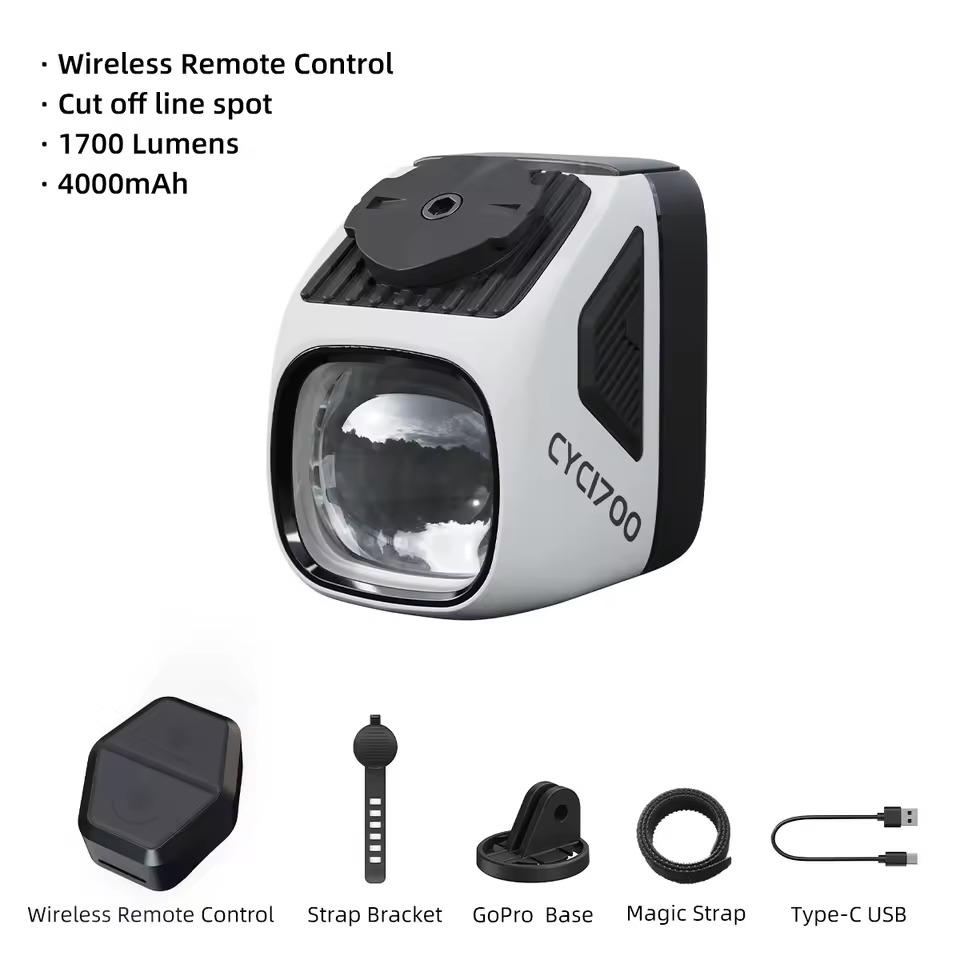
1. CYCLAMI CYC1700 mini powerful bike light

CYCLAMI CYC1700 is a compact yet extraordinarily powerful bike light with brightness of up to 1700 lumens, which easily illuminates even dark forest trails or unlit roads. A big plus is the special “cutoff” optics that directs the light onto the roadway and doesn’t dazzle oncoming pedestrians or cars.

It also impresses with a 4000 mAh battery with runtime of up to 11.5 hours, wireless remote control right on the handlebars, and a practical quick-mounting system. You won’t miss IPX6 water resistance, USB-C charging, or the option to mount it under a cycling computer for a cleaner cockpit look.

ChinaPlanet deal

CYCLAMI CYC1700 mini powerful bike light

Free duty delivery
CYCLAMI CYC1700 mini výkonné svetlo na bicykel
15-day delivery
26,29 €You save 3,00 €
23,29 €
Are you shopping on AliExpress for the first time? See the guide!
Updated 29. 10. 2026 at 10:12
TIP15-day delivery via Aliexpress Standard Shipping

For this product, Aliexpress Standard Shipping is available with guaranteed delivery in 15 days. This is the most reliable way to ship and, in most cases, it’s delivered by a courier company. 15-day delivery we’ve tested it for real.

When you order from a Chinese warehouse, AliExpress adds a customs duty charge of approximately 3,70 € per order to your cart. When you receive the shipment, you won’t have to pay anything extra.

Track this product’s price

As soon as we post a new coupon, we’ll send you an email. You can unsubscribe from tracking anytime.

Are you shopping on AliExpress for the first time?

The process is via the AliExpress mobile app, where most people shop. There are two key things: don’t use Buy now and enter the coupon only in the order summary, in the field Promo code. After you click Pay now, you won’t be able to add it.

  1. Copy the code and click Use discountIn our article, copy the coupon and click the button GET DISCOUNT. The link will take you directly to the product in the AliExpress app.
  2. Use Add to cart instead of Buy nowOn the product card, scroll down and tap Add to cart. Don’t use the Buy now button—you’ll skip the cart, and later you won’t have anywhere to enter the coupon. Before that, double-check the variant: the color, the version, and whether it ships from an EU warehouse.
  3. Through the cart, go to CheckoutA pop-up will appear: Added to cart! — tap Check it out in it. If it disappeared, open the cart with the icon at the bottom right. In the cart, check the product and quantity, then click the red Checkout. Only the items marked with the red ring will be applied.
  4. Enter your address and card, then look for Promo codeIn the order summary, first fill in the delivery address and payment card at the top. Below them there’s a line Promo code — expand it with the arrow on the right.
    Riadok Promo code v zhrnutí objednávky v aplikácii AliExpress
    Look for this line under the address and payment method.
  5. Paste the code and confirm ApplyIn the field Promo code paste the copied code and click the black Apply. The code is case-sensitive and must not contain spaces.
    Políčko Promo code s kódom a tlačidlom Apply v aplikácii AliExpress
    Paste the code into the field and confirm with the Apply button.
  6. Check the savings and payIn the Summary expand the line Saved — you’ll see the applied coupon there as AliExpress coupons/codes. Only when Total is really lower, click Pay now.
    Riadok Saved s uplatneným kupónom a znížený Total v aplikácii AliExpress
    The applied coupon will appear in the Saved line and will reduce the Total.
Apply the discount already at the order summary. After you click Pay now, you can no longer add a coupon. If Apply shows an error, the code has either expired, doesn’t apply to your items, or the order doesn’t meet the minimum amount.
The Store Coupon also goes in the same field. — a coupon from the seller itself, which isn’t always available and changes from day to day. AliExpress coupons can’t be combined, so try both and go with the one that gives you more. Coins are added automatically.

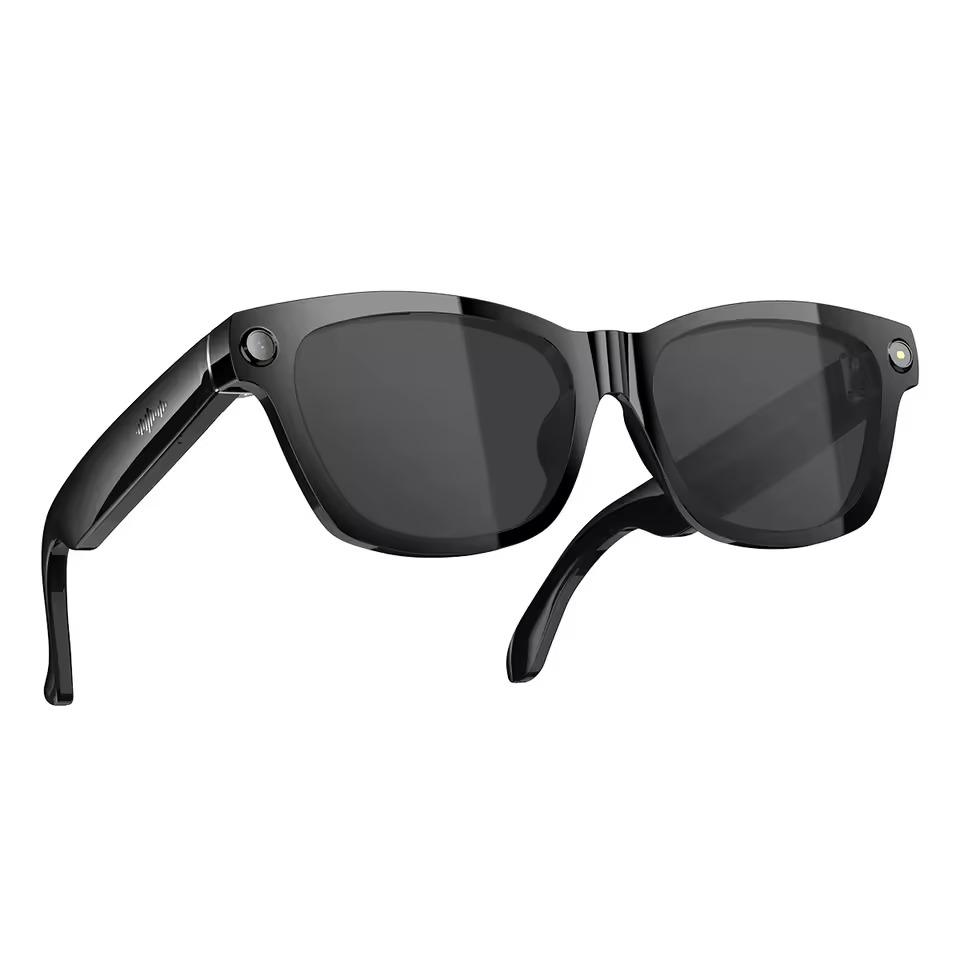
2. Blackview BV100 smart glasses

Blackview BV100 are intelligent AI smart glasses, with Bluetooth 5.4 and an integrated camera for recording video in 1200P quality. They offer an open stereo audio system, ENC noise reduction for calls, and support for a voice assistant, including AI features like object recognition and voice control. A 220 mAh battery provides about 5 hours of music playback or 40 minutes of video recording.

ChinaPlanet deal

Blackview BV100 smart glasses

Free duty delivery
Blackview BV100 smart okuliare
DE warehouse
55,24 €
No coupon

Price history

4,57 €more expensive than the average price
Cheapest 45,37 €Most expensive 55,24 €
Are you shopping on AliExpress for the first time? See the guide!
Updated 29. 10. 2026 at 10:12
TIPExpress delivery from a German warehouse without customs duty and VAT.

This product will be delivered express from the local German warehouse. Shipping from Germany usually takes 7-10 days, and the delivery is handled by a courier. When it arrives, you won’t pay any additional fees—no customs duty or VAT.

Track this product’s price

As soon as we post a new coupon, we’ll send you an email. You can unsubscribe from tracking anytime.

Are you shopping on AliExpress for the first time?

The process is via the AliExpress mobile app, where most people shop. There are two key things: don’t use Buy now and enter the coupon only in the order summary, in the field Promo code. After you click Pay now, you won’t be able to add it.

  1. Copy the code and click Use discountIn our article, copy the coupon and click the button GET DISCOUNT. The link will take you directly to the product in the AliExpress app.
  2. Use Add to cart instead of Buy nowOn the product card, scroll down and tap Add to cart. Don’t use the Buy now button—you’ll skip the cart, and later you won’t have anywhere to enter the coupon. Before that, double-check the variant: the color, the version, and whether it ships from an EU warehouse.
  3. Through the cart, go to CheckoutA pop-up will appear: Added to cart! — tap Check it out in it. If it disappeared, open the cart with the icon at the bottom right. In the cart, check the product and quantity, then click the red Checkout. Only the items marked with the red ring will be applied.
  4. Enter your address and card, then look for Promo codeIn the order summary, first fill in the delivery address and payment card at the top. Below them there’s a line Promo code — expand it with the arrow on the right.
    Riadok Promo code v zhrnutí objednávky v aplikácii AliExpress
    Look for this line under the address and payment method.
  5. Paste the code and confirm ApplyIn the field Promo code paste the copied code and click the black Apply. The code is case-sensitive and must not contain spaces.
    Políčko Promo code s kódom a tlačidlom Apply v aplikácii AliExpress
    Paste the code into the field and confirm with the Apply button.
  6. Check the savings and payIn the Summary expand the line Saved — you’ll see the applied coupon there as AliExpress coupons/codes. Only when Total is really lower, click Pay now.
    Riadok Saved s uplatneným kupónom a znížený Total v aplikácii AliExpress
    The applied coupon will appear in the Saved line and will reduce the Total.
Apply the discount already at the order summary. After you click Pay now, you can no longer add a coupon. If Apply shows an error, the code has either expired, doesn’t apply to your items, or the order doesn’t meet the minimum amount.
The Store Coupon also goes in the same field. — a coupon from the seller itself, which isn’t always available and changes from day to day. AliExpress coupons can’t be combined, so try both and go with the one that gives you more. Coins are added automatically.

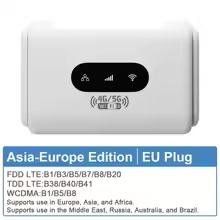
3. DBIT WiFi 6 LTE router

DBIT WiFi 6 Router LTE is a compact 4G router with support for nano SIM cards, which creates a WiFi network practically anywhere. It offers WiFi 6 / speeds up to 300 Mbps / support for 10 devices at once, and a pair of external antennas for a more stable signal. Thanks to Plug & Play use and USB-C power, it’s great for home / for chat / in the car, and also for traveling.

ChinaPlanet deal

DBIT WiFi 6 LTE router

Free duty delivery
DBIT WiFi 6 Router LTE
15-day delivery
32,04 €
No coupon
Are you shopping on AliExpress for the first time? See the guide!
Updated 6. 6. 2026 at 02:09
TIP15-day delivery via Aliexpress Standard Shipping

For this product, Aliexpress Standard Shipping is available with guaranteed delivery in 15 days. This is the most reliable way to ship and, in most cases, it’s delivered by a courier company. 15-day delivery we’ve tested it for real.

When you order from a Chinese warehouse, AliExpress adds a customs duty charge of approximately 3,70 € per order to your cart. When you receive the shipment, you won’t have to pay anything extra.

Track this product’s price

As soon as we post a new coupon, we’ll send you an email. You can unsubscribe from tracking anytime.

Are you shopping on AliExpress for the first time?

The process is via the AliExpress mobile app, where most people shop. There are two key things: don’t use Buy now and enter the coupon only in the order summary, in the field Promo code. After you click Pay now, you won’t be able to add it.

  1. Copy the code and click Use discountIn our article, copy the coupon and click the button GET DISCOUNT. The link will take you directly to the product in the AliExpress app.
  2. Use Add to cart instead of Buy nowOn the product card, scroll down and tap Add to cart. Don’t use the Buy now button—you’ll skip the cart, and later you won’t have anywhere to enter the coupon. Before that, double-check the variant: the color, the version, and whether it ships from an EU warehouse.
  3. Through the cart, go to CheckoutA pop-up will appear: Added to cart! — tap Check it out in it. If it disappeared, open the cart with the icon at the bottom right. In the cart, check the product and quantity, then click the red Checkout. Only the items marked with the red ring will be applied.
  4. Enter your address and card, then look for Promo codeIn the order summary, first fill in the delivery address and payment card at the top. Below them there’s a line Promo code — expand it with the arrow on the right.
    Riadok Promo code v zhrnutí objednávky v aplikácii AliExpress
    Look for this line under the address and payment method.
  5. Paste the code and confirm ApplyIn the field Promo code paste the copied code and click the black Apply. The code is case-sensitive and must not contain spaces.
    Políčko Promo code s kódom a tlačidlom Apply v aplikácii AliExpress
    Paste the code into the field and confirm with the Apply button.
  6. Check the savings and payIn the Summary expand the line Saved — you’ll see the applied coupon there as AliExpress coupons/codes. Only when Total is really lower, click Pay now.
    Riadok Saved s uplatneným kupónom a znížený Total v aplikácii AliExpress
    The applied coupon will appear in the Saved line and will reduce the Total.
Apply the discount already at the order summary. After you click Pay now, you can no longer add a coupon. If Apply shows an error, the code has either expired, doesn’t apply to your items, or the order doesn’t meet the minimum amount.
The Store Coupon also goes in the same field. — a coupon from the seller itself, which isn’t always available and changes from day to day. AliExpress coupons can’t be combined, so try both and go with the one that gives you more. Coins are added automatically.

Ad

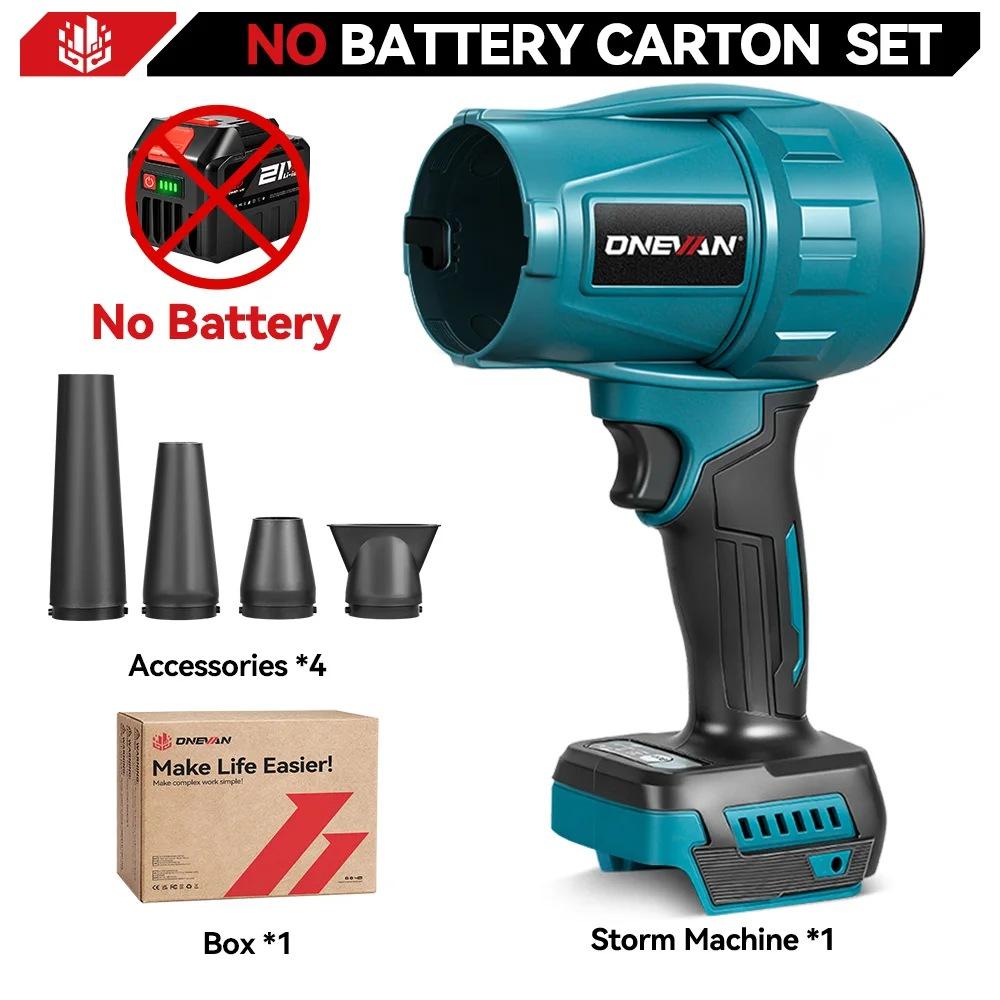
4. ONEVAN 2000 cordless air blower

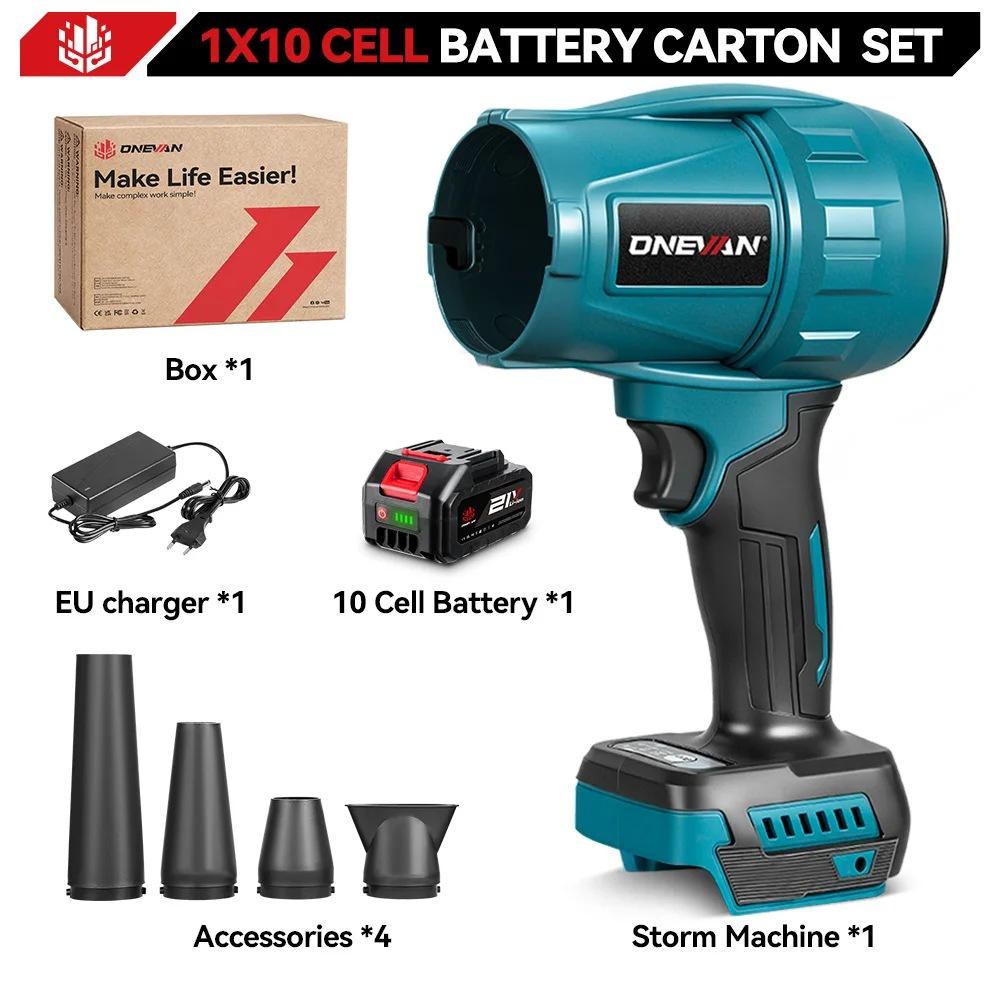
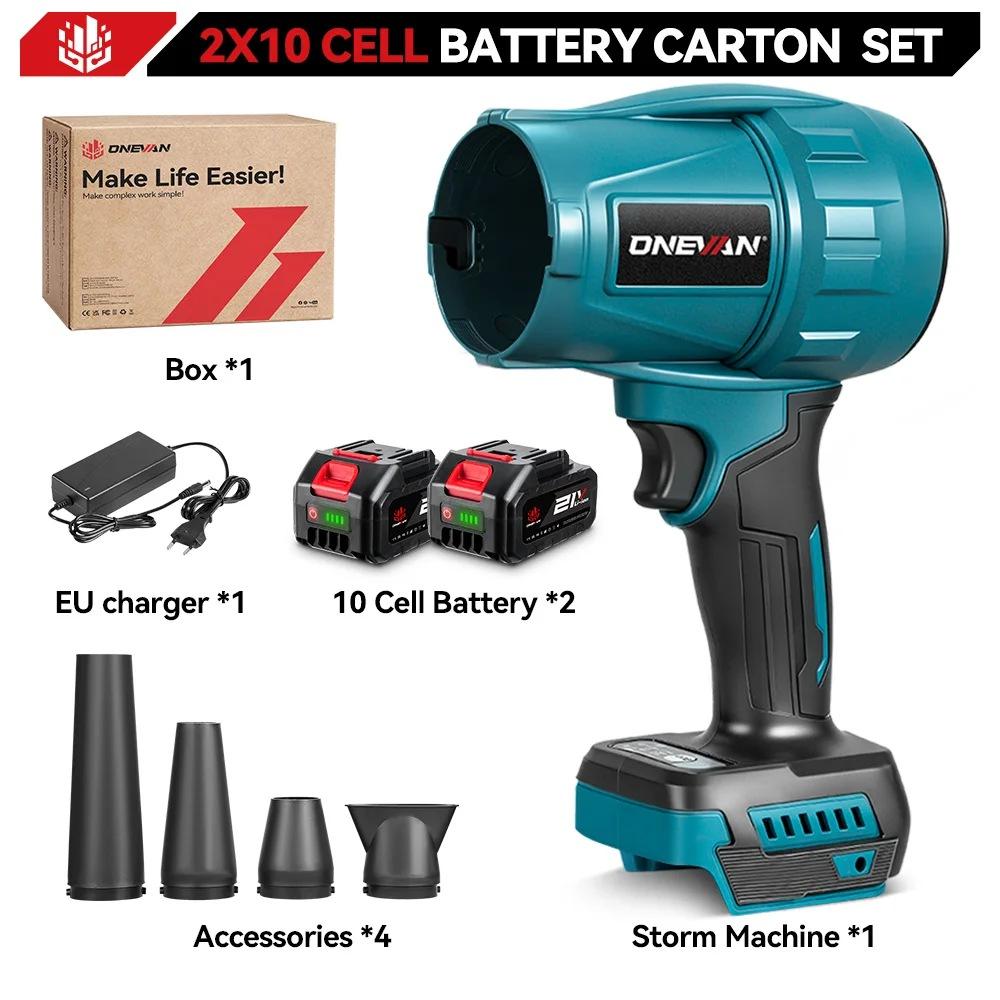
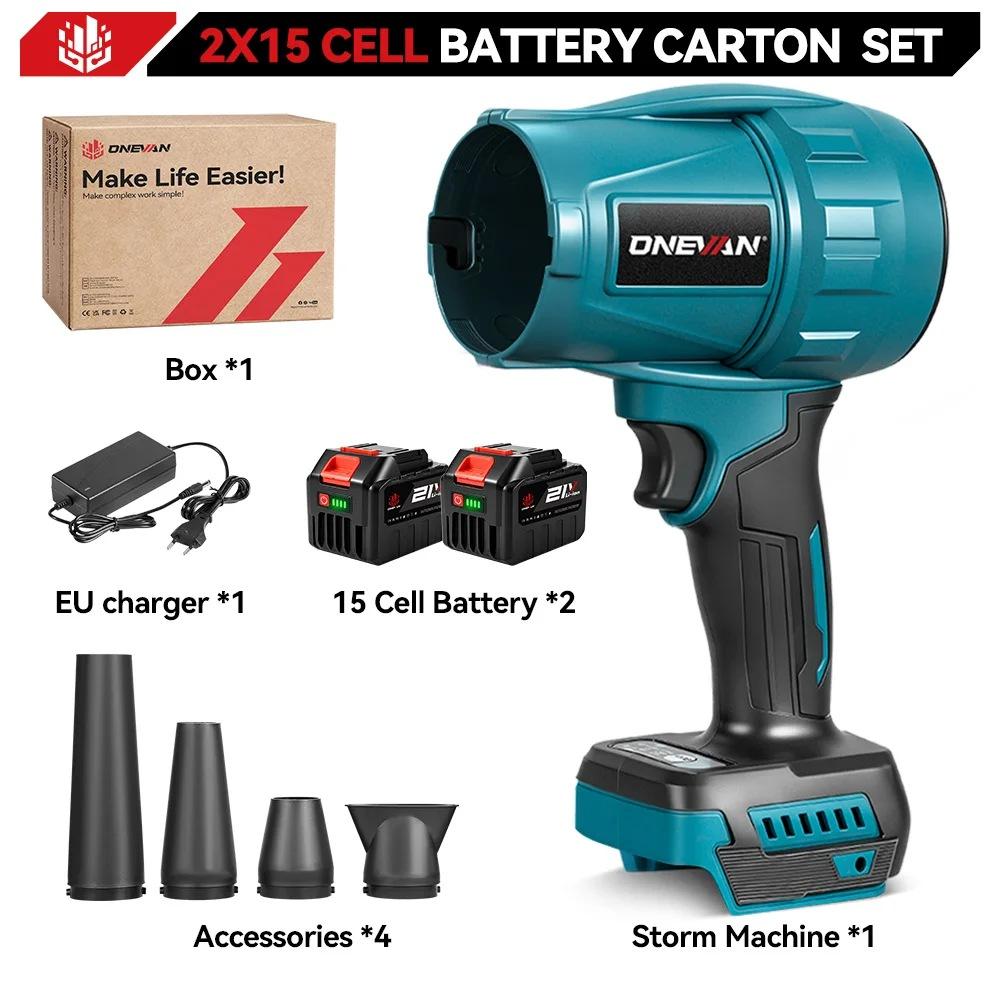
Powerful ONEVAN 2000 W cordless leaf blower impresses with extreme air speed of up to 200 m/s and a brushless motor with speeds of 150,000 RPM. You’ll use it not only to blow away dust and leaves, but also for quickly drying your car after washing. The advantage is compatibility with Makita 18V batteries and compact dimensions—also suitable for carrying or working in tight spaces.

ChinaPlanet deal

ONEVAN 3500 W cordless turbo blower

ONEVAN 3500 W aku turbo fukár
39,63 €You save 5,29 €
34,34 €
No coupon

Price history

2,71 €more expensive than the average price
Cheapest 24,17 €Most expensive 39,63 €
Are you shopping on AliExpress for the first time? See the guide!
Updated 29. 10. 2026 at 10:12
TIPExpress delivery from a German warehouse without customs duty and VAT.

This product will be delivered express from the local German warehouse. Shipping from Germany usually takes 7-10 days, and the delivery is handled by a courier. When it arrives, you won’t pay any additional fees—no customs duty or VAT.

Track this product’s price

As soon as we post a new coupon, we’ll send you an email. You can unsubscribe from tracking anytime.

Are you shopping on AliExpress for the first time?

The process is via the AliExpress mobile app, where most people shop. There are two key things: don’t use Buy now and enter the coupon only in the order summary, in the field Promo code. After you click Pay now, you won’t be able to add it.

  1. Copy the code and click Use discountIn our article, copy the coupon and click the button GET DISCOUNT. The link will take you directly to the product in the AliExpress app.
  2. Use Add to cart instead of Buy nowOn the product card, scroll down and tap Add to cart. Don’t use the Buy now button—you’ll skip the cart, and later you won’t have anywhere to enter the coupon. Before that, double-check the variant: the color, the version, and whether it ships from an EU warehouse.
  3. Through the cart, go to CheckoutA pop-up will appear: Added to cart! — tap Check it out in it. If it disappeared, open the cart with the icon at the bottom right. In the cart, check the product and quantity, then click the red Checkout. Only the items marked with the red ring will be applied.
  4. Enter your address and card, then look for Promo codeIn the order summary, first fill in the delivery address and payment card at the top. Below them there’s a line Promo code — expand it with the arrow on the right.
    Riadok Promo code v zhrnutí objednávky v aplikácii AliExpress
    Look for this line under the address and payment method.
  5. Paste the code and confirm ApplyIn the field Promo code paste the copied code and click the black Apply. The code is case-sensitive and must not contain spaces.
    Políčko Promo code s kódom a tlačidlom Apply v aplikácii AliExpress
    Paste the code into the field and confirm with the Apply button.
  6. Check the savings and payIn the Summary expand the line Saved — you’ll see the applied coupon there as AliExpress coupons/codes. Only when Total is really lower, click Pay now.
    Riadok Saved s uplatneným kupónom a znížený Total v aplikácii AliExpress
    The applied coupon will appear in the Saved line and will reduce the Total.
Apply the discount already at the order summary. After you click Pay now, you can no longer add a coupon. If Apply shows an error, the code has either expired, doesn’t apply to your items, or the order doesn’t meet the minimum amount.
The Store Coupon also goes in the same field. — a coupon from the seller itself, which isn’t always available and changes from day to day. AliExpress coupons can’t be combined, so try both and go with the one that gives you more. Coins are added automatically.

5. Electric vacuum packaging machine

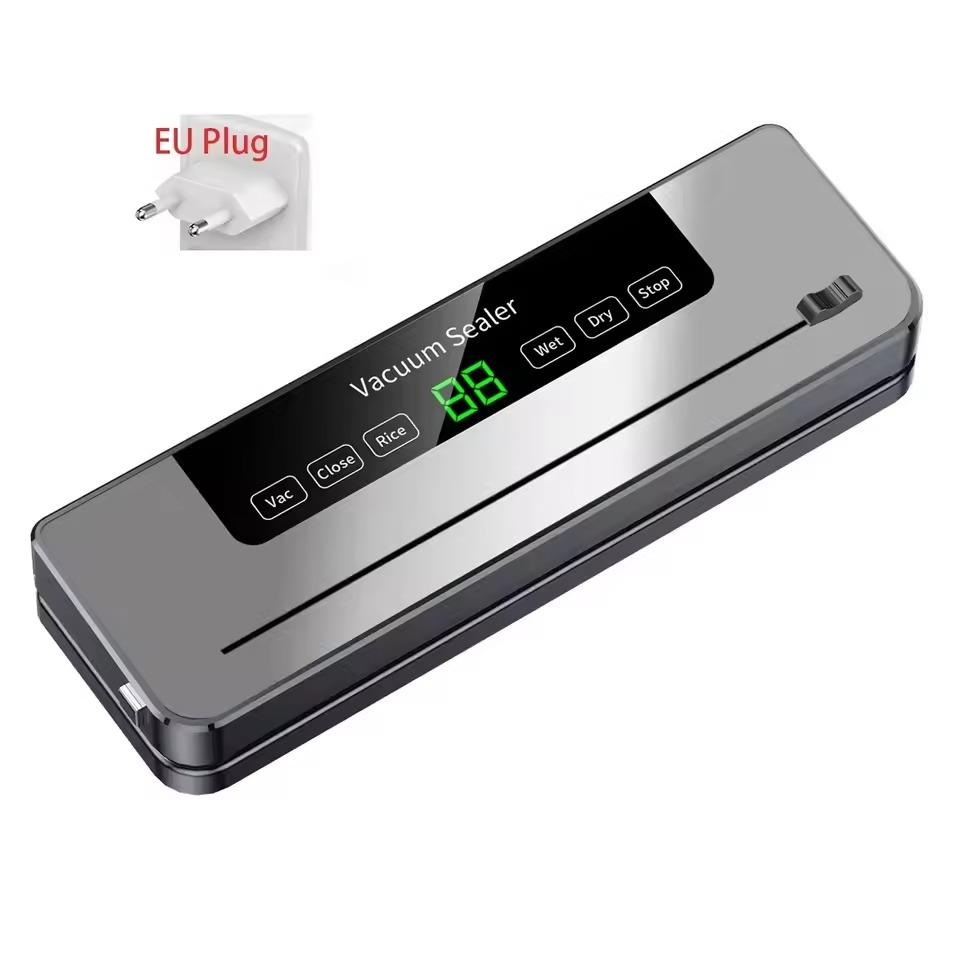
This electric vacuum food sealer helps keep food fresh for longer and also reduces food waste. It offers strong suction of 65 kPa, support for both dry and wet foods, and automatic control via a touch display. A practical advantage is the built-in film cutter, a mode for vacuuming containers, and compact dimensions suitable for any modern kitchen.

ChinaPlanet deal

Electric vacuum food sealer

Free duty delivery
Elektrický vákuový baliaci stroj
15-day delivery
27,62 €You save 3,00 €
24,62 €
Are you shopping on AliExpress for the first time? See the guide!
Updated 29. 10. 2026 at 10:12
TIP15-day delivery via Aliexpress Standard Shipping

For this product, Aliexpress Standard Shipping is available with guaranteed delivery in 15 days. This is the most reliable way to ship and, in most cases, it’s delivered by a courier company. 15-day delivery we’ve tested it for real.

When you order from a Chinese warehouse, AliExpress adds a customs duty charge of approximately 3,70 € per order to your cart. When you receive the shipment, you won’t have to pay anything extra.

Track this product’s price

As soon as we post a new coupon, we’ll send you an email. You can unsubscribe from tracking anytime.

Are you shopping on AliExpress for the first time?

The process is via the AliExpress mobile app, where most people shop. There are two key things: don’t use Buy now and enter the coupon only in the order summary, in the field Promo code. After you click Pay now, you won’t be able to add it.

  1. Copy the code and click Use discountIn our article, copy the coupon and click the button GET DISCOUNT. The link will take you directly to the product in the AliExpress app.
  2. Use Add to cart instead of Buy nowOn the product card, scroll down and tap Add to cart. Don’t use the Buy now button—you’ll skip the cart, and later you won’t have anywhere to enter the coupon. Before that, double-check the variant: the color, the version, and whether it ships from an EU warehouse.
  3. Through the cart, go to CheckoutA pop-up will appear: Added to cart! — tap Check it out in it. If it disappeared, open the cart with the icon at the bottom right. In the cart, check the product and quantity, then click the red Checkout. Only the items marked with the red ring will be applied.
  4. Enter your address and card, then look for Promo codeIn the order summary, first fill in the delivery address and payment card at the top. Below them there’s a line Promo code — expand it with the arrow on the right.
    Riadok Promo code v zhrnutí objednávky v aplikácii AliExpress
    Look for this line under the address and payment method.
  5. Paste the code and confirm ApplyIn the field Promo code paste the copied code and click the black Apply. The code is case-sensitive and must not contain spaces.
    Políčko Promo code s kódom a tlačidlom Apply v aplikácii AliExpress
    Paste the code into the field and confirm with the Apply button.
  6. Check the savings and payIn the Summary expand the line Saved — you’ll see the applied coupon there as AliExpress coupons/codes. Only when Total is really lower, click Pay now.
    Riadok Saved s uplatneným kupónom a znížený Total v aplikácii AliExpress
    The applied coupon will appear in the Saved line and will reduce the Total.
Apply the discount already at the order summary. After you click Pay now, you can no longer add a coupon. If Apply shows an error, the code has either expired, doesn’t apply to your items, or the order doesn’t meet the minimum amount.
The Store Coupon also goes in the same field. — a coupon from the seller itself, which isn’t always available and changes from day to day. AliExpress coupons can’t be combined, so try both and go with the one that gives you more. Coins are added automatically.

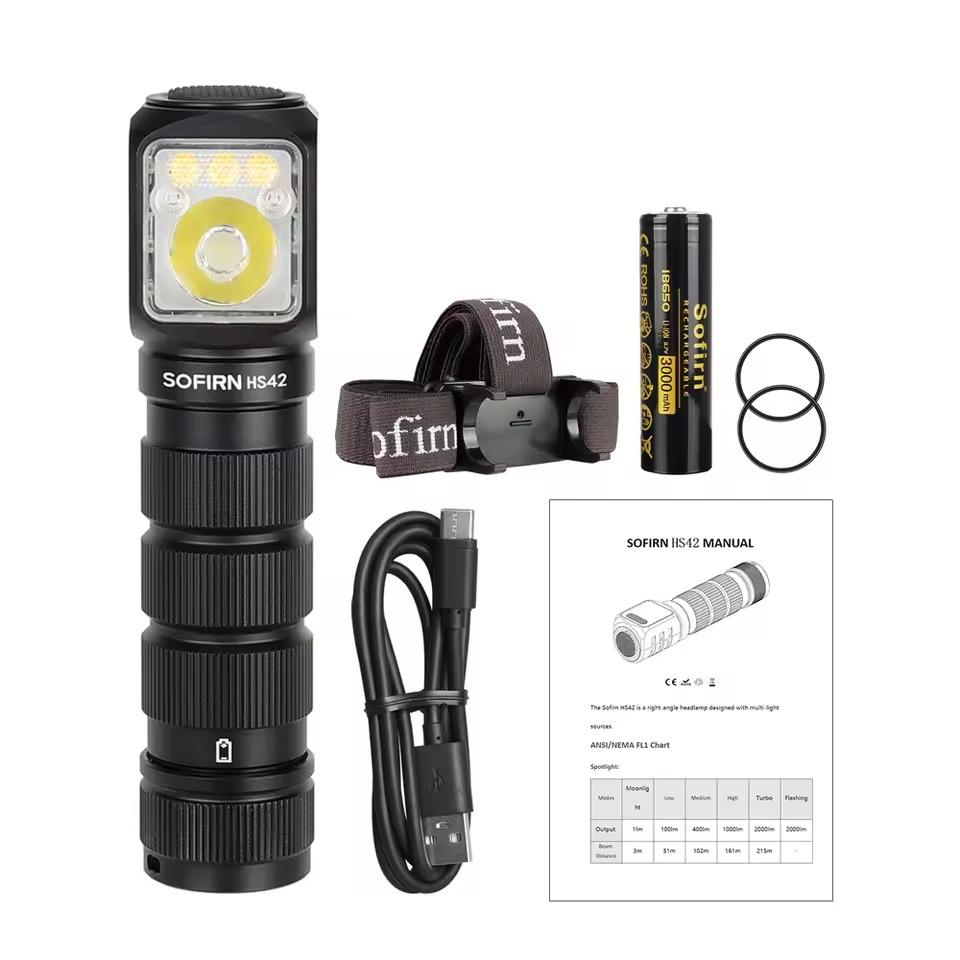
6. SOFIRN HS42

The SOFIRN HS42 headlamp is one of the best-equipped EDC lights for hiking, camping, and fieldwork. It delivers maximum performance of up to 2100 lumens, a combination of spotlight/floodlight modes, red light, and practical features like a magnetic tailcap or USB-C charging. Thanks to its durable aluminum body, IP66 rating, and low weight of just 71 grams, it’s perfect for everyday carry and outdoor adventures.

ChinaPlanet deal

SOFIRN HS42

EU warehouse
SOFIRN HS42
PL warehouse
36,76 €You save 0,06 €
36,70 €
No coupon

Price history

1,93 €more expensive than the average price
Cheapest 24,99 €Most expensive 36,76 €
Are you shopping on AliExpress for the first time? See the guide!
Updated 29. 10. 2026 at 10:12
TIPExpress delivery from the Polish warehouse with no customs duty and VAT.

This product will be delivered to you express from a local Polish warehouse. Shipping from Poland usually takes 7-10 days and is handled by a courier. When it arrives, you don’t pay any extra fees—no customs duty or VAT.

Track this product’s price

As soon as we post a new coupon, we’ll send you an email. You can unsubscribe from tracking anytime.

Are you shopping on AliExpress for the first time?

The process is via the AliExpress mobile app, where most people shop. There are two key things: don’t use Buy now and enter the coupon only in the order summary, in the field Promo code. After you click Pay now, you won’t be able to add it.

  1. Copy the code and click Use discountIn our article, copy the coupon and click the button GET DISCOUNT. The link will take you directly to the product in the AliExpress app.
  2. Use Add to cart instead of Buy nowOn the product card, scroll down and tap Add to cart. Don’t use the Buy now button—you’ll skip the cart, and later you won’t have anywhere to enter the coupon. Before that, double-check the variant: the color, the version, and whether it ships from an EU warehouse.
  3. Through the cart, go to CheckoutA pop-up will appear: Added to cart! — tap Check it out in it. If it disappeared, open the cart with the icon at the bottom right. In the cart, check the product and quantity, then click the red Checkout. Only the items marked with the red ring will be applied.
  4. Enter your address and card, then look for Promo codeIn the order summary, first fill in the delivery address and payment card at the top. Below them there’s a line Promo code — expand it with the arrow on the right.
    Riadok Promo code v zhrnutí objednávky v aplikácii AliExpress
    Look for this line under the address and payment method.
  5. Paste the code and confirm ApplyIn the field Promo code paste the copied code and click the black Apply. The code is case-sensitive and must not contain spaces.
    Políčko Promo code s kódom a tlačidlom Apply v aplikácii AliExpress
    Paste the code into the field and confirm with the Apply button.
  6. Check the savings and payIn the Summary expand the line Saved — you’ll see the applied coupon there as AliExpress coupons/codes. Only when Total is really lower, click Pay now.
    Riadok Saved s uplatneným kupónom a znížený Total v aplikácii AliExpress
    The applied coupon will appear in the Saved line and will reduce the Total.
Apply the discount already at the order summary. After you click Pay now, you can no longer add a coupon. If Apply shows an error, the code has either expired, doesn’t apply to your items, or the order doesn’t meet the minimum amount.
The Store Coupon also goes in the same field. — a coupon from the seller itself, which isn’t always available and changes from day to day. AliExpress coupons can’t be combined, so try both and go with the one that gives you more. Coins are added automatically.

Got a tip for us? Send it to us via our form!

Follow the China Planet website, subscribe to our monthly newsletter, and be sure to check out our Facebook page, the China Planet group, and join our Telegram, where we add the best offers and coupons from China every single day.

Add us as your preferred source on Google

Don’t miss the best coupons 📩

Subscribe and we’ll email you new coupons before they expire. We only send it once a month — no spam.

Ad Engerio