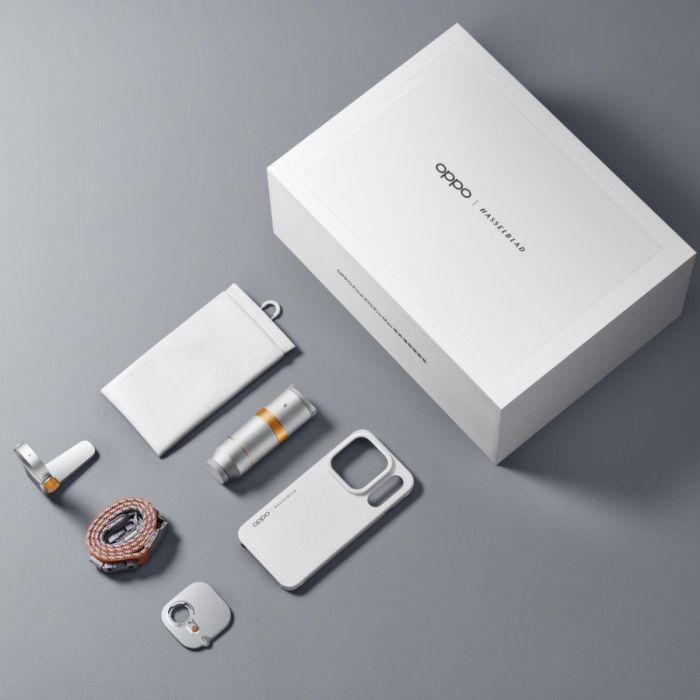
A proper monster arrived in our editorial office! The CN version of the OPPO Find X10 Pro Max has 8000 mAh and also works in Slovak, but only partially
Just arrived at the editorial office: Oppo Find X10 Pro Max in the top configuration with 16 GB RAM and 1 TB storage, and we’re putting it through full testing. For us, this is a premiere in two ways at once, because it’s the first phone we got our hands on with ColorOS 17, and at the same time it’s the Chinese version we specifically picked. We wanted to find out what it’s like to live with it in Slovakia, and the very first days showed something interesting: Slovak is available in the menu, but only part of the system is translated.
The phone is being tested by our editor, whose main mobile is the predecessor Oppo Find X9 Ultra, so the comparison will be direct and from real use. While we prepare a detailed review, we’re bringing you first impressions and notes, especially about what matters when buying a phone from China.
Oppo Find X10 Pro Max
Oppo Find X10 Pro Max
Why we intentionally chose the Chinese version
Oppo will launch the Find X10 Pro Max in Europe on October 21, but the European version is sold only with 12 GB RAM and 512 GB storage, and its battery has been reduced to 7 150 mAh. Its regular price is €1,879, and it also doesn’t drop below €1,629 even in the early promotion on Alza, as we outlined in the article about Slovak prices. The Chinese version has the full 8,000 mAh and is also sold with 1 TB of storage, while our top configuration costs €1,397.
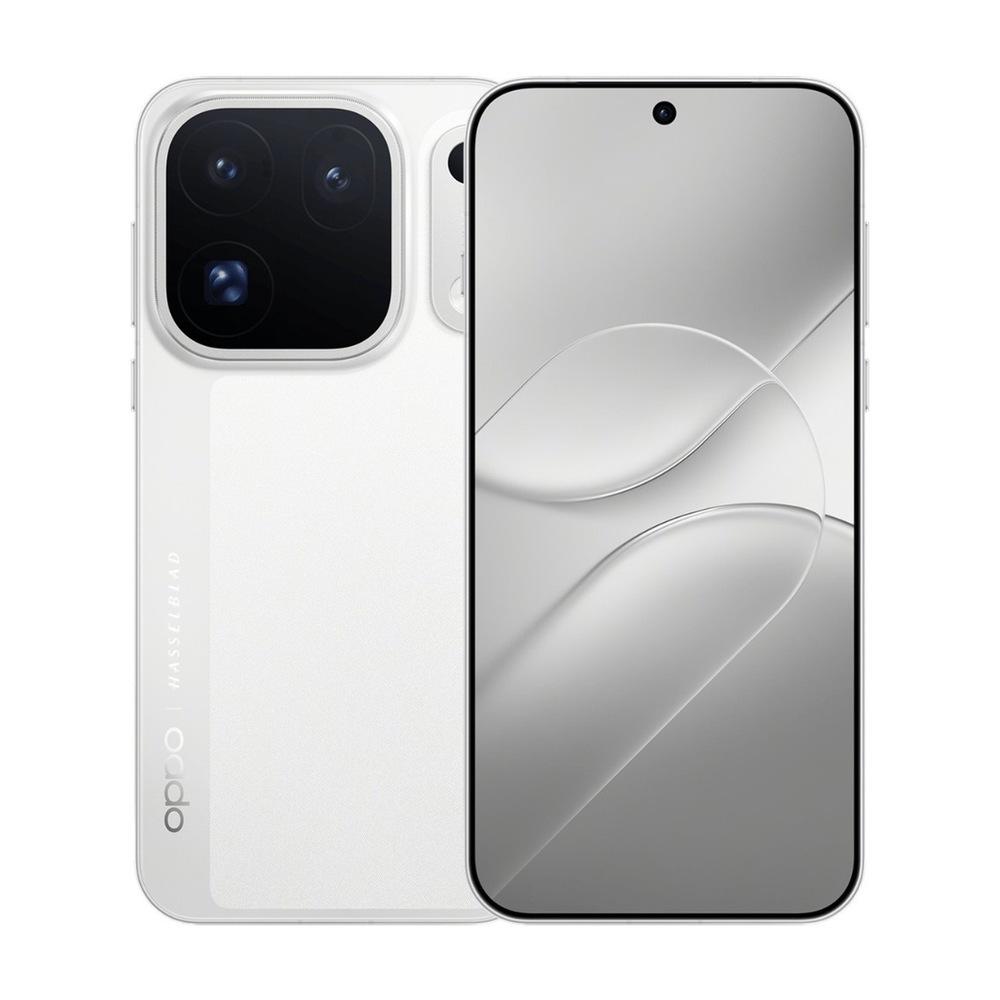
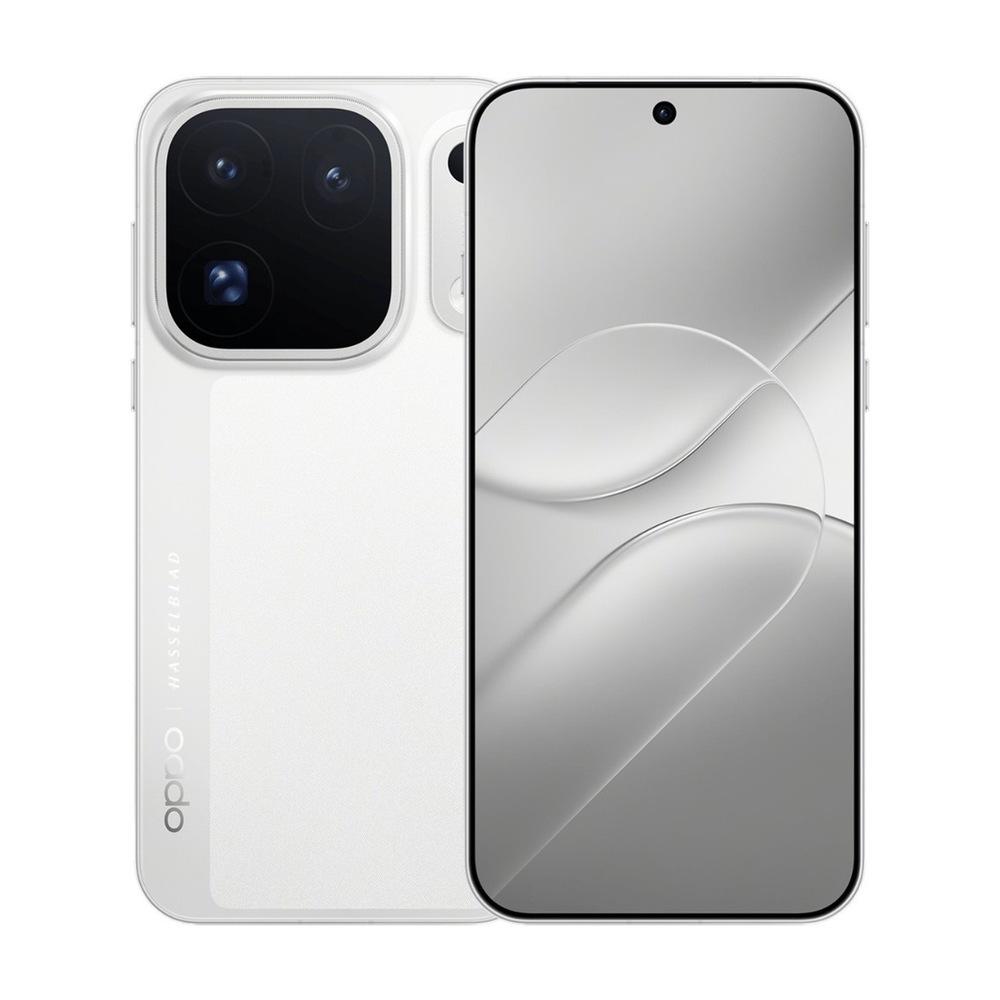
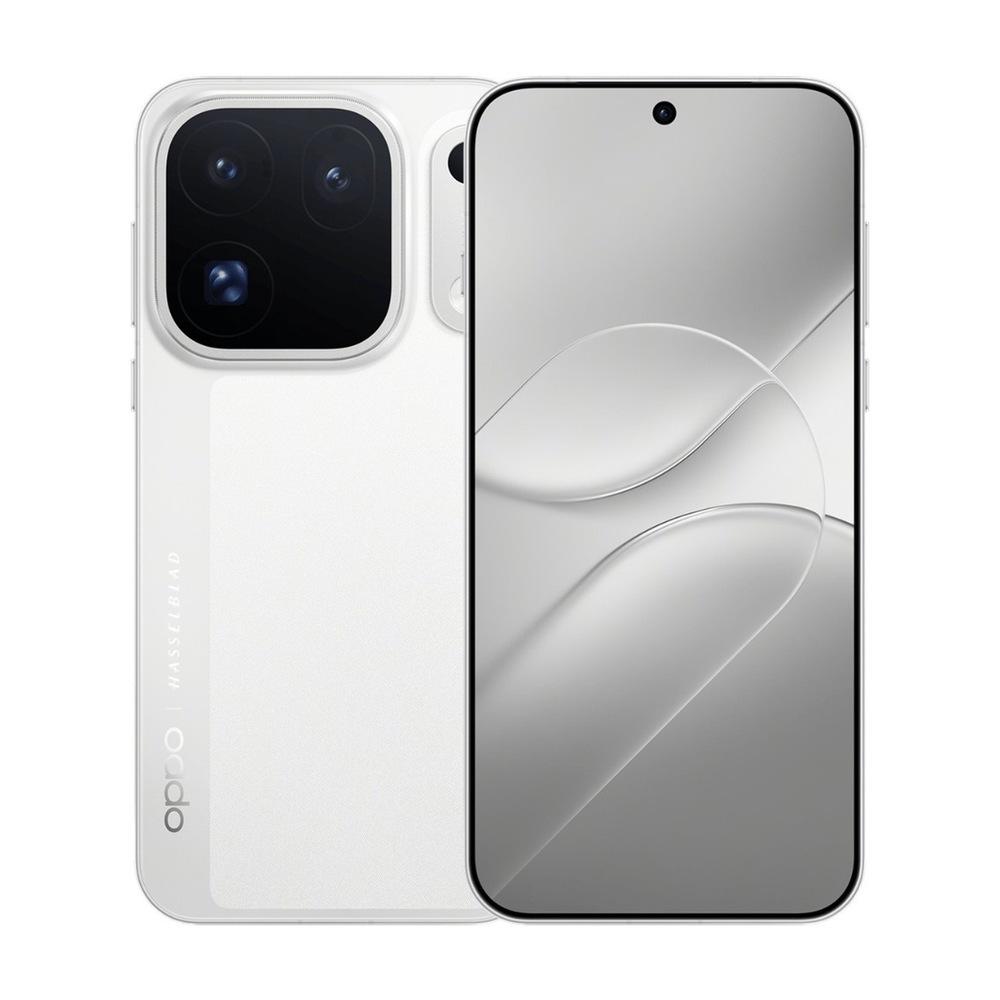
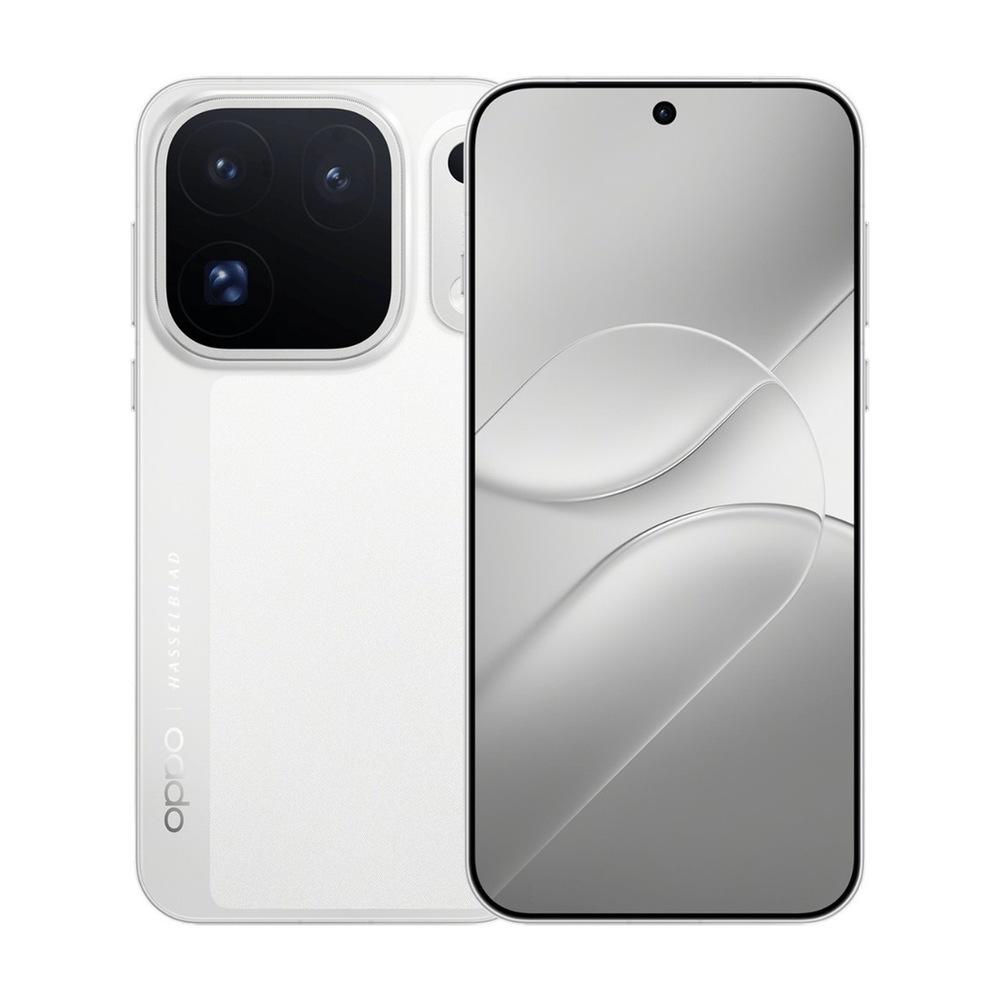
That’s exactly why many of our readers reach for the Chinese variant. Our unit is labeled PMX110 and comes in the white color that Oppo calls Moon White. It’s the same hardware you’ll find in Chinese sales, so everything we encounter in the test also applies to the phone you order.
Where to buy the Chinese Find X10 Pro Max for a better price
The Chinese version is sold by our verified partner GShopper in all four configurations, from 12 + 256 GB up to 16 GB and 1 TB, which we’re currently testing. The phone is shipped from China and delivery takes about 10 – 15 days, while customs duty and VAT are already included in the price, so you don’t have to pay anything extra when receiving it. You can find the current coupon price for each configuration in the box below.
China Planet shopping TIP: GShopper has now launched direct bank transfer payments, so you can save another 4.5 % off the product price! Compared to card / Google Pay payment, you can get this product much cheaper. We described the full bank transfer payment process in our article.
Are you shopping on Gshopper for the first time?See the guide!
Updated 29. 10. 2026 at 08:25
TIPWith Standard Shipping via GShopper, you pay no extra fees—everything is already included in the price!
At the GShopper retailer, we recommend choosing Standard Shipping, where you won’t have to pay anything extra. Customs duties and any VAT will be handled directly by the seller. Shipping can be selected only at checkout, after entering the delivery address. Delivery with this shipping method usually takes around 15 business days from dispatch from the warehouse, but it may take longer.
Are you shopping on Gshopper for the first time?See the guide!
Updated 29. 10. 2026 at 08:25
TIPWith Standard Shipping via GShopper, you pay no extra fees—everything is already included in the price!
At the GShopper retailer, we recommend choosing Standard Shipping, where you won’t have to pay anything extra. Customs duties and any VAT will be handled directly by the seller. Shipping can be selected only at checkout, after entering the delivery address. Delivery with this shipping method usually takes around 15 business days from dispatch from the warehouse, but it may take longer.
Are you shopping on Gshopper for the first time?See the guide!
Updated 29. 10. 2026 at 08:25
TIPWith Standard Shipping via GShopper, you pay no extra fees—everything is already included in the price!
At the GShopper retailer, we recommend choosing Standard Shipping, where you won’t have to pay anything extra. Customs duties and any VAT will be handled directly by the seller. Shipping can be selected only at checkout, after entering the delivery address. Delivery with this shipping method usually takes around 15 business days from dispatch from the warehouse, but it may take longer.
Are you shopping on Gshopper for the first time?See the guide!
Updated 29. 10. 2026 at 08:25
TIPWith Standard Shipping via GShopper, you pay no extra fees—everything is already included in the price!
At the GShopper retailer, we recommend choosing Standard Shipping, where you won’t have to pay anything extra. Customs duties and any VAT will be handled directly by the seller. Shipping can be selected only at checkout, after entering the delivery address. Delivery with this shipping method usually takes around 15 business days from dispatch from the warehouse, but it may take longer.
Are you shopping on Gshopper for the first time?See the guide!
Updated 29. 10. 2026 at 08:25
TIPWith Standard Shipping via GShopper, you pay no extra fees—everything is already included in the price!
At the GShopper retailer, we recommend choosing Standard Shipping, where you won’t have to pay anything extra. Customs duties and any VAT will be handled directly by the seller. Shipping can be selected only at checkout, after entering the delivery address. Delivery with this shipping method usually takes around 15 business days from dispatch from the warehouse, but it may take longer.
Our extra service with VIP support — we’ll handle the order on Gshopper for you and ship it straight to your address.
If you’re not experienced with shopping on Gshopper, your payment won’t go through, or the coupon just isn’t working, we offer our readers and customers a service where we place the order directly to your address. You send us the money by bank transfer, and we’ll order the product straight to you. That way, you don’t have to worry about failed payments or coupon issues, and you can be sure the whole order will go 100 % smoothly. Plus, you automatically get our VIP support — we handle any shipment issues for you and help with claims too. The fee for this service is €15 on top of the product price. You can contact us by email at info(@)chinaplanet.sk or on Messenger, where we’re active all the time.
Slovak yes, but the system is like a patchwork
The Chinese version offers Slovak directly in Settings, without root and without the SetEdit app, but the result is, according to our tester, terribly inconsistent. The initial setup of the phone was done in English, and after switching to Slovak, part of the system is in Slovak, part in English, and something was left in Chinese. The lock screen is in Slovak, the home screen is in English, and while the Settings themselves remained in English, the connectivity toggles in the quick panel are in Slovak.
It’s similar with apps. Their names are in English, but most of them run in Slovak after you launch them, except for Oppo’s system apps, which stayed in English. Google apps work normally in Slovak. You can see it nicely on a system update that arrived during the test: the update notification was in Slovak, and so was the updates screen, but the actual changelog list was in Chinese.
Oppo Find X10 Pro Max
Oppo Find X10 Pro Max
Our tester has a simple explanation for it. According to them, Oppo hasn’t translated all system texts—so the phone was released anyway, and whatever isn’t translated stays in English. If you want a consistent system, you can just keep English. In it, only some Chinese artificial-intelligence functions are present—for example, global search, the changelogs in updates, and built-in Oppo apps. Our tester turned global search off right away, and set the home-screen swipe down to either pull down the notification shade or the quick toggles. Another option is the SetEdit app, with which you can force Slovak even where the system doesn’t offer it on its own, and the procedure is in our guide to Slovak on a Chinese phone. How it turns out on ColorOS 17, we’ll test in the review.
Ad
First impressions: Battery, cameras, and speed
Even when unpacking our test unit, the configuration impressed us. The combo of 16 GB RAM and 1 TB storage is extreme even among flagship phones, and in everyday use you can tell because the phone is insanely fast. Performance is handled by the dual-nanometer chip MediaTek Dimensity 9600 Pro, and so far we haven’t run into anything that could slow it down.
In the first few days, the editor praised the 8 000 mAh battery, which he calls super, and the cameras that—according to him—shoot brutally. Find X10 Pro Max is the first phone in the world to use three 200 Mpx cameras: the main one, an ultra-wide, and a telephoto lens. However, in zoom it still has to compete with his Find X9 Ultra, because besides the 3× telephoto lens it also has a periscope with 10× optical zoom—though that was something you could already expect.
Oppo Find X10 Pro Max
Oppo Find X10 Pro Max
He also liked the thin bezels around the 6,78-inch display, thanks to which the front looks very clean. The back combines a smooth surface with a subtle woven texture and a Hasselblad inscription; for the photo module, a separate “pill” with a spotlighting LED was added. In the box there’s a charger with a Chinese plug, so for our outlets you’ll need an adapter.
We were also pleasantly surprised by the signal quality, which our tester says is above average—including 5G. It works in an old stone building, where Samsung, Pixel, and iPhone phones with signal reception struggle, but Chinese flagship phones—including this Oppo—keep the signal without any trouble.
Ad
First photos at dusk and in the evening
The first shots were taken by our tester on Tuesday afternoon and then in the evening on the housing estate—and according to him, they look awesome. In the dusk photos, the phone preserved the colors of autumn leaves and the bright sky at sunset, while the evening shots show what it can do when the park is lit with nothing but street lamps. After clicking, you can open each photo in full resolution.
Photo from Oppo Find X10 Pro Max at dusk
Photo from Oppo Find X10 Pro Max at dusk
Photo from Oppo Find X10 Pro Max at dusk
Photo from Oppo Find X10 Pro Max in the evening
Photo from Oppo Find X10 Pro Max in the evening
Photo from Oppo Find X10 Pro Max in the evening
Ask us what interests you
We’ll be testing the Find X10 Pro Max in detail in the coming days. We’ll measure real battery life and charging speed, compare the cameras with the Find X9 Ultra, check how it heats up during games, and try whether Slovak can be brought to ColorOS 17 using SetEdit. Is there anything else you’re interested in—for example NFC payments, gaming battery life, video quality, or updates in ColorOS 17? Write your question in the comments under the article or in our Facebook group, and you’ll find the answer right in the review.
Follow the China Planet website, subscribe to our monthly newsletter, and be sure to check out our Facebook page, the China Planet group, and join our Telegram, where we add the best offers and coupons from China every single day.