OPPO Find X10 vs vivo X500 is a comparison of two flagship base models that cost similarly in Chinese versions and use the same chip Dimensity 9600M under the hood. The difference therefore isn’t about performance, but about the cameras, battery, and price: Find X10 is worth it for buyers who want two 200 Mpx sensors and a battery with 8000 mAh, while vivo X500 appeals with a ZEISS periscope and faster 90 W charging.
You can order both phones in the Chinese version, which works with Google apps, NFC payments, and Android Auto here, and the vivo X500 also exists as a global version that we compare in a separate section below. Since the standard X500 doesn’t officially arrive in Europe, this is one of the few ways to buy it.
The values come from our articles about Find X10 and vivo X500, based on manufacturer data. Prices change depending on the memory version and current offer, so we pull them directly from the price boxes below.
Design and workmanship
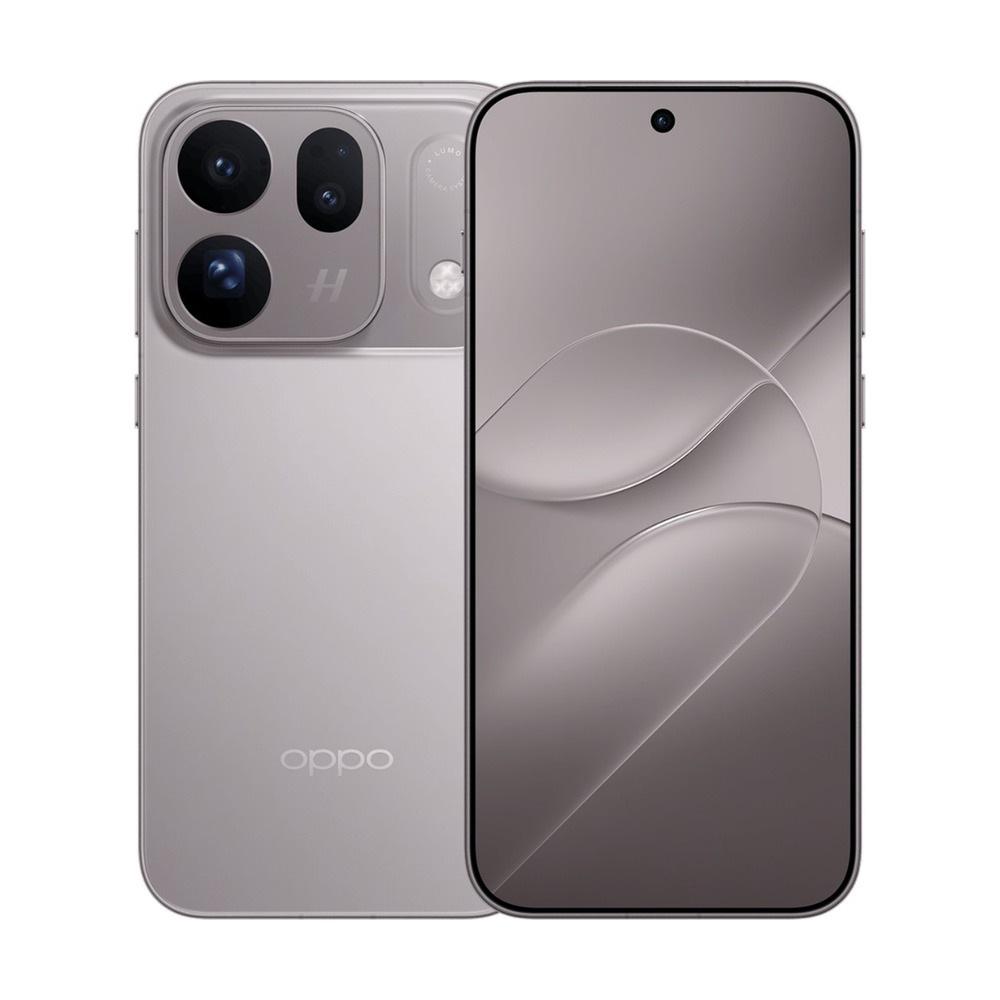
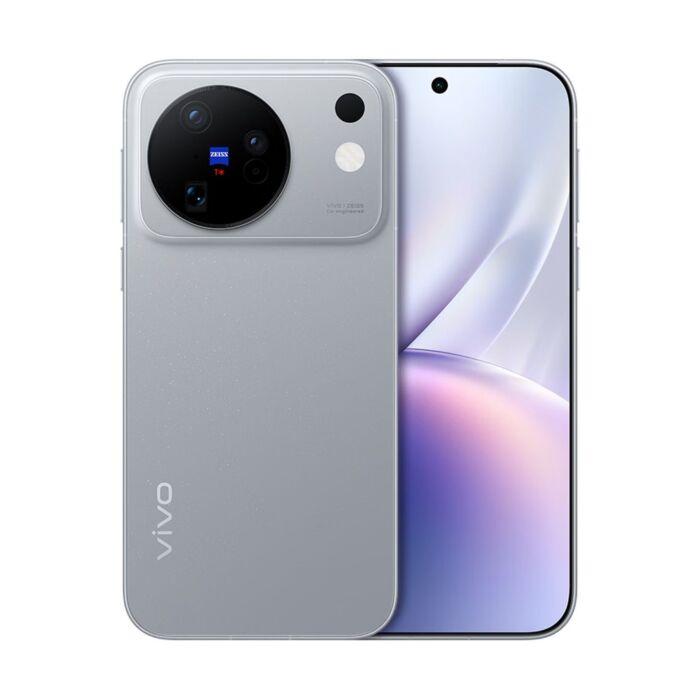
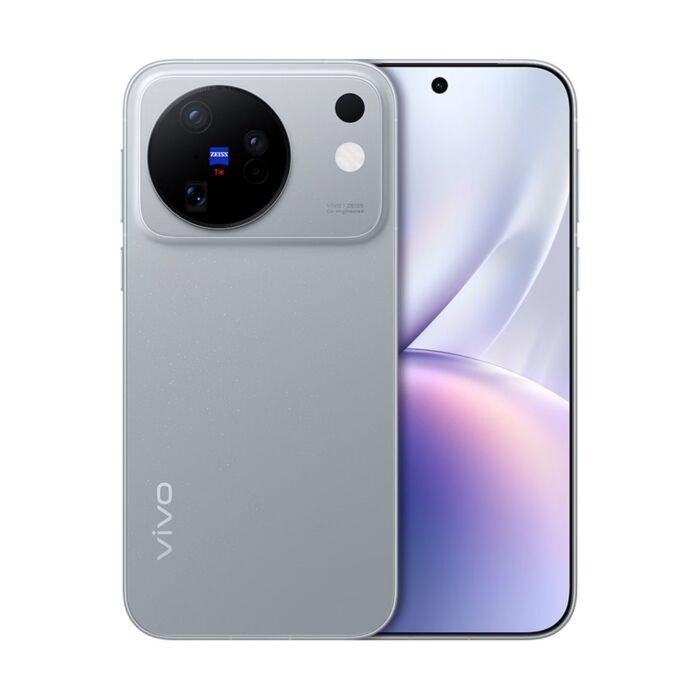
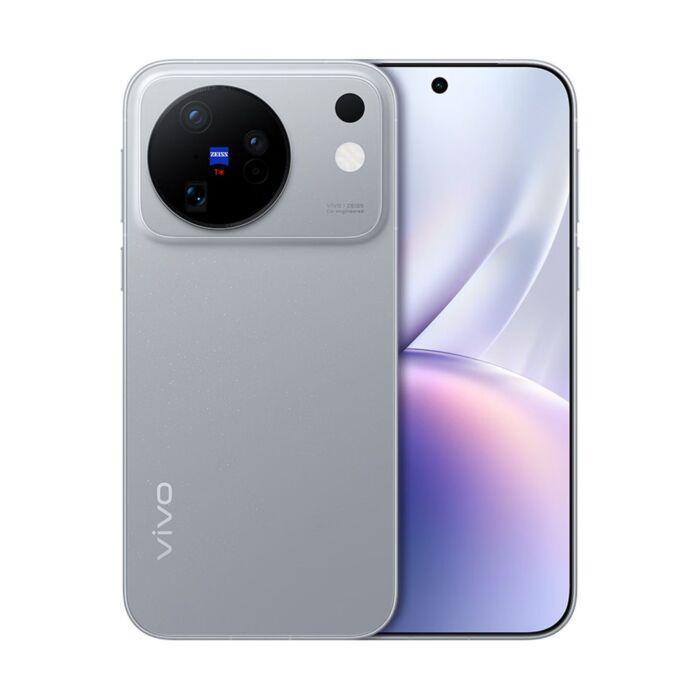
Both phones have a 6,59-inch display, so they’re in the same size category, and the difference is most visible at the back. OPPO carries the Hasselblad logo on the camera module and offers it in gray and white, while vivo uses a thinner frame made of aerospace aluminum and a matte glass back, where the camera module sticks out as a round island with the ZEISS logo.
OPPO Find X10
vivo has reserved more space for color choice, because besides silver and white shades it also offers a pink version. If you care about style, the Find X10 feels more strict and technical, while the X500 is more playful and more fashionable.
vivo X500
Ad
Display and performance: same chip, almost the same panel
Both phones use Dimensity 9600M, so in games and everyday use you’ll find only a minimal difference. The more important differences are in the details: vivo offers 144 Hz across the entire display, while OPPO adjusts the refresh rate from 1 to 120 Hz and turns on 144 Hz only in selected games. vivo also has a 3D ultrasonic fingerprint sensor that can handle even a slightly damp finger.
OPPO lists Wi-Fi 7, two SIM cards, and reception of all major satellite navigation systems, and runs ColorOS, which is well known here, while vivo uses OriginOS 7. Both versions handle Slovak networks and Google services.
Cameras: 200 Mpx vs ZEISS periscope
This is where the biggest difference is. OPPO Find X10 has two 200 Mpx sensors, the main one with an f/1.6 aperture and stabilization, plus a telephoto lens with 3× optical zoom, which is truly a rarity in the base model. It’s complemented by a 50 Mpx ultra-wide angle shot with 120° and a 50 Mpx selfie camera—the colors are tuned for Hasselblad.
OPPO Find X10
Vivo X500 does it differently: a 50 Mpx Sony LYT828 main sensor with a ZEISS T* coating to reduce glare, and a 64 Mpx periscope with a 72 mm equivalent that focuses from 15 cm, so it can also serve as a macro. So the telephoto is sharper and closer to portrait focal length, but it resolves less than OPPO’s 200 Mpx sensor, which gives you more room to crop your shots.
vivo X500
We don’t have our own photo tests of these two base models yet, so we can’t promise how the final photos will turn out. Based on paper specs, OPPO wins with telephoto resolution, vivo with lens quality and macro flexibility.
Ad
Battery and charging
OPPO has a bigger battery, 8000 mAh vs 7500 mAh, and charging of 80 W wired and 50 W wireless. vivo has a smaller battery, but faster wired charging 90 W, so it will top up a bit quicker, while wireless charging is weaker at 40 W.
In practice, this means that OPPO will last longer for you, while vivo charges faster from zero. Both batteries are unusually large for a flagship, so a two-day battery life in normal use isn’t out of the question.
Chinese OPPO significantly below the Slovak price
You can find both phones at the trusted seller GShopper, which ships them directly from China, so expect longer delivery. Compared to the official sale in Slovakia, where the Find X10 is on the opening promo from €1 129 (we wrote about it here), the Chinese version is noticeably cheaper. The base vivo X500 isn’t officially coming to Europe at all, so the Chinese or global version is the only way to get it.
China Planet shopping TIP: GShopper has now launched direct bank transfer payments, so you can save another 4.5 % off the product price! Compared to card / Google Pay payment, you can get this product much cheaper. We described the full bank transfer payment process in our article.
Are you shopping on Gshopper for the first time?See the guide!
Updated 3. 11. 2026 at 11:44
TIPWith Standard Shipping via GShopper, you pay no extra fees—everything is already included in the price!
At the GShopper retailer, we recommend choosing Standard Shipping, where you won’t have to pay anything extra. Customs duties and any VAT will be handled directly by the seller. Shipping can be selected only at checkout, after entering the delivery address. Delivery with this shipping method usually takes around 15 business days from dispatch from the warehouse, but it may take longer.
Are you shopping on Gshopper for the first time?See the guide!
Updated 3. 11. 2026 at 11:44
TIPWith Standard Shipping via GShopper, you pay no extra fees—everything is already included in the price!
At the GShopper retailer, we recommend choosing Standard Shipping, where you won’t have to pay anything extra. Customs duties and any VAT will be handled directly by the seller. Shipping can be selected only at checkout, after entering the delivery address. Delivery with this shipping method usually takes around 15 business days from dispatch from the warehouse, but it may take longer.
Are you shopping on Gshopper for the first time?See the guide!
Updated 3. 11. 2026 at 11:44
TIPWith Standard Shipping via GShopper, you pay no extra fees—everything is already included in the price!
At the GShopper retailer, we recommend choosing Standard Shipping, where you won’t have to pay anything extra. Customs duties and any VAT will be handled directly by the seller. Shipping can be selected only at checkout, after entering the delivery address. Delivery with this shipping method usually takes around 15 business days from dispatch from the warehouse, but it may take longer.
Are you shopping on Gshopper for the first time?See the guide!
Updated 3. 11. 2026 at 11:44
TIPWith Standard Shipping via GShopper, you pay no extra fees—everything is already included in the price!
At the GShopper retailer, we recommend choosing Standard Shipping, where you won’t have to pay anything extra. Customs duties and any VAT will be handled directly by the seller. Shipping can be selected only at checkout, after entering the delivery address. Delivery with this shipping method usually takes around 15 business days from dispatch from the warehouse, but it may take longer.
Our extra service with VIP support — we’ll handle the order on Gshopper for you and ship it straight to your address.
If you’re not experienced with shopping on Gshopper, your payment won’t go through, or the coupon just isn’t working, we offer our readers and customers a service where we place the order directly to your address. You send us the money by bank transfer, and we’ll order the product straight to you. That way, you don’t have to worry about failed payments or coupon issues, and you can be sure the whole order will go 100 % smoothly. Plus, you automatically get our VIP support — we handle any shipment issues for you and help with claims too. The fee for this service is €15 on top of the product price. You can contact us by email at info(@)chinaplanet.sk or on Messenger, where we’re active all the time.
Are you shopping on Gshopper for the first time?See the guide!
Updated 3. 11. 2026 at 11:25
TIPWith Standard Shipping via GShopper, you pay no extra fees—everything is already included in the price!
At the GShopper retailer, we recommend choosing Standard Shipping, where you won’t have to pay anything extra. Customs duties and any VAT will be handled directly by the seller. Shipping can be selected only at checkout, after entering the delivery address. Delivery with this shipping method usually takes around 15 business days from dispatch from the warehouse, but it may take longer.
Are you shopping on Gshopper for the first time?See the guide!
Updated 3. 11. 2026 at 11:25
TIPWith Standard Shipping via GShopper, you pay no extra fees—everything is already included in the price!
At the GShopper retailer, we recommend choosing Standard Shipping, where you won’t have to pay anything extra. Customs duties and any VAT will be handled directly by the seller. Shipping can be selected only at checkout, after entering the delivery address. Delivery with this shipping method usually takes around 15 business days from dispatch from the warehouse, but it may take longer.
Bonus: Chinese or global vivo X500 version?
The global vivo X500 version (V2619) is sold on pre-order with shipping starting on 15 November, and only the 12 + 512 GB memory version is available. Compared to the Chinese version, it has eSIM and IP68 and IP69 resistance—something we couldn’t find listed for the Chinese version—and it runs on the global OriginOS 7 system. For that, you’ll happily pay about three hundred euros more.
Are you shopping on Gshopper for the first time?See the guide!
Updated 3. 11. 2026 at 11:25
TIPWith Standard Shipping via GShopper, you pay no extra fees—everything is already included in the price!
At the GShopper retailer, we recommend choosing Standard Shipping, where you won’t have to pay anything extra. Customs duties and any VAT will be handled directly by the seller. Shipping can be selected only at checkout, after entering the delivery address. Delivery with this shipping method usually takes around 15 business days from dispatch from the warehouse, but it may take longer.
Get the Chinese version if you don’t mind English in the system; Slovak or Czech can be installed additionally according to the guide. Prefer the global one if you want eSIM, reliable protection, and a system without any tweaks. The details are covered in a separate article.
Ad
Final verdict: which one to choose
Choose OPPO Find X10 if you want the best zoom and the biggest battery for the lowest price: two 200 Mpx sensors and 8000 mAh are not something you typically see in the base model, and the Chinese version is the cheapest of the three variants. Choose vivo X500 in the Chinese version if you care about ZEISS optics, macro shots, a smooth 144 Hz display, and faster charging—and if you don’t mind paying roughly eighty euros extra.
The global vivo X500 version is worth it only if eSIM and confirmed durability matter to you. If you shoot a lot and don’t need a 72 mm telephoto lens, skip the price hike and get the Find X10.
Which one from the pair would you pick?
We’re interested in which of these phones you would choose. Vote in the poll and you’ll see the results right away.
Reader poll
Which one from the pair would you pick?
OPPO Find X10 (2× 200 Mpx, 8000 mAh)50 %
vivo X500 (ZEISS periscope, 90 W)0 %
Prefer the global vivo X500 version0 %
Neither—I’ll wait for the Pro models50 %
2 votes · You haven’t voted yet
Follow the China Planet website, subscribe to our monthly newsletter, and be sure to check out our Facebook page, the China Planet group, and join our Telegram, where we add the best offers and coupons from China every single day.



 Standard Shipping GShopper


