


Verdict: eufyCam S330
Our editorial rating is based on product testing.
- 4K resolution support
- integrated solar panels in the cameras that recharge the battery with a capacity of up to 13,000 mAh
- a sophisticated eufy Security app with plenty of customization options
- the BionicMind artificial intelligence recognizes people’s faces, animals, and vehicles
- built-in storage in the HomeBase, expandable with an external drive up to a maximum capacity of 16 TB
- high price
- fixed camera design with no swivel/rotation option
- incorrectly working event ignoring for people stored as known
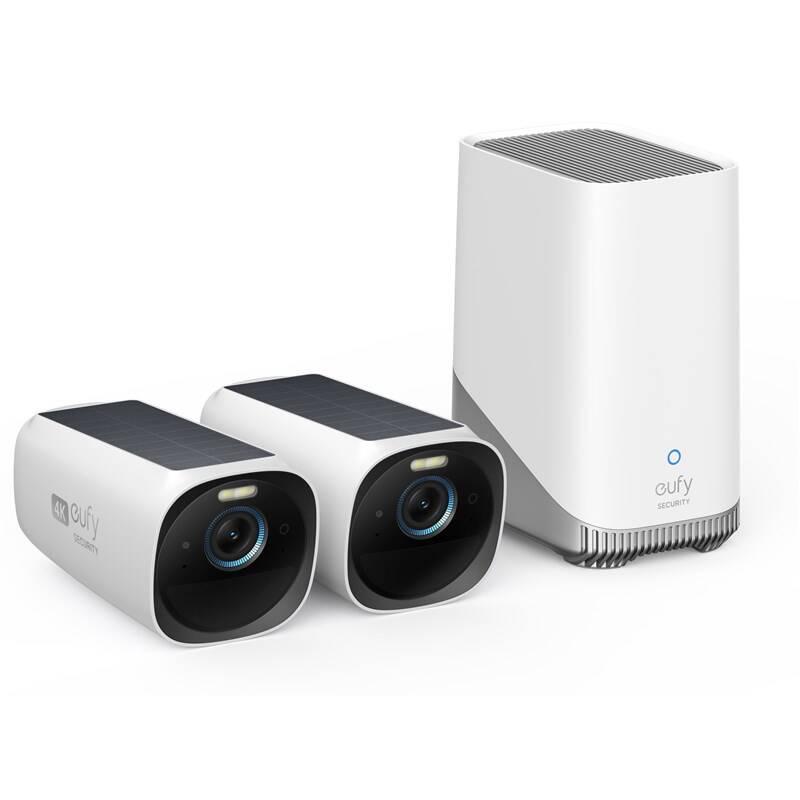
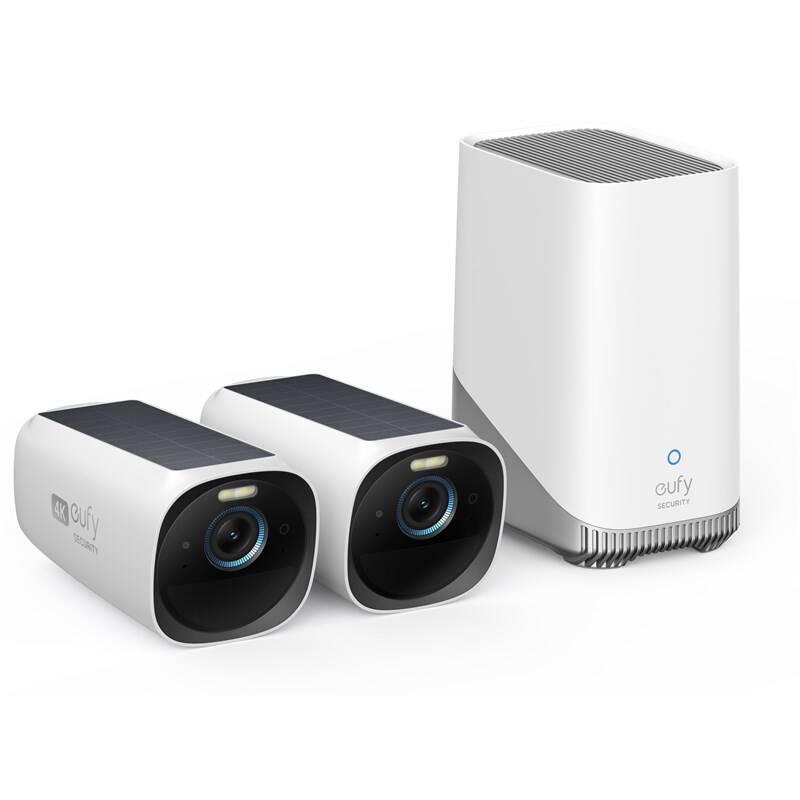
We’re bringing you an exclusive review of 4K cameras eufyCam S330. It’s a set of two wireless cameras with solar panels, including the central HomeBase unit, with the option to connect a fixed drive.
In the review, besides image quality, we’ll also look at the interesting smart AI features that the camera offers. We won’t forget endurance, the solar panel usage, or the reliability of motion alerts in front of the camera.
Where to buy eufyCam S330?
You can buy the eufyCam S330 security camera set directly from the manufacturer from the official eufy.com website. The package will be shipped from a European warehouse, so you’ll avoid any customs duty charges. Don’t forget to use our coupon to get the discount.
eufyCam S330 + 1TB disk

TIPExpress delivery from a European warehouse without customs duty and VAT.
This product will be delivered to you express from a local warehouse in Europe. Delivery from EU warehouses usually takes 2–10 days and is handled by a courier. When delivered, you don’t pay any extra fees—no customs duty or VAT.
TIPExpress delivery from a European warehouse without customs duty and VAT.
This product will be delivered to you express from a local warehouse in Europe. Delivery from EU warehouses usually takes 2–10 days and is handled by a courier. When delivered, you don’t pay any extra fees—no customs duty or VAT.
TIPExpress delivery from a European warehouse without customs duty and VAT.
This product will be delivered to you express from a local warehouse in Europe. Delivery from EU warehouses usually takes 2–10 days and is handled by a courier. When delivered, you don’t pay any extra fees—no customs duty or VAT.
Technical specifications
| Model | S330 eufyCam | |
|---|---|---|
| Dimensions | camera: 6.5 x 12.9 x 6.5 cm / HomeBase: 7.8 x 10.9 x 14.4 cm | |
| Weight | camera: 420 g / HomeBase: 656 g | |
| Water resistance | IP67 | |
| Resolution | 4K (3840 x 2160 px) | |
| Viewing angle | 135° | |
| Night vision | infrared and color with built-in spotlight | |
| Battery | 13 000 mAh | |
| Runtime on a single charge | 365 days + unlimited endurance thanks to the solar panel | |
| Alarm | 100 dB | |
| Connectivity | 802.11 b/g/n 2.4GHz Wi-Fi | |
| Two-way audio | yes | |
| AI functions | person recognition with self-learning algorithm; detection of people and vehicles | |
| Voice control | Alexa and Google Voice Assistant | |
| HomeBase memory capacity | 16 GB with the option to expand with HDD/SSD (max 16 TB) |
Great packaging
The eufyCam S330 security camera set is delivered in a cube-shaped box made of solid cardboard that’s sturdy and thick enough to protect the cameras during shipping.

Inside, both cameras together with the HomeBase central unit are placed in a molded plastic insert, where they hold firmly in their spots. There’s also a compartment at the bottom for accessories, which are quite extensive.

We’ve got mounts for cameras with a swivel joint, a power cable for the HomeBase including an adapter and a pair of end connectors, an Ethernet cable, a pin for resetting, wall plugs with screws for mounting the cameras, and the user manual.

How the HomeBase central unit works and how to connect it
As we hinted in the introduction, the camera set consists of two wireless cameras and a central HomeBase unit 3. The cameras communicate with the central unit over a wireless connection (WiFi), which includes internal storage where the videos are saved.

The first step is to connect the HomeBase unit. We plugged it into the power supply and connected it to our local router using an Ethernet cable. Next came pairing with the smartphone using the eufy Security app, which we also tested earlier with the eufy Video Doorbell 2K.

The app requires registration and signing in, after which you can add devices to your virtual home. In the device list, just search for S380 HomeBase and follow the steps that the app will guide you through. It also includes illustrations for the correct setup and the pairing process, with descriptions in English.


In short, during pairing we only scanned the QR code from the bottom of the HomeBase, pressed the Sync button on its back, and everything else happened automatically.
In the end, we could name the device with our own label, and the app guided us through a face recognition feature, along with the option to enable it. We’ll talk about this feature later. Firmware updating to the latest version was also included.

Adding cameras to the eufy Security app
Adding the cameras to the app works in the same way. In the device list, we searched for the S330 eufyCam camera, and again, clear illustrations guided us through the whole process with descriptions.


For the initial pairing, you need to keep the camera close to the HomeBase, within a one-meter range. From our side, the only interaction required was pressing the Sync button on the back of the camera.


We added the camera to a room in our virtual home, and the app also walked us through charging options, along with useful tips for installation and choosing the right spot to place the camera.


Finally, we could test the signal quality at the location where we planned to mount the cameras, and then we started attaching the stands. The camera is simply screwed onto the stand using its threaded connection, where we can still adjust it thanks to the joint.

Image quality and night mode
The eufyCam S330 cameras offer 4K resolution 3840 x 2160 px with a viewing angle of 135° and a low f/1.4 aperture. The image quality is really excellent, and thanks to the high resolution we can zoom in without any problems up to 8-times.

At 8-times zoom, the image quality is significantly degraded and you probably wouldn’t recognize a person by their face, but 2- to 3-times zoom is still quite usable.

You can adjust the quality of the streamed video in the app. In general, the higher the quality, the more data is used. There’s also an automatic mode that adapts to the quality of your internet connection. Recorded videos can be in 4K, 2K or 1080p resolution.
As for night mode, you have both a standard black-and-white image using infrared LEDs, or a color image. The color image is created using white light from the LED LEDs.
The night mode image quality is also very good, although with the LED light turned on, some noise is noticeable. Personally, we prefer the classic black-and-white night mode. We also have to highlight the sufficient illumination from the infrared LEDs, which means visibility remains good even in rooms further away from the camera.
Motion detection and notifications
A must-have for security cameras is motion detection in the camera’s field of view using a PIR sensor, followed by sending a push notification to your smartphone via the app.

Since we have a set of two cameras, after motion is detected the app displays notifications in the format “Camera name: Text”. So right from the notification, it’s clear which camera recorded the motion.


After opening the notification, it plays a short video showing the movement that the camera captured. The video length varies depending on the selected working mode. You can choose from 3 modes, including:
- Optimal Battery Life – the video length is up to 20 seconds. The system automatically adjusts the detection time to prevent unnecessary notifications where the same object is captured multiple times in quick succession
- Optimal Surveillance – the video length is up to 60 seconds, and the system records every event
- Customize Recording – you can set your own video length (5 – 120 seconds) and the minimum interval between individual events (5 – 60 seconds)
You can find these modes in the power settings (Power Manager), because they affect battery life per charge.
Safety modes
In addition to the modes mentioned, the app also includes security modes that define the alarm delay, exit delay, video recording, notifications, camera alarm, HomeBase alarm, and a light alarm.

The alarm delay defines the time interval after which the alarm will trigger (if enabled) when motion is detected. You can choose from 0, 15, 30, 45, 60, 180, and 300 seconds.
The exit delay gives you time to leave the house while you’re passing through the camera’s field of view. During this interval, all events are ignored so you can exit without getting unnecessary notifications about your own departure.


Next, for each camera separately, you choose whether you want to record videos when motion is detected, receive notifications, trigger the camera alarm and the HomeBase central unit, and whether you also want to use the light alarm.


There are two main modes available – Home and Away. In both modes, the alarm delay and exit delay are set to 0 seconds, and video recording is enabled along with notifications. In Away mode, the camera alarm is also turned on. The other options mentioned above are inactive, but if you want to use them, simply enable them in the mode settings.

Another option is the Disarmed mode, which disables all devices. Geofencing activates one of the previously mentioned modes (Home, Away, or Disarmed) based on your smartphone’s GPS, when you move outside the radius selected on the map. So if you leave the house, you don’t have to worry about anything and the selected mode activates automatically.

We can also schedule the Home and Away modes for specific times and days of the week. The last option is to create your own custom mode.
BionicMind AI and facial recognition
Another interesting feature is AI support called BionicMind, which is self-learning and is mainly used to recognize the faces of people the camera captures. The manufacturer claims accuracy of up to 99.99 %.

The system can distinguish between known people and strangers, allowing it to filter notifications, for example from household members. That way, you get rid of unnecessary notifications that you don’t need to know about.
Real-world experience with people identification
That’s enough theory—let’s now see how it works in practice. HomeBase can indeed recognize faces, which it then saves as unknown faces. In the AI settings, you can mark selected people as known and add their name. You can also add known people manually—just take a photo or upload their picture.


If a known person appears in front of the camera, you’ll see their name directly in the notification, and also a photo in the preview if notifications with preview are enabled. However, it’s worth saying that this recognition works most reliably at a distance of 2 – 4 meters from the camera with a maximum horizontal angle of 40° and a vertical angle of 30°, which the app also states. Person recognition in general (without identification) works at a distance of 2 – 8 meters.


Face recognition is actually quite reliable, but only at distances of up to about 4 – 5 meters from the camera, and logically only at angles where the camera has a chance to capture most of the face. Don’t expect miracles, but sometimes it surprises you—it can recognize a person even from the side, or at a greater distance. At the same time, we have to admit that person recognition works better after a while, when the system learns our face and body from different angles and distances.
Notification filtering and animal and vehicle detection
Among the beta (testing) functions, we also find animal or vehicle recognition. These features are also labeled as Beta in the app, so they’re not yet in their final version. That’s how you should approach them, since they truly don’t work 100%.


Our dog camera could identify almost every time, but with cars it was already worse. The camera recognized our car only when we were driving slowly. In the notification, we were immediately informed that the camera had detected the car. When we had the window down, the system could recognize us inside the car as well.


For us, the most interesting feature is the ability to ignore alerts where known faces from our household circle are detected. In the HomeBase settings, we can choose which people we want to ignore, but unfortunately this option doesn’t work properly. We still received notifications that someone had been spotted, but without the person’s name.

We also informed the eufy support about this issue, and they explained the problem by saying that the system is currently focused on quickly sending notifications, while person identification happens only afterward. eufy engineers should keep improving this feature, so all we can do is hope they fine-tune it to our satisfaction with a firmware update.

Reliability of notifications and how they’re displayed
As we already mentioned in the previous chapters, the app shows so-called push notifications about motion, changes in settings, or when an alarm is triggered. Notifications can display only text, or they can also include a preview with a photo of the person captured. Text notifications are the fastest and usually appear within 2 seconds of motion detection.


With notifications that include a preview, you can sometimes notice a small delay compared to the text ones, but it isn’t a big delay. The app can also show a quick text notification, followed by another one that adds the photo. This makes for an ideal combination: you’re informed right away and you don’t miss the photo preview.
Notifications are shown in the form “Camera name: Text”, e.g. “Entrance: Someone has been spotted.” Such a notification appears if a person passes in front of the camera and the system doesn’t capture their face. If it manages to capture the person’s face, the word “Someone” is replaced with “Stranger”, which means a stranger—or the person’s name, if it’s a familiar face.
Solar panels and battery life on a single charge
Both cameras come with a 13 000 mAh battery and a small solar panel sized 11 x 4 cm. According to the manufacturer, the battery alone should be enough for year-round use, but personally we don’t think that’s very realistic in our conditions.

What’s great is that the energy gained from the solar panel is used to recharge the battery, which theoretically means you could achieve essentially endless battery life, with absolutely no need to recharge the camera. According to the manufacturer, 2 hours of direct sunlight every day is enough so you don’t have to charge the battery at all.

In reality, it could work in summer, but currently in winter—when we test the cameras—the sun is low and it only shines for a short time during the day, if at all. Also, sometimes it’s difficult to place the camera so that the solar panel on top is angled toward the sun while at the same time monitoring the area we want.
The integrated solar panel is an interesting idea, but a more practical solution is an external solar panel that we can mount wherever we want, without affecting the camera’s placement.

We used the camera in November, when sunny rays are more of a wish than reality, so the solar panels didn’t help us much. Still, we did record a few sunny days when the battery capacity actually didn’t drop at all thanks to the solar panel. Solar power topped up to a maximum of 158 mAh during sunny days, while on cloudy days it was only 0 – 2 mAh.


We had both cameras in fairly busy spots right in front of the house entrance, where we received dozens of notifications every day. On top of that, we tested various features intensively. With this kind of use, about 1 – 2% of the battery was used per day on cloudy days.
Disk and backup
One of the biggest advantages of the eufyCam S330 security camera set is the built-in storage in the HomeBase 3 central unit. It has a capacity of 16 GB and also offers memory expansion by up to 16 TB.

With that much capacity, you’d be set for the rest of your life. An external drive (2.5″) simply screws into the plastic case and goes into the HomeBase.

Perhaps the biggest benefit is the absence of any cloud fees, but especially the security, since videos are never uploaded anywhere or sent out. They remain stored locally at your home.
You’ve probably noticed that on the back of the HomeBase there are also USB ports. What are they for? You can use them to back up videos if the memory ever fills up and you don’t want to lose your older videos.
Two-way audio transfer
Two-way audio, which can be used for normal conversation similar to a phone call, isn’t new. With the eufyCam S330 cameras, however, audio transmission works exceptionally well. The camera speaker is loud, and the microphone works very well.

With a strong WiFi signal, communication through the cameras is absolutely problem-free. If the signal is weaker, the quality is still fairly good, but you should expect a delay of a few seconds.
eufyCam S330: Final assessment
The eufyCam S330 wireless security camera set consists of two cameras with solar panels and the HomeBase 3 central unit. You’ll be pleased with high video image quality with 4K resolution and true-to-life color reproduction, a 13 000 mAh battery, a well-thought-out app with lots of settings, and AI features for recognizing vehicles, animals, and especially people’s faces.

The system can recognize your acquaintances, and immediately lets you know via push notifications. You’ll also like the high battery capacity with charging thanks to the solar panels as well, so you can completely stop charging the cameras. Last but not least, there’s the HomeBase base with built-in storage and the option to expand local memory by up to 16 TB.
Our drawbacks include the high price and a fixed camera design with no way to rotate them, but especially the not-best implementation of the feature that ignores notifications from known people.
Don’t miss the best coupons 📩
Subscribe and we’ll email you new coupons before they expire. We only send it once a month — no spam.


