


Verdict: TicWatch Pro 5
Our editorial rating is based on product testing.
- elegant design and quality build
- two displays — AMOLED and power-saving FSTN panel
- Wear OS operating system
- NFC for watch payments
- reply to messages directly from the watch and support for Bluetooth calls
- replying to messages from the watch doesn’t work for Messenger
- weaker maximum speaker volume
- battery life on a single charge is up to 2–3 days
We tested the very interesting TicWatch Pro 5 smartwatches, which will impress not only with their elegant design but also with excellent battery life thanks to the second, ultra-efficient display.
In the review, besides battery life on a single charge, we’ll also look at build quality, the WearOS operating system, and get familiar with the individual features and how to control the watch.
Where to buy TicWatch Pro 5?
Smartwatch TicWatch Pro 5 is already available in Mobvoi’s official store, as well as on the AliExpress marketplace. In both cases, it’s stored in an EU warehouse and shipping is completely free. Delivery will, of course, be without customs fees and will take up to one working week.
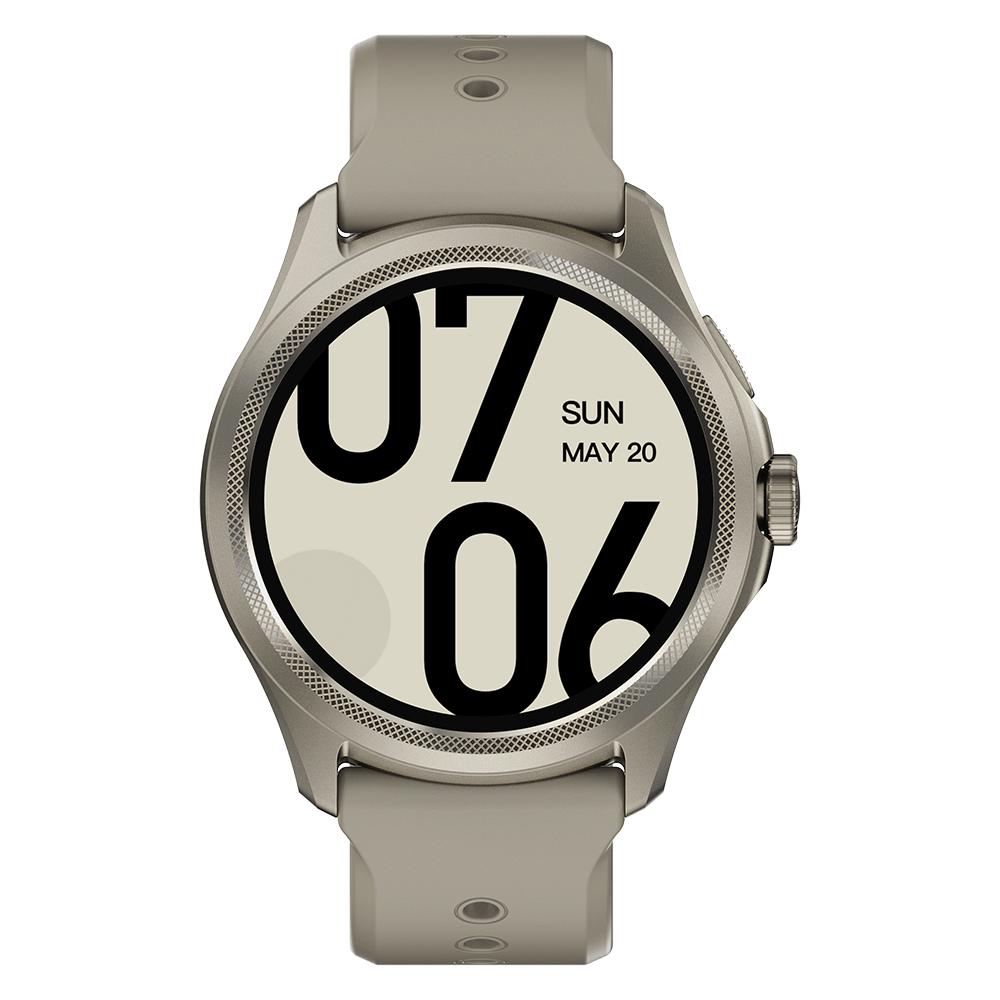
Right now, it’s the cheapest on the seller’s official website, where you’ll also find our exclusive grey color variant called Sandstone.
TicWatch Pro 5

TIP15-day delivery via Aliexpress Standard Shipping
For this product, Aliexpress Standard Shipping is available with guaranteed delivery within 15 days. It’s the most reliable delivery method and, in most cases, it’s handled by a courier company. The 15-day delivery is something we actually tested.
When you order from a Chinese warehouse, AliExpress adds a customs duty charge of approximately 3,70 € per order to your cart. When you receive the shipment, you won’t have to pay anything extra.
TIP15-day delivery via Aliexpress Standard Shipping
For this product, Aliexpress Standard Shipping is available with guaranteed delivery within 15 days. It’s the most reliable delivery method and, in most cases, it’s handled by a courier company. The 15-day delivery is something we actually tested.
When you order from a Chinese warehouse, AliExpress adds a customs duty charge of approximately 3,70 € per order to your cart. When you receive the shipment, you won’t have to pay anything extra.
Technical specifications
| Model | TicWatch Pro 5 |
|---|---|
| Dimensions | 50.1 x 48 x 12.2 mm |
| Weight | 44.3 g |
| Material | aluminum series 7000 and nylon |
| Protective glass | Corning Gorilla Glass |
| Strap | 24 mm silicone |
| Operating system | Wear OS 3 |
| Processor | Snapdragon W5+ Gen 1 |
| Memory | 2 GM RAM and 32 GB ROM |
| Display | 1.43" with resolution 466 x 466 px |
| pixel density 326 ppi | |
| AMOLED + Ultra-power-saving FSTN display | |
| Connectivity | Bluetooth 5.2 / Wi-Fi 2.4 Ghz |
| GNSS | GPS + Beidou + Glonass + Galileo + QZSS |
| NFC | yes |
| Speaker | yes 1 W |
| Microphone | yes |
| Barometer | yes |
| Sensors | accelerometer; gyroscope; HD PPG heart rate sensor; SpO2 sensor; temperature sensor; barometer; compass |
| Battery | 628 mAh |
| Water resistance | 5 ATM |
| App | Mobvoi Health |
Packaging contents & quality
The TicWatch Pro 5 watch arrived by courier in a white envelope reinforced with bubble wrap. Inside, you’ll find the watches in an oblong box measuring 29 x 7 x 4 cm.

Inside the box you’ll only find the watch in molded cardboard, a magnetic charging cable, and a user manual. It’s clear and easy to follow, with illustrations and even in Czech.

Design and build quality
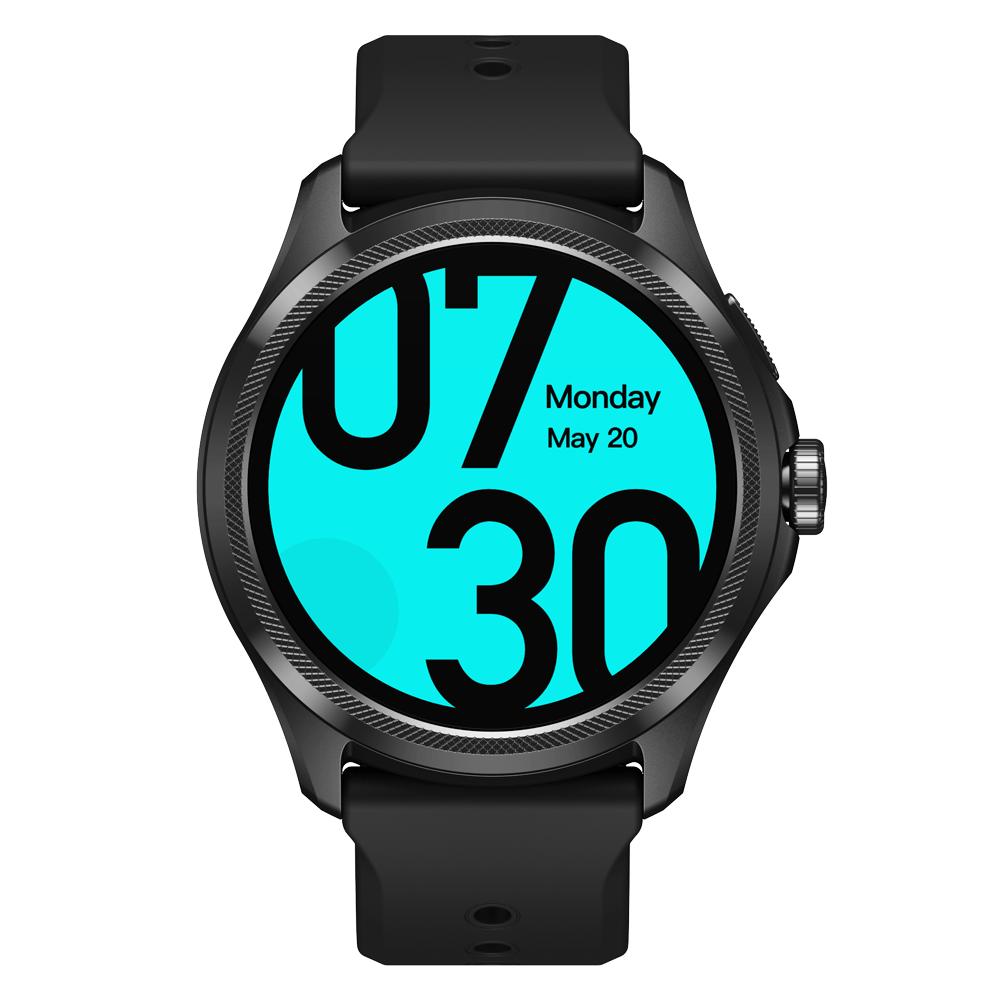
You can buy the TicWatch Pro 5 smart watch from Mobvoi in two color variants. There’s a black option called Obsidian, or a beige one—what we have too—called Sandstone.

The watches stick to the classic round design with a silicone strap that’s 24 mm wide. In our color variant, the look is more elegant and will probably appeal more to ladies.

The watch frame is made of aluminum, marked 7000, and overall it gives a very premium impression. On the left side, you’ll find a speaker grille, while on the right side there are 2 buttons and a microphone.

The larger button also acts as a rotating crown, used for example to navigate through menus. The bottom side is traditionally where you’ll find sensors for measuring various body parameters and the charging magnetic port.
First power-on and pairing with the app
When you turn it on for the first time, you’re greeted with the brand and Wear OS operating system logo. Next comes language selection, where you can also choose Slovak. After that, the watch display shows instructions to download the Mobvoi Health app, which you’ll need for these watches.

Pairing the watch with the app involves confirming a numeric code and linking your Google account to the watch. After that, the watch will guide you through its operation, where you’ll learn the basic gestures and button functions.

System and basic controls
Since this is a truly smart watch with the Google Wear OS operating system—unlike many other watches that use their own closed system—you’ll find plenty of options for how to use it.

The pre-set watch faces show a lot of data, such as battery capacity, a compass, step count, air pressure, heart rate, and the current date and time. By swiping down, you’ll get to the quick settings—there are quite a few. We’ll look at them in more detail later.
You’ll get back by swiping to the right from the left edge. Recently used apps appear when you press the top button. By double-pressing this button, you switch straight to the last opened app.

Holding the top button brings up a menu for powering off or restarting, despite the rotating crown having a red outline, which is a bit confusing.

Pressing the crown takes you to the main menu, and rotating it is used to move between the individual apps. There are quite a lot of them right from the start, specifically:
| Alarm clock | Calculator | Timer | Hand-washing timer | Esseantial mode |
| Flashlight | Contacts | Maps | Mobvoi Privacy | Mobvoi Treadmill |
| Find my phone | Settings | Play Store | One-tap measurement | Media controls |
| Wallet | Weather | Schedule | Spotify | Messages |
| Stopwatch | Phone | TicBarometer | TicBreathe | TicCare |
| TicCompas | TicExercise | TicOxygen | TicPulse | TicSleep |
| TicZen | TicHealth | YouTube Musiv |
As you can see, the Slovak translation isn’t perfect and not everything has been translated into Slovak. Some names and descriptions are only in English.
Two displays
Just like with the previous version, the TicWatch Pro 5 also has a pair of displays. Both are 1.43″, but while the lower one is an AMOLED display with a resolution of 466 x 466 px, on top there’s an ultra power-saving FSTN panel that shows only the basic information in a power-friendly way.

This display provides the so-called always-on function, but with backlighting that can have different colors and activates when you rotate your wrist. So if you just want to check what time it is, the AMOLED display won’t turn on—only the FSTN panel will, which saves battery.

Among the backlight colors of the top display, you’ll find white, various shades of green, yellow, blue, and even pink, red, or purple. If you don’t like this display, you can also use the AMOLED display for the always-on function, but that will result in higher battery consumption.
Performance, connectivity, and watch payments
The TicWatch Pro 5 also impresses when it comes to performance. Inside, it has a Snapdragon W5+ Gen 1 processor, which is up to 4100 % stronger and 50 x faster compared to the Snapdragon 2+.

The processor is paired with 2 GB of RAM and 32 GB of storage. As for connectivity, there’s no shortage of popular NFC, so you can pay seamlessly with the watch.
There’s the Google Wallet app available, where you can simply add your card the same way as on a smartphone. Unfortunately, for us it failed for unknown reasons the first time. During card addition to the watch, we always ended up with some sort of error message. The next day, however, everything worked fine, so it’s hard to say what the problem was.

For payments, you need to use a screen lock in the form of a PIN or a pattern. We chose a pattern, which the watch asks for several times a day. If you’re paying with the watch, you just select the Google Wallet app, open it, and then choose the card that appears on the display.

On top of that, you get positioning systems like GPS, Beidou, Glonass, Galileo, and QZSS. There’s also 2,4 GHz WiFi and Bluetooth 5.2.
Mobvoi Health app and settings
The Mobvoi Health smartphone app shows a sort of summary of the current day on the home screen in individual tiles. Here you can see, for example, step count, activity, sleep, heart rate, SpO2, stress, VO2Max—these tiles can be easily removed or added to the home screen.


When you tap each one, you’ll see more detailed information, statistics, and graphical views of the measured values.
In the Device tab, you’ll find the watch settings. Here you can customize the watch face design, quick-access tiles from the watch, active screen time, app notifications, and a few other options.


More detailed settings are available only directly on the watch. This includes, for example, WiFi and Bluetooth connection, always-on display, wake-up by tilt, brightness, screen timeout, or font size.

There are quite a lot of settings, and you can also customize individual watch faces—choose from several pieces of information that you want to display. Other downloadable watch faces are also available in the app, and there are truly many.
App notifications and reply options
App notifications on your smartphone or watch are enabled by default. If there are some you don’t want to receive, you can simply turn them off in the device settings inside the Mobvoi Health app.

And what about the reliability of notifications display? Very solid. Rarely did it happen to us that we didn’t receive notifications, or that we received them late. Generally, they came through reliably, with a few exceptions. So the reliability isn’t 100%, but it’s at a very good level.
Notifications show emojis, diacritics, and even images, which is quite unusual. However, photo display doesn’t work with all apps. For example, Messenger will only send a notification that someone is sending you a photo, but if someone sends it to you on Viber or via email, it will also show on the watch display.

A great feature is the ability to reply to messages. On the watch screen, you get a standard, reduced-size keyboard. It’s not always the easiest to use—especially if you have big fingers—but it’s still a great option. With this feature, Messenger (and sometimes even Gmail) can have issues again, but it works perfectly fine with SMS and Viber.
Bluetooth calls
One of the best features on the TicWatch Pro 5 is Bluetooth calling. When someone calls, you can see the caller’s name on the watch display, and also a photo if you have it saved in your contacts—plus two buttons – to accept or cancel the call. Occasionally, though, we found that only the caller’s number appeared, even though the contact was saved in the list.

When you take the call via the watch, the speaker and microphone in the watch activate, so you can talk hands-free. The only downside we have with calls like this is that the volume is a bit lower. Even at maximum volume, you might have trouble hearing the person on the other end—especially in a noisy environment.
Google Play Store and apps
As we mentioned earlier, thanks to the Wear OS operating system, the watch offers broad customization options and you can install new apps. Unlike regular watches—for example, from Amazfit, where the app selection is limited—you can install apps here much like on a smartphone.

In the watch menu, you’ll find the Play Store, with several apps available. Here you can find various apps for tracking sports activity, taking notes, playing music, or viewing a calendar. You can also find all these apps in the web version here.
Monitoring vital functions
Naturally, there are also apps for monitoring vital functions like heart rate, SpO2 and stress level. For pulse measurement, the TicPulse app is used. The watches can measure your heart rate continuously, and the recorded values are saved in a graph.

You also get additional data like minimum and maximum values, plus an evaluation of the measured readings. A particularly interesting feature is heart health monitoring. The watch can record abnormalities such as tachycardia, bradycardia, irregular heartbeats, or atrial fibrillation.


Sleep tracking is also included in the menu, along with the individual sleep phases, which is standard.
Tracking sports activity
The preinstalled TicExercise app is used to track sports activity, and it includes several basic sports. Specifically, it covers running, walking, and cycling.

Other sports are listed under the “More” button, where all sports are sorted alphabetically. There are about a hundred of them here, so you can be sure everyone will find the one they like.
You can find the history of tracked activities in the Mobvoi Health app on your smartphone under the Exercises tab, where activities are displayed clearly by week, month, or in a calendar.


For example, during outdoor walking it records total time, average heart rate, calories, distance, average speed, step count, and VO2Max. There’s also a graph of heart rate, speed, step frequency, or even a visual representation of stride length. There’s no shortage of a route map either. As for the GPS signal, the watch acquired location at the beginning of the activity within a few seconds.
If you don’t like the TicExercise app, you can also install another one from the Play Store—for example, Strava.
Runtime and charging
The TicWatch Pro 5 comes with a 628 mAh battery with an official claimed battery life of up to 80 hours. You should be able to achieve this using the ultra-efficient display and the so-called Essientials mode. It uses the second display and activates automatically if the watch hasn’t been worn on your wrist for longer than 30 minutes, or during sleep.

During our testing, we actually had to charge the watch every other day. With less frequent use, we managed to reach 2 and a half days at most. We used the second display mentioned above, notifications from all apps, continuous heart-rate monitoring, Bluetooth calls, and NFC payments. Activity tracking was turned on only occasionally.
Charging from fully depleted takes about one hour using a magnetic charging adapter via USB.
TicWatch Pro 5: Final review
TicWatch Pro 5 smartwatches are among the best smartwatches from China that you can order. They’ll impress you with quality workmanship, an elegant design, but also their technologies. We’ve got a pair of displays – a classic AMOLED with a second, energy-saving FSTN panel on top of it.

There’s also NFC for payments with the watch, GPS for tracking the route of your sports activity, and a huge plus is mainly the Wear OS operating system, which opens up possibilities for installing many apps.
We also liked the option to reply to messages directly from the watch and Bluetooth calls, although the speaker volume could be higher. The biggest downside of such a watch is probably the weaker battery life, where you should roughly expect two to three days per charge.
Don’t miss the best coupons 📩
Subscribe and we’ll email you new coupons before they expire. We only send it once a month — no spam.


