A planet full of gadgets from China · a database of the best coupons
Product comparisons

TOP 6 cheap gadgets from China #120

15. October 2022 3 min read 0 comments

With another weekend, we have another installment of the TOP 6 cheap gadgets from China that you liked so much—and at the same time, it’s already the one hundred and twentieth continuation today. We picked another six interesting items from international sellers at great prices.

To catch the latest installment of the TOP 6 cheap gadgets from China every time, give us a like on Facebook, subscribe to our newsletter, or turn on notifications. Here we always share our articles.

1. Asometech 8-Port charger

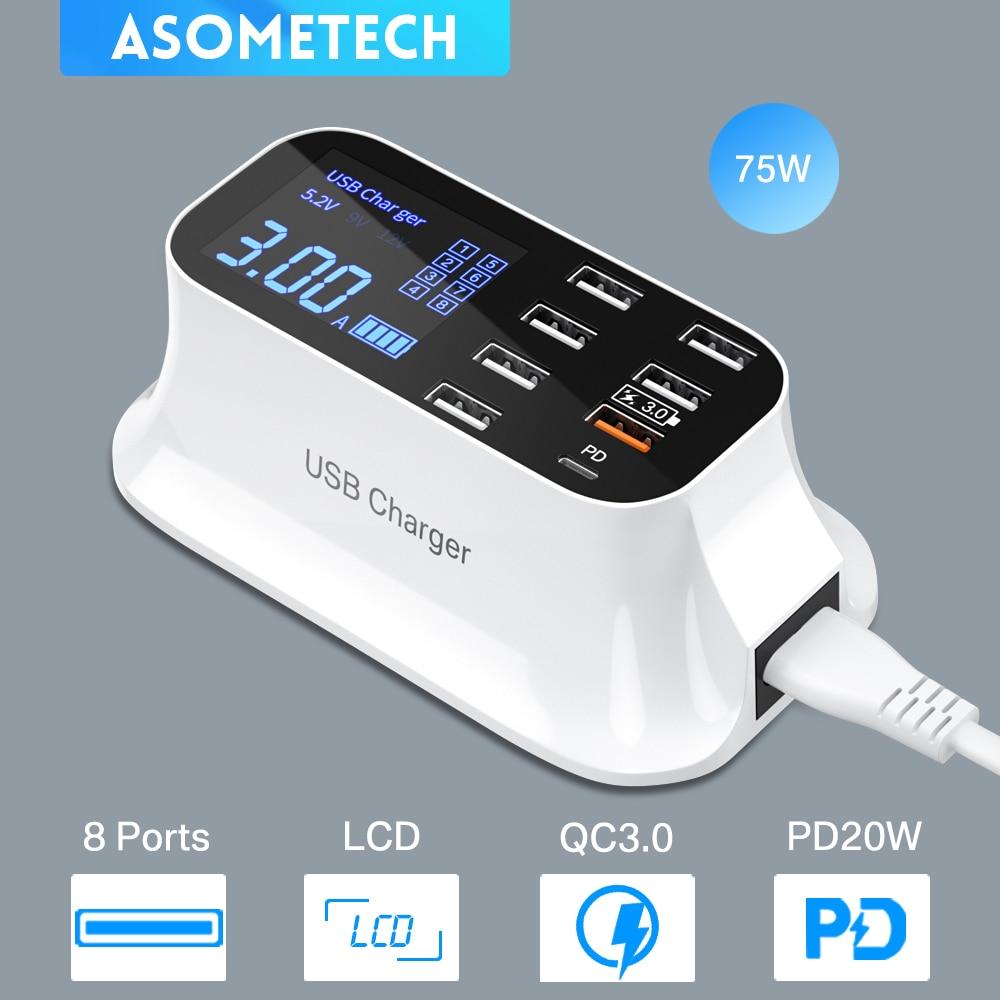
The first product in today’s selection of cheap gadgets is this charger with eight ports from the Chinese brand Asometech. It delivers power up to 40 W and a local mains plug (EU Plug, 220 – 240 V / 50 – 60 Hz).

ChinaPlanet deal

Asometech 8-Port charger

Asometech 8-Port charger
Asometech 8-Port nabíjačka
Aliexpress Shipping
45,42 €You save 15,13 €
30,29 €
No coupon
Are you shopping on AliExpress for the first time? See the guide!
Updated 15. 10. 2022 at 16:21
TIPShipping via Aliexpress Standard Shipping

For this product, Aliexpress Standard Shipping or AliExpress Saver Shipping is available. This is the most reliable way to deliver from Chinese warehouses. Delivery can take 15 days to 1 months.

When you order from a Chinese warehouse, AliExpress adds a customs duty charge of approximately 3,70 € per order to your cart. When you receive the shipment, you won’t have to pay anything extra.

Track this product’s price

As soon as we post a new coupon, we’ll send you an email. You can unsubscribe from tracking anytime.

Are you shopping on AliExpress for the first time?

The process is via the AliExpress mobile app, where most people shop. There are two key things: don’t use Buy now and enter the coupon only in the order summary, in the field Promo code. After you click Pay now, you won’t be able to add it.

  1. Copy the code and click Use discountIn our article, copy the coupon and click the button GET DISCOUNT. The link will take you directly to the product in the AliExpress app.
  2. Use Add to cart instead of Buy nowOn the product card, scroll down and tap Add to cart. Don’t use the Buy now button—you’ll skip the cart, and later you won’t have anywhere to enter the coupon. Before that, double-check the variant: the color, the version, and whether it ships from an EU warehouse.
  3. Through the cart, go to CheckoutA pop-up will appear: Added to cart! — tap Check it out in it. If it disappeared, open the cart with the icon at the bottom right. In the cart, check the product and quantity, then click the red Checkout. Only the items marked with the red ring will be applied.
  4. Enter your address and card, then look for Promo codeIn the order summary, first fill in the delivery address and payment card at the top. Below them there’s a line Promo code — expand it with the arrow on the right.
    Riadok Promo code v zhrnutí objednávky v aplikácii AliExpress
    Look for this line under the address and payment method.
  5. Paste the code and confirm ApplyIn the field Promo code paste the copied code and click the black Apply. The code is case-sensitive and must not contain spaces.
    Políčko Promo code s kódom a tlačidlom Apply v aplikácii AliExpress
    Paste the code into the field and confirm with the Apply button.
  6. Check the savings and payIn the Summary expand the line Saved — you’ll see the applied coupon there as AliExpress coupons/codes. Only when Total is really lower, click Pay now.
    Riadok Saved s uplatneným kupónom a znížený Total v aplikácii AliExpress
    The applied coupon will appear in the Saved line and will reduce the Total.
Apply the discount already at the order summary. After you click Pay now, you can no longer add a coupon. If Apply shows an error, the code has either expired, doesn’t apply to your items, or the order doesn’t meet the minimum amount.
The Store Coupon also goes in the same field. — a coupon from the seller itself, which isn’t always available and changes from day to day. AliExpress coupons can’t be combined, so try both and go with the one that gives you more. Coins are added automatically.

2. Extremely cheap Kodak USB 2.0 key (fast Aliexpress shipping)

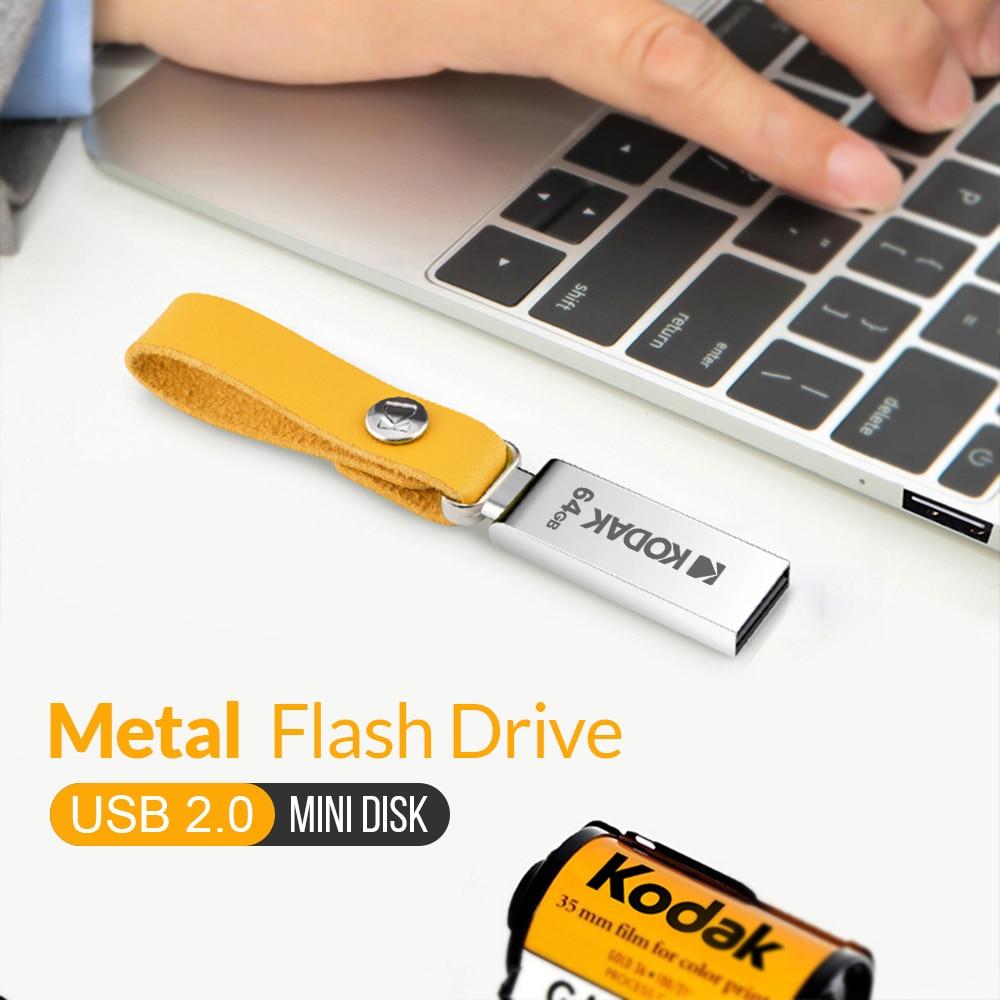
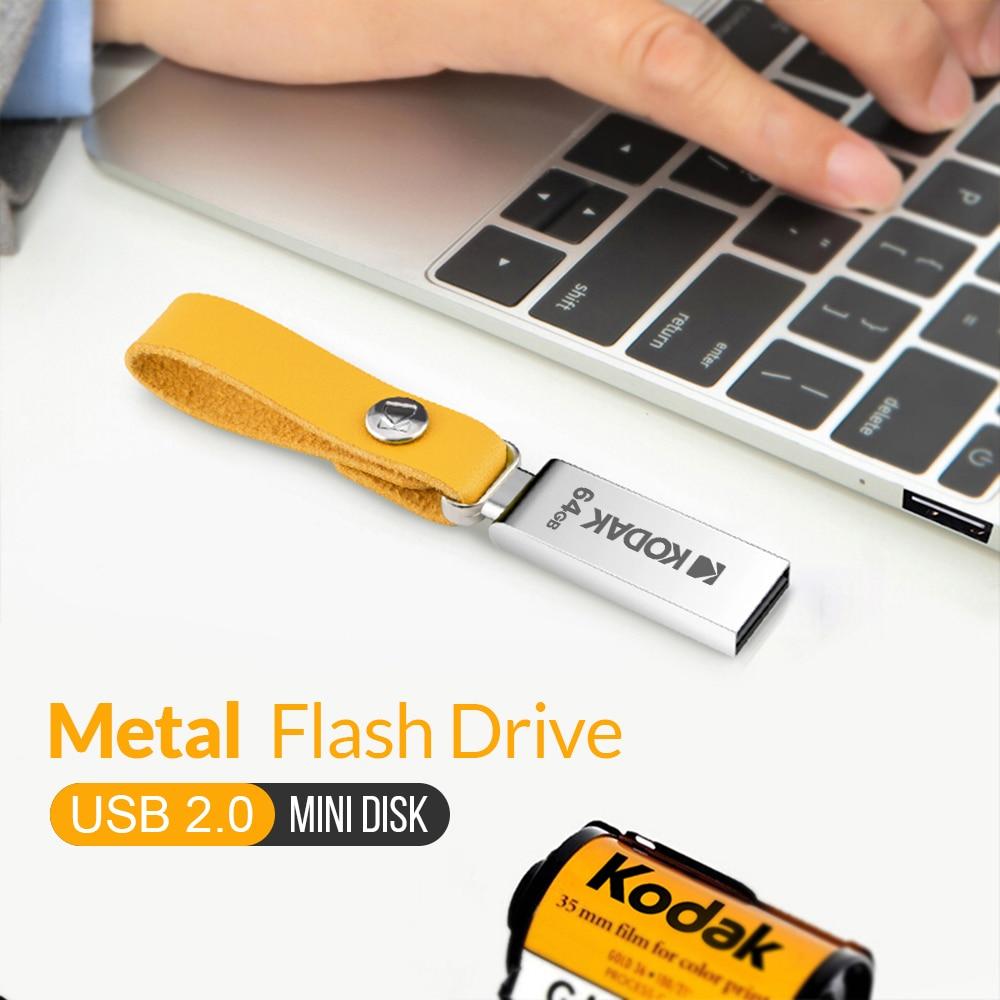
Also, the lineup of affordable products wouldn’t be complete without this extremely cheap USB 2.0 key from the popular Kodak brand. It features a metal body and speeds of 8 MB/s (write) and 30 MB/s (read) for the 32 GB version. The 64 GB version is even faster: 10 MB/s (write) and up to 35 MB/s (read).

The seller also offers special fast shipping from Aliexpress—within 15 days—when you place an order worth more than 10 €.

ChinaPlanet deal

Kodak USB 2.0 key

Kodak USB 2.0 kľúč
10,97 €You save 5,48 €
5,49 €
No coupon
Are you shopping on AliExpress for the first time? See the guide!
Updated 15. 10. 2022 at 16:22
TIPShipping is completely free.

Free shipping is available for this product. However, this is the slowest delivery method, and the item may take 20 days to 1 month(s) to arrive.

When you order from a Chinese warehouse, AliExpress adds a customs duty charge of approximately 3,70 € per order to your cart. When you receive the shipment, you won’t have to pay anything extra.

Track this product’s price

As soon as we post a new coupon, we’ll send you an email. You can unsubscribe from tracking anytime.

Are you shopping on AliExpress for the first time?

The process is via the AliExpress mobile app, where most people shop. There are two key things: don’t use Buy now and enter the coupon only in the order summary, in the field Promo code. After you click Pay now, you won’t be able to add it.

  1. Copy the code and click Use discountIn our article, copy the coupon and click the button GET DISCOUNT. The link will take you directly to the product in the AliExpress app.
  2. Use Add to cart instead of Buy nowOn the product card, scroll down and tap Add to cart. Don’t use the Buy now button—you’ll skip the cart, and later you won’t have anywhere to enter the coupon. Before that, double-check the variant: the color, the version, and whether it ships from an EU warehouse.
  3. Through the cart, go to CheckoutA pop-up will appear: Added to cart! — tap Check it out in it. If it disappeared, open the cart with the icon at the bottom right. In the cart, check the product and quantity, then click the red Checkout. Only the items marked with the red ring will be applied.
  4. Enter your address and card, then look for Promo codeIn the order summary, first fill in the delivery address and payment card at the top. Below them there’s a line Promo code — expand it with the arrow on the right.
    Riadok Promo code v zhrnutí objednávky v aplikácii AliExpress
    Look for this line under the address and payment method.
  5. Paste the code and confirm ApplyIn the field Promo code paste the copied code and click the black Apply. The code is case-sensitive and must not contain spaces.
    Políčko Promo code s kódom a tlačidlom Apply v aplikácii AliExpress
    Paste the code into the field and confirm with the Apply button.
  6. Check the savings and payIn the Summary expand the line Saved — you’ll see the applied coupon there as AliExpress coupons/codes. Only when Total is really lower, click Pay now.
    Riadok Saved s uplatneným kupónom a znížený Total v aplikácii AliExpress
    The applied coupon will appear in the Saved line and will reduce the Total.
Apply the discount already at the order summary. After you click Pay now, you can no longer add a coupon. If Apply shows an error, the code has either expired, doesn’t apply to your items, or the order doesn’t meet the minimum amount.
The Store Coupon also goes in the same field. — a coupon from the seller itself, which isn’t always available and changes from day to day. AliExpress coupons can’t be combined, so try both and go with the one that gives you more. Coins are added automatically.
Ad

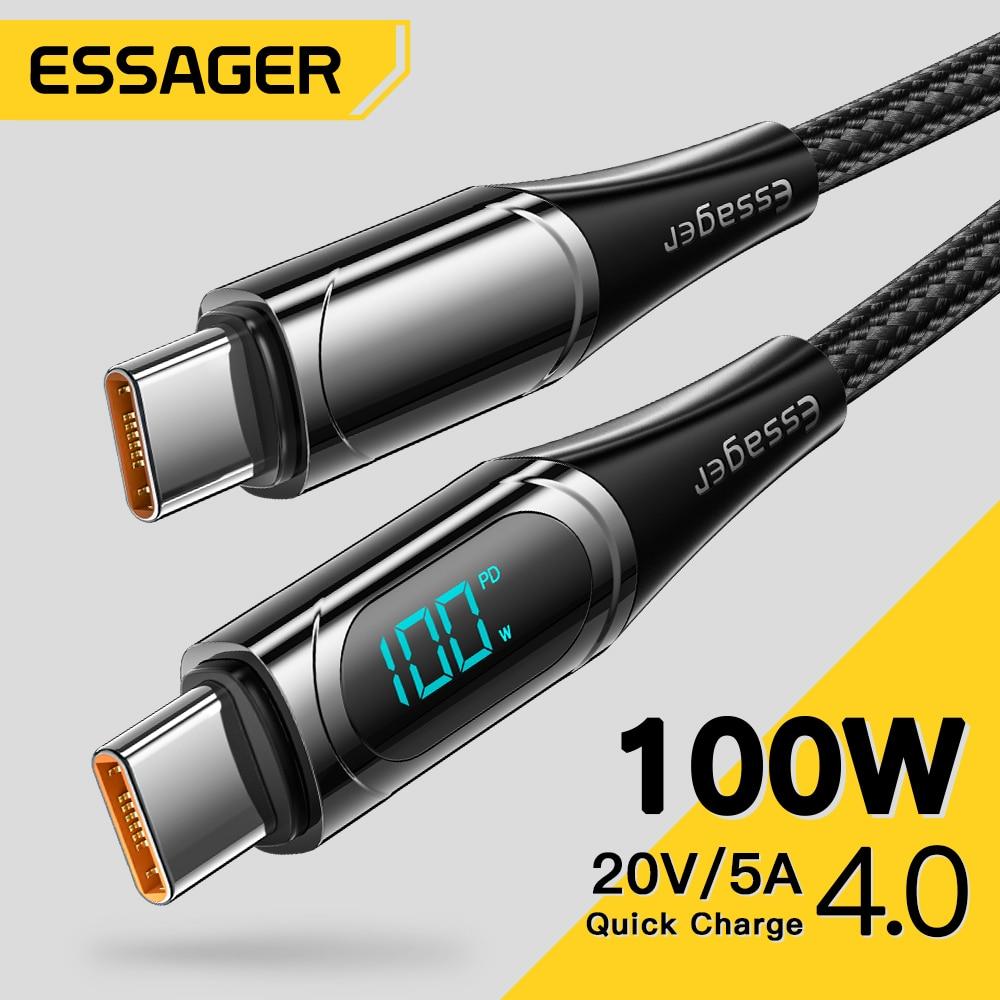
3. A quality and cheap Essager USB-C cable

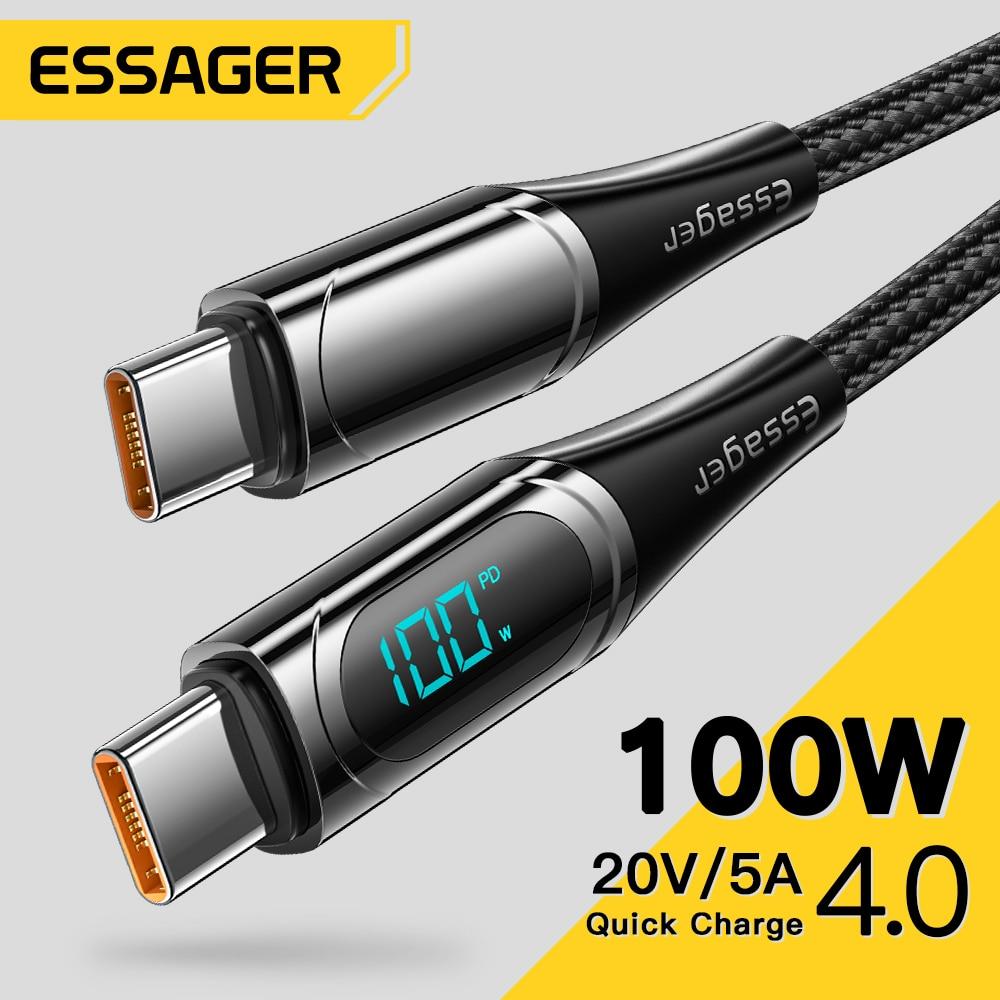
USB-C cables—this is a category where there really isn’t a shortage of diverse and varied designs. The Chinese company Essager brings this quality cable with a braided construction and a simple display to show the current charging speed.

ChinaPlanet deal

Essager 100 W USB-C cable

Essager 100 W USB-C kábel
21,97 €You save 16,82 €
5,15 €
No coupon

Price history

0,34 €cheaper than the average price
Cheapest 5,15 €Most expensive 5,82 €
Are you shopping on AliExpress for the first time? See the guide!
Updated 15. 11. 2023 at 16:14
TIPShipping via Aliexpress Standard Shipping

For this product, Aliexpress Standard Shipping or AliExpress Saver Shipping is available. This is the most reliable way to deliver from Chinese warehouses. Delivery can take 15 days to 1 months.

When you order from a Chinese warehouse, AliExpress adds a customs duty charge of approximately 3,70 € per order to your cart. When you receive the shipment, you won’t have to pay anything extra.

Track this product’s price

As soon as we post a new coupon, we’ll send you an email. You can unsubscribe from tracking anytime.

Are you shopping on AliExpress for the first time?

The process is via the AliExpress mobile app, where most people shop. There are two key things: don’t use Buy now and enter the coupon only in the order summary, in the field Promo code. After you click Pay now, you won’t be able to add it.

  1. Copy the code and click Use discountIn our article, copy the coupon and click the button GET DISCOUNT. The link will take you directly to the product in the AliExpress app.
  2. Use Add to cart instead of Buy nowOn the product card, scroll down and tap Add to cart. Don’t use the Buy now button—you’ll skip the cart, and later you won’t have anywhere to enter the coupon. Before that, double-check the variant: the color, the version, and whether it ships from an EU warehouse.
  3. Through the cart, go to CheckoutA pop-up will appear: Added to cart! — tap Check it out in it. If it disappeared, open the cart with the icon at the bottom right. In the cart, check the product and quantity, then click the red Checkout. Only the items marked with the red ring will be applied.
  4. Enter your address and card, then look for Promo codeIn the order summary, first fill in the delivery address and payment card at the top. Below them there’s a line Promo code — expand it with the arrow on the right.
    Riadok Promo code v zhrnutí objednávky v aplikácii AliExpress
    Look for this line under the address and payment method.
  5. Paste the code and confirm ApplyIn the field Promo code paste the copied code and click the black Apply. The code is case-sensitive and must not contain spaces.
    Políčko Promo code s kódom a tlačidlom Apply v aplikácii AliExpress
    Paste the code into the field and confirm with the Apply button.
  6. Check the savings and payIn the Summary expand the line Saved — you’ll see the applied coupon there as AliExpress coupons/codes. Only when Total is really lower, click Pay now.
    Riadok Saved s uplatneným kupónom a znížený Total v aplikácii AliExpress
    The applied coupon will appear in the Saved line and will reduce the Total.
Apply the discount already at the order summary. After you click Pay now, you can no longer add a coupon. If Apply shows an error, the code has either expired, doesn’t apply to your items, or the order doesn’t meet the minimum amount.
The Store Coupon also goes in the same field. — a coupon from the seller itself, which isn’t always available and changes from day to day. AliExpress coupons can’t be combined, so try both and go with the one that gives you more. Coins are added automatically.

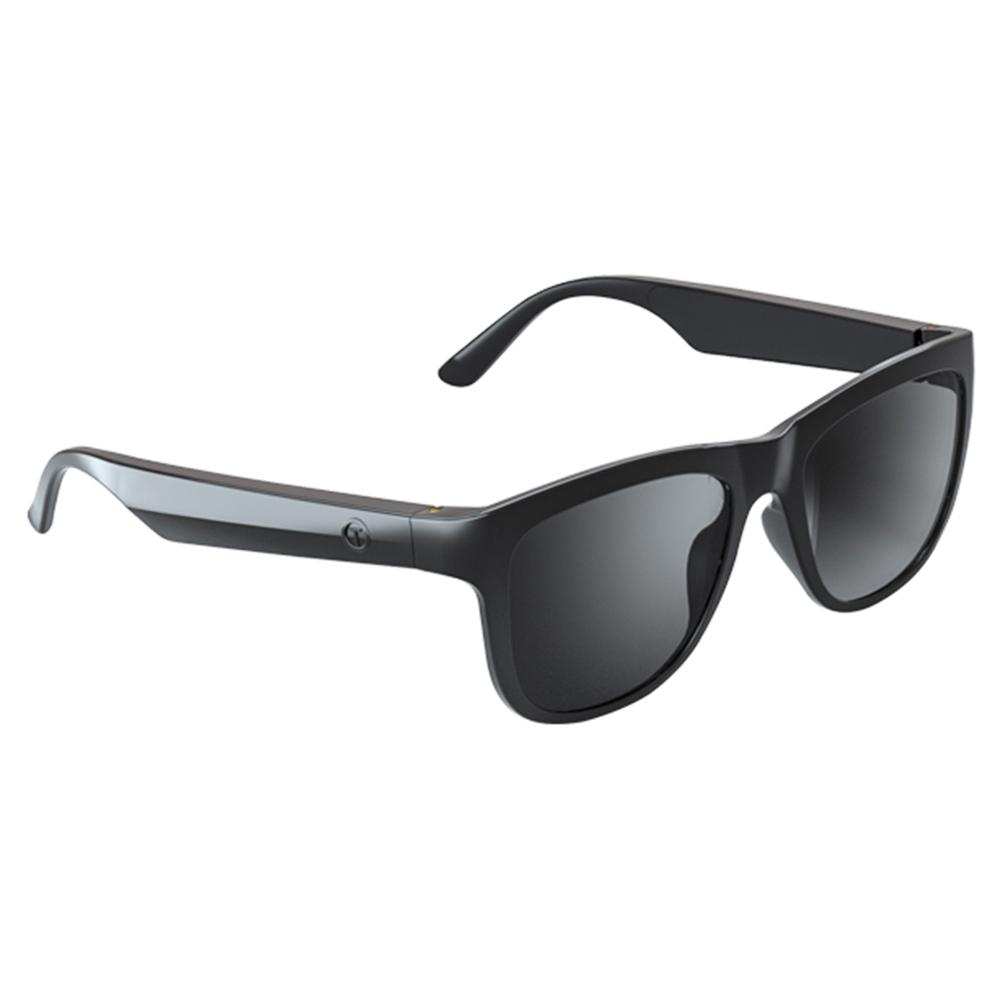
4. Lenovo music glasses with Bluetooth

Among the fairly new products on the tech market, we can definitely include smart glasses. This model also comes from the Lenovo brand, specifically these music glasses with Bluetooth connectivity. In the cart, don’t forget to use our great discount coupon, which will lower the final selling price even more.

Important: Orders from Banggood come with our VIP support, which you get after downloading our extension for the Chrome browser on desktop only.
ChinaPlanet deal

Lenovo Lecoo C8

Chinese warehouse, Banggood
Lenovo Lecoo C8
Banggood Priority Shipping
19,81 €You save 5,95 €
13,86 €
CouponBGe7d4ea

Price history

3,43 €cheaper than the average price
Cheapest 13,86 €Most expensive 19,66 €
Buying on Banggood for the first time? See the guide!
More coupons
19,81 €15,12 €
BGRCNYLLC8
Use
Updated 13. 10. 2026 at 14:42
TIPWith Banggood Priority Shipping, you don’t pay any extra fees.

We recommend choosing Banggood Priority Shipping, where you won’t have to pay anything extra. Customs duties and any VAT are handled for you directly by the seller. Shipping can be selected in the cart, after you enter your delivery address. Delivery with Banggood Priority Shipping usually takes about 15–20 days, but it may also take longer.

Track this product’s price

As soon as we post a new coupon, we’ll send you an email. You can unsubscribe from tracking anytime.

Buying on Banggood for the first time?

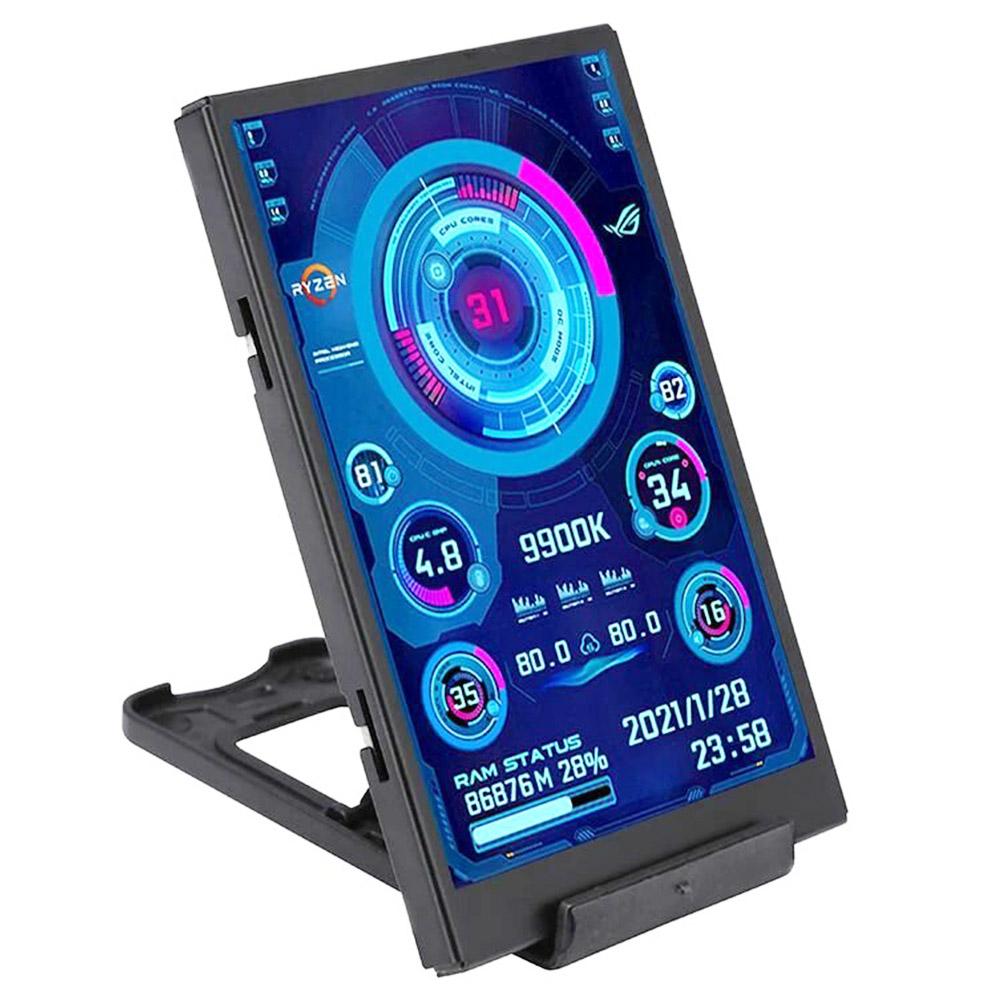
5. Screen for monitoring GPU or CPU status (HU warehouse)

If you like various accessories for a gaming PC, you might appreciate this practical gadget: an external screen for monitoring GPU or CPU status. It has a 3.5″ diagonal, LCD technology, and power via a USB Type-C connector. When you buy, you can also use our great discount coupon, and the product is available in a nearby Hungarian (HU) warehouse, with delivery in 3 – 7 business days.

Important: Orders from Geekbuying come with our VIP support, which you get after downloading our extension for the Chrome browser on desktop only (for this store, never shop through the app). Right after payment, send us your order number so we can check that VIP support is valid!
ChinaPlanet deal

3.5" secondary IPS display

Chinese warehouse
3.5" sekundárny IPS displej
EU Priority Line
37,92 €You save 21,93 €
15,99 €
CouponNNNWSLDCPL
Is it your first time shopping on Geekbuying? See the guide!
Updated 9. 10. 2023 at 14:06
TIPFor EU Priority Line shipping, you don’t pay any extra fees.

We recommend choosing Priority Line shipping, where you won’t have to pay anything extra. Customs duty and any VAT (if applicable) will be handled for you directly by the seller. Shipping can be selected in the cart after you enter your delivery address. Delivery with EU Priority Line usually takes about 15 - 25 days, but it may also take longer.

Track this product’s price

As soon as we post a new coupon, we’ll send you an email. You can unsubscribe from tracking anytime.

Is it your first time shopping on Geekbuying?

Ad

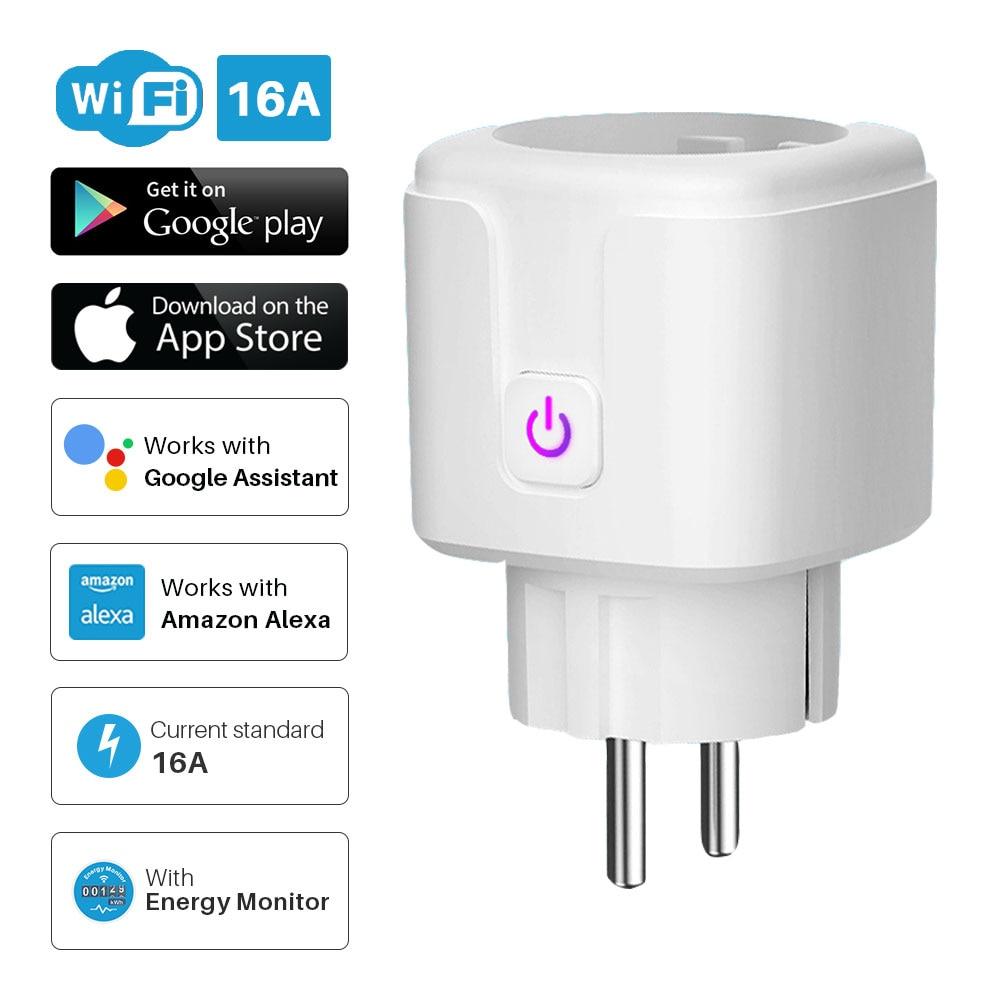
6. Cheap smart Tuya Wi-Fi socket

The last product in today’s article is this affordable smart socket from a Chinese manufacturer. Besides its compact size, it also offers Wi-Fi connectivity and control via the well-known Tuya app. You won’t miss the European mains plug, plus support for controlling it via voice commands and smart assistants like Amazon Alexa or Google Assistant.

ChinaPlanet deal

Cheap smart Tuya Wi-Fi socket

EU Plug
Lacná smart Tuya Wi-Fi zásuvka
Free Shipping
17,80 €You save 9,43 €
8,37 €
No coupon
Are you shopping on AliExpress for the first time? See the guide!
Updated 14. 10. 2022 at 19:55
TIPShipping is completely free.

Free shipping is available for this product. However, this is the slowest delivery method, and the item may take 20 days to 1 month(s) to arrive.

When you order from a Chinese warehouse, AliExpress adds a customs duty charge of approximately 3,70 € per order to your cart. When you receive the shipment, you won’t have to pay anything extra.

Track this product’s price

As soon as we post a new coupon, we’ll send you an email. You can unsubscribe from tracking anytime.

Are you shopping on AliExpress for the first time?

The process is via the AliExpress mobile app, where most people shop. There are two key things: don’t use Buy now and enter the coupon only in the order summary, in the field Promo code. After you click Pay now, you won’t be able to add it.

  1. Copy the code and click Use discountIn our article, copy the coupon and click the button GET DISCOUNT. The link will take you directly to the product in the AliExpress app.
  2. Use Add to cart instead of Buy nowOn the product card, scroll down and tap Add to cart. Don’t use the Buy now button—you’ll skip the cart, and later you won’t have anywhere to enter the coupon. Before that, double-check the variant: the color, the version, and whether it ships from an EU warehouse.
  3. Through the cart, go to CheckoutA pop-up will appear: Added to cart! — tap Check it out in it. If it disappeared, open the cart with the icon at the bottom right. In the cart, check the product and quantity, then click the red Checkout. Only the items marked with the red ring will be applied.
  4. Enter your address and card, then look for Promo codeIn the order summary, first fill in the delivery address and payment card at the top. Below them there’s a line Promo code — expand it with the arrow on the right.
    Riadok Promo code v zhrnutí objednávky v aplikácii AliExpress
    Look for this line under the address and payment method.
  5. Paste the code and confirm ApplyIn the field Promo code paste the copied code and click the black Apply. The code is case-sensitive and must not contain spaces.
    Políčko Promo code s kódom a tlačidlom Apply v aplikácii AliExpress
    Paste the code into the field and confirm with the Apply button.
  6. Check the savings and payIn the Summary expand the line Saved — you’ll see the applied coupon there as AliExpress coupons/codes. Only when Total is really lower, click Pay now.
    Riadok Saved s uplatneným kupónom a znížený Total v aplikácii AliExpress
    The applied coupon will appear in the Saved line and will reduce the Total.
Apply the discount already at the order summary. After you click Pay now, you can no longer add a coupon. If Apply shows an error, the code has either expired, doesn’t apply to your items, or the order doesn’t meet the minimum amount.
The Store Coupon also goes in the same field. — a coupon from the seller itself, which isn’t always available and changes from day to day. AliExpress coupons can’t be combined, so try both and go with the one that gives you more. Coins are added automatically.
Add us as your preferred source on Google

Don’t miss the best coupons 📩

Subscribe and we’ll email you new coupons before they expire. We only send it once a month — no spam.

Ad Engerio