A planet full of gadgets from China · a database of the best coupons
Product comparisons

TOP 6 cheap gadgets from China #241

16. August 2025 4 min read 1 comment

With another weekend here, we’ve got another installment of the TOP 6 cheap gadgets from China, that you’ve liked so much—and today it’s already the two hundred forty-first continuation! We picked another six interesting items from international sellers at great prices.

To make sure you never miss the latest episode of TOP 6 cheap gadgets from China, give us a like on Facebook, join our FB groups or follow Telegram. Here we always keep you updated about our articles.

We also add cheap gadgets to our FB

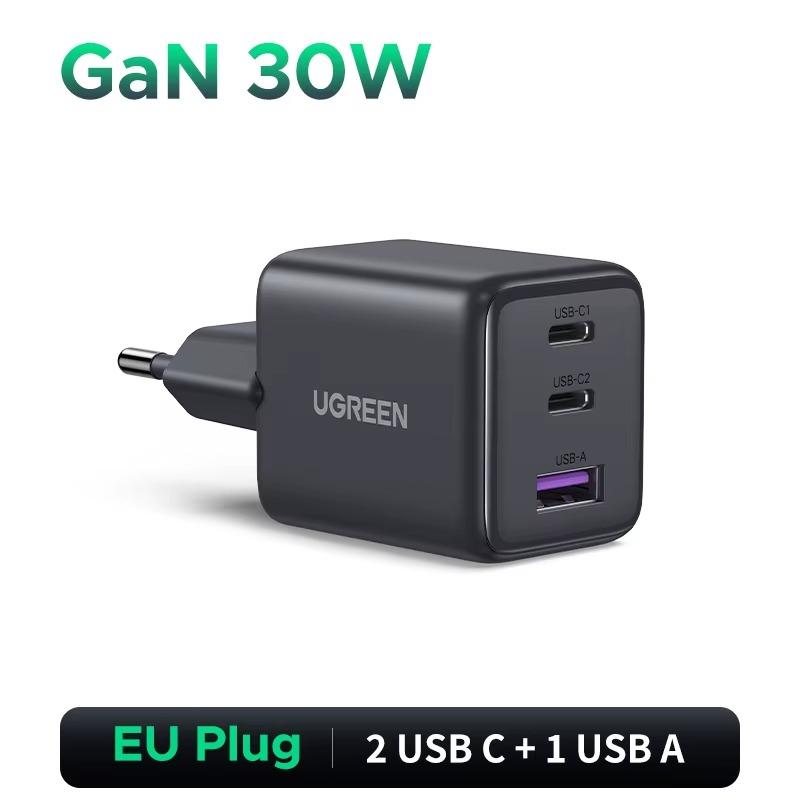
UGREEN 30W GaN charger

The UGREEN 30W GaN charger offers fast and safe charging with support for multiple protocols, including PD3.0, QC4.0, and Samsung Adaptive. Thanks to its compact and lightweight design, it’s perfect for travel, and GaN technology ensures high efficiency with a low charging temperature.

With multiple USB-C and USB-A ports, it can power several devices at once with ease.

ChinaPlanet deal

UGREEN 30W GaN charger

Free duty delivery
UGREEN 30W GaN nabíjačka
15-day delivery
11,73 €You save 2,48 €
9,25 €

Price history

1,24 €cheaper than the average price
Cheapest 9,25 €Most expensive 11,73 €
Are you shopping on AliExpress for the first time? See the guide!
Updated 18. 8. 2025 at 05:38
TIP15-day delivery via Aliexpress Standard Shipping

For this product, Aliexpress Standard Shipping is available with guaranteed delivery within 15 days. It’s the most reliable delivery method and, in most cases, it’s handled by a courier company. The 15-day delivery is something we actually tested.

When you order from a Chinese warehouse, AliExpress adds a customs duty charge of approximately 3,70 € per order to your cart. When you receive the shipment, you won’t have to pay anything extra.

Track this product’s price

As soon as we post a new coupon, we’ll send you an email. You can unsubscribe from tracking anytime.

Are you shopping on AliExpress for the first time?

The process is via the AliExpress mobile app, where most people shop. There are two key things: don’t use Buy now and enter the coupon only in the order summary, in the field Promo code. After you click Pay now, you won’t be able to add it.

  1. Copy the code and click Use discountIn our article, copy the coupon and click the button GET DISCOUNT. The link will take you directly to the product in the AliExpress app.
  2. Use Add to cart instead of Buy nowOn the product card, scroll down and tap Add to cart. Don’t use the Buy now button—you’ll skip the cart, and later you won’t have anywhere to enter the coupon. Before that, double-check the variant: the color, the version, and whether it ships from an EU warehouse.
  3. Through the cart, go to CheckoutA pop-up will appear: Added to cart! — tap Check it out in it. If it disappeared, open the cart with the icon at the bottom right. In the cart, check the product and quantity, then click the red Checkout. Only the items marked with the red ring will be applied.
  4. Enter your address and card, then look for Promo codeIn the order summary, first fill in the delivery address and payment card at the top. Below them there’s a line Promo code — expand it with the arrow on the right.
    Riadok Promo code v zhrnutí objednávky v aplikácii AliExpress
    Look for this line under the address and payment method.
  5. Paste the code and confirm ApplyIn the field Promo code paste the copied code and click the black Apply. The code is case-sensitive and must not contain spaces.
    Políčko Promo code s kódom a tlačidlom Apply v aplikácii AliExpress
    Paste the code into the field and confirm with the Apply button.
  6. Check the savings and payIn the Summary expand the line Saved — you’ll see the applied coupon there as AliExpress coupons/codes. Only when Total is really lower, click Pay now.
    Riadok Saved s uplatneným kupónom a znížený Total v aplikácii AliExpress
    The applied coupon will appear in the Saved line and will reduce the Total.
Apply the discount already at the order summary. After you click Pay now, you can no longer add a coupon. If Apply shows an error, the code has either expired, doesn’t apply to your items, or the order doesn’t meet the minimum amount.
The Store Coupon also goes in the same field. — a coupon from the seller itself, which isn’t always available and changes from day to day. AliExpress coupons can’t be combined, so try both and go with the one that gives you more. Coins are added automatically.

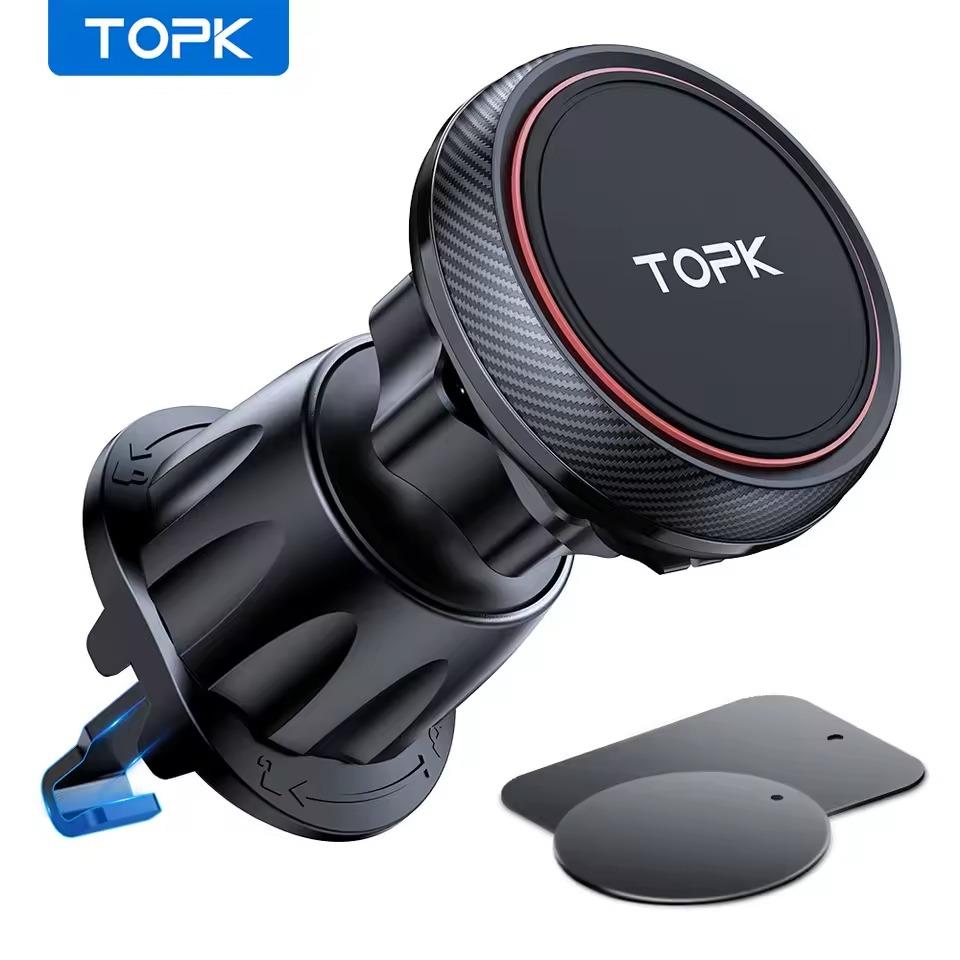
TOPK magnetic car phone mount

The TOPK Magnetic Car Phone Mount is a durable car mount with 6 strong N52 magnets that will securely hold even heavier smartphones or tablets up to 12.9″. With a 360° rotating joint, it offers flexible angle adjustment and quick attaching or removing of your phone in a fraction of a second.

The silicone surface protects the device from scratches, and the screw-lock secures it stably on horizontal ventilation grilles.

ChinaPlanet deal

TOPK magnetic car phone mount

Free duty delivery
TOPK magnetický držiak do auta
15-day delivery
9,00 €You save 0,74 €
8,26 €
No coupon

Price history

0,37 €cheaper than the average price
Cheapest 8,26 €Most expensive 9,00 €
Are you shopping on AliExpress for the first time? See the guide!
Updated 18. 8. 2025 at 05:39
TIP15-day delivery via Aliexpress Standard Shipping

For this product, Aliexpress Standard Shipping is available with guaranteed delivery within 15 days. It’s the most reliable delivery method and, in most cases, it’s handled by a courier company. The 15-day delivery is something we actually tested.

When you order from a Chinese warehouse, AliExpress adds a customs duty charge of approximately 3,70 € per order to your cart. When you receive the shipment, you won’t have to pay anything extra.

Track this product’s price

As soon as we post a new coupon, we’ll send you an email. You can unsubscribe from tracking anytime.

Are you shopping on AliExpress for the first time?

The process is via the AliExpress mobile app, where most people shop. There are two key things: don’t use Buy now and enter the coupon only in the order summary, in the field Promo code. After you click Pay now, you won’t be able to add it.

  1. Copy the code and click Use discountIn our article, copy the coupon and click the button GET DISCOUNT. The link will take you directly to the product in the AliExpress app.
  2. Use Add to cart instead of Buy nowOn the product card, scroll down and tap Add to cart. Don’t use the Buy now button—you’ll skip the cart, and later you won’t have anywhere to enter the coupon. Before that, double-check the variant: the color, the version, and whether it ships from an EU warehouse.
  3. Through the cart, go to CheckoutA pop-up will appear: Added to cart! — tap Check it out in it. If it disappeared, open the cart with the icon at the bottom right. In the cart, check the product and quantity, then click the red Checkout. Only the items marked with the red ring will be applied.
  4. Enter your address and card, then look for Promo codeIn the order summary, first fill in the delivery address and payment card at the top. Below them there’s a line Promo code — expand it with the arrow on the right.
    Riadok Promo code v zhrnutí objednávky v aplikácii AliExpress
    Look for this line under the address and payment method.
  5. Paste the code and confirm ApplyIn the field Promo code paste the copied code and click the black Apply. The code is case-sensitive and must not contain spaces.
    Políčko Promo code s kódom a tlačidlom Apply v aplikácii AliExpress
    Paste the code into the field and confirm with the Apply button.
  6. Check the savings and payIn the Summary expand the line Saved — you’ll see the applied coupon there as AliExpress coupons/codes. Only when Total is really lower, click Pay now.
    Riadok Saved s uplatneným kupónom a znížený Total v aplikácii AliExpress
    The applied coupon will appear in the Saved line and will reduce the Total.
Apply the discount already at the order summary. After you click Pay now, you can no longer add a coupon. If Apply shows an error, the code has either expired, doesn’t apply to your items, or the order doesn’t meet the minimum amount.
The Store Coupon also goes in the same field. — a coupon from the seller itself, which isn’t always available and changes from day to day. AliExpress coupons can’t be combined, so try both and go with the one that gives you more. Coins are added automatically.

Xiaomi Youpin Linptech HS3 motion sensor

Xiaomi Linptech HS3 is an intelligent motion sensor with advanced four-direction infrared detection and a built-in light sensor that monitors illumination intensity in real time. It offers IPX5 water resistance, a wide 120° field of view with a range of up to 8 m, and a 180° × 360° rotatable magnetic stand for flexible installation.

It’s powered by a CR2450 battery with up to 3 years of battery life and is compatible with the Mi Home / Mijia app for home automation.

ChinaPlanet deal

Xiaomi Youpin Linptech HS3 motion sensor

Free duty delivery
Xiaomi Youpin Linptech HS3 snímač pohybu
15-day delivery
16,04 €You save 4,95 €
11,09 €

Price history

2,48 €cheaper than the average price
Cheapest 11,09 €Most expensive 16,04 €
Are you shopping on AliExpress for the first time? See the guide!
Updated 18. 8. 2025 at 05:40
TIP15-day delivery via Aliexpress Standard Shipping

For this product, Aliexpress Standard Shipping is available with guaranteed delivery within 15 days. It’s the most reliable delivery method and, in most cases, it’s handled by a courier company. The 15-day delivery is something we actually tested.

When you order from a Chinese warehouse, AliExpress adds a customs duty charge of approximately 3,70 € per order to your cart. When you receive the shipment, you won’t have to pay anything extra.

Track this product’s price

As soon as we post a new coupon, we’ll send you an email. You can unsubscribe from tracking anytime.

Are you shopping on AliExpress for the first time?

The process is via the AliExpress mobile app, where most people shop. There are two key things: don’t use Buy now and enter the coupon only in the order summary, in the field Promo code. After you click Pay now, you won’t be able to add it.

  1. Copy the code and click Use discountIn our article, copy the coupon and click the button GET DISCOUNT. The link will take you directly to the product in the AliExpress app.
  2. Use Add to cart instead of Buy nowOn the product card, scroll down and tap Add to cart. Don’t use the Buy now button—you’ll skip the cart, and later you won’t have anywhere to enter the coupon. Before that, double-check the variant: the color, the version, and whether it ships from an EU warehouse.
  3. Through the cart, go to CheckoutA pop-up will appear: Added to cart! — tap Check it out in it. If it disappeared, open the cart with the icon at the bottom right. In the cart, check the product and quantity, then click the red Checkout. Only the items marked with the red ring will be applied.
  4. Enter your address and card, then look for Promo codeIn the order summary, first fill in the delivery address and payment card at the top. Below them there’s a line Promo code — expand it with the arrow on the right.
    Riadok Promo code v zhrnutí objednávky v aplikácii AliExpress
    Look for this line under the address and payment method.
  5. Paste the code and confirm ApplyIn the field Promo code paste the copied code and click the black Apply. The code is case-sensitive and must not contain spaces.
    Políčko Promo code s kódom a tlačidlom Apply v aplikácii AliExpress
    Paste the code into the field and confirm with the Apply button.
  6. Check the savings and payIn the Summary expand the line Saved — you’ll see the applied coupon there as AliExpress coupons/codes. Only when Total is really lower, click Pay now.
    Riadok Saved s uplatneným kupónom a znížený Total v aplikácii AliExpress
    The applied coupon will appear in the Saved line and will reduce the Total.
Apply the discount already at the order summary. After you click Pay now, you can no longer add a coupon. If Apply shows an error, the code has either expired, doesn’t apply to your items, or the order doesn’t meet the minimum amount.
The Store Coupon also goes in the same field. — a coupon from the seller itself, which isn’t always available and changes from day to day. AliExpress coupons can’t be combined, so try both and go with the one that gives you more. Coins are added automatically.

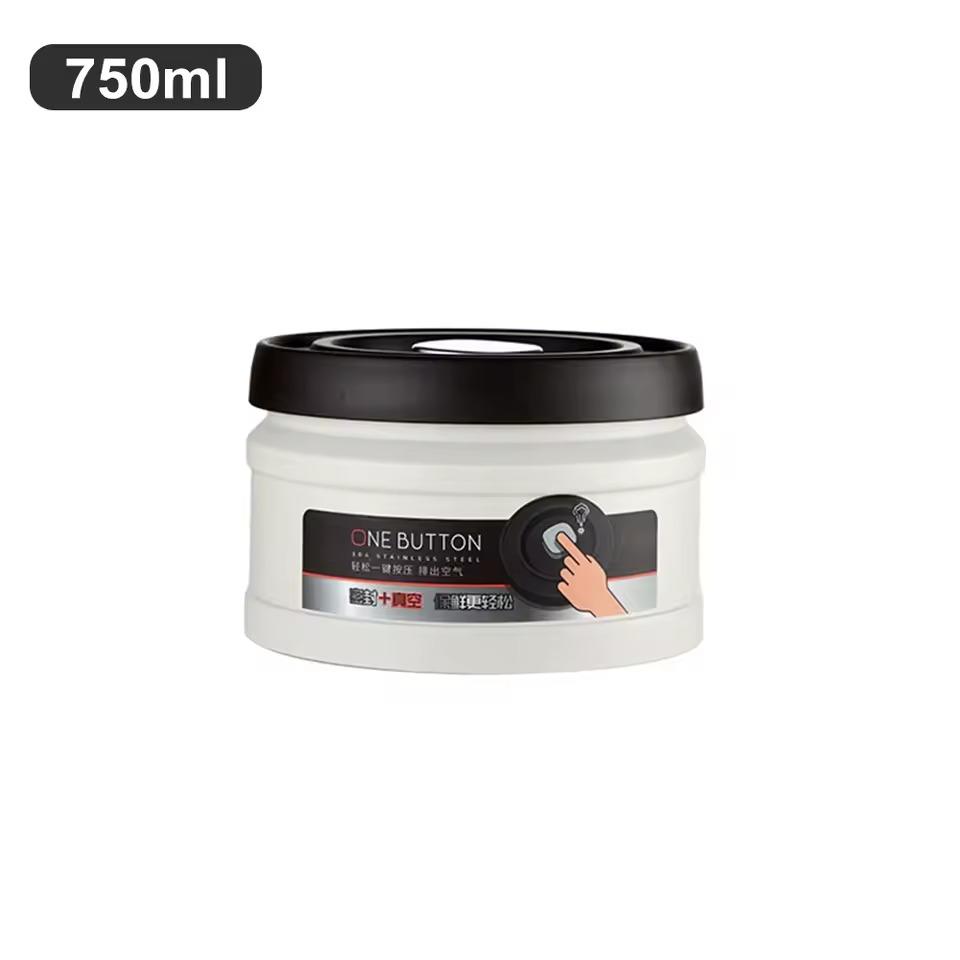
Vacuum container for storing coffee

The vacuum coffee container made of stainless steel keeps food fresh up to 60% longer thanks to the built-in vacuum valve in the lid. By simply pressing a button, you can pump out the air, and once you release the valve, you can open the container easily.

It’s durable, stackable, and multi-purpose—great not only for coffee beans, but also for tea, nuts, grains, or sugar.

ChinaPlanet deal

Vacuum container for storing coffee

Free duty delivery
Vákuová nádoba na skladovanie kávy
15-day delivery
15,48 €You save 4,54 €
10,94 €

Price history

2,27 €cheaper than the average price
Cheapest 10,94 €Most expensive 15,48 €
Are you shopping on AliExpress for the first time? See the guide!
Updated 18. 8. 2025 at 05:40
TIP15-day delivery via Aliexpress Standard Shipping

For this product, Aliexpress Standard Shipping is available with guaranteed delivery within 15 days. It’s the most reliable delivery method and, in most cases, it’s handled by a courier company. The 15-day delivery is something we actually tested.

When you order from a Chinese warehouse, AliExpress adds a customs duty charge of approximately 3,70 € per order to your cart. When you receive the shipment, you won’t have to pay anything extra.

Track this product’s price

As soon as we post a new coupon, we’ll send you an email. You can unsubscribe from tracking anytime.

Are you shopping on AliExpress for the first time?

The process is via the AliExpress mobile app, where most people shop. There are two key things: don’t use Buy now and enter the coupon only in the order summary, in the field Promo code. After you click Pay now, you won’t be able to add it.

  1. Copy the code and click Use discountIn our article, copy the coupon and click the button GET DISCOUNT. The link will take you directly to the product in the AliExpress app.
  2. Use Add to cart instead of Buy nowOn the product card, scroll down and tap Add to cart. Don’t use the Buy now button—you’ll skip the cart, and later you won’t have anywhere to enter the coupon. Before that, double-check the variant: the color, the version, and whether it ships from an EU warehouse.
  3. Through the cart, go to CheckoutA pop-up will appear: Added to cart! — tap Check it out in it. If it disappeared, open the cart with the icon at the bottom right. In the cart, check the product and quantity, then click the red Checkout. Only the items marked with the red ring will be applied.
  4. Enter your address and card, then look for Promo codeIn the order summary, first fill in the delivery address and payment card at the top. Below them there’s a line Promo code — expand it with the arrow on the right.
    Riadok Promo code v zhrnutí objednávky v aplikácii AliExpress
    Look for this line under the address and payment method.
  5. Paste the code and confirm ApplyIn the field Promo code paste the copied code and click the black Apply. The code is case-sensitive and must not contain spaces.
    Políčko Promo code s kódom a tlačidlom Apply v aplikácii AliExpress
    Paste the code into the field and confirm with the Apply button.
  6. Check the savings and payIn the Summary expand the line Saved — you’ll see the applied coupon there as AliExpress coupons/codes. Only when Total is really lower, click Pay now.
    Riadok Saved s uplatneným kupónom a znížený Total v aplikácii AliExpress
    The applied coupon will appear in the Saved line and will reduce the Total.
Apply the discount already at the order summary. After you click Pay now, you can no longer add a coupon. If Apply shows an error, the code has either expired, doesn’t apply to your items, or the order doesn’t meet the minimum amount.
The Store Coupon also goes in the same field. — a coupon from the seller itself, which isn’t always available and changes from day to day. AliExpress coupons can’t be combined, so try both and go with the one that gives you more. Coins are added automatically.
Ad

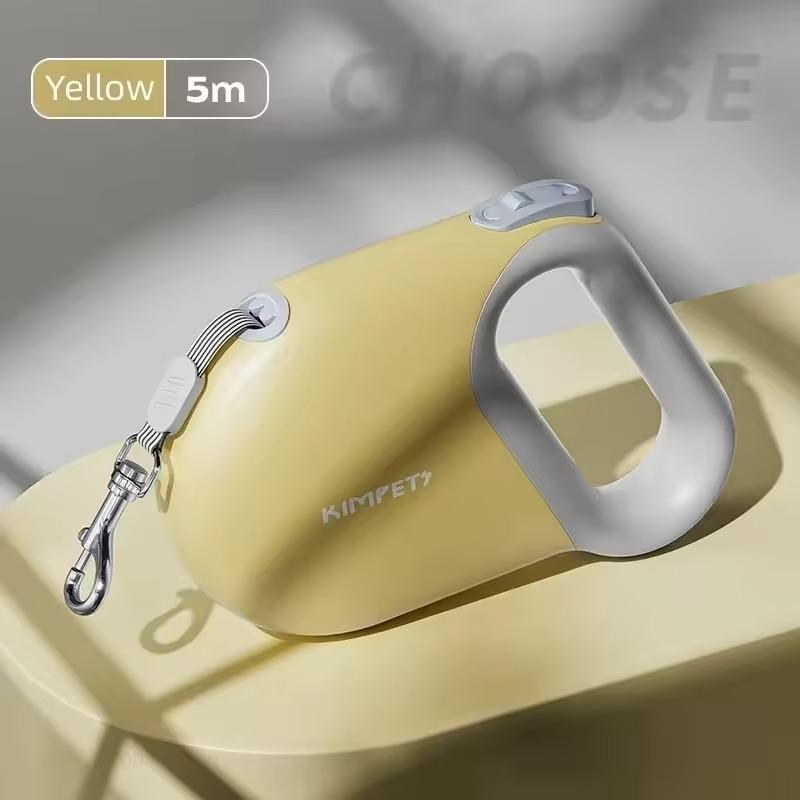
Youpin self-retracting dog leash with reflective strip

This 5-meter self-retracting leash from Youpin is equipped with a durable nylon strap with a reflective band for better visibility and safety while walking your dog. It features simple one-button control to brake and lock the length, an ergonomic handle, and a robust ABS and silicone construction.

Thanks to the durable stainless steel spring and an aluminum carabiner, it’s suitable for small, medium, and large dogs.

ChinaPlanet deal

Youpin 5m self-retracting dog leash with reflective strip

Free duty delivery
Youpin 5m samonavíjacie vodítko s reflexným pásom
15-day delivery
11,75 €You save 2,90 €
8,85 €

Price history

1,45 €cheaper than the average price
Cheapest 8,85 €Most expensive 11,75 €
Are you shopping on AliExpress for the first time? See the guide!
Updated 18. 8. 2025 at 05:41
TIP15-day delivery via Aliexpress Standard Shipping

For this product, Aliexpress Standard Shipping is available with guaranteed delivery within 15 days. It’s the most reliable delivery method and, in most cases, it’s handled by a courier company. The 15-day delivery is something we actually tested.

When you order from a Chinese warehouse, AliExpress adds a customs duty charge of approximately 3,70 € per order to your cart. When you receive the shipment, you won’t have to pay anything extra.

Track this product’s price

As soon as we post a new coupon, we’ll send you an email. You can unsubscribe from tracking anytime.

Are you shopping on AliExpress for the first time?

The process is via the AliExpress mobile app, where most people shop. There are two key things: don’t use Buy now and enter the coupon only in the order summary, in the field Promo code. After you click Pay now, you won’t be able to add it.

  1. Copy the code and click Use discountIn our article, copy the coupon and click the button GET DISCOUNT. The link will take you directly to the product in the AliExpress app.
  2. Use Add to cart instead of Buy nowOn the product card, scroll down and tap Add to cart. Don’t use the Buy now button—you’ll skip the cart, and later you won’t have anywhere to enter the coupon. Before that, double-check the variant: the color, the version, and whether it ships from an EU warehouse.
  3. Through the cart, go to CheckoutA pop-up will appear: Added to cart! — tap Check it out in it. If it disappeared, open the cart with the icon at the bottom right. In the cart, check the product and quantity, then click the red Checkout. Only the items marked with the red ring will be applied.
  4. Enter your address and card, then look for Promo codeIn the order summary, first fill in the delivery address and payment card at the top. Below them there’s a line Promo code — expand it with the arrow on the right.
    Riadok Promo code v zhrnutí objednávky v aplikácii AliExpress
    Look for this line under the address and payment method.
  5. Paste the code and confirm ApplyIn the field Promo code paste the copied code and click the black Apply. The code is case-sensitive and must not contain spaces.
    Políčko Promo code s kódom a tlačidlom Apply v aplikácii AliExpress
    Paste the code into the field and confirm with the Apply button.
  6. Check the savings and payIn the Summary expand the line Saved — you’ll see the applied coupon there as AliExpress coupons/codes. Only when Total is really lower, click Pay now.
    Riadok Saved s uplatneným kupónom a znížený Total v aplikácii AliExpress
    The applied coupon will appear in the Saved line and will reduce the Total.
Apply the discount already at the order summary. After you click Pay now, you can no longer add a coupon. If Apply shows an error, the code has either expired, doesn’t apply to your items, or the order doesn’t meet the minimum amount.
The Store Coupon also goes in the same field. — a coupon from the seller itself, which isn’t always available and changes from day to day. AliExpress coupons can’t be combined, so try both and go with the one that gives you more. Coins are added automatically.

Electric aroma diffuser for your car

This smart car aroma diffuser brings aromatherapy with nano atomization for fast and even fragrance distribution, removing unpleasant odors along the way. It offers automatic on/off when the vehicle starts, three-level intensity control, LED lighting, and up to 15 days of operation on a single 60-minute USB-C charge.

The elegant ABS and aluminum alloy design attaches easily to the air vent grille and is safe even for pregnant women and children.

ChinaPlanet deal

Electric aroma diffuser for your car

Free duty delivery
Elektrický aróma difuzér do auta
15-day delivery
13,69 €You save 4,11 €
9,58 €

Price history

2,06 €cheaper than the average price
Cheapest 9,58 €Most expensive 13,69 €
Are you shopping on AliExpress for the first time? See the guide!
Updated 18. 8. 2025 at 05:41
TIP15-day delivery via Aliexpress Standard Shipping

For this product, Aliexpress Standard Shipping is available with guaranteed delivery within 15 days. It’s the most reliable delivery method and, in most cases, it’s handled by a courier company. The 15-day delivery is something we actually tested.

When you order from a Chinese warehouse, AliExpress adds a customs duty charge of approximately 3,70 € per order to your cart. When you receive the shipment, you won’t have to pay anything extra.

Track this product’s price

As soon as we post a new coupon, we’ll send you an email. You can unsubscribe from tracking anytime.

Are you shopping on AliExpress for the first time?

The process is via the AliExpress mobile app, where most people shop. There are two key things: don’t use Buy now and enter the coupon only in the order summary, in the field Promo code. After you click Pay now, you won’t be able to add it.

  1. Copy the code and click Use discountIn our article, copy the coupon and click the button GET DISCOUNT. The link will take you directly to the product in the AliExpress app.
  2. Use Add to cart instead of Buy nowOn the product card, scroll down and tap Add to cart. Don’t use the Buy now button—you’ll skip the cart, and later you won’t have anywhere to enter the coupon. Before that, double-check the variant: the color, the version, and whether it ships from an EU warehouse.
  3. Through the cart, go to CheckoutA pop-up will appear: Added to cart! — tap Check it out in it. If it disappeared, open the cart with the icon at the bottom right. In the cart, check the product and quantity, then click the red Checkout. Only the items marked with the red ring will be applied.
  4. Enter your address and card, then look for Promo codeIn the order summary, first fill in the delivery address and payment card at the top. Below them there’s a line Promo code — expand it with the arrow on the right.
    Riadok Promo code v zhrnutí objednávky v aplikácii AliExpress
    Look for this line under the address and payment method.
  5. Paste the code and confirm ApplyIn the field Promo code paste the copied code and click the black Apply. The code is case-sensitive and must not contain spaces.
    Políčko Promo code s kódom a tlačidlom Apply v aplikácii AliExpress
    Paste the code into the field and confirm with the Apply button.
  6. Check the savings and payIn the Summary expand the line Saved — you’ll see the applied coupon there as AliExpress coupons/codes. Only when Total is really lower, click Pay now.
    Riadok Saved s uplatneným kupónom a znížený Total v aplikácii AliExpress
    The applied coupon will appear in the Saved line and will reduce the Total.
Apply the discount already at the order summary. After you click Pay now, you can no longer add a coupon. If Apply shows an error, the code has either expired, doesn’t apply to your items, or the order doesn’t meet the minimum amount.
The Store Coupon also goes in the same field. — a coupon from the seller itself, which isn’t always available and changes from day to day. AliExpress coupons can’t be combined, so try both and go with the one that gives you more. Coins are added automatically.

Follow the China Planet website, sign up for our monthly newsletter, and make sure you also follow our Facebook page, the group All from EU warehouses, and join our Telegram—where we add the best deals and coupons from China day after day.

Add us as your preferred source on Google

Don’t miss the best coupons 📩

Subscribe and we’ll email you new coupons before they expire. We only send it once a month — no spam.

Ad Engerio