A planet full of gadgets from China · a database of the best coupons
Electric scooters

YouTube on your car display? We’ll show you 3 ways to run it via Android Auto! One of them is completely free

22. October 2026 8 min read 0 comments

Video on your car’s display comes in handy when you’re waiting for the charger, parked on a lot, or when a passenger wants to play something for the kids in the back. Android Auto didn’t allow video for a long time, and even today you’ll get it differently in a newer car, differently in an older one, and differently if you don’t want to install anything on your phone.

In this guide, we’ll go through all three options: Google’s official solution with YouTube, unofficial apps like AA Car Play Video or Fermata Auto, and AI boxes that play video by themselves without the phone. With each one, you’ll see what you need, what it costs, and what the catch is.

Official solution: YouTube directly in Android Auto

In May 2026, Google announced a new Android Auto that will, for the first time, allow video in the car—starting with the YouTube app. According to The Drive, the video plays only when the car is parked. It doesn’t rely only on GPS from your phone, because the car also monitors it using speed and the selected gear. When you start moving, the picture disappears and only the sound remains.

Nové Android Auto sa prispôsobí aj netradičným displejom
New Android Auto adapts even to unconventional displays · Source: google.com

To make it work, three things must be in place at the same time:

  1. Update your phone to at least Android 16, and download the latest versions of the Android Auto and YouTube apps from the Play Store.
  2. Check whether your car supports the feature. Among the first brands are BMW, Ford, Hyundai, Kia, Mercedes, Renault, Škoda and Volvo, but each automaker has to approve its models separately.
  3. Stop, switch to a parking position, and open YouTube in Android Auto—after you stop, it will be offered with the picture.

The catch is the sound while driving, since, according to Engadget, after you pull away the video plays like a podcast only with a YouTube Premium subscription. Google is rolling the feature out gradually depending on the country, car, and app version—so if you don’t see it yet, it may not be a settings issue.

Ad

Car apps that don’t have official support

Older cars probably won’t get the official video, but you can still get video into Android Auto via a workaround using unofficial apps. Google doesn’t support them, so you won’t find them in the public Play Store—and any Android Auto update can remove them.

AA Car Play Video

The paid app AA Car Play Video costs a one-time 15 € (usually 29 €) and you can try it for free for a day. It plays YouTube, videos saved on your phone, and live TV channels from your own M3U list, and it can mirror your phone’s screen to the car display.

Spúšťač aplikácie AA Car Play Video
Launcher for AA Car Play Video app · Source: aacarplayvideo.com

It’s installed in an unusual way, because on the website you enter the email of your Google account, and it gets added to a closed testing group in the Play Store—where you receive an invitation. That’s how the app bypasses Google’s usual checks, so it can stop working at any time. The operator doesn’t list a company, address, or country on the site—only email and Telegram—and in the terms refuses any responsibility for accidents. The website also contradicts itself: in one place, it promises video “during parking as well as driving,” while in the Q&A it says the driver must not watch while driving.

Fermata Auto

A free open-source app Fermata Auto supports YouTube, videos from your phone, and TV channels from its own M3U list. You won’t find it in the Play Store, so you’ll install it from an APK file from GitHub. Android Auto will then show it only after you allow unknown sources in Android Auto:

  1. Download the APK file from Fermata’s official site on GitHub, and on your phone enable your browser to install unknown apps.
  2. Open Android Auto settings, scroll all the way down, and tap the Version item ten times until Developer settings are enabled.
  3. In the three-dot menu in the top right, select Developer settings and turn on Unknown sources.
  4. Connect your phone to the car and Fermata will appear among the apps on the display.

The item names may vary slightly depending on the Android Auto version and your phone’s language. CarStream works similarly too; it gets onto your phone through the AAAD installer and focuses only on YouTube.

Ad

AI boxes can play video even without apps on your phone

If you don’t want to install anything unofficial on your phone, go for an AI box. An AI box is a small Android computer that you plug into the USB port, and the car then sees it as wireless CarPlay or wireless Android Auto. It also has its own system with apps like YouTube, Netflix, or Spotify, so the video runs directly on the box and you can leave your phone in your pocket. The only requirement is a car with wired CarPlay or Android Auto and a touchscreen display.

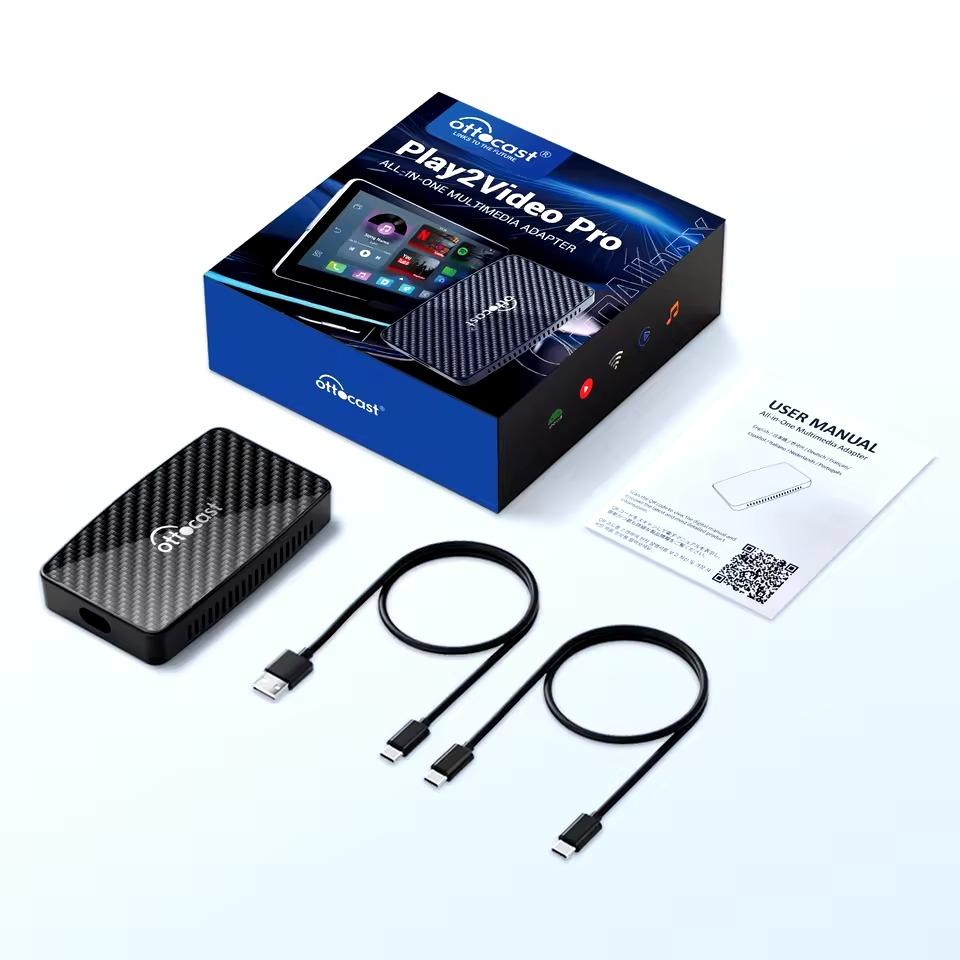
OTTOCAST Play2Video Pro has Android 12, switches between wireless CarPlay, Android Auto, and its own system, and can also play movies from a USB flash drive without internet. You can get it for under €60, so it is the cheapest video box in our selection.

ChinaPlanet deal

OTTOCAST Play2Video Pro

Play2video Pro
OTTOCAST Play2Video Pro
20-day delivery
61,82 €You save 2,76 €
59,06 €
CouponX1UFIDXOP0Q2
Code not working? Show more coupons

Price history

20,23 €more expensive than the average price
Cheapest 18,24 €Most expensive 59,06 €
Are you shopping on AliExpress for the first time? See the guide!
Updated 22. 10. 2026 at 12:17
TIP20-day delivery via Aliexpress Standard Shipping

For this product, Aliexpress Standard Shipping is available with guaranteed delivery within 20 days. This is the most reliable shipping method and, in most cases, it’s handled by a courier company. The 20-day delivery we truly tested.

When you order from a Chinese warehouse, AliExpress adds a customs duty charge of approximately 3,70 € per order to your cart. When you receive the shipment, you won’t have to pay anything extra.

Track this product’s price

As soon as we post a new coupon, we’ll send you an email. You can unsubscribe from tracking anytime.

Are you shopping on AliExpress for the first time?

The process is via the AliExpress mobile app, where most people shop. There are two key things: don’t use Buy now and enter the coupon only in the order summary, in the field Promo code. After you click Pay now, you won’t be able to add it.

  1. Copy the code and click Use discountIn our article, copy the coupon and click the button GET DISCOUNT. The link will take you directly to the product in the AliExpress app.
  2. Use Add to cart instead of Buy nowOn the product card, scroll down and tap Add to cart. Don’t use the Buy now button—you’ll skip the cart, and later you won’t have anywhere to enter the coupon. Before that, double-check the variant: the color, the version, and whether it ships from an EU warehouse.
  3. Through the cart, go to CheckoutA pop-up will appear: Added to cart! — tap Check it out in it. If it disappeared, open the cart with the icon at the bottom right. In the cart, check the product and quantity, then click the red Checkout. Only the items marked with the red ring will be applied.
  4. Enter your address and card, then look for Promo codeIn the order summary, first fill in the delivery address and payment card at the top. Below them there’s a line Promo code — expand it with the arrow on the right.
    Riadok Promo code v zhrnutí objednávky v aplikácii AliExpress
    Look for this line under the address and payment method.
  5. Paste the code and confirm ApplyIn the field Promo code paste the copied code and click the black Apply. The code is case-sensitive and must not contain spaces.
    Políčko Promo code s kódom a tlačidlom Apply v aplikácii AliExpress
    Paste the code into the field and confirm with the Apply button.
  6. Check the savings and payIn the Summary expand the line Saved — you’ll see the applied coupon there as AliExpress coupons/codes. Only when Total is really lower, click Pay now.
    Riadok Saved s uplatneným kupónom a znížený Total v aplikácii AliExpress
    The applied coupon will appear in the Saved line and will reduce the Total.
Apply the discount already at the order summary. After you click Pay now, you can no longer add a coupon. If Apply shows an error, the code has either expired, doesn’t apply to your items, or the order doesn’t meet the minimum amount.
The Store Coupon also goes in the same field. — a coupon from the seller itself, which isn’t always available and changes from day to day. AliExpress coupons can’t be combined, so try both and go with the one that gives you more. Coins are added automatically.

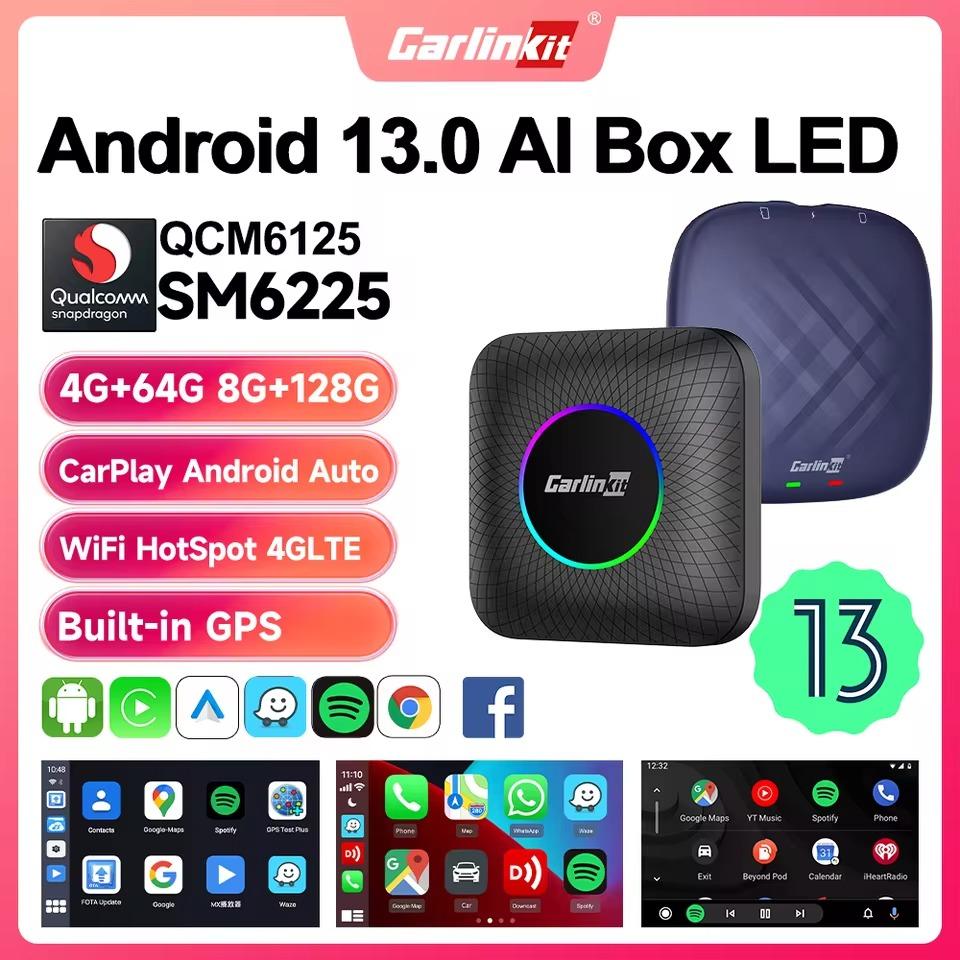
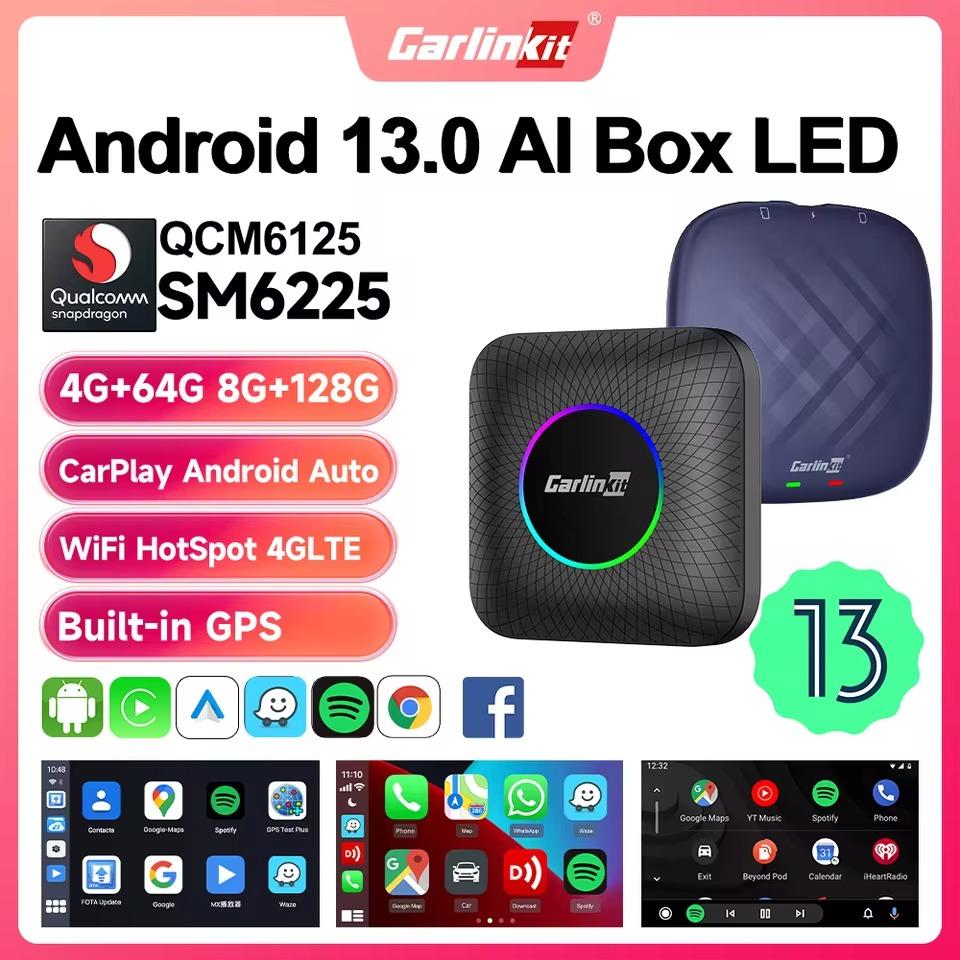
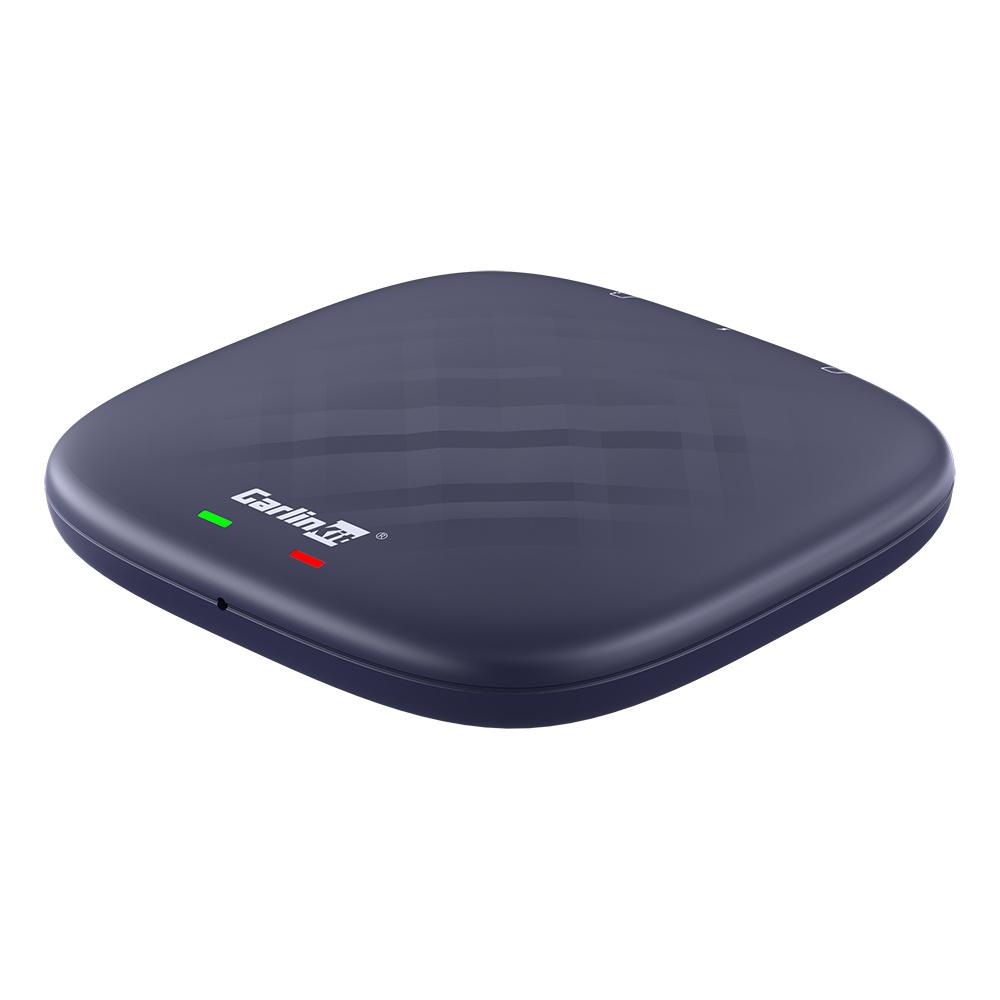
More powerful are the Carlinkit boxes with Android 13, which have a SIM card slot, so they don’t need to take internet from your phone. Carlinkit SM6225 has a newer Qualcomm octa-core processor and LED backlighting. Carlinkit AI box with Android 13 was also praised by one of our readers, who has it in his Ford and watches movies on it. Depending on the memory size, you will pay at most €200 for each of them. If you’d rather get an AI box from a Slovak store with a warranty here, you can also find the OTTOCAST P3 Pro with Android, GPS, and its own SIM card on Heureke after clicking this link.

ChinaPlanet deal

Carlinkit SM6225 AI box

Carlinkit SM6225 AI box
142,52 €
No coupon

Price history

13,23 €cheaper than the average price
Cheapest 76,26 €Most expensive 115,75 €
Are you shopping on AliExpress for the first time? See the guide!
Updated 21. 10. 2026 at 09:36
TIP15-day delivery via Aliexpress Standard Shipping

For this product, Aliexpress Standard Shipping is available with guaranteed delivery in 15 days. This is the most reliable way to ship and, in most cases, it’s delivered by a courier company. 15-day delivery we’ve tested it for real.

When you order from a Chinese warehouse, AliExpress adds a customs duty charge of approximately 3,70 € per order to your cart. When you receive the shipment, you won’t have to pay anything extra.

Track this product’s price

As soon as we post a new coupon, we’ll send you an email. You can unsubscribe from tracking anytime.

Are you shopping on AliExpress for the first time?

The process is via the AliExpress mobile app, where most people shop. There are two key things: don’t use Buy now and enter the coupon only in the order summary, in the field Promo code. After you click Pay now, you won’t be able to add it.

  1. Copy the code and click Use discountIn our article, copy the coupon and click the button GET DISCOUNT. The link will take you directly to the product in the AliExpress app.
  2. Use Add to cart instead of Buy nowOn the product card, scroll down and tap Add to cart. Don’t use the Buy now button—you’ll skip the cart, and later you won’t have anywhere to enter the coupon. Before that, double-check the variant: the color, the version, and whether it ships from an EU warehouse.
  3. Through the cart, go to CheckoutA pop-up will appear: Added to cart! — tap Check it out in it. If it disappeared, open the cart with the icon at the bottom right. In the cart, check the product and quantity, then click the red Checkout. Only the items marked with the red ring will be applied.
  4. Enter your address and card, then look for Promo codeIn the order summary, first fill in the delivery address and payment card at the top. Below them there’s a line Promo code — expand it with the arrow on the right.
    Riadok Promo code v zhrnutí objednávky v aplikácii AliExpress
    Look for this line under the address and payment method.
  5. Paste the code and confirm ApplyIn the field Promo code paste the copied code and click the black Apply. The code is case-sensitive and must not contain spaces.
    Políčko Promo code s kódom a tlačidlom Apply v aplikácii AliExpress
    Paste the code into the field and confirm with the Apply button.
  6. Check the savings and payIn the Summary expand the line Saved — you’ll see the applied coupon there as AliExpress coupons/codes. Only when Total is really lower, click Pay now.
    Riadok Saved s uplatneným kupónom a znížený Total v aplikácii AliExpress
    The applied coupon will appear in the Saved line and will reduce the Total.
Apply the discount already at the order summary. After you click Pay now, you can no longer add a coupon. If Apply shows an error, the code has either expired, doesn’t apply to your items, or the order doesn’t meet the minimum amount.
The Store Coupon also goes in the same field. — a coupon from the seller itself, which isn’t always available and changes from day to day. AliExpress coupons can’t be combined, so try both and go with the one that gives you more. Coins are added automatically.

ChinaPlanet deal

Carlinkit Android 13 box

4 + 64 GB
Carlinkit Android 13 box
15-day delivery
142,52 €
No coupon

Price history

49,79 €more expensive than the average price
Cheapest 68,62 €Most expensive 168,95 €
Are you shopping on AliExpress for the first time? See the guide!
Updated 23. 10. 2026 at 07:10
TIP15-day delivery via Aliexpress Standard Shipping

For this product, Aliexpress Standard Shipping is available with guaranteed delivery within 15 days. It’s the most reliable delivery method and, in most cases, it’s handled by a courier company. The 15-day delivery is something we actually tested.

When you order from a Chinese warehouse, AliExpress adds a customs duty charge of approximately 3,70 € per order to your cart. When you receive the shipment, you won’t have to pay anything extra.

Track this product’s price

As soon as we post a new coupon, we’ll send you an email. You can unsubscribe from tracking anytime.

Are you shopping on AliExpress for the first time?

The process is via the AliExpress mobile app, where most people shop. There are two key things: don’t use Buy now and enter the coupon only in the order summary, in the field Promo code. After you click Pay now, you won’t be able to add it.

  1. Copy the code and click Use discountIn our article, copy the coupon and click the button GET DISCOUNT. The link will take you directly to the product in the AliExpress app.
  2. Use Add to cart instead of Buy nowOn the product card, scroll down and tap Add to cart. Don’t use the Buy now button—you’ll skip the cart, and later you won’t have anywhere to enter the coupon. Before that, double-check the variant: the color, the version, and whether it ships from an EU warehouse.
  3. Through the cart, go to CheckoutA pop-up will appear: Added to cart! — tap Check it out in it. If it disappeared, open the cart with the icon at the bottom right. In the cart, check the product and quantity, then click the red Checkout. Only the items marked with the red ring will be applied.
  4. Enter your address and card, then look for Promo codeIn the order summary, first fill in the delivery address and payment card at the top. Below them there’s a line Promo code — expand it with the arrow on the right.
    Riadok Promo code v zhrnutí objednávky v aplikácii AliExpress
    Look for this line under the address and payment method.
  5. Paste the code and confirm ApplyIn the field Promo code paste the copied code and click the black Apply. The code is case-sensitive and must not contain spaces.
    Políčko Promo code s kódom a tlačidlom Apply v aplikácii AliExpress
    Paste the code into the field and confirm with the Apply button.
  6. Check the savings and payIn the Summary expand the line Saved — you’ll see the applied coupon there as AliExpress coupons/codes. Only when Total is really lower, click Pay now.
    Riadok Saved s uplatneným kupónom a znížený Total v aplikácii AliExpress
    The applied coupon will appear in the Saved line and will reduce the Total.
Apply the discount already at the order summary. After you click Pay now, you can no longer add a coupon. If Apply shows an error, the code has either expired, doesn’t apply to your items, or the order doesn’t meet the minimum amount.
The Store Coupon also goes in the same field. — a coupon from the seller itself, which isn’t always available and changes from day to day. AliExpress coupons can’t be combined, so try both and go with the one that gives you more. Coins are added automatically.

No car display? Just add an extra screen

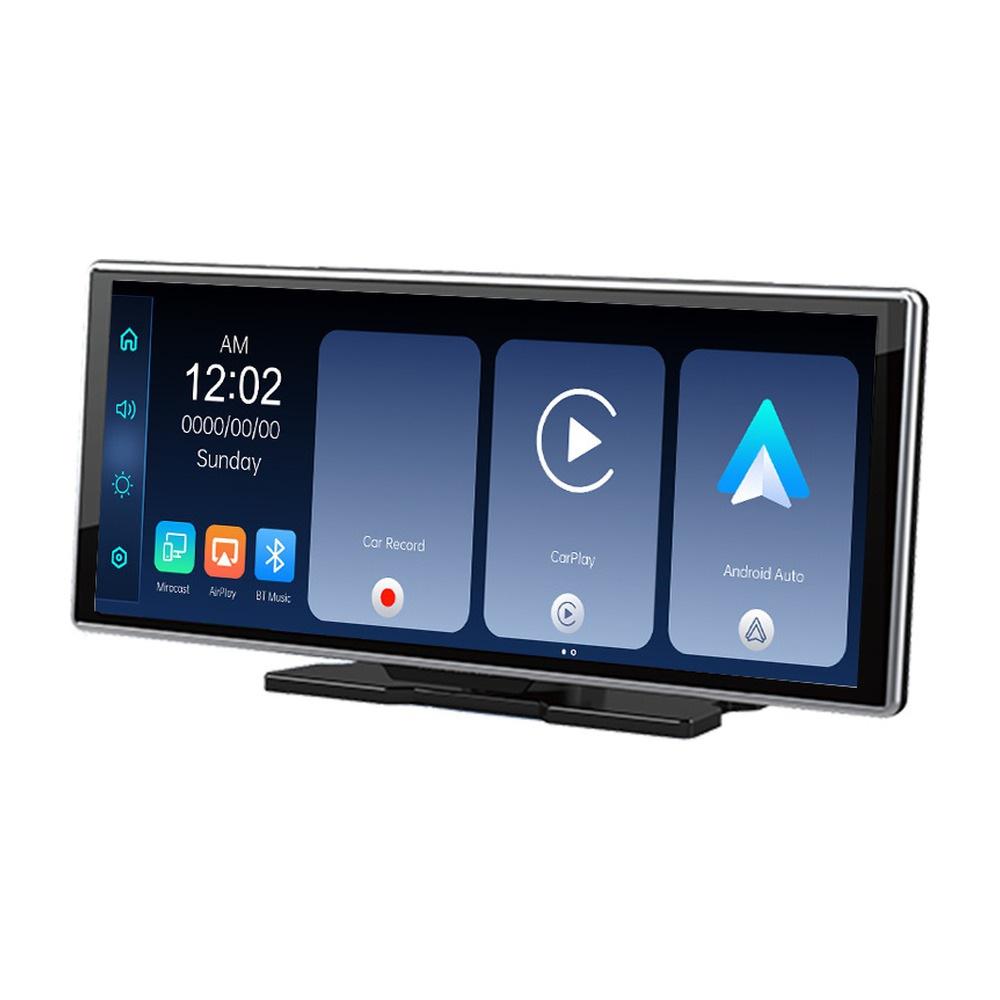
If your car doesn’t have a touchscreen radio with Android Auto or CarPlay, none of the options above will help. The solution is the YUEHOO add-on display with an 11.26″ diagonal, which you place on the dashboard and plug into the cigarette lighter socket, so you don’t need to disassemble the dashboard. You can wirelessly mirror Android Auto and CarPlay from your phone to it, and according to a customer from Hungary, YouTube runs on it without any issues too.

Important: Orders from Banggood come with our VIP support, which you get after downloading our extension for the Chrome browser on desktop only.
ChinaPlanet deal

YUEHOO CarPlay / Android Auto display

11,26" with a reversing camera
YUEHOO CarPlay / Android Auto displej
CZ warehouse
72,58 €You save 2,69 €
69,89 €
CouponBG23c893

Price history

2,04 €more expensive than the average price
Cheapest 65,81 €Most expensive 69,89 €
Buying on Banggood for the first time? See the guide!
Updated 16. 10. 2026 at 13:31
TIPExpress delivery from the Czech warehouse with no customs duties and VAT.

This product will be delivered to you express from the local Czech warehouse. Delivery from Czechia usually takes 7-10 days and is handled by courier. On delivery, you don’t pay any additional fees—no customs duty and no VAT.

Track this product’s price

As soon as we post a new coupon, we’ll send you an email. You can unsubscribe from tracking anytime.

Buying on Banggood for the first time?

The package also includes a rear camera, and the display has a built-in dash cam too, so you can upgrade an older car with three things in one purchase. Banggood ships it from a Czech warehouse, so you usually have it at home within a week. You can find details and customer experiences in our article about the YUEHOO display.

A cheaper way to get wireless Android Auto

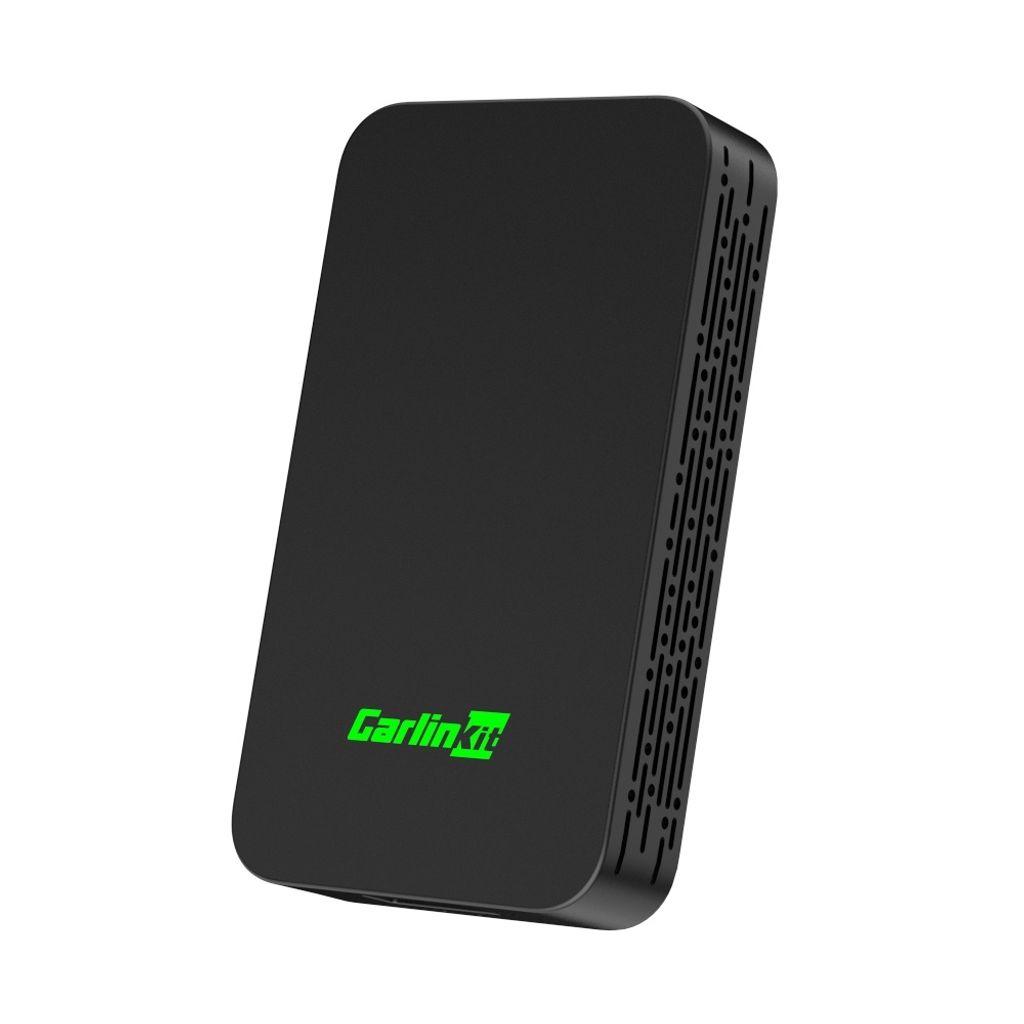
If all you need is to get rid of the cable and you don’t need video, a regular wireless adapter will do for a fraction of the price. These boxes don’t play video; they just transfer Android Auto or CarPlay from your phone to the car without a cable. We also tested our favorite Carlinkit 5.0 ourselves, and it worked on a Dacia Duster right after pairing.

ChinaPlanet deal

Carlinkit 5.0

Black
Carlinkit 5.0
13-day delivery
43,07 €You save 4,18 €
38,89 €
No coupon

Price history

6,22 €more expensive than the average price
Cheapest 24,23 €Most expensive 41,39 €
Are you shopping on AliExpress for the first time? See the guide!
Updated 23. 10. 2026 at 12:37
TIP13-day delivery via Aliexpress Standard Shipping

For this product, AliExpress Standard Shipping is available with guaranteed delivery within 13 days. This is the most reliable shipping method and in most cases it’s delivered by a courier company.

When you order from a Chinese warehouse, AliExpress adds a customs duty charge of approximately 3,70 € per order to your cart. When you receive the shipment, you won’t have to pay anything extra.

Track this product’s price

As soon as we post a new coupon, we’ll send you an email. You can unsubscribe from tracking anytime.

Are you shopping on AliExpress for the first time?

The process is via the AliExpress mobile app, where most people shop. There are two key things: don’t use Buy now and enter the coupon only in the order summary, in the field Promo code. After you click Pay now, you won’t be able to add it.

  1. Copy the code and click Use discountIn our article, copy the coupon and click the button GET DISCOUNT. The link will take you directly to the product in the AliExpress app.
  2. Use Add to cart instead of Buy nowOn the product card, scroll down and tap Add to cart. Don’t use the Buy now button—you’ll skip the cart, and later you won’t have anywhere to enter the coupon. Before that, double-check the variant: the color, the version, and whether it ships from an EU warehouse.
  3. Through the cart, go to CheckoutA pop-up will appear: Added to cart! — tap Check it out in it. If it disappeared, open the cart with the icon at the bottom right. In the cart, check the product and quantity, then click the red Checkout. Only the items marked with the red ring will be applied.
  4. Enter your address and card, then look for Promo codeIn the order summary, first fill in the delivery address and payment card at the top. Below them there’s a line Promo code — expand it with the arrow on the right.
    Riadok Promo code v zhrnutí objednávky v aplikácii AliExpress
    Look for this line under the address and payment method.
  5. Paste the code and confirm ApplyIn the field Promo code paste the copied code and click the black Apply. The code is case-sensitive and must not contain spaces.
    Políčko Promo code s kódom a tlačidlom Apply v aplikácii AliExpress
    Paste the code into the field and confirm with the Apply button.
  6. Check the savings and payIn the Summary expand the line Saved — you’ll see the applied coupon there as AliExpress coupons/codes. Only when Total is really lower, click Pay now.
    Riadok Saved s uplatneným kupónom a znížený Total v aplikácii AliExpress
    The applied coupon will appear in the Saved line and will reduce the Total.
Apply the discount already at the order summary. After you click Pay now, you can no longer add a coupon. If Apply shows an error, the code has either expired, doesn’t apply to your items, or the order doesn’t meet the minimum amount.
The Store Coupon also goes in the same field. — a coupon from the seller itself, which isn’t always available and changes from day to day. AliExpress coupons can’t be combined, so try both and go with the one that gives you more. Coins are added automatically.

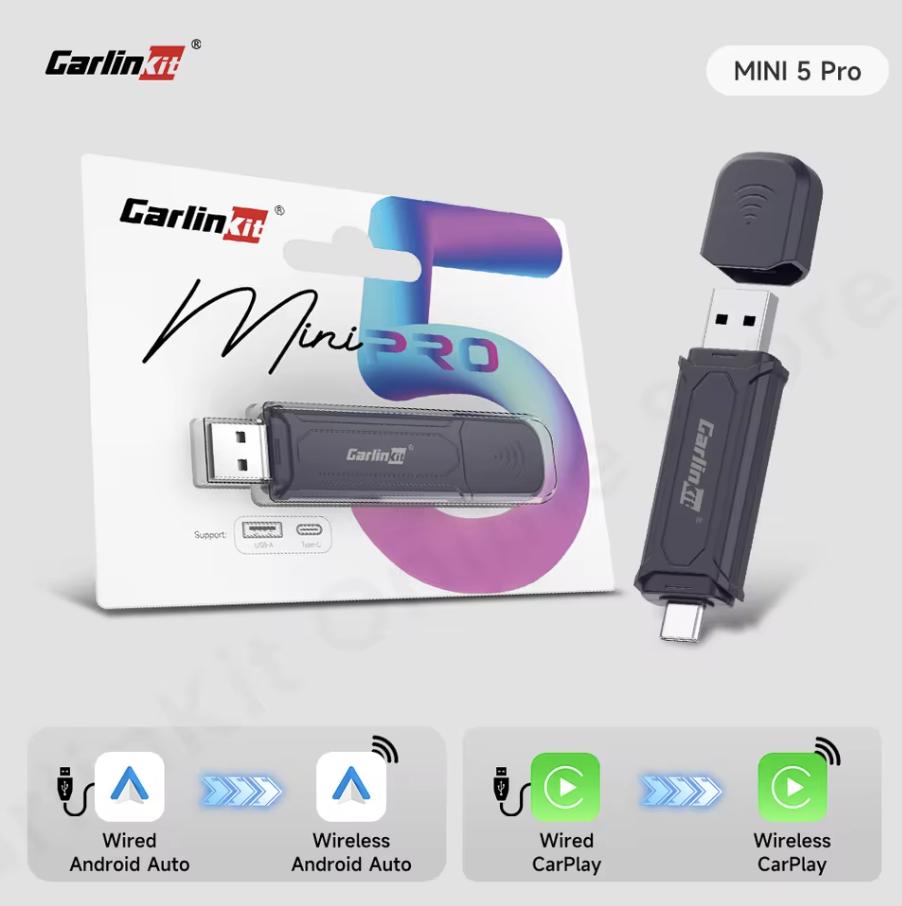
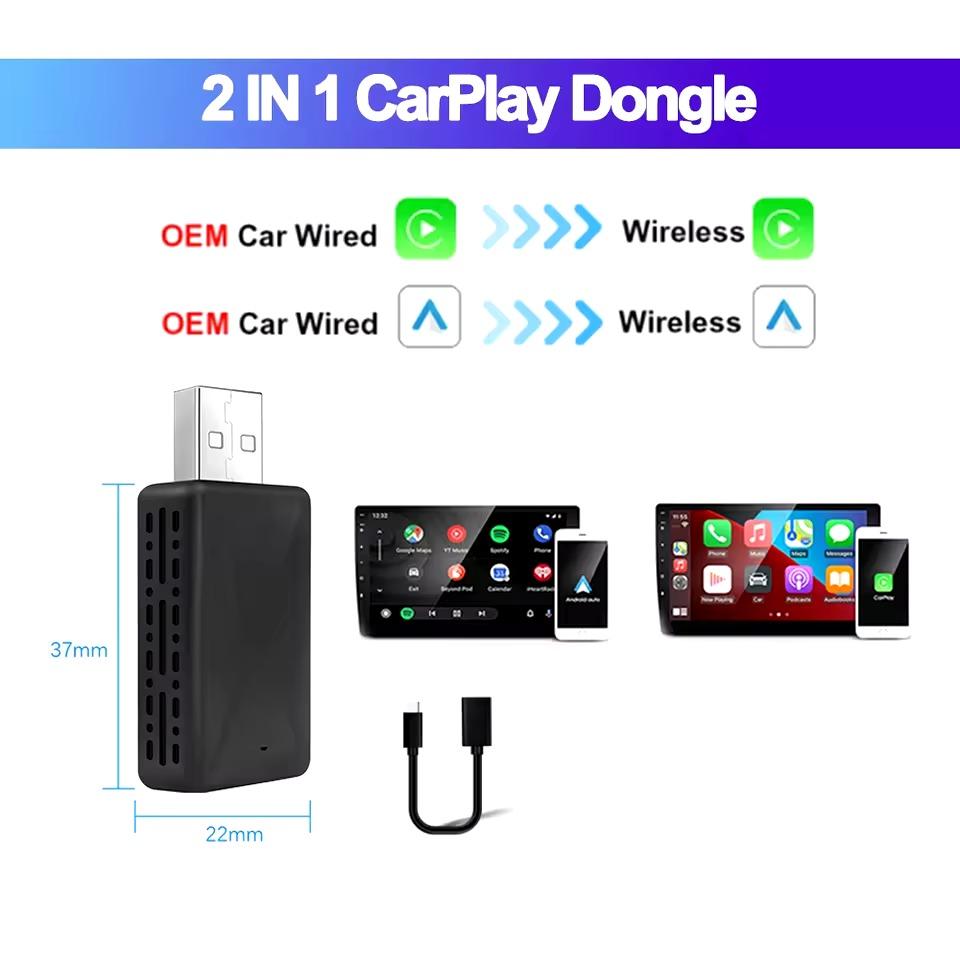
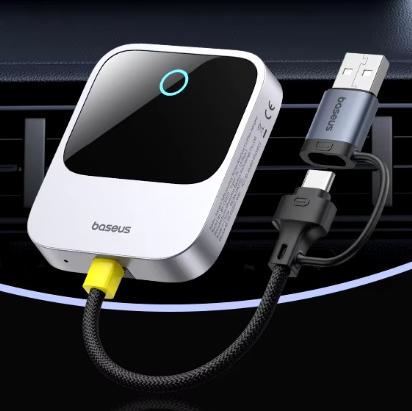
The smaller Carlinkit Mini 5 Pro and 2-in-1 wireless adapter are even cheaper. Baseus Wireless CarPlay only handles CarPlay, so it’s suitable for iPhone owners.

ChinaPlanet deal

Carlinkit Mini 5 Pro

Regular offer
Carlinkit Mini 5 Pro
13-day delivery
24,98 €
No coupon

Price history

7,26 €more expensive than the average price
Cheapest 13,63 €Most expensive 24,98 €
Are you shopping on AliExpress for the first time? See the guide!
More coupons
25,86 €
No couponUse
Updated 23. 10. 2026 at 12:37
TIP13-day delivery via Aliexpress Standard Shipping

For this product, AliExpress Standard Shipping is available with guaranteed delivery within 13 days. This is the most reliable shipping method and in most cases it’s delivered by a courier company.

When you order from a Chinese warehouse, AliExpress adds a customs duty charge of approximately 3,70 € per order to your cart. When you receive the shipment, you won’t have to pay anything extra.

Track this product’s price

As soon as we post a new coupon, we’ll send you an email. You can unsubscribe from tracking anytime.

Are you shopping on AliExpress for the first time?

The process is via the AliExpress mobile app, where most people shop. There are two key things: don’t use Buy now and enter the coupon only in the order summary, in the field Promo code. After you click Pay now, you won’t be able to add it.

  1. Copy the code and click Use discountIn our article, copy the coupon and click the button GET DISCOUNT. The link will take you directly to the product in the AliExpress app.
  2. Use Add to cart instead of Buy nowOn the product card, scroll down and tap Add to cart. Don’t use the Buy now button—you’ll skip the cart, and later you won’t have anywhere to enter the coupon. Before that, double-check the variant: the color, the version, and whether it ships from an EU warehouse.
  3. Through the cart, go to CheckoutA pop-up will appear: Added to cart! — tap Check it out in it. If it disappeared, open the cart with the icon at the bottom right. In the cart, check the product and quantity, then click the red Checkout. Only the items marked with the red ring will be applied.
  4. Enter your address and card, then look for Promo codeIn the order summary, first fill in the delivery address and payment card at the top. Below them there’s a line Promo code — expand it with the arrow on the right.
    Riadok Promo code v zhrnutí objednávky v aplikácii AliExpress
    Look for this line under the address and payment method.
  5. Paste the code and confirm ApplyIn the field Promo code paste the copied code and click the black Apply. The code is case-sensitive and must not contain spaces.
    Políčko Promo code s kódom a tlačidlom Apply v aplikácii AliExpress
    Paste the code into the field and confirm with the Apply button.
  6. Check the savings and payIn the Summary expand the line Saved — you’ll see the applied coupon there as AliExpress coupons/codes. Only when Total is really lower, click Pay now.
    Riadok Saved s uplatneným kupónom a znížený Total v aplikácii AliExpress
    The applied coupon will appear in the Saved line and will reduce the Total.
Apply the discount already at the order summary. After you click Pay now, you can no longer add a coupon. If Apply shows an error, the code has either expired, doesn’t apply to your items, or the order doesn’t meet the minimum amount.
The Store Coupon also goes in the same field. — a coupon from the seller itself, which isn’t always available and changes from day to day. AliExpress coupons can’t be combined, so try both and go with the one that gives you more. Coins are added automatically.

ChinaPlanet deal

2v1 Wireless CarPlay Android Auto adapter

Regular offer
2v1 bezdrôtový CarPlay Android Auto adaptér
13-day delivery
20,38 €
No coupon

Price history

8,29 €more expensive than the average price
Cheapest 9,05 €Most expensive 20,38 €
Are you shopping on AliExpress for the first time? See the guide!
Updated 23. 10. 2026 at 15:11
TIP13-day delivery via Aliexpress Standard Shipping

For this product, AliExpress Standard Shipping is available with guaranteed delivery within 13 days. This is the most reliable shipping method and in most cases it’s delivered by a courier company.

When you order from a Chinese warehouse, AliExpress adds a customs duty charge of approximately 3,70 € per order to your cart. When you receive the shipment, you won’t have to pay anything extra.

Track this product’s price

As soon as we post a new coupon, we’ll send you an email. You can unsubscribe from tracking anytime.

Are you shopping on AliExpress for the first time?

The process is via the AliExpress mobile app, where most people shop. There are two key things: don’t use Buy now and enter the coupon only in the order summary, in the field Promo code. After you click Pay now, you won’t be able to add it.

  1. Copy the code and click Use discountIn our article, copy the coupon and click the button GET DISCOUNT. The link will take you directly to the product in the AliExpress app.
  2. Use Add to cart instead of Buy nowOn the product card, scroll down and tap Add to cart. Don’t use the Buy now button—you’ll skip the cart, and later you won’t have anywhere to enter the coupon. Before that, double-check the variant: the color, the version, and whether it ships from an EU warehouse.
  3. Through the cart, go to CheckoutA pop-up will appear: Added to cart! — tap Check it out in it. If it disappeared, open the cart with the icon at the bottom right. In the cart, check the product and quantity, then click the red Checkout. Only the items marked with the red ring will be applied.
  4. Enter your address and card, then look for Promo codeIn the order summary, first fill in the delivery address and payment card at the top. Below them there’s a line Promo code — expand it with the arrow on the right.
    Riadok Promo code v zhrnutí objednávky v aplikácii AliExpress
    Look for this line under the address and payment method.
  5. Paste the code and confirm ApplyIn the field Promo code paste the copied code and click the black Apply. The code is case-sensitive and must not contain spaces.
    Políčko Promo code s kódom a tlačidlom Apply v aplikácii AliExpress
    Paste the code into the field and confirm with the Apply button.
  6. Check the savings and payIn the Summary expand the line Saved — you’ll see the applied coupon there as AliExpress coupons/codes. Only when Total is really lower, click Pay now.
    Riadok Saved s uplatneným kupónom a znížený Total v aplikácii AliExpress
    The applied coupon will appear in the Saved line and will reduce the Total.
Apply the discount already at the order summary. After you click Pay now, you can no longer add a coupon. If Apply shows an error, the code has either expired, doesn’t apply to your items, or the order doesn’t meet the minimum amount.
The Store Coupon also goes in the same field. — a coupon from the seller itself, which isn’t always available and changes from day to day. AliExpress coupons can’t be combined, so try both and go with the one that gives you more. Coins are added automatically.

ChinaPlanet deal

Baseus Wireless CarPlay

Chinese warehouse
Baseus Wireless CarPlay
15-day delivery
59,58 €
No coupon

Price history

20,98 €more expensive than the average price
Cheapest 23,87 €Most expensive 59,58 €
Are you shopping on AliExpress for the first time? See the guide!
Updated 22. 10. 2026 at 09:27
TIP15-day delivery via Aliexpress Standard Shipping

For this product, Aliexpress Standard Shipping is available with guaranteed delivery within 15 days. It’s the most reliable delivery method and, in most cases, it’s handled by a courier company. The 15-day delivery is something we actually tested.

When you order from a Chinese warehouse, AliExpress adds a customs duty charge of approximately 3,70 € per order to your cart. When you receive the shipment, you won’t have to pay anything extra.

Track this product’s price

As soon as we post a new coupon, we’ll send you an email. You can unsubscribe from tracking anytime.

Are you shopping on AliExpress for the first time?

The process is via the AliExpress mobile app, where most people shop. There are two key things: don’t use Buy now and enter the coupon only in the order summary, in the field Promo code. After you click Pay now, you won’t be able to add it.

  1. Copy the code and click Use discountIn our article, copy the coupon and click the button GET DISCOUNT. The link will take you directly to the product in the AliExpress app.
  2. Use Add to cart instead of Buy nowOn the product card, scroll down and tap Add to cart. Don’t use the Buy now button—you’ll skip the cart, and later you won’t have anywhere to enter the coupon. Before that, double-check the variant: the color, the version, and whether it ships from an EU warehouse.
  3. Through the cart, go to CheckoutA pop-up will appear: Added to cart! — tap Check it out in it. If it disappeared, open the cart with the icon at the bottom right. In the cart, check the product and quantity, then click the red Checkout. Only the items marked with the red ring will be applied.
  4. Enter your address and card, then look for Promo codeIn the order summary, first fill in the delivery address and payment card at the top. Below them there’s a line Promo code — expand it with the arrow on the right.
    Riadok Promo code v zhrnutí objednávky v aplikácii AliExpress
    Look for this line under the address and payment method.
  5. Paste the code and confirm ApplyIn the field Promo code paste the copied code and click the black Apply. The code is case-sensitive and must not contain spaces.
    Políčko Promo code s kódom a tlačidlom Apply v aplikácii AliExpress
    Paste the code into the field and confirm with the Apply button.
  6. Check the savings and payIn the Summary expand the line Saved — you’ll see the applied coupon there as AliExpress coupons/codes. Only when Total is really lower, click Pay now.
    Riadok Saved s uplatneným kupónom a znížený Total v aplikácii AliExpress
    The applied coupon will appear in the Saved line and will reduce the Total.
Apply the discount already at the order summary. After you click Pay now, you can no longer add a coupon. If Apply shows an error, the code has either expired, doesn’t apply to your items, or the order doesn’t meet the minimum amount.
The Store Coupon also goes in the same field. — a coupon from the seller itself, which isn’t always available and changes from day to day. AliExpress coupons can’t be combined, so try both and go with the one that gives you more. Coins are added automatically.

What the law says and what to watch out for

Everything we’ve written about so far applies only to a stationary car or to a passenger. Act No. 8/2009 Coll. on Road Traffic in Section 4(1)(c) requires the driver to fully focus on driving the vehicle. Under Section 4(2)(m), while driving you may not hold a phone or other audiovisual device in your hand or otherwise operate it, and you may not do any other similar activity unrelated to driving. So you may not watch video while driving, whether the app allows it or not.

From 1 September 2026, the vehicle owner will also have to pay a €249 fine if a police or road camera catches the driver with a phone in hand, as explained by Právne noviny. So set up the video app so you can turn it off with one tap before driving. At the same time, only use content from legal sources, since the apps themselves provide no channels or movies.

-Official YouTubeApps (AA Car Play Video / Fermata)AI box
Pricefree (sound while driving with a Premium subscription)0 to 15 €from 60 to 200 €
What you needSupported car / Android 16Any car with Android AutoCar with wired CarPlay or Android Auto
Video while drivingNo (only audio)Technically yes / the law forbids itTechnically yes / the law forbids it
RisknoneIt may stop working after an updateNone on the phone

Which route should you choose

If you have a newer car from supported brands, wait for the official YouTube release, because it’s safe, free, and won’t break anything on your end. For an older car, the easiest option is an AI box that works independently from your phone—Android Auto updates won’t put it at risk. Unofficial apps are cheap, but Google can block them anytime. For AA CarPlay Video, also consider whether you want to send money to a service operator you know nothing about. And if your car doesn’t have Android Auto or CarPlay at all, start with an additional YUEHOO display.

Reader poll

Would you use the option to play a video on your car’s display?

9 votes

Follow the China Planet website, subscribe to our monthly newsletter, and be sure to check out our Facebook page, the China Planet group, and join our Telegram, where we add the best offers and coupons from China every single day.

Add us as your preferred source on Google

Don’t miss the best coupons 📩

Subscribe and we’ll email you new coupons before they expire. We only send it once a month — no spam.

Ad Engerio