A planet full of gadgets from China · a database of the best coupons
Electric scooters

Problems with a stable Carlinkit connection to Android Auto? We’ll show you how to fix it.

17. February 2025 4 min read 4 comments

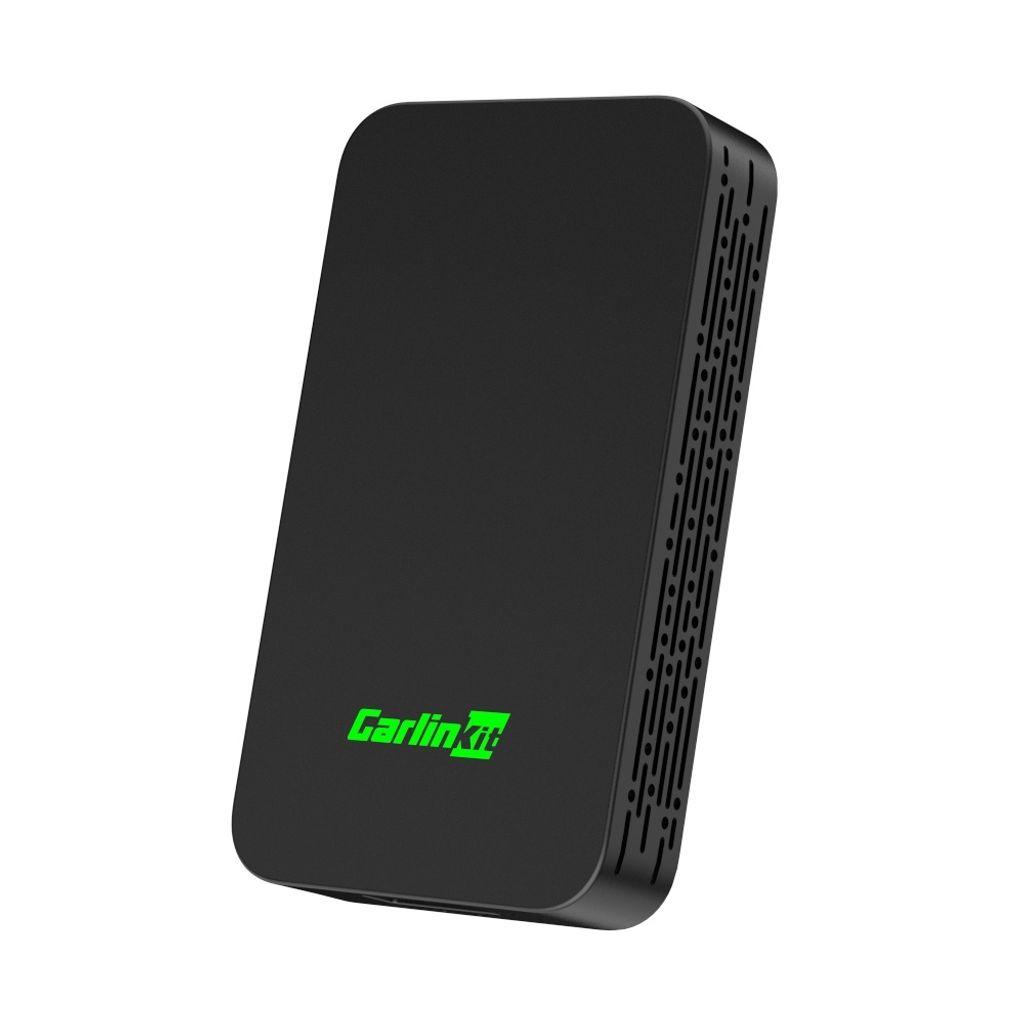
Carlinkit products on our website are very well-known and highly regarded. They are adapters that free you from the manufacturer’s cable when using Android Auto or Carplay built in. There is also a model that can even extend these environments with other apps, such as streaming apps or installing third-party apps.

We also add guides on our FB

For Carlinkit 5.0 models and older Carlinkit 4.0 models, some Android users are having connection stability issues. However, this should be fixed by a manufacturer update that focuses on improved connection stability with Android devices—and therefore also with the Android Auto environment. Apple CarPlay should work reliably even without an update.

How to update Carlinkit?

There are several ways to update your Carlinkit device. The easiest method is updating via a browser and a smartphone.

Update via smartphone and browser:

  1. On your smartphone, go to the Wi‑Fi network settings and find your Carlinkit device, under the name like “AutoKit_D3” and enter the original password “12345678”
  2. After connecting, open your browser and enter the address 192.168.50.2 and you’ll end up in your Carlinkit device settings
  3. Switch to the “Settings”
  4. At the end of the menu you’ll find the option “Check Update“ , click it and update Carlinkit
  5. In this step, make sure you have an internet connection available (either turn on mobile data or switch to another Wi‑Fi network with internet access)
  6. Confirm “Click Update” to download and install the firmware update
  7. It’s possible you’ll need to perform the update twice if you’re dealing with an older firmware version

During the update, the LED light on the device will blink red and green, so you’ll see that it’s updating. The browser also shows the progress. After the update, the device should work more reliably with Android smartphones and Android Auto.

Update via USB drive

  1. Prepare a USB drive with a maximum capacity of 32 GB, plug it into your computer, right-click it, and format it to the FAT32 file system.
  2. Copy this firmware in .img format onto the USB stick (do not change the file name)
  3. Connect the device to power using a charger, then insert the USB stick into the USB port on the device
  4. During the update, red and green lights will blink. Do not disconnect the device from power. After the red or blue light turns on, wait another 3 minutes, then disconnect the USB drive.

If the USB stick meets the size and format requirements but the lights aren’t flashing, try using another USB stick. You can also check out this video guide to perform the update.

Ad

Update via the Autools app (Android only)

This update method requires you to download the apk file “Autools-v1.0-20231031165452” from the manufacturer’s official website and then transfer the update via your smartphone. It’s basically the same update process as in the first step, but without using a browser (in case your Android device can’t access the address). You can watch the full video guide here.

The manufacturer states that this firmware update is suitable for CPC200-A2A/CPC200-CP2A/CPC200-2air devices. The CPC200-CP2A label refers to the older Carlinkit 4.0 and the CPC200-2air newer Carlinkit 5.0.

Where to buy Carlinkit for the best money?

If you still don’t have Carlinkit and you’re tired of constantly connecting it to your car with cables, you can get Carlinkit for the lowest price on AliExpress. Delivery will take about 10 to 20 business days, depending on which seller you choose.

ChinaPlanet deal

Carlinkit 5.0

Black
Carlinkit 5.0
15-day delivery
43,07 €You save 4,12 €
38,95 €
No coupon

Price history

5,89 €more expensive than the average price
Cheapest 24,23 €Most expensive 41,39 €
Are you shopping on AliExpress for the first time? See the guide!
Updated 30. 10. 2026 at 10:12
TIP15-day delivery via Aliexpress Standard Shipping

For this product, Aliexpress Standard Shipping is available with guaranteed delivery within 15 days. It’s the most reliable delivery method and, in most cases, it’s handled by a courier company. The 15-day delivery is something we actually tested.

When you order from a Chinese warehouse, AliExpress adds a customs duty charge of approximately 3,70 € per order to your cart. When you receive the shipment, you won’t have to pay anything extra.

Track this product’s price

As soon as we post a new coupon, we’ll send you an email. You can unsubscribe from tracking anytime.

Are you shopping on AliExpress for the first time?

The process is via the AliExpress mobile app, where most people shop. There are two key things: don’t use Buy now and enter the coupon only in the order summary, in the field Promo code. After you click Pay now, you won’t be able to add it.

  1. Copy the code and click Use discountIn our article, copy the coupon and click the button GET DISCOUNT. The link will take you directly to the product in the AliExpress app.
  2. Use Add to cart instead of Buy nowOn the product card, scroll down and tap Add to cart. Don’t use the Buy now button—you’ll skip the cart, and later you won’t have anywhere to enter the coupon. Before that, double-check the variant: the color, the version, and whether it ships from an EU warehouse.
  3. Through the cart, go to CheckoutA pop-up will appear: Added to cart! — tap Check it out in it. If it disappeared, open the cart with the icon at the bottom right. In the cart, check the product and quantity, then click the red Checkout. Only the items marked with the red ring will be applied.
  4. Enter your address and card, then look for Promo codeIn the order summary, first fill in the delivery address and payment card at the top. Below them there’s a line Promo code — expand it with the arrow on the right.
    Riadok Promo code v zhrnutí objednávky v aplikácii AliExpress
    Look for this line under the address and payment method.
  5. Paste the code and confirm ApplyIn the field Promo code paste the copied code and click the black Apply. The code is case-sensitive and must not contain spaces.
    Políčko Promo code s kódom a tlačidlom Apply v aplikácii AliExpress
    Paste the code into the field and confirm with the Apply button.
  6. Check the savings and payIn the Summary expand the line Saved — you’ll see the applied coupon there as AliExpress coupons/codes. Only when Total is really lower, click Pay now.
    Riadok Saved s uplatneným kupónom a znížený Total v aplikácii AliExpress
    The applied coupon will appear in the Saved line and will reduce the Total.
Apply the discount already at the order summary. After you click Pay now, you can no longer add a coupon. If Apply shows an error, the code has either expired, doesn’t apply to your items, or the order doesn’t meet the minimum amount.
The Store Coupon also goes in the same field. — a coupon from the seller itself, which isn’t always available and changes from day to day. AliExpress coupons can’t be combined, so try both and go with the one that gives you more. Coins are added automatically.

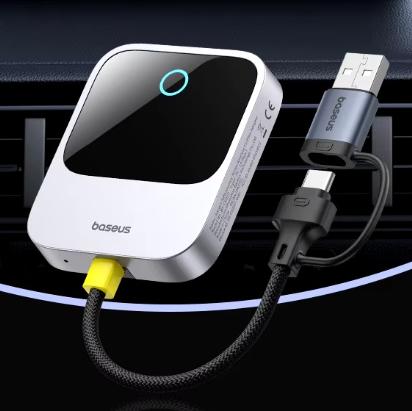
If you have an iPhone and will only use Apple Carplay, we recommend going for the Baseus Wireless Carplay adapter instead, which is much more reliable in terms of connection stability. On our Facebook pages, several readers confirmed this and they praise this adapter a lot.

ChinaPlanet deal

Baseus Wireless CarPlay

Chinese warehouse
Baseus Wireless CarPlay
15-day delivery
59,58 €
No coupon

Price history

20,98 €more expensive than the average price
Cheapest 23,87 €Most expensive 59,58 €
Are you shopping on AliExpress for the first time? See the guide!
Updated 30. 10. 2026 at 10:11
TIP15-day delivery via Aliexpress Standard Shipping

For this product, Aliexpress Standard Shipping is available with guaranteed delivery within 15 days. It’s the most reliable delivery method and, in most cases, it’s handled by a courier company. The 15-day delivery is something we actually tested.

When you order from a Chinese warehouse, AliExpress adds a customs duty charge of approximately 3,70 € per order to your cart. When you receive the shipment, you won’t have to pay anything extra.

Track this product’s price

As soon as we post a new coupon, we’ll send you an email. You can unsubscribe from tracking anytime.

Are you shopping on AliExpress for the first time?

The process is via the AliExpress mobile app, where most people shop. There are two key things: don’t use Buy now and enter the coupon only in the order summary, in the field Promo code. After you click Pay now, you won’t be able to add it.

  1. Copy the code and click Use discountIn our article, copy the coupon and click the button GET DISCOUNT. The link will take you directly to the product in the AliExpress app.
  2. Use Add to cart instead of Buy nowOn the product card, scroll down and tap Add to cart. Don’t use the Buy now button—you’ll skip the cart, and later you won’t have anywhere to enter the coupon. Before that, double-check the variant: the color, the version, and whether it ships from an EU warehouse.
  3. Through the cart, go to CheckoutA pop-up will appear: Added to cart! — tap Check it out in it. If it disappeared, open the cart with the icon at the bottom right. In the cart, check the product and quantity, then click the red Checkout. Only the items marked with the red ring will be applied.
  4. Enter your address and card, then look for Promo codeIn the order summary, first fill in the delivery address and payment card at the top. Below them there’s a line Promo code — expand it with the arrow on the right.
    Riadok Promo code v zhrnutí objednávky v aplikácii AliExpress
    Look for this line under the address and payment method.
  5. Paste the code and confirm ApplyIn the field Promo code paste the copied code and click the black Apply. The code is case-sensitive and must not contain spaces.
    Políčko Promo code s kódom a tlačidlom Apply v aplikácii AliExpress
    Paste the code into the field and confirm with the Apply button.
  6. Check the savings and payIn the Summary expand the line Saved — you’ll see the applied coupon there as AliExpress coupons/codes. Only when Total is really lower, click Pay now.
    Riadok Saved s uplatneným kupónom a znížený Total v aplikácii AliExpress
    The applied coupon will appear in the Saved line and will reduce the Total.
Apply the discount already at the order summary. After you click Pay now, you can no longer add a coupon. If Apply shows an error, the code has either expired, doesn’t apply to your items, or the order doesn’t meet the minimum amount.
The Store Coupon also goes in the same field. — a coupon from the seller itself, which isn’t always available and changes from day to day. AliExpress coupons can’t be combined, so try both and go with the one that gives you more. Coins are added automatically.
Ad

Follow the China Planet website, sign up for our monthly newsletter, and make sure you also follow our Facebook page, the group All from EU warehouses, and join our Telegram—where we add the best deals and coupons from China day after day.

Add us as your preferred source on Google

Don’t miss the best coupons 📩

Subscribe and we’ll email you new coupons before they expire. We only send it once a month — no spam.

Ad Engerio