


In recent years, Xiaomi’s robot vacuum cleaners have seen a huge boom. As the main competitor to the well-known iRobot brand, they offer very similar features for much lower prices.
In 2019, the most advanced model from Xiaomi—Xiaomi Mi Robot Vacuum 2—became very famous. It’s also known as Xiaomi Mi Robot Vacuum-Mop P or Xiaomi Mi Robot Vacuum Mop Pro.
How to connect to Xiaomi Mi Robot Vacuum-Mop P (STYJ02YM)
This is also the model many of our readers have bought. They often send us questions about how to pair the vacuum with the app. Unfortunately, the vacuum is currently available only in the Chinese version, and the manual for it is only in Chinese.

Current coupons for the vacuum
But we’re here now with a simple step-by-step guide on how to pair the vacuum with the Mi Home app. Don’t worry—the app works fully in English, and the vacuum is fully usable also in Slovakia and the Czech Republic. The process is very easy.
Postup:
1. Download the Mi Home app from Google Play or App Store
2. As soon as you open the app, you’ll be prompted to choose a region. Here, it’s important to select Chinese Mainland or China. You can also change the region later in the app settings.
However, this only applies to the Chinese version of the vacuum that was sold until the end of year 2019. If you bought the vacuum later, you have a global version where you can select the region Slovakia, Czechia, or Germany.

3. Then sign in to the app. If you don’t have a Xiaomi account yet, you’ll need to register it.
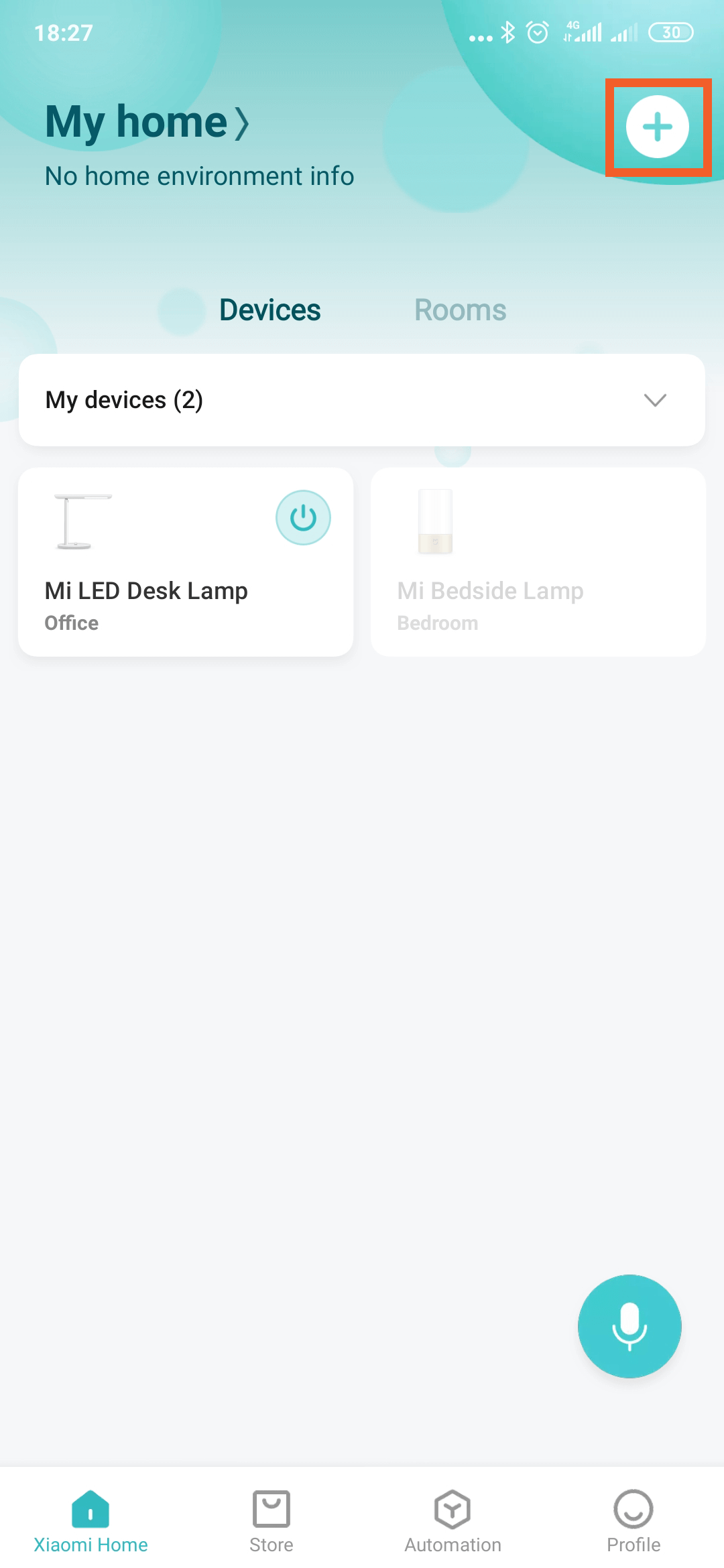
4. After signing in, you’ll land on the home screen. In the top-right corner, tap the large white “plus” icon.
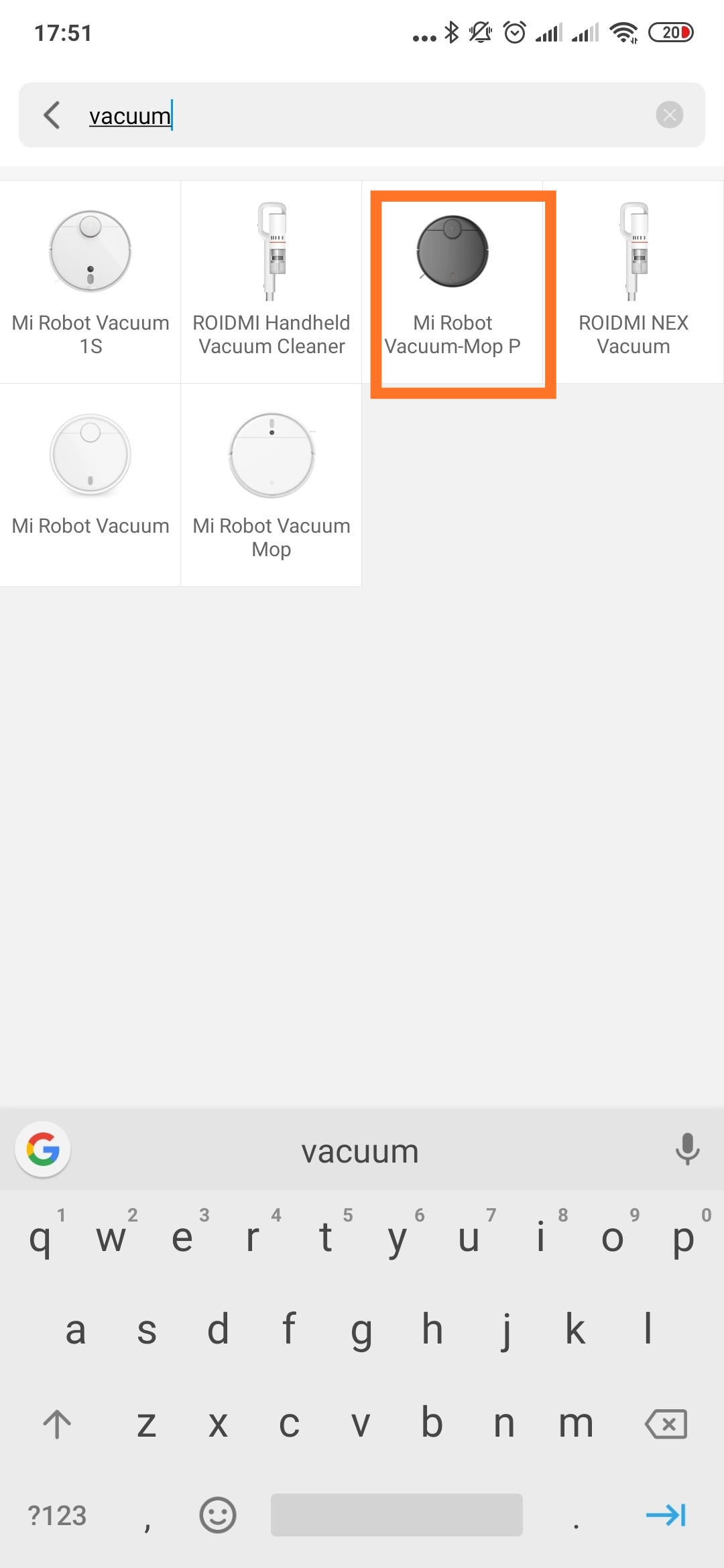
5. You’ll see a list of all products. Just type “vacuum” into the search box and select the model Mi Robot Vacuum-Mop P.
6. After selecting the model, you’ll see an initial screen with the instructions to reset the vacuum. Just press both buttons on the vacuum at the same time for 3 seconds. The vacuum will switch to pairing mode, and then your smartphone should detect it. After that, you only need to enter the password for your home WiFi network—and you’re ready to start cleaning.


FAQ
Since we often get the same questions about the vacuum, we’ve summarized them in this article. We’ll add more questions gradually.
Is there a Czech / Slovak / English manual for the vacuum?
– You can find the Czech-Slovak manual at this link.
– You can find the English manual at this link.
In what language does the vacuum “talk”?
– The language the vacuum “talks” in, for the global version, is English.
How do I turn on mopping?
– The package includes two tanks: the white translucent one is for vacuuming only, while the black one is 2-in-1 and is used for mopping. You can pour water through the rubber cap with the water icon. Then just attach the mop to the vacuum.

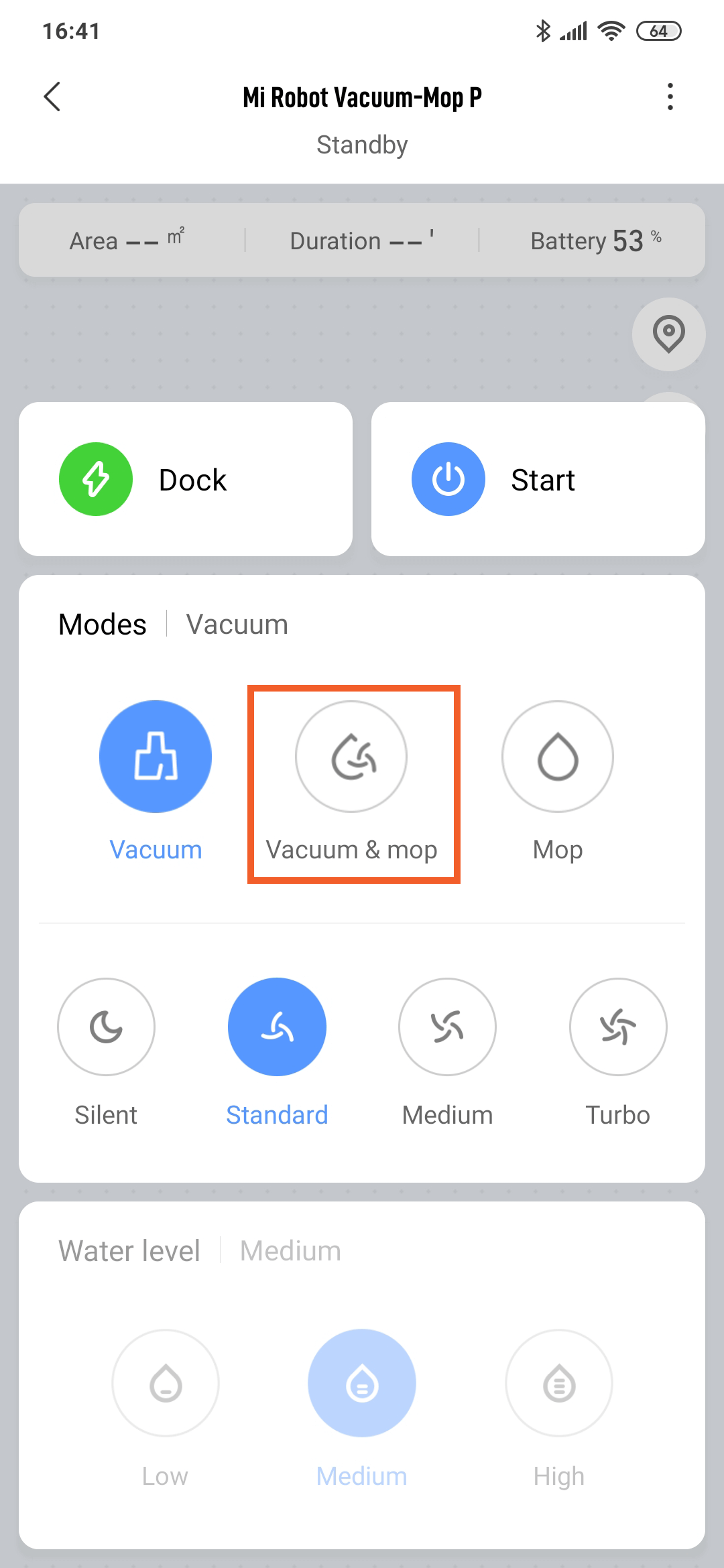
In the app, you then need to select the “Vacuum and Mop” mode, meaning vacuuming and mopping.
Where can you buy vacuum cleaner accessories?
– You can find vacuum cleaner accessories, such as new filters, brushes, or mops, on this link.
We also send guides and other useful articles about Xiaomi devices by email. 👇
Don’t miss the best coupons 📩
Subscribe and we’ll email you new coupons before they expire. We only send it once a month — no spam.


