With another weekend, we have another episode of TOP 6 Cheap Gadgets from China, which you loved so much—and today it’s already the two hundred forty-seventh installment! We picked another set of six interesting items from international sellers at great prices.
To make sure you never miss the latest episode of TOP 6 cheap gadgets from China, give us a like on Facebook , join our FB groups or follow Telegram . Here we always keep you updated about our articles.
We also add cheap gadgets to our FB
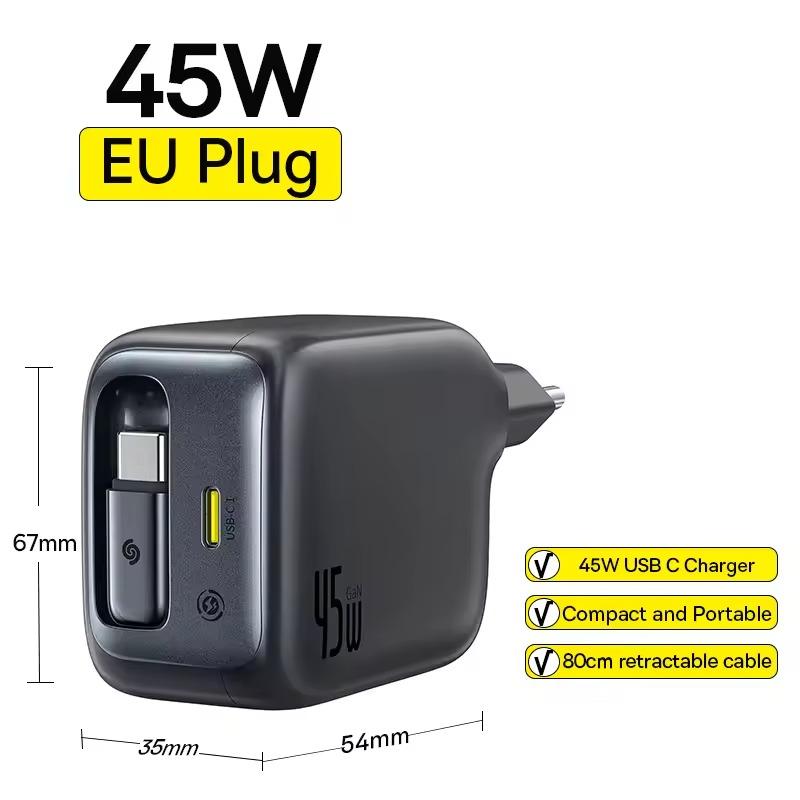
1. Baseus Enercore 45 W charger
The Baseus Enercore 45W GaN Charger is a compact travel charger with a power output of 45 W and support for multiple fast-charging protocols (PD3.0, PPS, QC3.0, FCP, SCP, AFC).
It offers two ports for simultaneous charging, with a built-in retractable cable , and thanks to GaN technology it works efficiently with a lower temperature. With dimensions of just 67 × 54 × 35 mm, it’s ideal for everyday use and travel .
Baseus Enercore 45 W charger Free duty delivery
15-day delivery 31,24 € You save 2,66 €
28,58 €
Updated 27. 9. 2025 at 03:48 TIP 15-day delivery via Aliexpress Standard ShippingFor this product, Aliexpress Standard Shipping is available with guaranteed delivery within 15 days. It’s the most reliable delivery method and, in most cases, it’s handled by a courier company. The 15-day delivery is something we actually tested .
When you order from a Chinese warehouse, AliExpress adds a customs duty charge of approximately 3,70 € per order to your cart. When you receive the shipment, you won’t have to pay anything extra.
Track this product’s price As soon as we post a new coupon, we’ll send you an email. You can unsubscribe from tracking anytime.
Are you shopping on AliExpress for the first time?
The process is via the AliExpress mobile app, where most people shop. There are two key things: don’t use Buy now and enter the coupon only in the order summary, in the field Promo code . After you click Pay now , you won’t be able to add it.
Copy the code and click Use discount In our article, copy the coupon and click the button GET DISCOUNT . The link will take you directly to the product in the AliExpress app. Use Add to cart instead of Buy now On the product card, scroll down and tap Add to cart . Don’t use the Buy now button—you’ll skip the cart, and later you won’t have anywhere to enter the coupon. Before that, double-check the variant: the color, the version, and whether it ships from an EU warehouse. Through the cart, go to Checkout A pop-up will appear: Added to cart! — tap Check it out in it. If it disappeared, open the cart with the icon at the bottom right. In the cart, check the product and quantity, then click the red Checkout . Only the items marked with the red ring will be applied. Enter your address and card, then look for Promo code In the order summary, first fill in the delivery address and payment card at the top. Below them there’s a line Promo code — expand it with the arrow on the right.
Look for this line under the address and payment method. Paste the code and confirm Apply In the field Promo code paste the copied code and click the black Apply . The code is case-sensitive and must not contain spaces.
Paste the code into the field and confirm with the Apply button. Check the savings and pay In the Summary expand the line Saved — you’ll see the applied coupon there as AliExpress coupons/codes . Only when Total is really lower, click Pay now .
The applied coupon will appear in the Saved line and will reduce the Total.
Apply the discount already at the order summary. After you click Pay now, you can no longer add a coupon. If Apply shows an error, the code has either expired, doesn’t apply to your items, or the order doesn’t meet the minimum amount.
The Store Coupon also goes in the same field. — a coupon from the seller itself, which isn’t always available and changes from day to day. AliExpress coupons can’t be combined, so try both and go with the one that gives you more. Coins are added automatically.
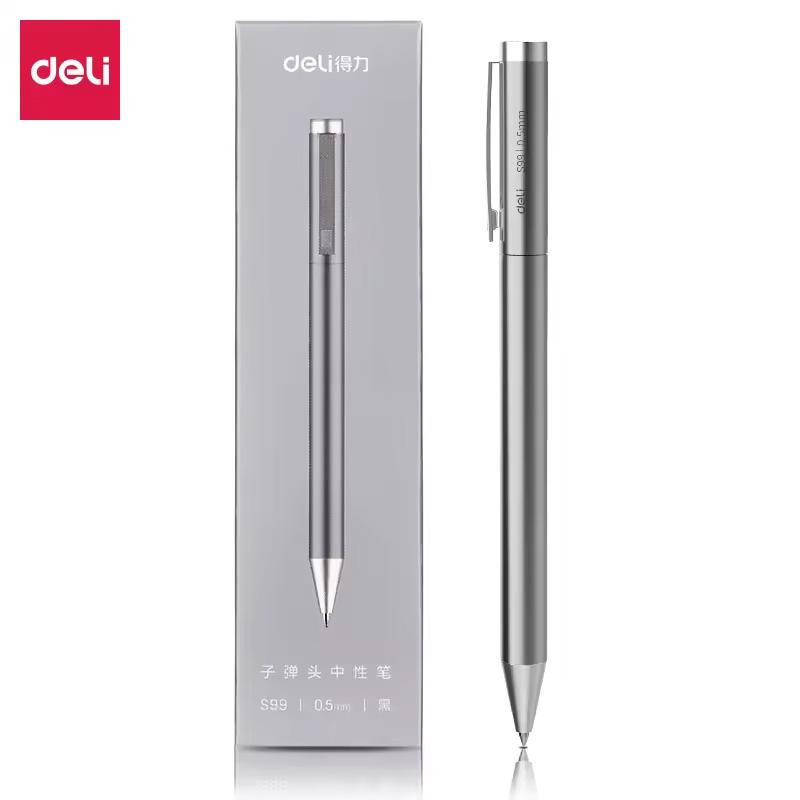
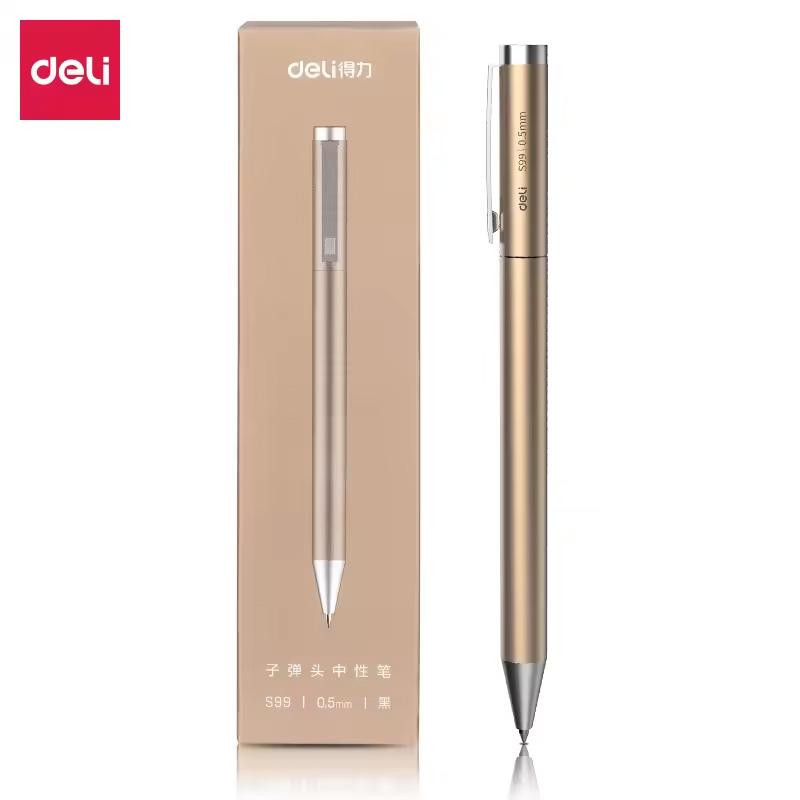
2. Luxury Xiaomi Deli metal pen
An elegant metal pen with a tip width of 0.5 mm that uses high-quality gel ink for smooth, clean writing. It has a durable metal body , a rotating mechanism to extend the refill, and a low center of gravity for stable handling.
Thanks to imported ink, it won’t smudge . It’s great for signatures as well as everyday use, and it comes in a stylish package—making it an ideal gift or a professional office accessory.
Xiaomi Deli S99 Metal Pen Silver pen 2,65 € 15-day delivery Gold pen 2,85 € 15-day delivery 3pcs replacement refills 2,92 € 15-day delivery 6,27 € You save 3,62 €
2,65 €
Price history 0,33 € cheaper than the average price Cheapest 2,65 € Most expensive 3,21 €
3 mo. 6 mo. 1 year Max
Updated 27. 10. 2026 at 08:11 TIP 15-day delivery via Aliexpress Standard ShippingFor this product, Aliexpress Standard Shipping is available with guaranteed delivery within 15 days. It’s the most reliable delivery method and, in most cases, it’s handled by a courier company. The 15-day delivery is something we actually tested .
When you order from a Chinese warehouse, AliExpress adds a customs duty charge of approximately 3,70 € per order to your cart. When you receive the shipment, you won’t have to pay anything extra.
Track this product’s price As soon as we post a new coupon, we’ll send you an email. You can unsubscribe from tracking anytime.
Are you shopping on AliExpress for the first time?
The process is via the AliExpress mobile app, where most people shop. There are two key things: don’t use Buy now and enter the coupon only in the order summary, in the field Promo code . After you click Pay now , you won’t be able to add it.
Copy the code and click Use discount In our article, copy the coupon and click the button GET DISCOUNT . The link will take you directly to the product in the AliExpress app. Use Add to cart instead of Buy now On the product card, scroll down and tap Add to cart . Don’t use the Buy now button—you’ll skip the cart, and later you won’t have anywhere to enter the coupon. Before that, double-check the variant: the color, the version, and whether it ships from an EU warehouse. Through the cart, go to Checkout A pop-up will appear: Added to cart! — tap Check it out in it. If it disappeared, open the cart with the icon at the bottom right. In the cart, check the product and quantity, then click the red Checkout . Only the items marked with the red ring will be applied. Enter your address and card, then look for Promo code In the order summary, first fill in the delivery address and payment card at the top. Below them there’s a line Promo code — expand it with the arrow on the right.
Look for this line under the address and payment method. Paste the code and confirm Apply In the field Promo code paste the copied code and click the black Apply . The code is case-sensitive and must not contain spaces.
Paste the code into the field and confirm with the Apply button. Check the savings and pay In the Summary expand the line Saved — you’ll see the applied coupon there as AliExpress coupons/codes . Only when Total is really lower, click Pay now .
The applied coupon will appear in the Saved line and will reduce the Total.
Apply the discount already at the order summary. After you click Pay now, you can no longer add a coupon. If Apply shows an error, the code has either expired, doesn’t apply to your items, or the order doesn’t meet the minimum amount.
The Store Coupon also goes in the same field. — a coupon from the seller itself, which isn’t always available and changes from day to day. AliExpress coupons can’t be combined, so try both and go with the one that gives you more. Coins are added automatically.
6,27 € You save 3,42 €
2,85 €
Price history 0,56 € cheaper than the average price Cheapest 2,85 € Most expensive 4,40 €
3 mo. 6 mo. 1 year Max
More coupons
6,27 € 3,63 €
No coupon Use Updated 27. 10. 2026 at 08:11 TIP 15-day delivery via Aliexpress Standard ShippingFor this product, Aliexpress Standard Shipping is available with guaranteed delivery within 15 days. It’s the most reliable delivery method and, in most cases, it’s handled by a courier company. The 15-day delivery is something we actually tested .
When you order from a Chinese warehouse, AliExpress adds a customs duty charge of approximately 3,70 € per order to your cart. When you receive the shipment, you won’t have to pay anything extra.
Track this product’s price As soon as we post a new coupon, we’ll send you an email. You can unsubscribe from tracking anytime.
Are you shopping on AliExpress for the first time?
The process is via the AliExpress mobile app, where most people shop. There are two key things: don’t use Buy now and enter the coupon only in the order summary, in the field Promo code . After you click Pay now , you won’t be able to add it.
Copy the code and click Use discount In our article, copy the coupon and click the button GET DISCOUNT . The link will take you directly to the product in the AliExpress app. Use Add to cart instead of Buy now On the product card, scroll down and tap Add to cart . Don’t use the Buy now button—you’ll skip the cart, and later you won’t have anywhere to enter the coupon. Before that, double-check the variant: the color, the version, and whether it ships from an EU warehouse. Through the cart, go to Checkout A pop-up will appear: Added to cart! — tap Check it out in it. If it disappeared, open the cart with the icon at the bottom right. In the cart, check the product and quantity, then click the red Checkout . Only the items marked with the red ring will be applied. Enter your address and card, then look for Promo code In the order summary, first fill in the delivery address and payment card at the top. Below them there’s a line Promo code — expand it with the arrow on the right.
Look for this line under the address and payment method. Paste the code and confirm Apply In the field Promo code paste the copied code and click the black Apply . The code is case-sensitive and must not contain spaces.
Paste the code into the field and confirm with the Apply button. Check the savings and pay In the Summary expand the line Saved — you’ll see the applied coupon there as AliExpress coupons/codes . Only when Total is really lower, click Pay now .
The applied coupon will appear in the Saved line and will reduce the Total.
Apply the discount already at the order summary. After you click Pay now, you can no longer add a coupon. If Apply shows an error, the code has either expired, doesn’t apply to your items, or the order doesn’t meet the minimum amount.
The Store Coupon also goes in the same field. — a coupon from the seller itself, which isn’t always available and changes from day to day. AliExpress coupons can’t be combined, so try both and go with the one that gives you more. Coins are added automatically.
3,91 € You save 0,99 €
2,92 €
Price history 0,21 € more expensive than the average price Cheapest 1,95 € Most expensive 3,25 €
3 mo. 6 mo. 1 year Max
Updated 27. 10. 2026 at 08:11 TIP 15-day delivery via Aliexpress Standard ShippingFor this product, Aliexpress Standard Shipping is available with guaranteed delivery within 15 days. It’s the most reliable delivery method and, in most cases, it’s handled by a courier company. The 15-day delivery is something we actually tested .
When you order from a Chinese warehouse, AliExpress adds a customs duty charge of approximately 3,70 € per order to your cart. When you receive the shipment, you won’t have to pay anything extra.
Track this product’s price As soon as we post a new coupon, we’ll send you an email. You can unsubscribe from tracking anytime.
Are you shopping on AliExpress for the first time?
The process is via the AliExpress mobile app, where most people shop. There are two key things: don’t use Buy now and enter the coupon only in the order summary, in the field Promo code . After you click Pay now , you won’t be able to add it.
Copy the code and click Use discount In our article, copy the coupon and click the button GET DISCOUNT . The link will take you directly to the product in the AliExpress app. Use Add to cart instead of Buy now On the product card, scroll down and tap Add to cart . Don’t use the Buy now button—you’ll skip the cart, and later you won’t have anywhere to enter the coupon. Before that, double-check the variant: the color, the version, and whether it ships from an EU warehouse. Through the cart, go to Checkout A pop-up will appear: Added to cart! — tap Check it out in it. If it disappeared, open the cart with the icon at the bottom right. In the cart, check the product and quantity, then click the red Checkout . Only the items marked with the red ring will be applied. Enter your address and card, then look for Promo code In the order summary, first fill in the delivery address and payment card at the top. Below them there’s a line Promo code — expand it with the arrow on the right.
Look for this line under the address and payment method. Paste the code and confirm Apply In the field Promo code paste the copied code and click the black Apply . The code is case-sensitive and must not contain spaces.
Paste the code into the field and confirm with the Apply button. Check the savings and pay In the Summary expand the line Saved — you’ll see the applied coupon there as AliExpress coupons/codes . Only when Total is really lower, click Pay now .
The applied coupon will appear in the Saved line and will reduce the Total.
Apply the discount already at the order summary. After you click Pay now, you can no longer add a coupon. If Apply shows an error, the code has either expired, doesn’t apply to your items, or the order doesn’t meet the minimum amount.
The Store Coupon also goes in the same field. — a coupon from the seller itself, which isn’t always available and changes from day to day. AliExpress coupons can’t be combined, so try both and go with the one that gives you more. Coins are added automatically.
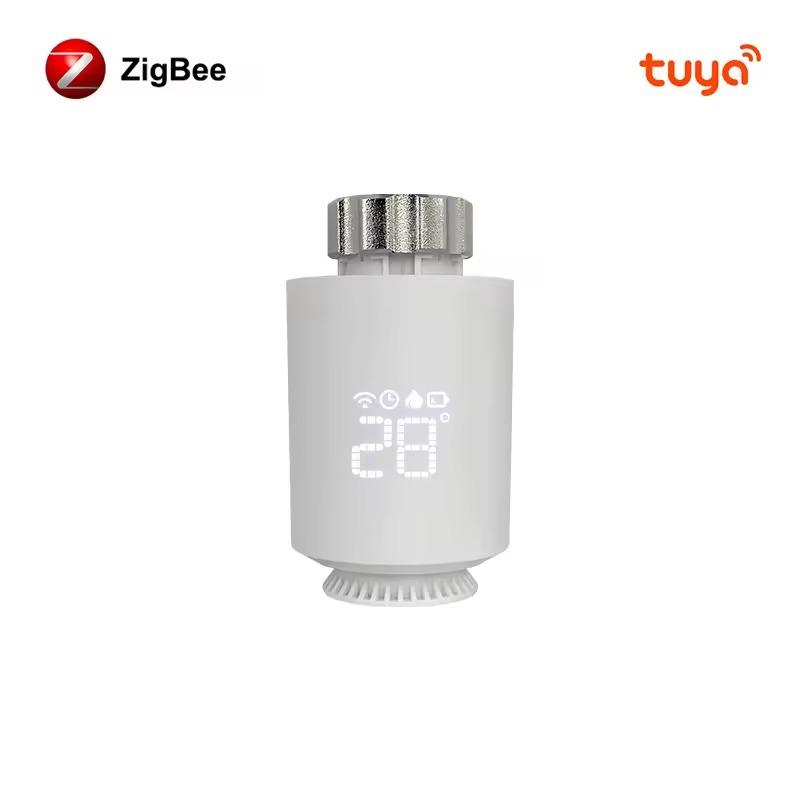
3. AVATTO Tuya ZigBee3.0 thermostatic head
The AVATTO Tuya ZigBee 3.0 Smart Thermostat is an intelligent radiator head that lets you precisely control the temperature at home using the Smart Life/Tuya Smart mobile app, voice assistants Alexa and Google Home , or through automatic schedules.
It offers features like weekly programming with 6 time modes per day, open-window detection , limescale and freeze protection, plus the ability to share control with your family. It runs on two AA batteries with a lifespan of up to half a year, and it supports the ZigBee 3.0 protocol for stable connectivity.
AVATTO Tuya ZigBee3.0 thermostatic valve head Regular offer
15-day delivery 24,25 € You save 5,46 €
18,79 €
Price history 0,20 € cheaper than the average price Cheapest 13,88 € Most expensive 23,98 €
3 mo. 6 mo. 1 year Max
More coupons
24,25 € 23,25 €
Use Updated 27. 10. 2026 at 12:30 TIP 15-day delivery via Aliexpress Standard ShippingFor this product, Aliexpress Standard Shipping is available with guaranteed delivery within 15 days. It’s the most reliable delivery method and, in most cases, it’s handled by a courier company. The 15-day delivery is something we actually tested .
When you order from a Chinese warehouse, AliExpress adds a customs duty charge of approximately 3,70 € per order to your cart. When you receive the shipment, you won’t have to pay anything extra.
Track this product’s price As soon as we post a new coupon, we’ll send you an email. You can unsubscribe from tracking anytime.
Are you shopping on AliExpress for the first time?
The process is via the AliExpress mobile app, where most people shop. There are two key things: don’t use Buy now and enter the coupon only in the order summary, in the field Promo code . After you click Pay now , you won’t be able to add it.
Copy the code and click Use discount In our article, copy the coupon and click the button GET DISCOUNT . The link will take you directly to the product in the AliExpress app. Use Add to cart instead of Buy now On the product card, scroll down and tap Add to cart . Don’t use the Buy now button—you’ll skip the cart, and later you won’t have anywhere to enter the coupon. Before that, double-check the variant: the color, the version, and whether it ships from an EU warehouse. Through the cart, go to Checkout A pop-up will appear: Added to cart! — tap Check it out in it. If it disappeared, open the cart with the icon at the bottom right. In the cart, check the product and quantity, then click the red Checkout . Only the items marked with the red ring will be applied. Enter your address and card, then look for Promo code In the order summary, first fill in the delivery address and payment card at the top. Below them there’s a line Promo code — expand it with the arrow on the right.
Look for this line under the address and payment method. Paste the code and confirm Apply In the field Promo code paste the copied code and click the black Apply . The code is case-sensitive and must not contain spaces.
Paste the code into the field and confirm with the Apply button. Check the savings and pay In the Summary expand the line Saved — you’ll see the applied coupon there as AliExpress coupons/codes . Only when Total is really lower, click Pay now .
The applied coupon will appear in the Saved line and will reduce the Total.
Apply the discount already at the order summary. After you click Pay now, you can no longer add a coupon. If Apply shows an error, the code has either expired, doesn’t apply to your items, or the order doesn’t meet the minimum amount.
The Store Coupon also goes in the same field. — a coupon from the seller itself, which isn’t always available and changes from day to day. AliExpress coupons can’t be combined, so try both and go with the one that gives you more. Coins are added automatically.
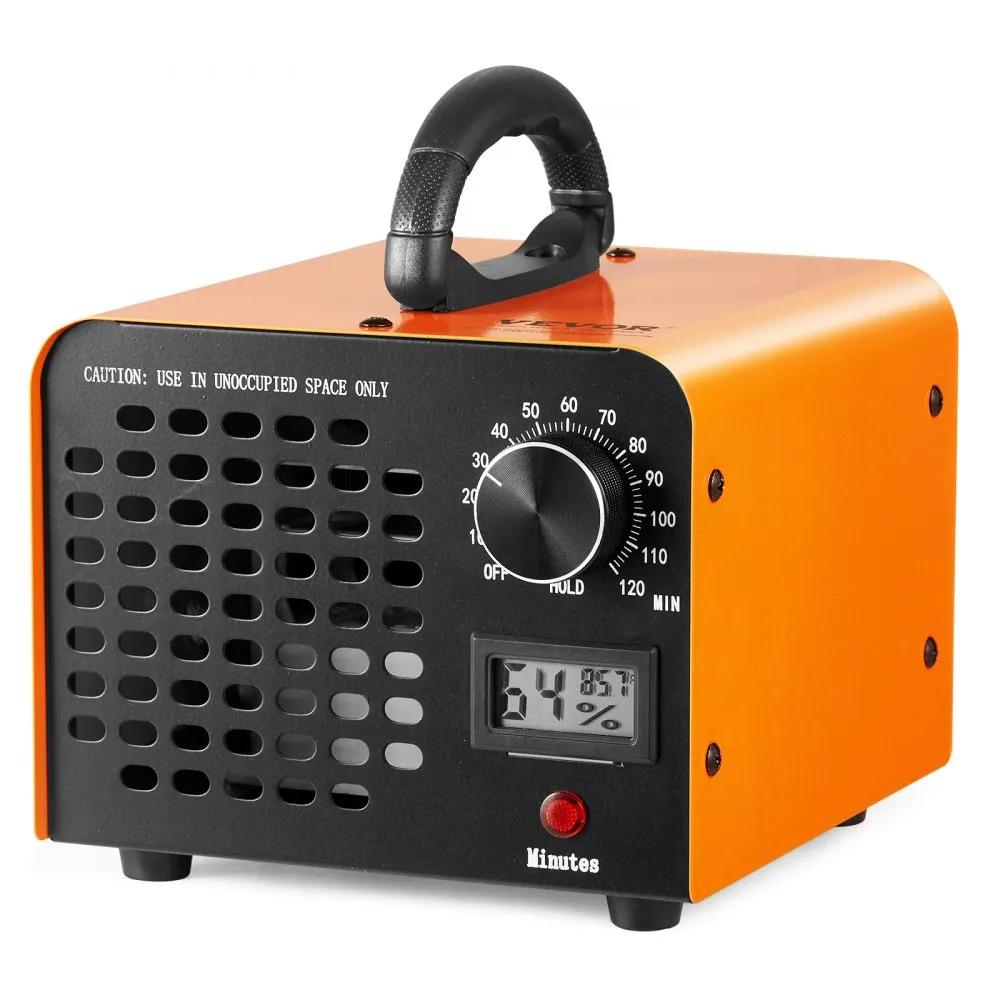
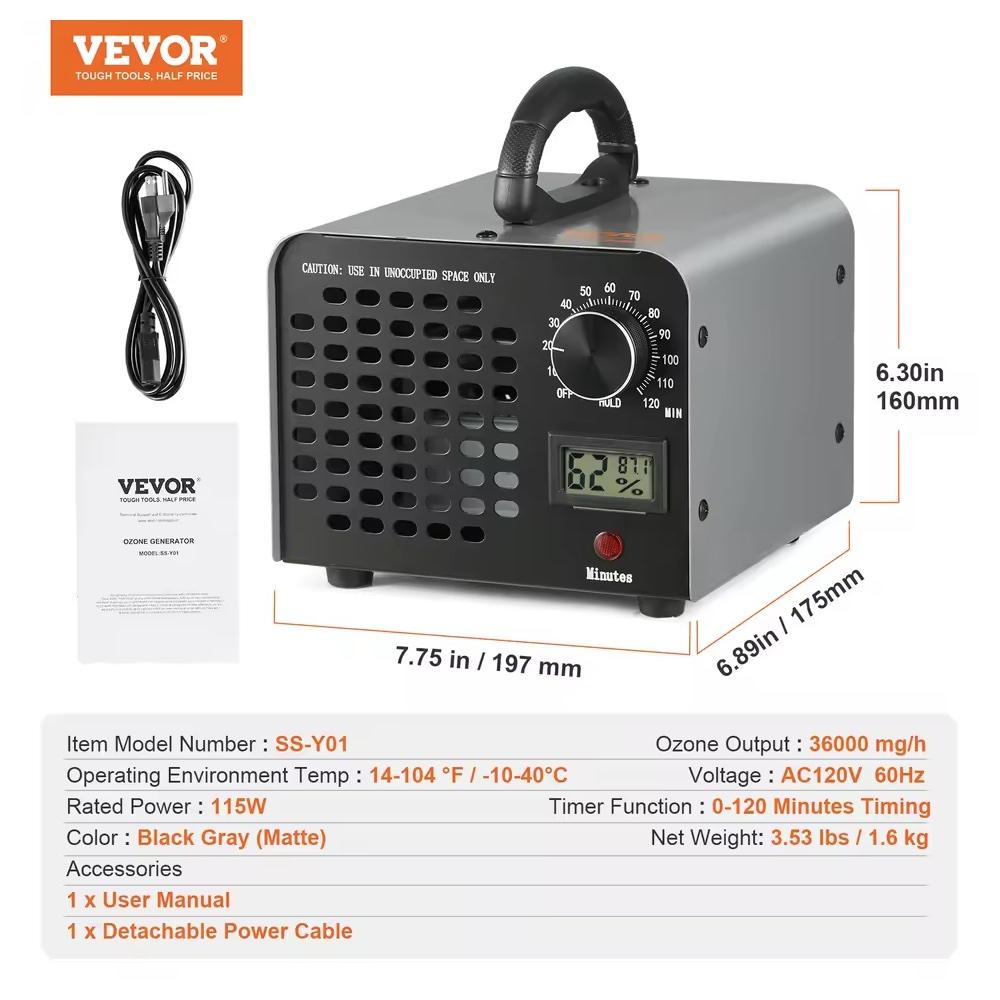
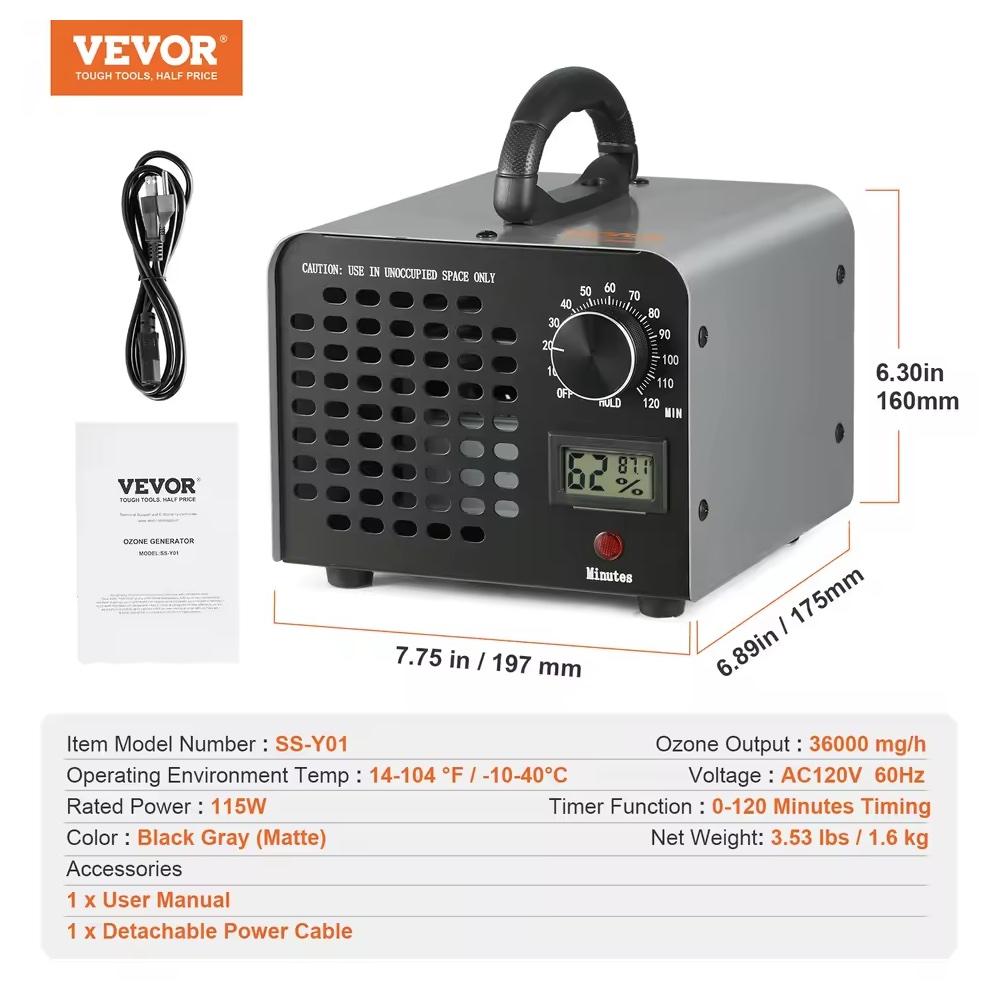
4. Vevor ozone generator
A powerful ozone generator with an output of up to 24,000 mg/h that can purify air in rooms up to 300 m² . It has a 0–120 minute timer, continuous operation mode, and a built-in humidity display for better environment monitoring.
Thanks to its compact size, low weight, and removable filter mesh, it’s easy to carry, simple to maintain , and reliably removes odors, smoke, bacteria, and harmful substances from homes, offices, basements, or cars.
12 000 mg/h 37,91 € DE warehouse 36 000 mg/h 38,01 € DE warehouse 24 000 mg/h 37,49 € DE warehouse 45,99 € You save 8,08 €
37,91 €
Price history 1,79 € more expensive than the average price Cheapest 32,62 € Most expensive 39,81 €
3 mo. 6 mo. 1 year Max
Updated 9. 7. 2026 at 10:26 TIP Express delivery from a German warehouse without customs duty and VAT.This product will be delivered express from the local German warehouse. Shipping from Germany usually takes 7-10 days, and the delivery is handled by a courier. When it arrives, you won’t pay any additional fees—no customs duty or VAT.
Track this product’s price As soon as we post a new coupon, we’ll send you an email. You can unsubscribe from tracking anytime.
Buying on Vevor for the first time? We’ll soon add a guide to the full buying process.
45,43 € You save 7,42 €
38,01 €
Price history 0,60 € cheaper than the average price Cheapest 35,35 € Most expensive 40,76 €
3 mo. 6 mo. 1 year Max
More coupons
48,99 € 46,46 €
Use Updated 9. 7. 2026 at 10:26 TIP Express delivery from a German warehouse without customs duty and VAT.This product will be delivered express from the local German warehouse. Shipping from Germany usually takes 7-10 days, and the delivery is handled by a courier. When it arrives, you won’t pay any additional fees—no customs duty or VAT.
Track this product’s price As soon as we post a new coupon, we’ll send you an email. You can unsubscribe from tracking anytime.
Are you shopping on AliExpress for the first time?
The process is via the AliExpress mobile app, where most people shop. There are two key things: don’t use Buy now and enter the coupon only in the order summary, in the field Promo code . After you click Pay now , you won’t be able to add it.
Copy the code and click Use discount In our article, copy the coupon and click the button GET DISCOUNT . The link will take you directly to the product in the AliExpress app. Use Add to cart instead of Buy now On the product card, scroll down and tap Add to cart . Don’t use the Buy now button—you’ll skip the cart, and later you won’t have anywhere to enter the coupon. Before that, double-check the variant: the color, the version, and whether it ships from an EU warehouse. Through the cart, go to Checkout A pop-up will appear: Added to cart! — tap Check it out in it. If it disappeared, open the cart with the icon at the bottom right. In the cart, check the product and quantity, then click the red Checkout . Only the items marked with the red ring will be applied. Enter your address and card, then look for Promo code In the order summary, first fill in the delivery address and payment card at the top. Below them there’s a line Promo code — expand it with the arrow on the right.
Look for this line under the address and payment method. Paste the code and confirm Apply In the field Promo code paste the copied code and click the black Apply . The code is case-sensitive and must not contain spaces.
Paste the code into the field and confirm with the Apply button. Check the savings and pay In the Summary expand the line Saved — you’ll see the applied coupon there as AliExpress coupons/codes . Only when Total is really lower, click Pay now .
The applied coupon will appear in the Saved line and will reduce the Total.
Apply the discount already at the order summary. After you click Pay now, you can no longer add a coupon. If Apply shows an error, the code has either expired, doesn’t apply to your items, or the order doesn’t meet the minimum amount.
The Store Coupon also goes in the same field. — a coupon from the seller itself, which isn’t always available and changes from day to day. AliExpress coupons can’t be combined, so try both and go with the one that gives you more. Coins are added automatically.
44,99 € You save 7,50 €
37,49 €
Price history 0,13 € cheaper than the average price Cheapest 34,99 € Most expensive 38,94 €
3 mo. 6 mo. 1 year Max
More coupons
40,99 € 38,86 €
Use Updated 9. 7. 2026 at 10:26 TIP Express delivery from a German warehouse without customs duty and VAT.This product will be delivered express from the local German warehouse. Shipping from Germany usually takes 7-10 days, and the delivery is handled by a courier. When it arrives, you won’t pay any additional fees—no customs duty or VAT.
Track this product’s price As soon as we post a new coupon, we’ll send you an email. You can unsubscribe from tracking anytime.
Are you shopping on AliExpress for the first time?
The process is via the AliExpress mobile app, where most people shop. There are two key things: don’t use Buy now and enter the coupon only in the order summary, in the field Promo code . After you click Pay now , you won’t be able to add it.
Copy the code and click Use discount In our article, copy the coupon and click the button GET DISCOUNT . The link will take you directly to the product in the AliExpress app. Use Add to cart instead of Buy now On the product card, scroll down and tap Add to cart . Don’t use the Buy now button—you’ll skip the cart, and later you won’t have anywhere to enter the coupon. Before that, double-check the variant: the color, the version, and whether it ships from an EU warehouse. Through the cart, go to Checkout A pop-up will appear: Added to cart! — tap Check it out in it. If it disappeared, open the cart with the icon at the bottom right. In the cart, check the product and quantity, then click the red Checkout . Only the items marked with the red ring will be applied. Enter your address and card, then look for Promo code In the order summary, first fill in the delivery address and payment card at the top. Below them there’s a line Promo code — expand it with the arrow on the right.
Look for this line under the address and payment method. Paste the code and confirm Apply In the field Promo code paste the copied code and click the black Apply . The code is case-sensitive and must not contain spaces.
Paste the code into the field and confirm with the Apply button. Check the savings and pay In the Summary expand the line Saved — you’ll see the applied coupon there as AliExpress coupons/codes . Only when Total is really lower, click Pay now .
The applied coupon will appear in the Saved line and will reduce the Total.
Apply the discount already at the order summary. After you click Pay now, you can no longer add a coupon. If Apply shows an error, the code has either expired, doesn’t apply to your items, or the order doesn’t meet the minimum amount.
The Store Coupon also goes in the same field. — a coupon from the seller itself, which isn’t always available and changes from day to day. AliExpress coupons can’t be combined, so try both and go with the one that gives you more. Coins are added automatically.
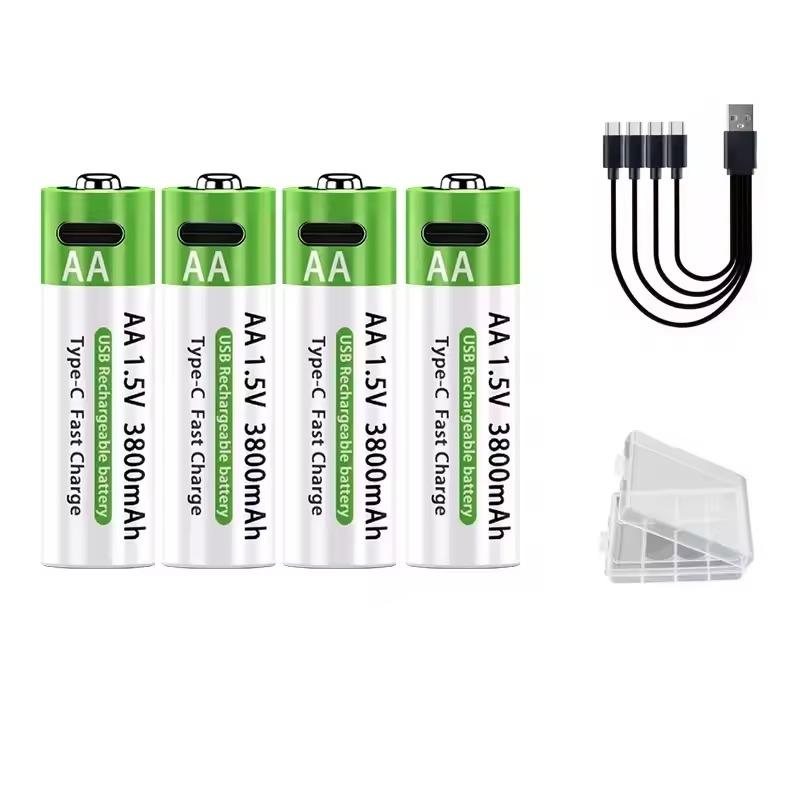
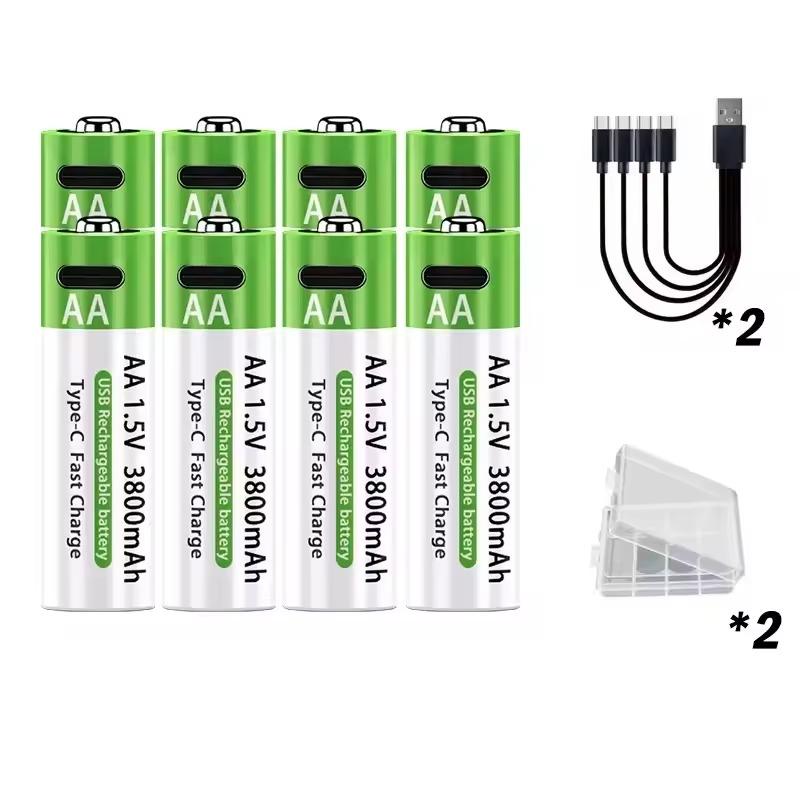
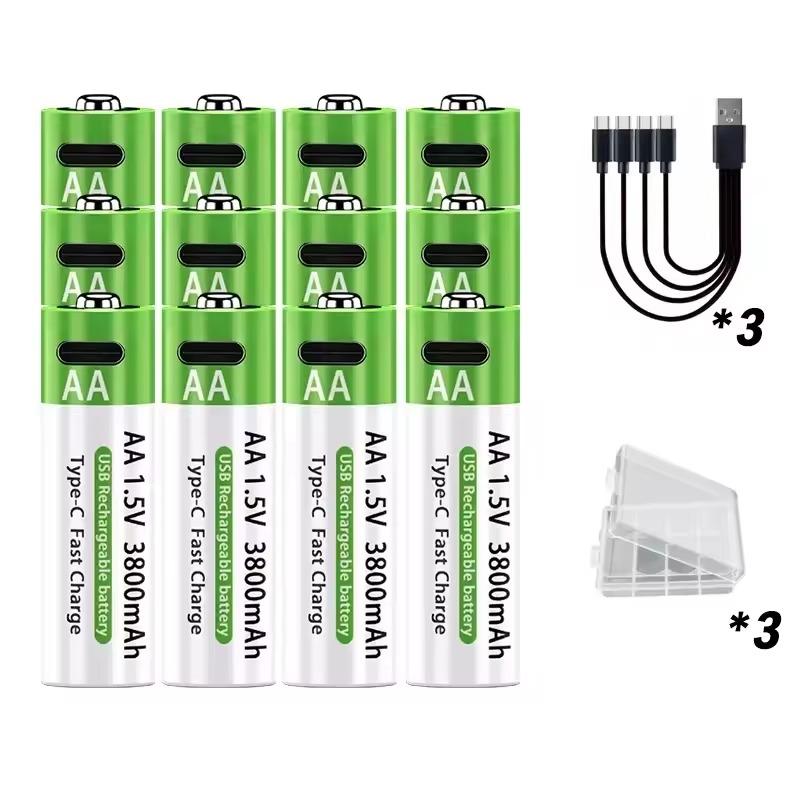
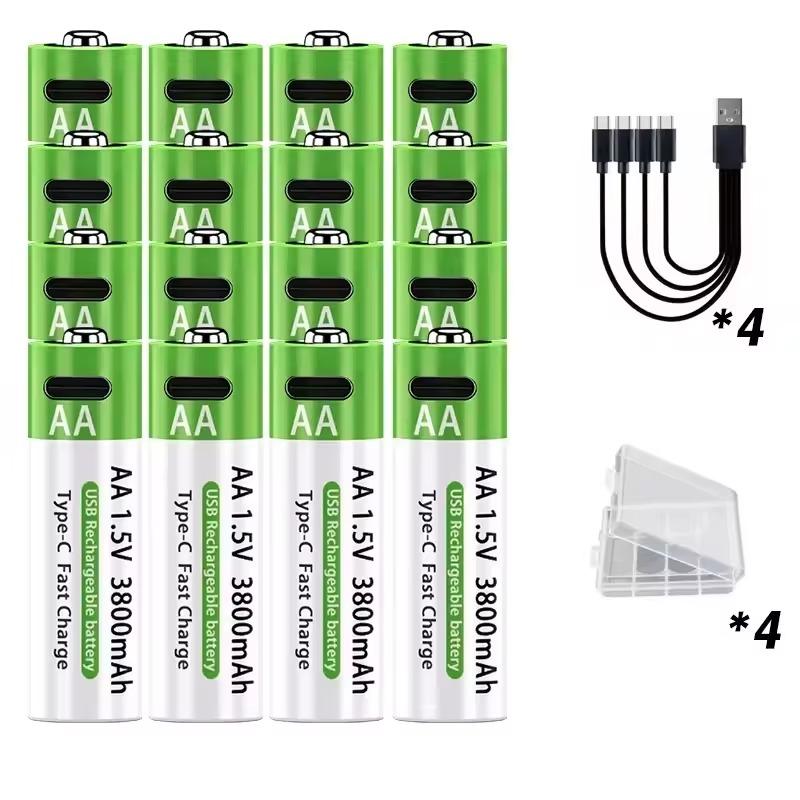
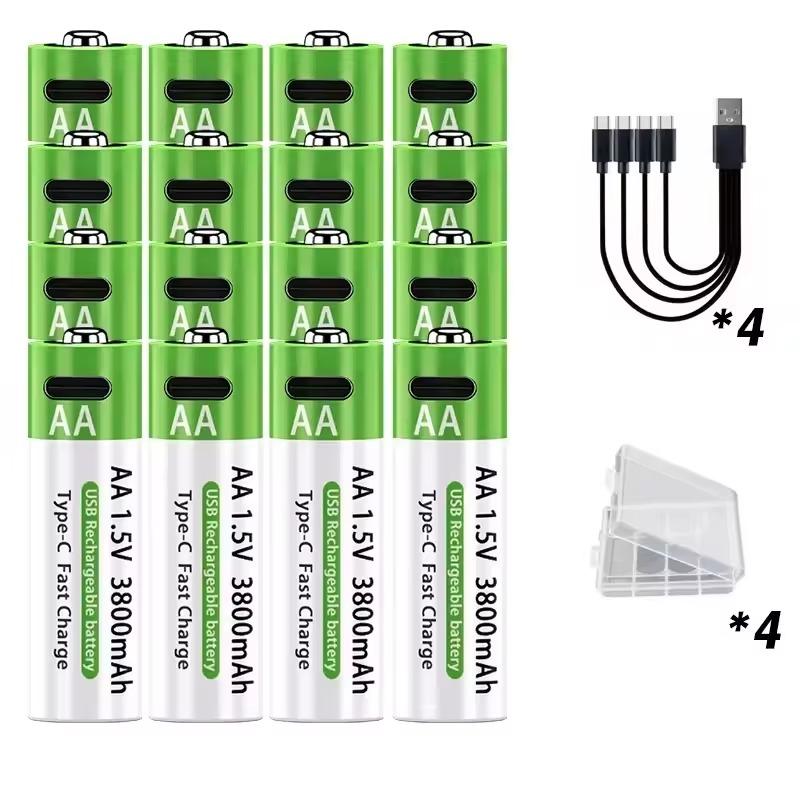
5. LIKEKALA rechargeable AA batteries
LIKEKALA rechargeable AA batteries 4 pcs 10,31 € Free Shipping 8 pcs 16,17 € Free Shipping 12 pcs 21,44 € Free Shipping 16 pcs 24,18 € Free Shipping 32 pcs 45,62 € Free Shipping Updated 27. 9. 2025 at 03:58 TIP Shipping is completely free.Free shipping is available for this product. However, this is the slowest delivery method, and the item may take 20 days to 1 month(s) to arrive.
When you order from a Chinese warehouse, AliExpress adds a customs duty charge of approximately 3,70 € per order to your cart. When you receive the shipment, you won’t have to pay anything extra.
Track this product’s price As soon as we post a new coupon, we’ll send you an email. You can unsubscribe from tracking anytime.
Are you shopping on AliExpress for the first time?
The process is via the AliExpress mobile app, where most people shop. There are two key things: don’t use Buy now and enter the coupon only in the order summary, in the field Promo code . After you click Pay now , you won’t be able to add it.
Copy the code and click Use discount In our article, copy the coupon and click the button GET DISCOUNT . The link will take you directly to the product in the AliExpress app. Use Add to cart instead of Buy now On the product card, scroll down and tap Add to cart . Don’t use the Buy now button—you’ll skip the cart, and later you won’t have anywhere to enter the coupon. Before that, double-check the variant: the color, the version, and whether it ships from an EU warehouse. Through the cart, go to Checkout A pop-up will appear: Added to cart! — tap Check it out in it. If it disappeared, open the cart with the icon at the bottom right. In the cart, check the product and quantity, then click the red Checkout . Only the items marked with the red ring will be applied. Enter your address and card, then look for Promo code In the order summary, first fill in the delivery address and payment card at the top. Below them there’s a line Promo code — expand it with the arrow on the right.
Look for this line under the address and payment method. Paste the code and confirm Apply In the field Promo code paste the copied code and click the black Apply . The code is case-sensitive and must not contain spaces.
Paste the code into the field and confirm with the Apply button. Check the savings and pay In the Summary expand the line Saved — you’ll see the applied coupon there as AliExpress coupons/codes . Only when Total is really lower, click Pay now .
The applied coupon will appear in the Saved line and will reduce the Total.
Apply the discount already at the order summary. After you click Pay now, you can no longer add a coupon. If Apply shows an error, the code has either expired, doesn’t apply to your items, or the order doesn’t meet the minimum amount.
The Store Coupon also goes in the same field. — a coupon from the seller itself, which isn’t always available and changes from day to day. AliExpress coupons can’t be combined, so try both and go with the one that gives you more. Coins are added automatically.
Updated 27. 9. 2025 at 03:58 TIP Shipping is completely free.Free shipping is available for this product. However, this is the slowest delivery method, and the item may take 20 days to 1 month(s) to arrive.
When you order from a Chinese warehouse, AliExpress adds a customs duty charge of approximately 3,70 € per order to your cart. When you receive the shipment, you won’t have to pay anything extra.
Track this product’s price As soon as we post a new coupon, we’ll send you an email. You can unsubscribe from tracking anytime.
Are you shopping on AliExpress for the first time?
The process is via the AliExpress mobile app, where most people shop. There are two key things: don’t use Buy now and enter the coupon only in the order summary, in the field Promo code . After you click Pay now , you won’t be able to add it.
Copy the code and click Use discount In our article, copy the coupon and click the button GET DISCOUNT . The link will take you directly to the product in the AliExpress app. Use Add to cart instead of Buy now On the product card, scroll down and tap Add to cart . Don’t use the Buy now button—you’ll skip the cart, and later you won’t have anywhere to enter the coupon. Before that, double-check the variant: the color, the version, and whether it ships from an EU warehouse. Through the cart, go to Checkout A pop-up will appear: Added to cart! — tap Check it out in it. If it disappeared, open the cart with the icon at the bottom right. In the cart, check the product and quantity, then click the red Checkout . Only the items marked with the red ring will be applied. Enter your address and card, then look for Promo code In the order summary, first fill in the delivery address and payment card at the top. Below them there’s a line Promo code — expand it with the arrow on the right.
Look for this line under the address and payment method. Paste the code and confirm Apply In the field Promo code paste the copied code and click the black Apply . The code is case-sensitive and must not contain spaces.
Paste the code into the field and confirm with the Apply button. Check the savings and pay In the Summary expand the line Saved — you’ll see the applied coupon there as AliExpress coupons/codes . Only when Total is really lower, click Pay now .
The applied coupon will appear in the Saved line and will reduce the Total.
Apply the discount already at the order summary. After you click Pay now, you can no longer add a coupon. If Apply shows an error, the code has either expired, doesn’t apply to your items, or the order doesn’t meet the minimum amount.
The Store Coupon also goes in the same field. — a coupon from the seller itself, which isn’t always available and changes from day to day. AliExpress coupons can’t be combined, so try both and go with the one that gives you more. Coins are added automatically.
Updated 27. 9. 2025 at 03:58 TIP Shipping is completely free.Free shipping is available for this product. However, this is the slowest delivery method, and the item may take 20 days to 1 month(s) to arrive.
When you order from a Chinese warehouse, AliExpress adds a customs duty charge of approximately 3,70 € per order to your cart. When you receive the shipment, you won’t have to pay anything extra.
Track this product’s price As soon as we post a new coupon, we’ll send you an email. You can unsubscribe from tracking anytime.
Are you shopping on AliExpress for the first time?
The process is via the AliExpress mobile app, where most people shop. There are two key things: don’t use Buy now and enter the coupon only in the order summary, in the field Promo code . After you click Pay now , you won’t be able to add it.
Copy the code and click Use discount In our article, copy the coupon and click the button GET DISCOUNT . The link will take you directly to the product in the AliExpress app. Use Add to cart instead of Buy now On the product card, scroll down and tap Add to cart . Don’t use the Buy now button—you’ll skip the cart, and later you won’t have anywhere to enter the coupon. Before that, double-check the variant: the color, the version, and whether it ships from an EU warehouse. Through the cart, go to Checkout A pop-up will appear: Added to cart! — tap Check it out in it. If it disappeared, open the cart with the icon at the bottom right. In the cart, check the product and quantity, then click the red Checkout . Only the items marked with the red ring will be applied. Enter your address and card, then look for Promo code In the order summary, first fill in the delivery address and payment card at the top. Below them there’s a line Promo code — expand it with the arrow on the right.
Look for this line under the address and payment method. Paste the code and confirm Apply In the field Promo code paste the copied code and click the black Apply . The code is case-sensitive and must not contain spaces.
Paste the code into the field and confirm with the Apply button. Check the savings and pay In the Summary expand the line Saved — you’ll see the applied coupon there as AliExpress coupons/codes . Only when Total is really lower, click Pay now .
The applied coupon will appear in the Saved line and will reduce the Total.
Apply the discount already at the order summary. After you click Pay now, you can no longer add a coupon. If Apply shows an error, the code has either expired, doesn’t apply to your items, or the order doesn’t meet the minimum amount.
The Store Coupon also goes in the same field. — a coupon from the seller itself, which isn’t always available and changes from day to day. AliExpress coupons can’t be combined, so try both and go with the one that gives you more. Coins are added automatically.
26,84 € You save 2,66 €
24,18 €
Updated 27. 9. 2025 at 03:58 TIP Shipping is completely free.Free shipping is available for this product. However, this is the slowest delivery method, and the item may take 20 days to 1 month(s) to arrive.
When you order from a Chinese warehouse, AliExpress adds a customs duty charge of approximately 3,70 € per order to your cart. When you receive the shipment, you won’t have to pay anything extra.
Track this product’s price As soon as we post a new coupon, we’ll send you an email. You can unsubscribe from tracking anytime.
Are you shopping on AliExpress for the first time?
The process is via the AliExpress mobile app, where most people shop. There are two key things: don’t use Buy now and enter the coupon only in the order summary, in the field Promo code . After you click Pay now , you won’t be able to add it.
Copy the code and click Use discount In our article, copy the coupon and click the button GET DISCOUNT . The link will take you directly to the product in the AliExpress app. Use Add to cart instead of Buy now On the product card, scroll down and tap Add to cart . Don’t use the Buy now button—you’ll skip the cart, and later you won’t have anywhere to enter the coupon. Before that, double-check the variant: the color, the version, and whether it ships from an EU warehouse. Through the cart, go to Checkout A pop-up will appear: Added to cart! — tap Check it out in it. If it disappeared, open the cart with the icon at the bottom right. In the cart, check the product and quantity, then click the red Checkout . Only the items marked with the red ring will be applied. Enter your address and card, then look for Promo code In the order summary, first fill in the delivery address and payment card at the top. Below them there’s a line Promo code — expand it with the arrow on the right.
Look for this line under the address and payment method. Paste the code and confirm Apply In the field Promo code paste the copied code and click the black Apply . The code is case-sensitive and must not contain spaces.
Paste the code into the field and confirm with the Apply button. Check the savings and pay In the Summary expand the line Saved — you’ll see the applied coupon there as AliExpress coupons/codes . Only when Total is really lower, click Pay now .
The applied coupon will appear in the Saved line and will reduce the Total.
Apply the discount already at the order summary. After you click Pay now, you can no longer add a coupon. If Apply shows an error, the code has either expired, doesn’t apply to your items, or the order doesn’t meet the minimum amount.
The Store Coupon also goes in the same field. — a coupon from the seller itself, which isn’t always available and changes from day to day. AliExpress coupons can’t be combined, so try both and go with the one that gives you more. Coins are added automatically.
48,28 € You save 2,66 €
45,62 €
Updated 27. 9. 2025 at 03:58 TIP Shipping is completely free.Free shipping is available for this product. However, this is the slowest delivery method, and the item may take 20 days to 1 month(s) to arrive.
When you order from a Chinese warehouse, AliExpress adds a customs duty charge of approximately 3,70 € per order to your cart. When you receive the shipment, you won’t have to pay anything extra.
Track this product’s price As soon as we post a new coupon, we’ll send you an email. You can unsubscribe from tracking anytime.
Are you shopping on AliExpress for the first time?
The process is via the AliExpress mobile app, where most people shop. There are two key things: don’t use Buy now and enter the coupon only in the order summary, in the field Promo code . After you click Pay now , you won’t be able to add it.
Copy the code and click Use discount In our article, copy the coupon and click the button GET DISCOUNT . The link will take you directly to the product in the AliExpress app. Use Add to cart instead of Buy now On the product card, scroll down and tap Add to cart . Don’t use the Buy now button—you’ll skip the cart, and later you won’t have anywhere to enter the coupon. Before that, double-check the variant: the color, the version, and whether it ships from an EU warehouse. Through the cart, go to Checkout A pop-up will appear: Added to cart! — tap Check it out in it. If it disappeared, open the cart with the icon at the bottom right. In the cart, check the product and quantity, then click the red Checkout . Only the items marked with the red ring will be applied. Enter your address and card, then look for Promo code In the order summary, first fill in the delivery address and payment card at the top. Below them there’s a line Promo code — expand it with the arrow on the right.
Look for this line under the address and payment method. Paste the code and confirm Apply In the field Promo code paste the copied code and click the black Apply . The code is case-sensitive and must not contain spaces.
Paste the code into the field and confirm with the Apply button. Check the savings and pay In the Summary expand the line Saved — you’ll see the applied coupon there as AliExpress coupons/codes . Only when Total is really lower, click Pay now .
The applied coupon will appear in the Saved line and will reduce the Total.
Apply the discount already at the order summary. After you click Pay now, you can no longer add a coupon. If Apply shows an error, the code has either expired, doesn’t apply to your items, or the order doesn’t meet the minimum amount.
The Store Coupon also goes in the same field. — a coupon from the seller itself, which isn’t always available and changes from day to day. AliExpress coupons can’t be combined, so try both and go with the one that gives you more. Coins are added automatically.
6. 16-line leveling laser
8-line 26,97 € PL warehouse 16-line with tripod 42,69 € PL warehouse 29,63 € You save 2,66 €
26,97 €
Price history 0,82 € cheaper than the average price Cheapest 26,97 € Most expensive 29,44 €
3 mo. 6 mo. 1 year Max
Updated 27. 10. 2026 at 12:30 TIP Express delivery from the Polish warehouse with no customs duty and VAT.This product will be delivered to you express from a local Polish warehouse. Shipping from Poland usually takes 7-10 days and is handled by a courier. When it arrives, you don’t pay any extra fees—no customs duty or VAT.
Track this product’s price As soon as we post a new coupon, we’ll send you an email. You can unsubscribe from tracking anytime.
Are you shopping on AliExpress for the first time?
The process is via the AliExpress mobile app, where most people shop. There are two key things: don’t use Buy now and enter the coupon only in the order summary, in the field Promo code . After you click Pay now , you won’t be able to add it.
Copy the code and click Use discount In our article, copy the coupon and click the button GET DISCOUNT . The link will take you directly to the product in the AliExpress app. Use Add to cart instead of Buy now On the product card, scroll down and tap Add to cart . Don’t use the Buy now button—you’ll skip the cart, and later you won’t have anywhere to enter the coupon. Before that, double-check the variant: the color, the version, and whether it ships from an EU warehouse. Through the cart, go to Checkout A pop-up will appear: Added to cart! — tap Check it out in it. If it disappeared, open the cart with the icon at the bottom right. In the cart, check the product and quantity, then click the red Checkout . Only the items marked with the red ring will be applied. Enter your address and card, then look for Promo code In the order summary, first fill in the delivery address and payment card at the top. Below them there’s a line Promo code — expand it with the arrow on the right.
Look for this line under the address and payment method. Paste the code and confirm Apply In the field Promo code paste the copied code and click the black Apply . The code is case-sensitive and must not contain spaces.
Paste the code into the field and confirm with the Apply button. Check the savings and pay In the Summary expand the line Saved — you’ll see the applied coupon there as AliExpress coupons/codes . Only when Total is really lower, click Pay now .
The applied coupon will appear in the Saved line and will reduce the Total.
Apply the discount already at the order summary. After you click Pay now, you can no longer add a coupon. If Apply shows an error, the code has either expired, doesn’t apply to your items, or the order doesn’t meet the minimum amount.
The Store Coupon also goes in the same field. — a coupon from the seller itself, which isn’t always available and changes from day to day. AliExpress coupons can’t be combined, so try both and go with the one that gives you more. Coins are added automatically.
42,92 € You save 0,23 €
42,69 €
Price history 1,22 € more expensive than the average price Cheapest 40,26 € Most expensive 42,69 €
3 mo. 6 mo. 1 year Max
Updated 27. 10. 2026 at 12:30 TIP Express delivery from the Polish warehouse with no customs duty and VAT.This product will be delivered to you express from a local Polish warehouse. Shipping from Poland usually takes 7-10 days and is handled by a courier. When it arrives, you don’t pay any extra fees—no customs duty or VAT.
Track this product’s price As soon as we post a new coupon, we’ll send you an email. You can unsubscribe from tracking anytime.
Are you shopping on AliExpress for the first time?
The process is via the AliExpress mobile app, where most people shop. There are two key things: don’t use Buy now and enter the coupon only in the order summary, in the field Promo code . After you click Pay now , you won’t be able to add it.
Copy the code and click Use discount In our article, copy the coupon and click the button GET DISCOUNT . The link will take you directly to the product in the AliExpress app. Use Add to cart instead of Buy now On the product card, scroll down and tap Add to cart . Don’t use the Buy now button—you’ll skip the cart, and later you won’t have anywhere to enter the coupon. Before that, double-check the variant: the color, the version, and whether it ships from an EU warehouse. Through the cart, go to Checkout A pop-up will appear: Added to cart! — tap Check it out in it. If it disappeared, open the cart with the icon at the bottom right. In the cart, check the product and quantity, then click the red Checkout . Only the items marked with the red ring will be applied. Enter your address and card, then look for Promo code In the order summary, first fill in the delivery address and payment card at the top. Below them there’s a line Promo code — expand it with the arrow on the right.
Look for this line under the address and payment method. Paste the code and confirm Apply In the field Promo code paste the copied code and click the black Apply . The code is case-sensitive and must not contain spaces.
Paste the code into the field and confirm with the Apply button. Check the savings and pay In the Summary expand the line Saved — you’ll see the applied coupon there as AliExpress coupons/codes . Only when Total is really lower, click Pay now .
The applied coupon will appear in the Saved line and will reduce the Total.
Apply the discount already at the order summary. After you click Pay now, you can no longer add a coupon. If Apply shows an error, the code has either expired, doesn’t apply to your items, or the order doesn’t meet the minimum amount.
The Store Coupon also goes in the same field. — a coupon from the seller itself, which isn’t always available and changes from day to day. AliExpress coupons can’t be combined, so try both and go with the one that gives you more. Coins are added automatically.
Follow the China Planet website, subscribe to our monthly newsletter, and be sure to check out our Facebook page , the China Planet group, and join our Telegram , where we add the best offers and coupons from China every single day.


 15-day delivery